
Pixel 9 swollen battery? Learn the warning signs, what to do right now, what never to do, and how to get a safe free diagnosis and same-day repair.
Read moreTag: battery replacement

Pixel 9 Battery Replacement: When to Do It, What to Check
Is your Pixel 9 battery dying fast? Learn Google’s own battery health checks, the overnight test and when replacement makes sense. Free diagnosis, same-day repair.
Read more
Moto G Power Swollen Battery: Signs and What to Do
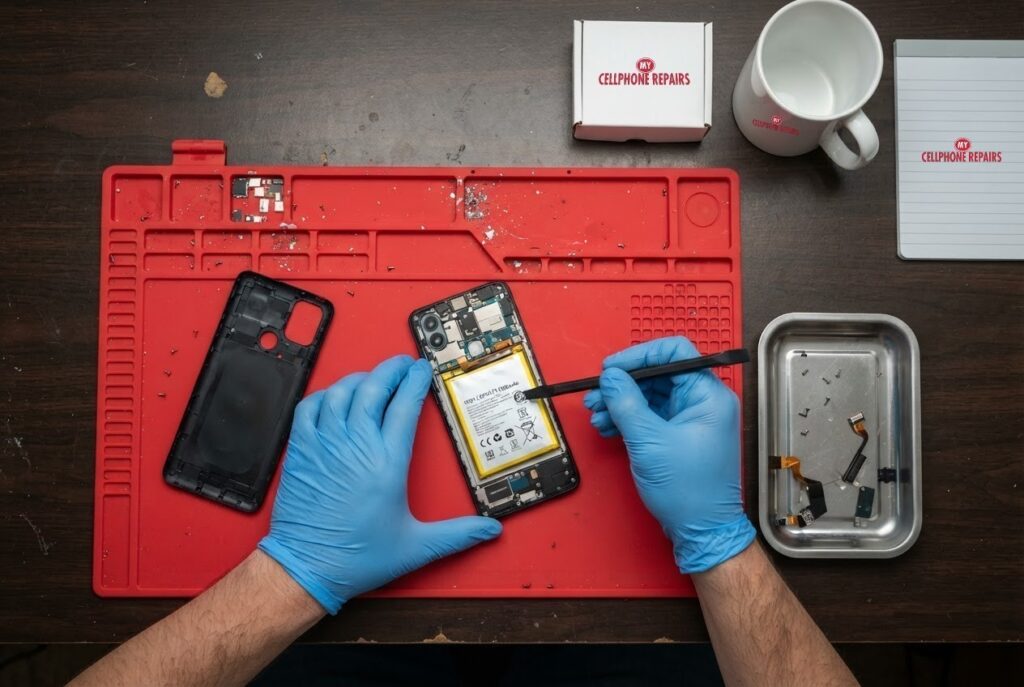
Your Moto G Power wobbles on the table when you tap the screen. The back cover looks slightly lifted along one edge, and the phone has been charging slower than usual. A swollen battery in a Moto G Power is easy to miss at first, and it is one of the few phone problems where waiting can be risky.
This guide explains why batteries swell, the signs to look for, what to do in the first ten minutes, what not to do, and how to dispose of a damaged battery safely. If you suspect swelling, stop charging and bring the phone in for a free diagnosis. Same day repair is available for most phones.
Quick facts
- Moto G Power 5G battery replacement from $89.
- Free diagnosis, always. Same day for most repairs.
- 30-day warranty on premium screens and other repairs (budget screens have no warranty).
- Walk-ins welcome. Open Sundays at 9 of our 10 listed stores.
Key takeaways
- Swelling is caused by gas building up inside the battery. Heat, damage, age and manufacturing defects are common triggers.
- Signs: bumps, a wobble when the phone lies flat, a back cover that pops off or a screen that lifts, slower charging and shorter battery life.
- Turn the phone off, stop charging and keep it away from anything flammable.
- Do not puncture, press on or try to fix the battery yourself. Motorola advises against user removal or replacement.
- Never put a swollen battery in the bin. Use an authorized recycling site.
In this article
- Why does a phone battery swell?
- How can I tell if my Moto G Power battery is swollen?
- What should I do right now?
- What happens if I wait?
- How do I dispose of a swollen phone battery?
- How can I help prevent a swollen battery?
Why does a phone battery swell?
Android Authority explains that a swollen battery happens when gas builds up inside it and makes it expand. Common triggers include manufacturing defects, heat (including leaving the phone in the sun), physical damage and age, especially when a battery sits unused for long periods.
Heat matters for another reason. Android Authority also notes that excess heat can break down a battery’s internal cells, and that overcharging can make a battery overheat. Fast charging adds heat through the battery and the surrounding power circuitry. A well-made battery has safety features, but swelling is a sign that something inside has gone wrong.
Motorola says swollen batteries are uncommon on its devices, but it still describes visible bulging as abnormal, and it advises contacting its support or an authorized service representative if you see it. Warranty terms apply to swollen batteries, so check your warranty first if the phone is still covered.
How can I tell if my Moto G Power battery is swollen?
Look for these signs, using a safe, flat table:
- The phone rocks or wobbles when it lies flat on its back.
- A bump or warped shape, especially in the middle of the back.
- The back cover is coming apart, or the screen seems to be lifting at the edges.
- A visible gap between the screen and the frame.
- A metallic or sweet smell.
- Charging that has become noticeably slower, or battery life that suddenly drops.
Android Authority lists the first four as classic signs, and the smell and the slower charging as further clues. None of these on its own proves swelling, but together they should make you stop and get the phone checked.
Motorola’s guidance for visible bulging is to act promptly. Do not wait to see whether it settles down.
What should I do right now?
- Turn the phone off and keep it off. Do not charge it.
- Move it somewhere safe. Put it on a hard, non-flammable surface away from anything that can burn. Some safety guides suggest a metal tray or a fire-resistant container.
- Do not squeeze, puncture or press on the bulge. Android Authority warns the gas inside is flammable and the battery can burst or catch fire.
- Do not try to remove the battery yourself. Motorola says the industry-standard precaution is to avoid user repair, removal or replacement, and to submit the device for repair.
- Contact the maker or us. If the phone is under warranty, the warranty terms apply. Otherwise, bring it in for a free diagnosis.
If you hear hissing, see smoke or fumes, or the phone is too hot to touch, move away and call emergency services. That is advice from the safety guides we read, and it is not something to test.
What happens if I wait?
Android Authority says a swollen phone battery is dangerous and can burst, catch fire or explode, so you should stop using the phone right away. Even without a dramatic outcome, the swelling can push on the screen and the back, bend the frame and damage other parts, which turns a battery job into a bigger repair.
In short, a swollen battery is a “today” problem rather than a “next month” problem. The repair itself is quick for us, and most are done the same day.
How do I dispose of a swollen phone battery?
Do not throw it in the trash. Android Authority says to take it to an authorized collection or recycling site, and it points to call2recycle.org for finding one. It also advises against shipping a damaged battery. Some retailers accept devices for recycling, but call first and tell them the battery is swollen.
If we replace your battery, we take care of the old one so you do not have to. Ask us when you come in.
How can I help prevent a swollen battery?
- Do not leave the phone in direct sun or a hot car.
- Use the charger and cable that came with the phone, or a certified match.
- Do not charge under a pillow or in bed, and do not cover the phone while it charges.
- Stop charging if it gets too hot, and let it cool before you try again.
- Replace a battery that has become very weak, rather than running it for years.
The first four come from Android Authority’s charging advice. The last one is our own practical suggestion, because ageing is a common trigger.
Try this first: restart and force restart your Motorola
Use these only if the phone shows no bulging. If you suspect swelling, do not charge it or keep restarting it. Switch it off and bring it in.
- Restart: press and hold the Power button, then tap Restart.
- Force restart (frozen phone): hold the Power button for 10 to 20 seconds until the phone restarts (on some older models, Power and Volume Up). Charge to at least 5% first.
- Safe mode: open the power menu, then touch and hold Power off and tap OK.
A factory reset will not fix a swollen battery. Motorola’s page: Force reboot or restart.
When to stop and come in: the phone will not turn on after a force restart and 30 minutes on the charger, it restarts by itself over and over, it gets hot, or the back or screen is lifting (possible swollen battery: stop charging it). Free diagnosis at any of our stores.
Full step-by-step guide: How to restart and reset your Motorola →
Repair prices
A Moto G Power 5G battery replacement starts from $89 at My Cellphone Repairs, using the price listed on our appointment page. Other Moto G Power years may differ, so you get a free diagnosis and an exact quote before we start.
If you are searching for “battery replacement near me” or “Motorola screen repair”, search your model on our appointment page, or walk in. Our parts are high-quality replacement parts, covered by our warranty.
We also fix tablets and computers
Swollen batteries also happen in tablets, laptops and MacBooks. We handle tablet repair near me and laptop repair near me requests, including swollen battery laptop and MacBook cases, so bring any bulging device in for a free diagnosis.
Frequently asked questions
Is a swollen battery in my phone dangerous?
Yes. Android Authority says a swollen battery can burst, catch fire or explode, so stop using it. Switch it off, do not charge it, and bring it in for a free diagnosis.
Where can I dispose of a swollen battery near me?
Use an authorized collection or recycling site, such as those listed at call2recycle.org, and never the household bin. Or ask us when we replace the battery.
Can I replace the battery myself?
Motorola advises against user removal or replacement and recommends submitting the phone for repair. Book a repair and we will do it safely.
Sources
- Motorola Support: Swollen battery
- Android Authority: What to do if your phone battery is swollen
- Android Authority: Why phones explode and what you can do to protect yourself
- Motorola Support: Force reboot or restart
#MyCellphoneRepairs #Motorola #MotoG #MotorolaRepair #MotoGPower #SwollenBattery #BatteryReplacement #PhoneRepair #SameDayRepair #WaldorfMD #VinelandNJ
Galaxy S24 Ultra Overheating? Causes and Safe Fixes
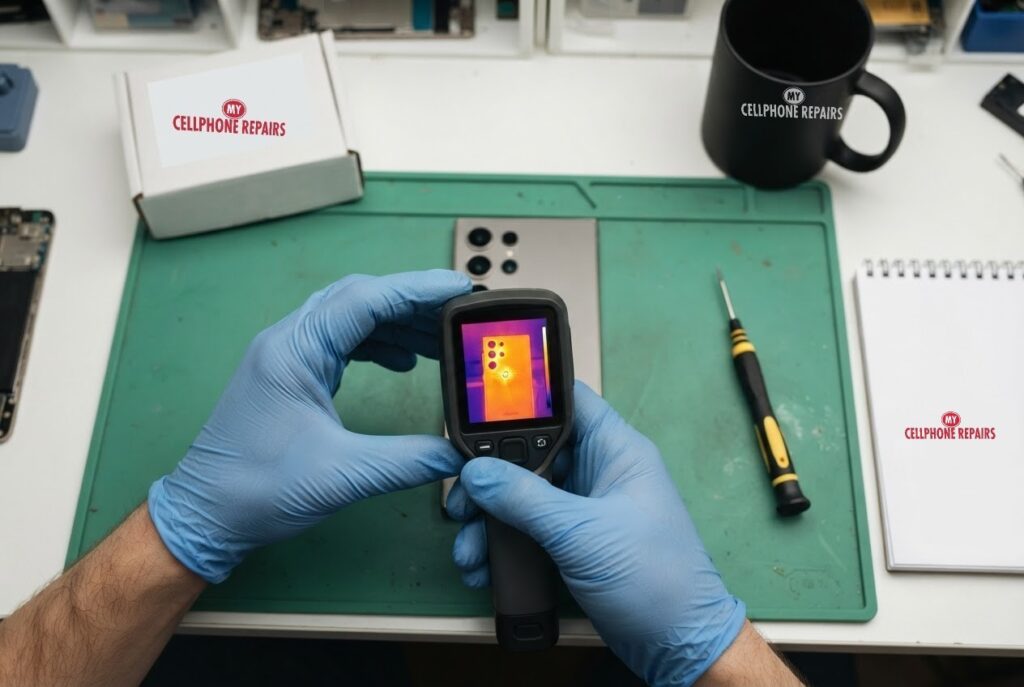
You are halfway through a map route, the phone is charging in the car, and suddenly the back of your Galaxy feels like a mug of coffee. The screen dims, the app lags and a warning pops up. A Galaxy S24 Ultra that keeps overheating is annoying, and sometimes it is a sign worth taking seriously.
This guide explains why phones get hot, which causes you can fix yourself in minutes, which warning signs mean “stop and get it checked”, and what to do about it. If the heat comes with swelling, a hissing sound or a burning smell, skip ahead to the safety section and call us. Our free diagnosis and same day repair are there when settings are not enough.
Quick facts
- Galaxy S24 Ultra battery replacement from $89.
- Free diagnosis, always. Same day for most repairs.
- 30-day warranty on premium screens and other repairs (budget screens have no warranty).
- Walk-ins welcome. Open Sundays at 9 of our 10 listed stores.
Key takeaways
- Warm is normal during gaming, video recording and charging. Hot with nothing running is not.
- Common causes: heavy multitasking or gaming, long camera or 8K recording, direct sun, background apps, a faulty charger and using the phone while it charges.
- Quick fixes: update the software, lower the refresh rate, remove the case while charging and use the original charger.
- Safe mode shows whether a downloaded app is the cause.
- Swelling, hissing, popping or a strong smell means stop using the phone and come in.
In this article
- Why does my Galaxy S24 Ultra get so hot?
- How do I stop my Galaxy S24 Ultra overheating? Step by step
- Is it an app or the hardware?
- When is overheating dangerous?
- Overheating myths and facts
- How can I prevent overheating?
Why does my Galaxy S24 Ultra get so hot?
Every phone makes heat when its chip works hard and when its battery charges. Samsung owners in the Samsung Community list the usual triggers: heavy multitasking or gaming, extended camera use or 8K video recording, direct sunlight or hot places, software bugs and background apps, faulty chargers or third-party accessories, and using the phone while it charges.
Android Authority adds the battery side of the story. It explains that excess heat can break down a battery’s internal cells, that overcharging can make a battery overheat, and that fast charging adds heat through the battery and the surrounding power circuitry. A well-made battery has safety features, but heat is still worth respecting.
So a warm phone during a long game or a fast charge is not unusual. A phone that is hot while idle, or that heats up within minutes of light use, deserves a closer look.
How do I stop my Galaxy S24 Ultra overheating? Step by step
These steps come from a Samsung Community guide for the Galaxy S24 Ultra. It is a user-posted guide rather than official documentation, so menu names may differ slightly on your phone. Try them in this order and let the phone cool between tests:
- Update the software. Settings, then Software update, then Download and install. Samsung updates can fix bugs that add heat.
- Limit background activity. Close unused apps from Recent Apps, then go to Settings, Battery and device care, Memory, and tap Clean now.
- Calm the display. In Settings, then Display, set Motion smoothness to Standard (60Hz) and lower the brightness or turn on Adaptive brightness.
- Charge without using the phone. Let it charge undisturbed and take the case off if it gets warm.
- Use proper charging gear. Samsung’s original charger or certified accessories, not a bargain cable.
- Turn on battery protection. Settings, Battery and device care, Battery, More battery settings, then switch on Protect battery and Adaptive battery.
- Reset settings if it persists. Settings, General management, Reset, Reset settings. This keeps your data but resets Wi-Fi, Bluetooth and permissions.
Community members also report relief from switching the Device care performance profile from Standard to Light, but that is one owner’s experience rather than a guaranteed fix.
Is it an app or the hardware?
The quickest way to separate the two is Safe mode. Google’s Android help explains that Safe mode can help you find an app that is causing problems such as restarting, freezing, crashing or running slowly. Use the phone normally in Safe mode. If the heat and lag stop, an app is probably the cause. If they continue, an app probably is not, and it is time to look at the charger, the battery or the phone itself.
To find the guilty app, uninstall recently downloaded apps one at a time and restart normally after each one. A Samsung Community answer says the same thing: if the phone does not overheat in Safe mode, remove third-party apps until normal behaviour returns.
Do not skip the charger either. Android Authority recommends using the charger and cable that came in the box because they are matched to the phone’s voltage and current. It also advises not charging under a pillow or in bed, and avoiding long charging sessions in hot places such as a car dashboard or in direct sun.
When is overheating dangerous?
Heat alone is usually a settings or app issue. Heat together with any of these is a different story:
- The back of the phone, or the screen, is lifting, bulging or no longer sits flat.
- A hissing or popping sound. Android Authority lists these as warning signs.
- A strange smell, or the phone gets too hot to hold even when idle.
- The battery drains very fast or the phone shuts down by itself.
Android Authority describes a swollen battery as dangerous. It can burst, catch fire, or explode, so you should stop using the phone right away. Turn it off, do not charge it, and keep it somewhere safe away from anything flammable. Do not squeeze or puncture it, and do not throw it in the bin. Take it to an authorized recycling site or bring it to us.
Samsung Community users also mention that a faulty third-party battery, or a poor connection after an earlier repair, can cause sudden overheating. That is one more reason to use a repair shop that stands behind its parts. Ours are covered by a warranty.
Overheating myths and facts
- Myth: A hot phone always means a bad battery. Fact: Gaming, 8K video, sun and background apps are all common causes, so test the simple things first.
- Myth: A factory reset always fixes heat. Fact: A reset can help a software problem, but it does not repair a faulty battery or charging circuit. Back up first if you try it.
How can I prevent overheating?
- Keep the phone out of direct sun and hot cars.
- Do not cover it while charging, and stop charging if it gets too hot, then let it cool before you start again.
- Avoid gaming or recording long videos while it charges.
- Keep the software up to date.
- Check Settings, Battery for the apps that use the most power, and uninstall the ones you rarely use.
Try this first: restart and force restart your Samsung Galaxy
These steps delete nothing and are worth doing before anything else:
- Restart: swipe down twice from the top, tap the Power icon, then Restart. Or hold the Side key and Volume Down, then tap Restart.
- Force restart (frozen phone): hold Volume Down and the Side key together for about 7 to 10 seconds, until the screen goes black and the Samsung logo appears.
- Safe mode: open the power menu, then touch and hold Power off until Safe mode appears and tap it. Restart normally to leave Safe mode.
A factory reset will not fix a hot or swollen battery. If you do reset for a software problem, back up first and know your Google account password. Samsung’s own page: Different ways to restart your Galaxy.
When to stop and come in: the phone will not turn on after a force restart and 30 minutes on the charger, it vibrates but the screen stays black, it restarts by itself over and over, it gets hot, or the back or screen is lifting (stop charging it). Free diagnosis at any of our stores.
Full step-by-step guide: How to restart and reset your Samsung Galaxy →
Repair prices
A Galaxy S24 Ultra battery replacement starts from $89 at My Cellphone Repairs. If heat turns out to be a charging port, screen or other fault, you will get a free diagnosis and an exact quote before we start.
Searching for “Samsung screen repair” or “cell phone repair near me”? Search your model on our appointment page to see live prices, then walk in or book.
We also fix tablets and computers
Heat problems happen on other devices too. We also repair Samsung tablets, iPads, laptops and MacBooks, including swollen battery laptop and MacBook cases. Search for “tablet repair near me” or “laptop repair near me” and you will find us.
Frequently asked questions
Why does my Galaxy S24 Ultra get hot while charging?
Charging itself makes heat, and fast charging makes more. Use the original charger, take the case off and avoid using the phone while it charges. If it still gets very hot, book a free diagnosis.
Is it safe to keep using a phone that overheats?
Occasional warmth is normal. If the phone swells, hisses, smells or gets too hot to hold while idle, stop using it, turn it off and bring it in. Do not charge it.
How much is a Galaxy S24 Ultra battery replacement?
It starts from $89 here, with a free diagnosis first and most repairs done the same day. Book a repair or walk in.
Sources
- Samsung Community: How to Fix Overheating Issues on the Galaxy S24 Ultra
- Android Authority: Why phones explode and how to protect yourself
- Android Authority: What to do if your phone battery is swollen
- Android Help: Find problem apps by rebooting to safe mode
- Samsung: Different ways to restart your Galaxy
#MyCellphoneRepairs #Samsung #Galaxy #SamsungRepair #GalaxyS24Ultra #PhoneOverheating #BatteryReplacement #PhoneRepair #FreeDiagnosis #HyattsvilleMD #Maryland
Moto G Power Battery Replacement: Signs It’s Time
Moto G Power battery dying early or shutting off at 40%? The signs it is time to replace it, the swelling warning, and what to try first.
Read more
OnePlus 13 Swollen Battery: Signs and What to Do Now
OnePlus 13 swollen battery? The warning signs, why batteries swell, what to do right now and what not to do, and how a safe replacement works.
Read more
OnePlus 12 Battery Draining Fast? Check Health First
OnePlus 12 battery draining fast? What the battery is built for, what heat and fast charging do, the swelling warning signs and when to replace it.
Read more
Swollen iPhone Battery: Warning Signs and What to Do
A swollen iPhone battery is a failing battery. Learn the warning signs, why you should never press on it, what to do right now and what a replacement costs.
Read more
iPhone 16 Battery Replacement: Signs It’s Time and Cost
Is your iPhone 16 battery dying fast? Learn the real signs it’s time for a replacement, how to check Battery Health, and what a battery swap costs.
Read more
Hands-On Mobile Phone Repair Training for Beginners
A course title alone doesn’t make training hands-on. For beginners, hands-on mobile phone repair training should build practical skills in a clear…
Read more