
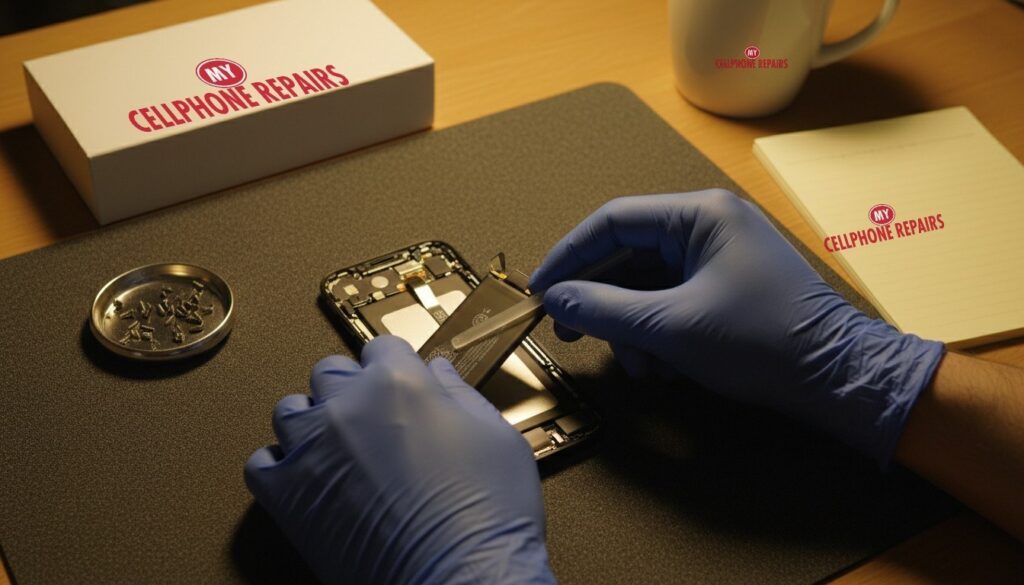
It’s 2 p.m., you unplugged at 100% this morning, and your phone is already begging for a charger. Or worse, it says 30% and then switches off in the cold on the walk to the bus stop. If that sounds familiar, you’re probably wondering whether an iPhone 16 battery replacement is worth it. Short answer: a replacement for the iPhone 16 starts from $109 at My Cellphone Repairs, it’s usually done the same day, and diagnosis is always free. This guide shows you how to tell a worn battery from a software hiccup before you spend anything.
Key takeaways
- Batteries are consumables: they lose capacity as they age, no matter the brand.
- Apple’s design target is 80% of original capacity after 500 full charge cycles (iPhone 14 and earlier) or 1,000 cycles (iPhone 15 and later).
- Check Settings > Battery > Battery Health before you decide.
- Sudden shutdowns, a slower phone and a “significantly degraded” message are the clearest signs.
- A swollen battery is different: stop charging and bring it in right away.
Quick facts
- From price: $109 for the iPhone 16
- Turnaround: same day for most repairs
- Warranty: 30-day warranty on this repair
- Diagnosis: always free, walk-ins welcome
In this guide: how a battery ages, the signs it’s time, how to check Battery Health, what to try first, what it costs, myths, and FAQs.
Why does an iPhone battery wear out?
Your iPhone uses a lithium-ion battery, and Apple describes it as a consumable part. Every time you charge and use it, the chemistry inside ages a little, so it holds less energy than when it was new. Apple says how fast that happens depends on temperature history and charging pattern, not only on how old the phone is.
Apple measures wear in “charge cycles.” One cycle is the equivalent of using 100% of the battery, which doesn’t have to happen in one go. Using 75% today and 25% tomorrow adds up to one cycle. Apple’s design target is to keep up to 80% of the original capacity after 500 complete cycles on iPhone 14 models and earlier, and after 1,000 cycles on iPhone 15 models and later, under ideal conditions. Real life varies, so treat that number as a guide, not a promise.
What are the signs your iPhone battery needs replacing?
These are the symptoms Apple itself lists for an aged battery:
- Shorter time between charges. The most common sign. You used to get a full day and now you don’t.
- Unexpected shutdowns. When an old battery can’t deliver enough peak power, the phone shuts down to protect its electronics. This is more likely at low charge or in the cold.
- A slower phone. iOS can limit peak performance to prevent shutdowns. Apple says this can mean longer app launch times and lower frame rates.
- Dimmer screen or quieter speaker. Apple also lists a dimmer backlight, speaker volume reduced by up to 3 dB and, in extreme cases, a flash that is temporarily disabled.
- A Battery Health message. If you see that your battery’s health is “significantly degraded,” Apple says a service provider can replace it to restore full performance and capacity. Apple adds that this message doesn’t indicate a safety issue.
Good news: Apple says calls, networking, photo and video quality, GPS, location, sensors and Apple Pay are not affected by this performance management. So a tired battery usually makes the phone annoying, not broken.
How do you check your iPhone battery health?
It takes less than a minute, and it’s the best first step before any repair.
- Open Settings and tap Battery.
- Tap Battery Health (on iPhone 11 to 14 it may read Battery Health & Charging).
- Read the Maximum Capacity percentage. On iPhone 15 and later with iOS 17.4 or newer, you can also see the cycle count, manufacture date and whether a replacement is recommended.
A common rule of thumb from tech press is to consider a replacement when capacity drops below 80%, when you see a degraded-battery warning, or when the phone won’t hold a charge. Some guides add that if you’re already struggling at 85% or 90%, there’s no need to wait for the warning. If you see “Unable to verify this iPhone has a genuine Apple battery,” Apple says the health numbers may not be accurate. In that case, a free diagnosis tells you what’s really going on.
Try this first: restart and force restart your iPhone
Software glitches can drain a battery too, so rule them out. These steps delete nothing.
- Restart: press and hold a volume button and the side button until the power-off slider appears, drag it, then hold the side button to turn the phone back on. Or go to Settings > General > Shut Down.
- Force restart (frozen screen): quickly press and release Volume Up, quickly press and release Volume Down, then press and hold the side button until the Apple logo appears (it can take more than 10 seconds).
- Update iOS in Settings > General > Software Update, then check Battery Health again.
When to stop and come in: the phone won’t turn on after a force restart and 30 minutes on the charger, it restarts over and over, it gets hot, or the screen or back is lifting. A lifting screen or back can mean a swollen battery. Stop charging it and bring it in. A factory reset will not fix a worn battery, so don’t erase your phone for this. Official steps are on Apple’s restart page.
Full step-by-step guide: How to restart and reset your iPhone →
All restart & reset guides →
How much does an iPhone battery replacement cost?
Here are our current “from” prices for battery replacement. Free diagnosis, an exact quote before we start, and a 30-day warranty on this repair.
| Model | Battery replacement from |
|---|---|
| iPhone 14 | $89 |
| iPhone 15 | $109 |
| iPhone 16 | $109 |
| iPhone 17 | $129 |
| iPhone 17 Pro Max | $149 |
If your phone is still under Apple’s one-year warranty, check that first, since Apple says it covers a defective battery. A battery that has simply worn down from use is a different matter, and that’s where a quick local replacement saves you time. Looking for the best iPhone battery replacement near me? Walk in and we’ll test it for free.
Myths vs facts about iPhone batteries
- Myth: “Apple slows my phone to make me upgrade.” Fact: Apple says iOS only limits peak performance when the battery can’t supply enough power, to prevent unexpected shutdowns. A new battery can bring the speed back.
- Myth: “Charging overnight ruins the battery.” Fact: Optimized Battery Charging is designed to reduce wear by delaying charging past 80% in certain situations. Heat is the bigger enemy, so avoid leaving the phone in direct sun or a hot car.
- Myth: “A factory reset fixes a bad battery.” Fact: It can fix software drain, but it can’t restore chemical wear.
- Myth: “Any cheap battery is the same.” Fact: Apple warns that a battery that can’t be verified may report capacity and health inaccurately, and a poorly made or wrong-model battery can cause performance problems or safety risks. Quality parts matter.
How can you make a new battery last longer?
- Keep the phone out of heat, and don’t charge it in direct sun.
- Keep Optimized Battery Charging on in Battery Health settings.
- If you store a phone for a long time, leave it about half charged, as Apple advises.
- Avoid running the battery to 0% again and again.
- Install updates, which include power management improvements.
We also fix tablets and computers. Cracked iPad? We offer iPad screen repair and tablet repair near me. Need a laptop repair near me? Our team also handles MacBook repair near me, including a swollen battery in a laptop or MacBook.
Frequently asked questions
Why is my phone dying so fast?
Most often the battery has aged, or a software issue or a heavy app is draining it. Check Battery Health, restart, and update iOS. If maximum capacity is low or the phone shuts down by itself, come in for a free diagnosis and same day phone repair if you need it.
iPhone battery health: when to replace (80%)?
Around 80% is the usual point to start thinking about it, especially if you have shutdowns or slowdowns. You can replace earlier if the battery bothers you. Book a repair and we’ll test it for free before you decide.
How long does a battery replacement take?
Most are done the same day, and walk-ins are welcome. Call or visit any store for a free diagnosis and an exact quote.
Is a swollen battery dangerous?
It needs prompt attention. If the screen or back is lifting, stop charging the phone and bring it in for a free diagnosis. Don’t press on it or try to open it yourself.
#MyCellphoneRepairs #iPhone #Apple #iPhoneRepair #iPhone16 #iPhoneBattery #BatteryReplacement #BatteryHealth #Smartphone #BaltimoreMD #TowsonMD
Sources
- Apple Support: iPhone battery and performance
- Apple Support: Battery and performance of iPhone 11 and later
- Apple Support: About genuine iPhone batteries
- 9to5Mac: How to see iPhone battery health
- Tom’s Guide: How to check iPhone battery health
Get it fixed at My Cellphone Repairs: most repairs are done the same day. Walk in or book online.
Book NowPhone frozen or acting up? See our step-by-step restart & reset guides →
Our locations
- Towson Mall825 Dulaney Valley Rd, Second Level, Towson, MD 21204
(410) 828-4404 - Grand Rapids3077 28th St SE, Grand Rapids, MI 49512
(616) 799-6996 - PG Plaza Mall (Hyattsville)3500 East-West Hwy, Mall at Prince George's, Target Entrance, Hyattsville, MD 20782
(301) 559-1105 - Bowie Town Center15630 Emerald Way, Bowie, MD 20716
(240) 614-3600 - Capital City Mall (Camp Hill / Harrisburg area)3604 Capital City Mall Dr, Camp Hill, PA 17011
(717) 919-7868 - Cumberland Mall (Vineland)3849 S Delsea Dr, next to Boost Mobile, Dick's Sporting Goods entrance, Vineland, NJ 08360
(856) 765-5049 - Mondawmin Mall2401 Liberty Heights Ave, Lower Level, Baltimore, MD 21215
(443) 826-7711 - Baltimore Inner Harbor100 East Pratt St, Suite 101, Baltimore, MD 21202
(443) 838-8989 - St Charles Mall (Waldorf)11110 Mall Cir, Waldorf, MD 20603
(301) 645-7755 - Alexandria7650 Richmond Hwy, Alexandria, VA 22306
(703) 341-6789