
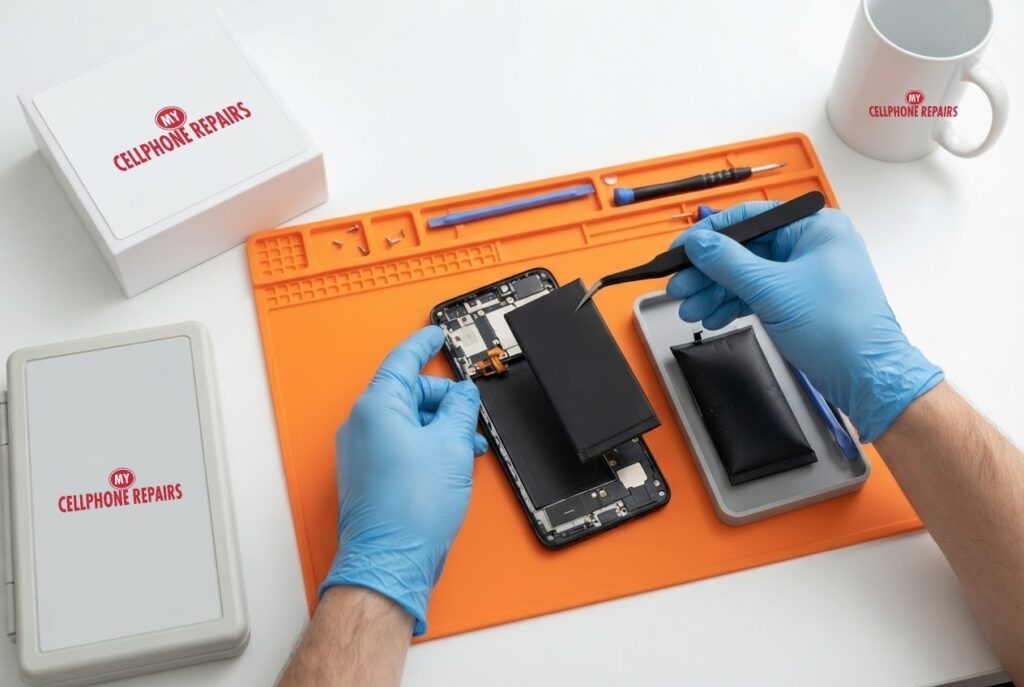
It is 3 p.m. and your OnePlus 12 battery is already at 20%, even though it left the charger full this morning. Before you blame the phone, there are a few things worth knowing: how big the battery is, how long OnePlus and EU testing say it should last, and which signs point to a worn or damaged battery. If a replacement is the answer, we offer professional battery replacement near you, with a free diagnosis and same day phone repair for most jobs. Below you will learn what is normal, what makes a battery age faster, the swelling warning signs and when to bring the phone in.
Key takeaways
- The OnePlus 12 has a 5,400 mAh dual-cell battery with very fast wired charging, according to OnePlus.
- EU label data cited by Android Authority lists 1,600 charge cycles to 80% capacity for the OnePlus 12.
- Heat, overcharging and physical damage are common reasons lithium-ion batteries fail.
- A phone that wobbles on a table, or a back that lifts, may have a swollen battery. Stop charging it.
- Our quick facts: free diagnosis, same day for most repairs, 30-day warranty on this repair, exact quote before we start.
In this article: what the battery is built to do, why drain happens, heat and fast charging, swelling signs, when to replace, myths vs facts, cost, FAQ.
How long should a OnePlus 12 battery last?
OnePlus lists the OnePlus 12 battery as 5,400 mAh in a dual-cell design, made of two 2,700 mAh cells. Its global specs page lists 100W SUPERVOOC wired charging and 50W AIRVOOC wireless charging, while its US page lists 80W SUPERVOOC and says the “100W” label refers to an 80W adapter output, so the exact speed depends on your market. OnePlus also notes that the rated capacity is lower than the typical figure, and that real-world results vary with usage and “machine aging and other factors.”
How long can it stay healthy? Android Authority reports that the EU’s energy label database lists the OnePlus 12 at 1,600 charge cycles to 80% capacity, higher than the OnePlus 13’s 1,000, and says OnePlus gives a four-year figure for both the OnePlus 12 and OnePlus 15. OnePlus’s own product page did not state a battery-health promise when we read it, so treat four years as a reported claim, not a guarantee. A cycle means one full charge’s worth of use, not each time you plug in.
Why is my OnePlus 12 battery draining so fast?
There is rarely one cause. Sort them from simple to serious:
- Heavy use: a bright screen, gaming and mobile data all burn power. Notice whether drain happens only while using the phone or also while it sits idle.
- Software: an app update or system update can change how apps behave. If the phone is hot while idle, an app may be misbehaving. Safe mode can help rule that out.
- Age: every lithium-ion battery loses capacity over its cycles, so a phone with years of daily fast charging will hold less than it did on day one.
- Damage or a faulty battery: a drop, heat or a defect can shorten life sharply, or cause swelling.
OnePlus’s product page mentions a Battery Health Engine, but it does not publish a figure, so we cannot give you a magic percentage that means replace. A practical test: if the phone cannot last a normal day after a restart, an update and a check for runaway apps, the battery itself is the prime suspect. We can test it for free.
Do heat and fast charging hurt the battery?
Android Authority explains that fast charging pushes more power into the battery, and every power transfer creates some heat. The charging circuitry near the battery adds more, and modern processors release heat too, which makes it harder for the battery to cool. High temperatures can break down the cells, and overcharging, more current than the battery can safely handle, also causes overheating. In extreme cases a chain reaction called thermal runaway can lead to fire.
That is why the advice is practical. Stop charging if the phone gets too hot and let it cool. Do not cover it while it charges. Use the charger and cable that came with the phone. Do not charge in bed or under a pillow, and avoid hot spots such as car dashboards, radiators or direct sun.
What are the signs of a swollen battery?
Android Authority lists these warning signs: a bump or wobble when the phone lies flat, warped casing, or a back cover that starts to pop off. A metallic or sweet smell and noticeably slower charging or shorter battery life can also point to a problem. Gas builds up inside the battery and expands it. Common triggers include manufacturing defects, heat, physical damage and age.
Android Authority calls a swollen lithium-ion battery “very dangerous,” because it can burst, catch fire or explode. Its advice matches ours: turn the device off, do not charge it, keep it away from anything flammable, and have a professional replace the battery. Do not throw a swollen battery in the trash. Take it to a battery recycling point. When we replace yours, we handle the old battery for you.
When should I replace the battery instead of waiting?
- The phone cannot last half a normal day after software checks.
- It shuts down at 20% or higher, or the percentage jumps around.
- It gets hot while idle or on charge.
- The back wobbles, the screen lifts or the case looks bent. Replace it right away.
- You rely on the phone for work and cannot risk a dead phone mid-day.
If the phone is under warranty, check that first.
Myths vs facts about phone batteries
- Myth: Charging overnight always ruins a battery. Fact: Heat is the bigger enemy, so keep the phone cool and uncovered.
- Myth: A factory reset fixes a worn battery. Fact: A reset cannot change a physical battery, though it can rule out software.
- Myth: Any cheap charger is fine. Fact: Android Authority recommends the charger and cable that came with the phone.
- Myth: Four years of battery life is guaranteed. Fact: It is a reported claim based on assumptions, so your usage matters.
Try this first: restart, force restart and safe mode (OnePlus)
These steps delete nothing. If the back is lifting or the phone is hot or swollen, skip them: stop charging and come in.
- Restart: press and hold Power and Volume Up (or the Power button on older models), then tap Restart.
- Force restart (frozen): on OnePlus 6T and later, hold Volume Up and Power for about 10 seconds. Some models use Volume Down and Power. If it vibrates but the screen stays black, the screen may be damaged.
- Safe mode: open the power menu, touch and hold Power off, then tap Safe mode. This helps rule out an app that drains the battery.
When to stop and come in: the phone will not turn on after 30 minutes on the charger, it gets hot, restarts over and over, or the back or screen is lifting. A factory reset will not fix a worn or swollen battery and it erases everything, so back up and skip it. Maker’s own help: OnePlus support: phone will not turn on or frozen screen.
Full step-by-step guide: How to restart and reset your OnePlus → | All restart & reset guides →
How much does OnePlus 12 battery replacement cost?
We do not list a set battery price for the OnePlus 12 online, and we never guess. You get a free diagnosis and an exact quote before we start. Most battery repairs are done the same day, they carry our 30-day warranty, and walk-ins are welcome. Most of our stores are open on Sundays.
We also fix tablets and computers. Looking for tablet repair near me, an iPad screen repair cost or laptop repair near me? Bring them in for a free diagnosis too.
FAQ
Is my OnePlus 12 battery draining too fast?
If it cannot last a normal day after a restart, an update and a check of heavy apps, the battery may be worn. Bring it in for a free test.
How long does a OnePlus battery replacement take?
Most are done the same day. Walk in or book a repair and we will quote the exact price before starting.
Is a swollen OnePlus battery dangerous?
It can be. Stop charging, power the phone off, do not press on it and bring it in. Do not put the battery in household trash.
Sources
- OnePlus: OnePlus 12 specs
- OnePlus: OnePlus 12 (US)
- Android Authority: OnePlus 15 battery health claim
- Android Authority: what to do if your phone battery is swollen
- Android Authority: why phones explode and how to protect yourself
#MyCellphoneRepairs #OnePlus #OnePlus12 #OnePlusRepair #BatteryReplacement #BatteryHealth #Android #PhoneRepair #SameDayRepair #CampHillPA #Harrisburg
Get it fixed at My Cellphone Repairs: most repairs are done the same day. Walk in or book online.
Book NowPhone frozen or acting up? See our step-by-step restart & reset guides →
Our locations
- Towson Mall825 Dulaney Valley Rd, Second Level, Towson, MD 21204
(410) 828-4404 - Grand Rapids3077 28th St SE, Grand Rapids, MI 49512
(616) 799-6996 - PG Plaza Mall (Hyattsville)3500 East-West Hwy, Mall at Prince George's, Target Entrance, Hyattsville, MD 20782
(301) 559-1105 - Bowie Town Center15630 Emerald Way, Bowie, MD 20716
(240) 614-3600 - Capital City Mall (Camp Hill / Harrisburg area)3604 Capital City Mall Dr, Camp Hill, PA 17011
(717) 919-7868 - Cumberland Mall (Vineland)3849 S Delsea Dr, next to Boost Mobile, Dick's Sporting Goods entrance, Vineland, NJ 08360
(856) 765-5049 - Mondawmin Mall2401 Liberty Heights Ave, Lower Level, Baltimore, MD 21215
(443) 826-7711 - Baltimore Inner Harbor100 East Pratt St, Suite 101, Baltimore, MD 21202
(443) 838-8989 - St Charles Mall (Waldorf)11110 Mall Cir, Waldorf, MD 20603
(301) 645-7755 - Alexandria7650 Richmond Hwy, Alexandria, VA 22306
(703) 341-6789