
Moto G Power front camera black or not working? Try Motorola’s hardware test and safe fixes first, then get a free diagnosis and same-day repair.
Read moreTag: front camera repair

OnePlus 13 Front Camera Not Working? Fixes and Repair
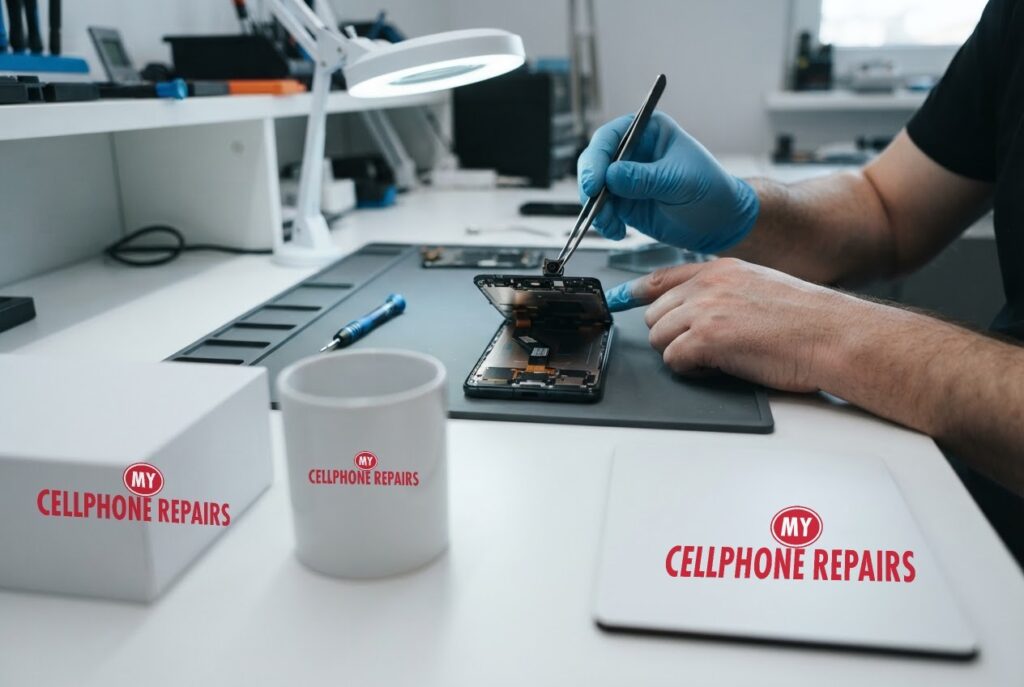
You tap the selfie button before a video call and get a black screen, a blur, or a message that the camera cannot connect. A OnePlus 13 front camera that is not working is frustrating, especially when the back camera is fine.
In this guide we cover the software fixes owners report most often, the signs that point to a hardware fault, and what a repair involves. If the quick steps do not help, our free diagnosis will tell you which it is, and most repairs are same day.
Quick facts
- Free diagnosis, always. We tell you the cause before any repair starts.
- Same day for most repairs. Walk-ins welcome.
- 30-day warranty on premium screens and other repairs (budget screens have no warranty).
- Exact quote before we start, because camera faults vary from a software fix to a part replacement.
Key takeaways
- The OnePlus 13 has a 32MP front camera for selfies and video calls, according to Android Authority.
- Owners commonly report fixes with clearing the Camera and Camera Service app data, restarting, and checking Sensors Off.
- Safe mode tells you whether a downloaded app is blocking the camera.
- A camera that stays black after software steps, or failed after a drop, points to hardware.
- Back up your photos before any repair or reset.
In this article
- Why would the OnePlus 13 front camera stop working?
- What should I try first? Step-by-step fixes
- How do I know it is hardware?
- What happens if I wait?
- Front camera myths and facts
Why would the OnePlus 13 front camera stop working?
The OnePlus 13 uses a 32MP front camera for selfies and video calls, while the rear cameras are a separate set of three 50MP sensors, according to Android Authority. Because the two sets are separate hardware, a dead front camera with a healthy back camera tells us something useful: the problem is limited to the front module, its connection or the software that talks to it.
Most of what we know about the OnePlus 13 front camera comes from owner reports rather than an official OnePlus support article. We could not find one for this exact problem, so we treat the fixes below as things owners say worked, not guaranteed cures.
The usual suspects fall into two groups. Software causes include a stuck camera service, an app that is holding the camera or a setting that switches sensors off. Hardware causes include a displaced lens, a loose internal connection after a drop, or a failed module.
What should I try first? Step-by-step fixes
Menu names can differ slightly between OxygenOS versions. Test the camera after each step:
- Check Sensors Off. Owners report finding it switched on by accident. Turning it off and rebooting brought the camera back.
- Restart the phone. A simple restart clears many one-off camera glitches.
- Clear the Camera app cache and storage. In Settings, Apps, open Camera, then Storage, and clear the cache and storage. Do the same for the OnePlus Camera Service app, then restart. Several owners report this helps, though in one thread the problem returned later.
- Close apps that use the camera. A video-call app can hold the camera. In one WhatsApp video-call report, switching to the back camera and back to the front restored the picture.
- Use Safe mode. Google’s Android help says Safe mode helps find apps that cause problems. If the camera works in Safe mode, a downloaded app is probably the cause, so uninstall recent apps one at a time and restart after each.
- Install updates. Check Settings, then System update, for a newer software version.
A factory reset is a last resort. Some owners say it did not help, so do not expect it to fix a hardware fault. Back up your photos first if you try it.
How do I know it is hardware?
- The front camera is black or blurry in every app and in Safe mode.
- It stopped working right after a drop, a squeeze or water exposure.
- Selfies are out of focus with a visible smudge or crack near the camera hole.
- The camera works only when you press on the screen top or flex the phone.
- None of the software steps changed anything.
Owners in several threads report that a physical fault such as a displaced lens or loose internal connection was the cause. One said the lens was put back in its original position at a service centre and the camera worked fine afterwards. Others were told by service centres that the camera hardware itself had failed.
What happens if I wait?
A camera fault itself is not dangerous, and you can use the back camera in the meantime. But a loose connection or a displaced lens after a drop can get worse, and dust or moisture can reach the module if the phone was wet.
If you rely on video calls for work or school, the cost of waiting is the time you lose, not the repair price. Back up your photos, and book when it suits you.
Front camera myths and facts
- Myth: Downloading a different camera app file will fix it. Fact: Some forum users suggest this. It carries a security risk and it does not repair a hardware fault, so we do not recommend it.
- Myth: A dead front camera means the whole phone is broken. Fact: The front module is separate, and a repair is usually limited to that part.
- Myth: A factory reset always works. Fact: Several owners say it made no difference when the cause was hardware.
Try this first: restart and force restart your OnePlus
These steps delete nothing. They are the right first moves when software could be behind a camera problem:
- Restart: press and hold Power and Volume Up (or the Power button on older models), then tap Restart.
- Force restart (frozen phone): hold Volume Up and Power for about 10 seconds. If it vibrates but the screen stays black, the screen may be damaged.
- Safe mode: open the power menu, then touch and hold Power off and choose Safe mode. Restart normally to leave it.
A factory reset will not fix a camera hardware fault. If you do reset, back up first and know your Google account password. OnePlus’s page: Phone won’t turn on or frozen screen.
When to stop and come in: the phone will not turn on after a force restart and 30 minutes on the charger, it vibrates but the screen stays black, it restarts by itself over and over, it gets hot, or it got wet. Free diagnosis at any of our stores.
Full step-by-step guide: How to restart and reset your OnePlus →
Repair prices
We do not list a fixed front-camera price for the OnePlus 13 on our appointment page, so you get a free diagnosis and an exact quote before we start. If the fault is in the screen assembly, a OnePlus 13 screen replacement is listed from $229.99, and we will tell you if that is needed.
If you are searching for “OnePlus screen repair” or “phone repair near you”, search your model on our appointment page to see live prices, or walk in.
We also fix tablets and computers
Camera and screen faults happen on other devices too. We also fix tablets and computers: tablet repair near me, iPad screen repair cost questions, laptop repair near me and MacBook repair near me. Bring any device in for a free diagnosis.
Frequently asked questions
Why is my front camera not working on video calls?
It can be a software lock, a setting such as Sensors Off, or a hardware fault. Restart, clear camera data and test in Safe mode, then book a free diagnosis if it stays black.
Can I use my phone while the front camera is broken?
Yes. The rear cameras are separate, and a front camera fault does not stop the rest of the phone from working. Back up your photos and book when ready.
How long does a front camera repair take?
Most repairs are done the same day, and walk-ins are welcome. We give you an exact quote after the free diagnosis. Book a repair online or stop by.
Sources
- Android Authority: The OnePlus 13 is here
- Android Help: Find problem apps by rebooting to safe mode
- OnePlus Support: Phone won’t turn on or frozen screen
#MyCellphoneRepairs #OnePlus #OnePlusRepair #OnePlus13 #FrontCamera #CameraRepair #PhoneRepair #SameDayRepair #FreeDiagnosis #GrandRapids #AlexandriaVA
Pixel 8 Face Unlock Not Working? Fixes to Try First
Pixel 8 face unlock not working? Google’s own troubleshooting, why dark rooms are a known weak spot, and when the front camera needs a repair.
Read more
iPhone 15 Front Camera Not Working? What to Try First
iPhone 15 front camera black or not working? The checks to try first, Apple’s built-in diagnostic, and what a front camera repair involves.
Read more
Moto G Power Face Unlock Not Working? Fixes to Try
Moto G Power face unlock not recognising you? Try Motorola’s fixes, learn how to tell a settings problem from a camera problem and when to get a free diagnosis.
Read more
Galaxy S23 Front Camera Black or Blurry? Fixes to Try
Galaxy S23 selfie camera black or blurry? Follow Samsung’s order of fixes, learn what a failing camera looks like and when to get a free diagnosis.
Read more
Pixel 8 Front Camera Not Working? Black or Blurry Fixes
A black or blurry Pixel selfie camera is often a quick fix, and sometimes hardware. Here are the steps from Google to try first, and what a repair involves.
Read more