
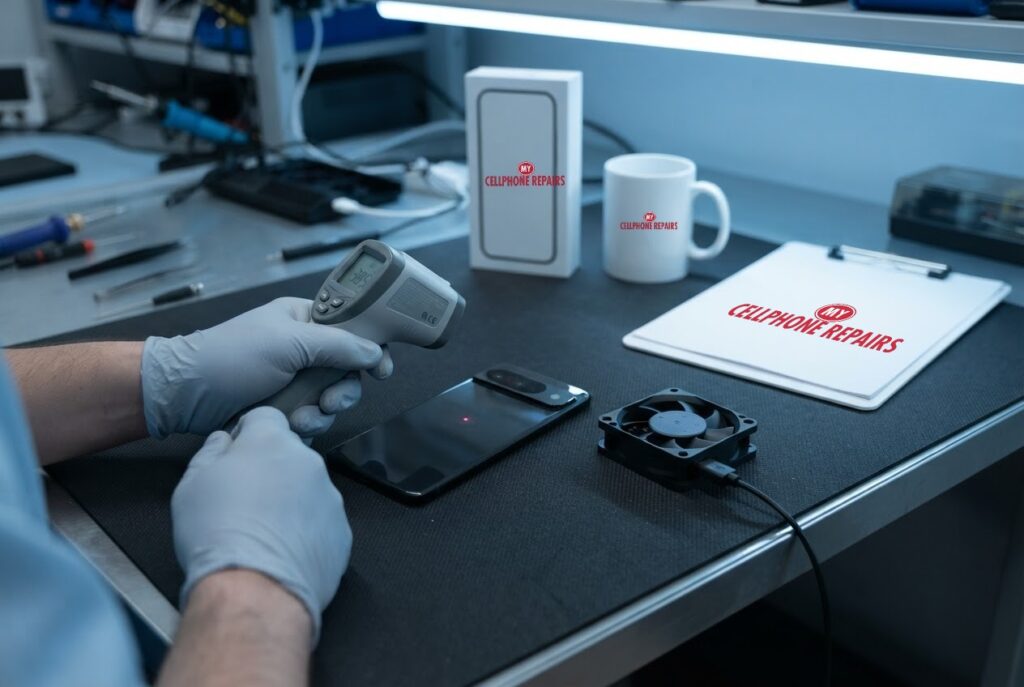
You are navigating across town with the screen bright, the phone sitting on a charging pad on the dashboard, and suddenly your Pixel 9 feels like a hot mug and flashes a temperature warning. Warm phones are normal, but a phone that gets hot while doing very little is worth understanding. In this guide you will learn what Google says causes a Pixel to run hot, how to check the temperature, what to change today, and the signs that point to a battery or hardware fault. If it does need a look, we offer Google Pixel repair near you with a free diagnosis and same day phone repair for most jobs.
Key takeaways
- Google lists video, games, recording, hotspot use, big downloads, charging and hot surroundings as common reasons a Pixel gets warm.
- On Pixel 6 and later you can check temperature at Settings > Battery > Battery diagnostics > Phone is very warm.
- Android Authority reports no widespread Pixel 9 overheating complaints, and notes the base Pixel 9 lacks the vapor chamber found in the Pixel 9 Pro and 9 Pro XL.
- Wireless charging creates more heat than wired charging, and a thick case can trap heat.
- If it overheats without heavy use, or keeps turning itself off, get it checked. Our quick facts: free diagnosis, same day for most repairs, exact quote before we start.
In this article: why a Pixel gets hot, how to check the temperature, what to do right now, charging and case habits, when to worry, myths vs facts, cost, FAQ.
Why does my Pixel 9 get so hot?
A phone is a small computer with no fan, so almost anything that makes it work hard makes it warm. Google’s Pixel help page lists the usual suspects: playing video or games, restoring or transferring data from a backup, recording high-definition video, using the phone as a hotspot, downloading or uploading lots of data, setting up a new phone, and doing any of these while the phone is charging. Hot surroundings count too, such as direct sunlight, a hot car or a cramped, poorly ventilated space. Problems that also drain the battery can heat the phone.
Android Authority adds some context for this model. It says there are no widespread reports of overheating on the Pixel 9 series, but that the issue is not fully settled, and that the base Pixel 9 may run warmer than its siblings because it lacks the vapor chamber cooling found in the Pixel 9 Pro and 9 Pro XL. Its reviewer saw a Pixel 9 Pro get a little hot even under light use. In other words, some warmth is normal and the cause is usually how and where you use it.
How can I check how hot it really is?
Do not rely on how it feels in your hand, because your skin is a poor thermometer. On Pixel 6 and later, Google says to open Settings > Battery > Battery diagnostics > Phone is very warm. That screen helps you see whether the phone has been hitting a warm state and gives you an idea of what is going on.
It is also worth knowing that the phone protects itself. Google says that when it gets hot, it can reduce processor performance, slow charging, limit camera and flash use, and cut mobile data or Wi-Fi, including 5G, or switch to low power mode. If the temperature keeps rising, it may show a warning and turn itself off. If that happens, let it cool before you restart it.
What should I do right now if it is hot?
Google’s advice for a phone that is too hot is simple and worth following in order:
- Unplug it from its power source.
- Move it somewhere cooler, out of the sun and away from heat.
- Do not use it until it has cooled down.
9to5Google adds practical extras: close recent apps and avoid heavy ones, take the case off, and consider a reboot, which the article says helps it cool faster. It also notes that cooling usually takes about a minute once the phone is somewhere cooler, so a single warning is no reason to panic. It strongly advises against wirelessly charging a phone that is already overheating.
Once it has cooled, Google’s list of longer-term fixes is to lower the screen brightness (Settings > Display & touch > Brightness level), use Wi-Fi instead of mobile data when you can, use only cases made for your model, and limit apps that drain the battery.
Do charging and cases make Pixel heat worse?
Yes, and this is where most people can win back a few degrees. Android Authority’s writer, who tested a Pixel 10, found that wireless charging produces more heat than wired and that a flat magnetic stand gave the phone no way to shed it. His phone reached around 34 to 37 degrees Celsius on the stand and charging slowed. Switching to wired charging fixed both. He also swapped a thick rugged case for a slimmer one because the thick case trapped heat, stopped using the phone while it charged, and moved a windshield phone mount out of direct sunlight.
That is one person’s experience on a newer model, so treat it as a hint rather than a rule, but it lines up with Google’s advice: avoid charging while doing heavy tasks, keep the phone out of hot places, and use the right case. The same writer also found that unused background apps and a navigation session in bright sun, with GPS, a bright screen and mobile data all running, caused heat. Check Settings > Battery > Battery usage to see which apps are busy when you are not using them.
Try this first: restart, force restart and Safe mode (Google Pixel)
These steps delete nothing. Let a hot phone cool down first, then restart it.
- Restart: press and hold the Power button, then tap Restart. On some models you hold Power and Volume Up.
- Force restart (frozen): press and hold the Power button for up to 60 seconds and let go when the Google logo appears. On Pixel 5a and earlier it takes about 30 seconds.
- Safe mode: open the power menu, touch and hold Restart until Reboot to safe mode appears, then tap OK. This helps rule out an app that keeps the phone busy.
When to stop and come in: the phone keeps getting hot with light use, keeps turning off, gets wet, or the back or screen is lifting. A factory reset will not fix a battery or hardware problem, and it erases everything, so back up first and skip it unless a technician advises it. Maker’s own help: Google Pixel Help: fix a Pixel phone that freezes.
Full step-by-step guide: How to restart and reset your Google Pixel → | All restart & reset guides →
When is overheating a real problem?
Heat during a game or a long video call is expected. Heat is a concern when it happens with little or no heavy use, keeps coming back after updates and the fixes above, or comes with other warning signs. Android Authority’s Pixel 9 guide says that if the phone overheats without heavy usage and the steps do not help, there is a small chance of a hardware defect, and suggests contacting Google about a replacement if it is covered.
Treat the following as reasons to stop using the phone and get it looked at: it keeps turning itself off, it is hot while idle or on a short charge, the battery drains very fast, or the back or screen looks like it is lifting, which can mean a swollen battery. Google says to contact Pixel support if the phone keeps turning off. If it is still under warranty, start there.
An independent technician can check the battery health, test charging, rule out a failing part and tell you honestly whether a repair is worth it. We do that for free.
Myths vs facts about phone overheating
- Myth: A hot phone always means a defect. Fact: Games, video calls, hotspot use and charging all heat a phone, and hot surroundings make it worse, according to Google.
- Myth: Wireless charging pads are just as cool as cables. Fact: Android Authority notes wireless charging creates more heat than wired charging.
- Myth: If it cools down, nothing is wrong. Fact: If it keeps happening with light use, the battery or another part may be at fault.
How much does Pixel 9 overheating repair cost?
We do not list a set price for diagnosing or fixing overheating on the Pixel 9, because the cause decides the job and we never guess. You get a free diagnosis and an exact quote before we start. Most repairs are done the same day, they carry our 30-day warranty, and walk-ins are welcome. Most of our stores are open on Sundays.
If you also need a screen, our listed Pixel 9 screen price is from $229.99.
We also fix tablets and computers. Looking for tablet repair near me, an iPad screen repair cost or laptop repair near me? Bring them in for a free diagnosis too.
FAQ
Is it normal for a Pixel 9 to get warm?
Yes, during video, games, charging and hotspot use, especially in a hot place. It is a concern if it gets hot with light use or keeps turning itself off.
Does wireless charging make a Pixel overheat?
Wireless charging creates more heat than wired charging, according to Android Authority. If your phone runs warm, try wired charging and avoid using the phone while it charges.
How long does a Pixel repair take?
Most are done the same day. Walk in or book a repair and we will quote the exact price before starting.
Sources
- Google Pixel Help: keep your Pixel phone from feeling too warm or hot
- Android Authority: Google Pixel 9 problems and how to fix them
- Android Authority: Pixel overheating and stuttering tweaks
- 9to5Google: why your phone is overheating and what to do
- Google Pixel Help: fix a Pixel phone that freezes
#MyCellphoneRepairs #GooglePixel #Pixel #PixelRepair #Pixel9 #Overheating #PhoneOverheating #PhoneRepair #SameDayRepair #Waldorf #Baltimore
Get it fixed at My Cellphone Repairs: most repairs are done the same day. Walk in or book online.
Book NowPhone frozen or acting up? See our step-by-step restart & reset guides →
Our locations
- Towson Mall825 Dulaney Valley Rd, Second Level, Towson, MD 21204
(410) 828-4404 - Grand Rapids3077 28th St SE, Grand Rapids, MI 49512
(616) 799-6996 - PG Plaza Mall (Hyattsville)3500 East-West Hwy, Mall at Prince George's, Target Entrance, Hyattsville, MD 20782
(301) 559-1105 - Bowie Town Center15630 Emerald Way, Bowie, MD 20716
(240) 614-3600 - Capital City Mall (Camp Hill / Harrisburg area)3604 Capital City Mall Dr, Camp Hill, PA 17011
(717) 919-7868 - Cumberland Mall (Vineland)3849 S Delsea Dr, next to Boost Mobile, Dick's Sporting Goods entrance, Vineland, NJ 08360
(856) 765-5049 - Mondawmin Mall2401 Liberty Heights Ave, Lower Level, Baltimore, MD 21215
(443) 826-7711 - Baltimore Inner Harbor100 East Pratt St, Suite 101, Baltimore, MD 21202
(443) 838-8989 - St Charles Mall (Waldorf)11110 Mall Cir, Waldorf, MD 20603
(301) 645-7755 - Alexandria7650 Richmond Hwy, Alexandria, VA 22306
(703) 341-6789