
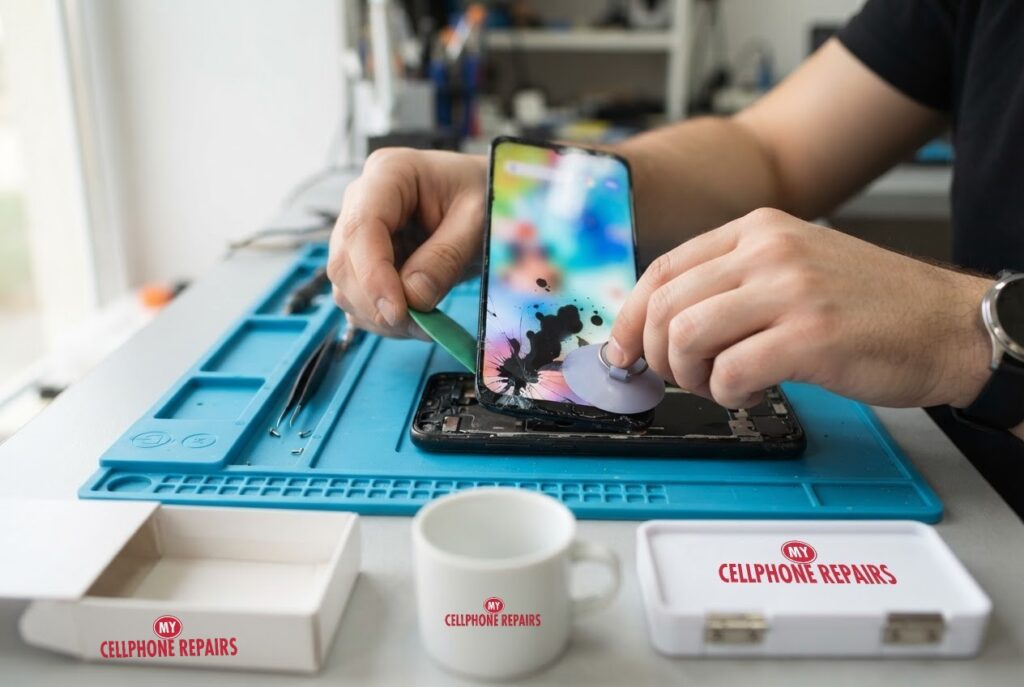
You pick up your Moto G Power and notice a black blot in the corner of the screen, like someone dropped a spot of ink under the glass. Yesterday it was not there, and you cannot wipe it off. Spots, blots and coloured patches like this are often called screen bleeding, and they are one of the more worrying display problems because some owners say they look worse over time. In this guide you will learn what usually causes them, what Motorola suggests checking before repair, which signs mean software and which mean hardware, and what a screen replacement involves. We offer Motorola screen repair near you with a free diagnosis and same day phone repair for most jobs.
Key takeaways
- Ink-like spots and lines usually point to physical damage to the display or its connection, such as a drop, pressure or a failing connector, rather than to dirt on the glass.
- Motorola says green or pink lines can mean display or connector damage, or an app or settings problem, and that other colors or visible glass damage usually mean a cracked screen.
- Safe, free checks come first: a force restart, Safe mode to rule out apps, and software updates. A factory reset is the last step before repair.
- Android Authority says that when display lines persist after a restart, replacing the display is the only fix.
- Our quick facts: free diagnosis, same day for most repairs, 30-day warranty on premium screens, exact quote before we start.
In this article: what ink spots are, what causes them, what to try first, software vs hardware, budget vs premium screens, myths vs facts, cost, FAQ.
What are ink spots on a phone screen?
People use several names for the same family of problems: ink bleeding, ink spots, black patches, colored blotches and lines. They all describe areas of the display that stop showing the picture properly, so you see a dark or colored shape instead. Android Authority describes ink bleeding as coming from broken pixels, and notes that it can follow a hard drop or appear seemingly out of nowhere.
The key point is that the spot is inside the display, not on the surface. You cannot wipe it away, and a protector will not hide it. That is also why software tricks rarely fix it, although software is worth ruling out first.
What causes them?
There is no single cause, and most come down to the display being physically stressed or its wiring being interrupted.
- Drops and impact: Android Authority says a dropped phone can have internal damage even when the outside looks fine.
- Pressure or bending: pressing or bending the phone beyond what the display can handle can damage it. A phone in a tight back pocket or under a heavy bag is a typical example.
- A damaged or loose connector: Android Authority’s guide to lines and patches names a loose, damaged or defective display connector or flex cable as a likely cause.
- Water or moisture: liquid can short out display circuitry.
- Heat: long periods of high temperatures can damage display components.
- A cracked panel: once the display is cracked, dark patches can start to appear around the damage.
Some owners report that a spot grows over a few days. Because the usual causes are physical, there is no reason to expect the display to heal by itself, so waiting rarely helps.
What should I try first?
Motorola’s support page for lines on the display lays out a sensible order, and none of the early steps delete anything.
- Force restart. Press and hold the power key for 10 seconds. Motorola says data will not be deleted. If it does not restart, try again while connected to a wall charger.
- Check apps in Safe mode. Press and hold Power and Volume Up together, then touch and hold Power off and tap OK. Safe mode appears at the bottom of the home screen and downloaded apps are off. If the problem is gone, an app is involved.
- Check for updates. On the phone, go to Settings > System > Advanced > System updates. For apps, open the Play Store and update all.
- Factory reset, only as a last step. Settings > System > Advanced > Reset options > Erase all data. Motorola warns this clears app and device data, so back up first.
Android Authority’s lines guide agrees that a single restart is worth doing to rule out software, although it says restarting is not a fix.
Try this first: restart, force restart and Safe mode (Motorola)
These steps delete nothing. They help show whether the spots are software or hardware.
- Restart: press and hold the Power button, then tap Restart.
- Force restart (frozen): press and hold the Power button for 10 seconds, up to about 20, until the phone restarts. Charge to at least 5% first.
- Safe mode: open the power menu, then touch and hold Power off and tap OK. Leave it by restarting normally.
When to stop and come in: the spots or lines stay in Safe mode, the glass is cracked, the phone got wet, or it was dropped. A factory reset will not fix a damaged display and it erases everything, so back up first and treat it as the last step before repair. Maker’s own help: Motorola Support: troubleshooting lines on display.
Full step-by-step guide: How to restart and reset your Motorola → | All restart & reset guides →
How do I tell software from hardware?
Motorola’s page gives a useful hint based on color. Green or pink lines can mean damage to the display or an internal connector, or an incompatible app or configuration issue, so they are worth running through the steps above. Other colors, or visible glass damage, usually mean the screen is cracked, and Motorola says to submit the device for repair. A single thin line from top to bottom may be fixable with the steps.
Use this quick guide:
- More likely software: the problem disappears in Safe mode, changes after an update, or only shows in one app.
- More likely hardware: the spot or lines stay in Safe mode, appear on every screen including the boot logo, started after a drop, pressure or water, or you can see cracks.
If the steps do not remove it, Motorola says to send the device in for repair, and Android Authority says replacing the display is the only way to fix persistent lines, sometimes involving more than the display depending on the model.
Budget or premium screen: which should I choose?
If the display needs replacing, you will usually have a choice of screen quality. Ask us which options are available for your exact Moto G Power, because they depend on the model.
Budget (Incell LCD) vs premium (Soft OLED)
- Budget (Incell LCD): darker, with lower brightness and resolution, slightly slower touch and a thicker fit. It can run a little warm. There is no warranty and no refund. It suits a temporary fix, a trade-in, or getting photos off a damaged phone.
- Premium (Soft OLED): bright, with the same resolution as the original, smooth touch and a slim fit. It comes with our 30-day warranty, which excludes physical or accidental damage and internal discoloration. It is best for long-term use.
Myths vs facts about screen bleeding
- Myth: A screen protector or a wipe will remove the spot. Fact: The damage is inside the display, so the surface is not the problem.
- Myth: Heating the screen with a flame or hair dryer can fix it. Fact: Android Authority specifically warns against using a flame near the phone because of the battery danger.
- Myth: A factory reset removes ink spots. Fact: A reset only helps if software is at fault, and it erases your data first. Motorola lists it as the last step before repair.
- Myth: It is just cosmetic, so I can ignore it. Fact: The damage can mean a failing connector or panel, and it may get worse.
How much does Moto G Power screen repair cost?
Moto G Power screens differ by year, so here are our listed “from” prices: $99.99 for the Moto G Power (2022), $119.99 for the Moto G Power 5G, 2024 and 2026 models, and $129.99 for the 2025 model. We confirm the exact price for your phone before we start.
Free diagnosis always comes first, so we can tell whether the display, the connector or something else is at fault. Most screen repairs are done the same day, premium screens carry our 30-day warranty, and walk-ins are welcome. Most of our stores are open on Sundays.
We also fix tablets and computers. Looking for tablet repair near me, an iPad screen repair cost or laptop repair near me? Bring them in for a free diagnosis too.
FAQ
Why is there a black spot on my Moto G Power screen?
The usual causes are a drop, pressure, a damaged display connector or moisture. Try a force restart and Safe mode, and if the spot stays, bring it in for a free diagnosis.
Will a black ink spot on my phone screen spread?
Some owners report that spots grow. Because the cause is usually physical damage inside the display, it is unlikely to heal, so getting it checked sooner is sensible.
How long does a Motorola screen repair take?
Most are done the same day. Walk in or book a repair and we will quote the exact price before starting.
Sources
- Motorola Support: troubleshooting lines on display
- Motorola Support: force reboot or restart
- Android Authority: how to fix vertical or horizontal lines on your phone screen
- Android Authority: green line issue on phone screen
- Android Authority: foldable phone durability tips
#MyCellphoneRepairs #Motorola #MotoG #MotorolaRepair #MotoGPower #ScreenBleeding #DisplayRepair #ScreenRepair #PhoneRepair #SameDayRepair #GrandRapids #Vineland
Get it fixed at My Cellphone Repairs: most repairs are done the same day. Walk in or book online.
Book NowPhone frozen or acting up? See our step-by-step restart & reset guides →
Our locations
- Towson Mall825 Dulaney Valley Rd, Second Level, Towson, MD 21204
(410) 828-4404 - Grand Rapids3077 28th St SE, Grand Rapids, MI 49512
(616) 799-6996 - PG Plaza Mall (Hyattsville)3500 East-West Hwy, Mall at Prince George's, Target Entrance, Hyattsville, MD 20782
(301) 559-1105 - Bowie Town Center15630 Emerald Way, Bowie, MD 20716
(240) 614-3600 - Capital City Mall (Camp Hill / Harrisburg area)3604 Capital City Mall Dr, Camp Hill, PA 17011
(717) 919-7868 - Cumberland Mall (Vineland)3849 S Delsea Dr, next to Boost Mobile, Dick's Sporting Goods entrance, Vineland, NJ 08360
(856) 765-5049 - Mondawmin Mall2401 Liberty Heights Ave, Lower Level, Baltimore, MD 21215
(443) 826-7711 - Baltimore Inner Harbor100 East Pratt St, Suite 101, Baltimore, MD 21202
(443) 838-8989 - St Charles Mall (Waldorf)11110 Mall Cir, Waldorf, MD 20603
(301) 645-7755 - Alexandria7650 Richmond Hwy, Alexandria, VA 22306
(703) 341-6789