
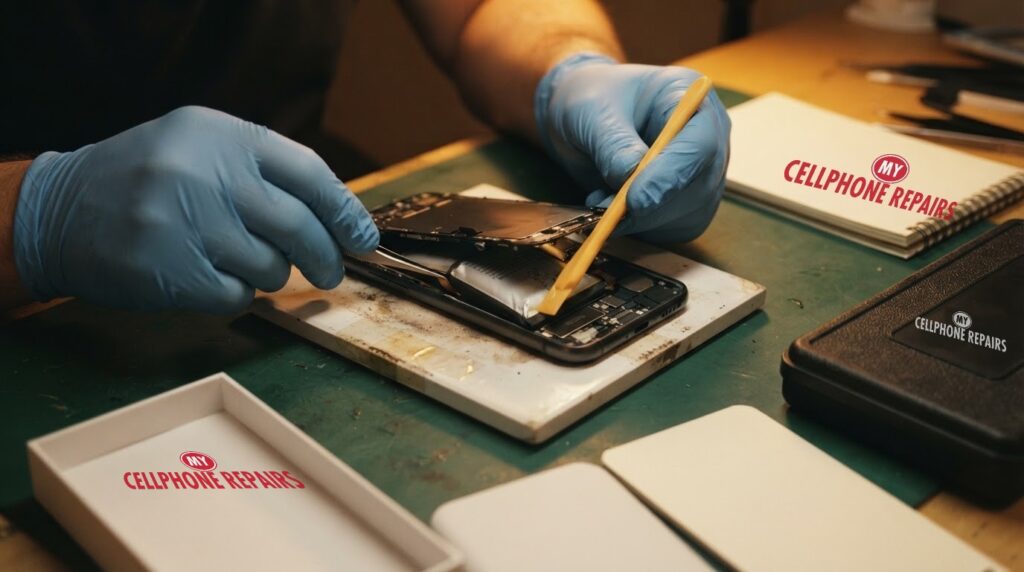
Your Galaxy S24 Ultra used to sit flat on the table. Now it rocks when you tap the screen, or there is a thin gap along the edge of the display. That is one of the classic signs of a Galaxy S24 Ultra swollen battery. This guide explains what is happening inside the phone, the safe steps to take right now, and what a battery replacement involves. If you need a Samsung battery replacement near you, we can check the phone for free.
Quick facts
- Price: Galaxy S24 Ultra battery replacement from $89.
- Time: same day for most repairs, walk-ins welcome.
- Warranty: 30-day warranty on battery and other repairs, with high-quality replacement parts.
- Diagnosis: always free.
Key takeaways
- A back panel lifting, a screen gap or a phone that rocks on a table can mean the battery is swelling.
- Samsung’s own guidance, as shared by a Samsung moderator, is to stop using the phone and not to charge it.
- Do not press on, pierce or pry at a swollen battery. Do not handle a damaged or leaking battery.
- Check your warranty first, then get the phone inspected by a repair center.
- A swollen battery is a repair job for a technician, not a DIY job.
In this guide: what swelling means · how to spot it · what to do right now · what not to do · what the repair involves · myths · FAQ.
Why does a phone battery swell?
Short answer: gas builds up inside the sealed battery pack and pushes outward. Phone batteries are lithium-ion cells wrapped in a thin, flat pouch. When the cell ages, gets too hot or is damaged, the chemicals inside can produce gas, and the pouch has nowhere to send it. A repair expert quoted in news coverage of Samsung’s statement described swelling as the battery’s way of containing that gas.
In a modern phone the battery sits under the back glass and behind the screen. As it puffs up, it pushes against whatever is on either side. That is why you see the back lifting, a gap around the screen, or a display that looks like it is rising. Samsung told reporters it was “aware of this matter” and was “looking into further technical assessments,” and it directed owners to contact their local Samsung support team. No single cause was named.
What does a Galaxy S24 Ultra swollen battery look like?
- The phone rocks or spins when it lies flat on a table.
- A gap appears between the screen and the frame, or the back panel looks lifted.
- The screen or back glass is cracking or popping out for no clear reason.
- The phone gets unusually hot while charging.
- The case no longer fits, or feels tight.
You do not need to see all of these. One clear sign is enough to take action. If you are not sure, do not squeeze the phone to find out. Bring it in and we will check it for free.
What should I do right now?
Samsung’s guidance, repeated by a Samsung moderator, is blunt: discontinue using the device immediately and do not attempt to charge it. Follow these steps in order:
- Unplug it and stop charging. Do not plug it in again to “top it up”.
- Switch it off if you can do so safely, and leave it alone on a hard, non-flammable surface away from beds, sofas, paper and curtains.
- Do not press, bend, pierce or pry the phone or the battery.
- Do not handle a damaged or leaking battery. Keep any battery fluid away from your eyes, skin and clothing.
- Check your warranty and gather proof of purchase and photos of the damage. Samsung support asks for these.
- Get it inspected. Contact Samsung or visit us for a free diagnosis.
If you hear hissing, see smoke or smell something sharp and chemical, move away from the phone and call emergency services.
Try this first (only if the phone is NOT swollen)
If the phone looks completely flat and you only have a battery drain or a freezing problem, these safe steps delete nothing:
- Restart: swipe down twice from the top, tap the Power icon, then tap Restart. Or hold the Side key and Volume Down, then tap Restart.
- Force restart (frozen phone): hold Volume Down and the Side key together for about 7 to 10 seconds, until the screen goes black and the Samsung logo appears.
- Safe mode (to test apps): open the power menu, touch and hold Power off, then tap Safe mode. Restart normally to leave it.
A factory reset will not fix a swollen battery, because the problem is hardware. If you ever need one for another reason, back up first, charge the phone first and know your Google and Samsung account passwords.
When to stop and come in: the phone will not turn on even after a force restart and 30 minutes on the charger, it vibrates or rings but the screen stays black, it restarts again and again, it gets hot, the back or screen is lifting, or it got wet. If you see swelling, do not charge it. Come in.
Full step-by-step guide: How to restart and reset your Samsung Galaxy →
Maker’s own steps: Samsung: Different ways to restart your Galaxy
Myths and facts about swollen phone batteries
| Myth | Fact |
|---|---|
| It is fine to keep using it until it fails. | Samsung’s guidance says to stop using a swollen device and not to charge it. |
| I can just press the back flat. | Pressing on a swollen battery can damage it. Leave it alone and have it removed by a technician. |
| Mail it to Samsung in an envelope. | A Samsung community moderator warned against mailing a swollen device. Ask the repair center how to bring it in. |
| It only happens to old phones. | Owners have reported swelling on recent flagship Galaxy models too, so check any phone that shows the signs. |
What does a swollen battery repair involve?
A technician opens the phone carefully, removes the swollen battery, cleans the adhesive and fits a new one. Swollen batteries are fragile, so this is not a DIY job. Our price list shows a Galaxy S24 Ultra battery from $89. We check the phone first for free and give you an exact quote before we start. Most repairs are done the same day, and the replacement carries our 30-day warranty.
If your phone is still under Samsung warranty, check that first. A Samsung moderator said that whether or not you are in the warranty period, it is best to have Samsung support inspect the device.
How do I avoid battery swelling?
- Do not leave the phone in a hot car or in direct sun.
- Take a thick case off while it charges if the phone gets warm.
- Use a good charger and cable, not a damaged one.
- Replace the battery when it drains fast, rather than waiting until the phone changes shape.
- Check the phone’s shape now and then. Catching a small bulge early is much safer.
We also fix tablets and computers. Need tablet repair near me for a cracked iPad or Samsung tablet, or laptop screen repair for a MacBook or Windows laptop? Bring it in with your phone. Diagnosis is always free.
Frequently asked questions
Is a swollen battery in my Galaxy dangerous?
Treat it as unsafe. Samsung’s guidance is to stop using the phone, not to charge it and not to handle a damaged or leaking battery. Bring it in for a free diagnosis rather than testing it yourself.
How much is a Galaxy S24 Ultra battery replacement?
Our price list shows the Galaxy S24 Ultra battery from $89. We confirm the exact price at the free diagnosis, and most repairs are done the same day. Book online or walk in.
Where can I take a swollen phone battery near me?
Bring the phone to one of our stores for a free check. Do not put it in the household trash or mail it. Call or book first so we can tell you the safest way to bring it in.
Sources
- Samsung Community: Battery enlarged/swelling (Samsung moderator advice)
- Samsung Community: Samsung is aware of battery swelling
- Samsung Support: Different ways to restart your Galaxy
#MyCellphoneRepairs #Samsung #Galaxy #SamsungRepair #GalaxyS24Ultra #SwollenBattery #BatteryReplacement #PhoneRepair #SameDayRepair #FreeDiagnosis #HyattsvilleMD #BowieMD
Get it fixed at My Cellphone Repairs: most repairs are done the same day. Walk in or book online.
Book NowPhone frozen or acting up? See our step-by-step restart & reset guides →
Our locations
- Towson Mall825 Dulaney Valley Rd, Second Level, Towson, MD 21204
(410) 828-4404 - Grand Rapids3077 28th St SE, Grand Rapids, MI 49512
(616) 799-6996 - PG Plaza Mall (Hyattsville)3500 East-West Hwy, Mall at Prince George's, Target Entrance, Hyattsville, MD 20782
(301) 559-1105 - Bowie Town Center15630 Emerald Way, Bowie, MD 20716
(240) 614-3600 - Capital City Mall (Camp Hill / Harrisburg area)3604 Capital City Mall Dr, Camp Hill, PA 17011
(717) 919-7868 - Cumberland Mall (Vineland)3849 S Delsea Dr, next to Boost Mobile, Dick's Sporting Goods entrance, Vineland, NJ 08360
(856) 765-5049 - Mondawmin Mall2401 Liberty Heights Ave, Lower Level, Baltimore, MD 21215
(443) 826-7711 - Baltimore Inner Harbor100 East Pratt St, Suite 101, Baltimore, MD 21202
(443) 838-8989 - St Charles Mall (Waldorf)11110 Mall Cir, Waldorf, MD 20603
(301) 645-7755 - Alexandria7650 Richmond Hwy, Alexandria, VA 22306
(703) 341-6789