
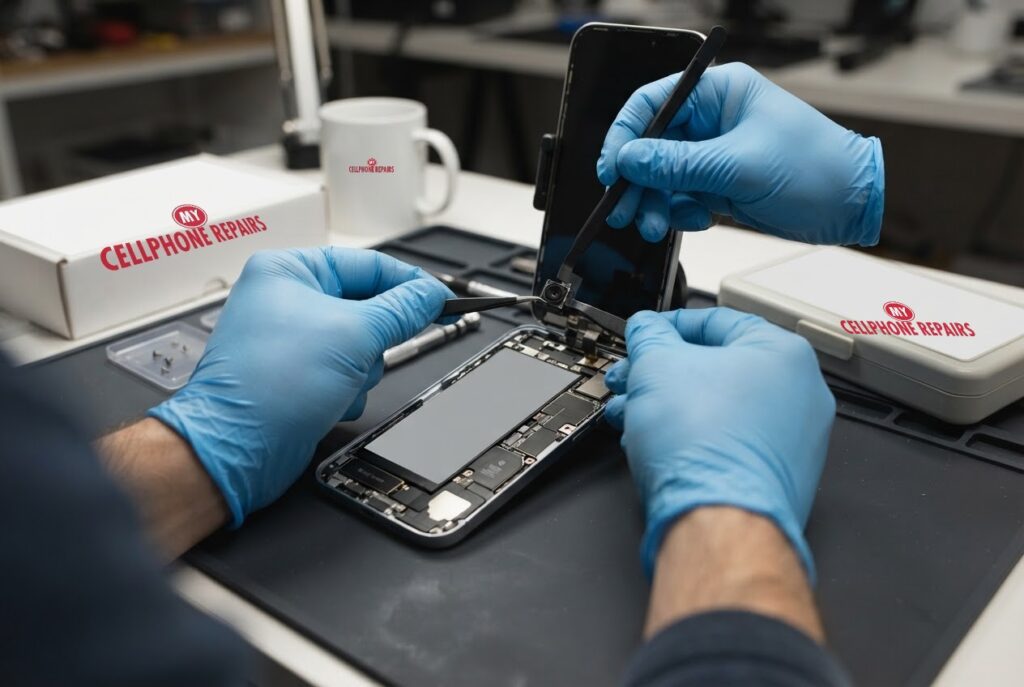
You tap FaceTime to say hello, or flip the camera around for a quick selfie, and all you see is a black rectangle. The rear camera might be fine, which makes it more confusing. iPhone 15 front camera not working: is it a setting, a software hiccup, or a part that has quietly failed?
This guide walks through the order Apple itself recommends, from a two-minute lens wipe to the built-in camera diagnostic, so you can work out which problem you have before spending a cent. We also explain how Face ID is tied to the front camera, why that matters for repairs, and when it is time to book an iPhone repair near you. Our diagnosis is always free, and most repairs are done the same day.
Key takeaways
- Apple lists a black camera screen as a known symptom and says to start with the simple things: remove the case, clean the lenses and restart the iPhone.
- Check which camera is selected. Tapping the rotate button in the Camera app lets you see whether one or both cameras are affected.
- If FaceTime video is black, Apple points to Screen Time restrictions and a weak connection as non-hardware causes.
- If the camera screen stays black, Apple’s iOS Diagnostics (Mobile Resource Inspector) can check for a fault. If it reports an issue, get service.
- Our quick facts: free diagnosis, same day for most repairs, 30-day warranty on repairs, exact quote before we start.
In this article: what a black front camera means, what to try first, the built-in diagnostic, Face ID and front camera repairs, myths vs facts, cost, FAQ.
What does a black front camera actually mean?
A black front camera means the iPhone is not getting a picture from the selfie camera, or it is getting one but cannot show it. Apple’s own camera support page lists a black camera screen alongside blurry photos and visual artifacts as the symptoms it covers, and it treats most of them as things you can test step by step.
The key clue is whether the problem follows the camera or the app. If the rear camera works and the front one does not, the issue is probably the front camera or the connection behind it. If the picture is black only inside FaceTime, the cause may be a restriction, a setting or a poor connection instead. That is why the order of the checks below matters.
iPhone 15 front camera not working: what can I try first?
Start with the quick, safe checks. Nothing here deletes data.
- Remove the case, film or accessories. Apple says to take off anything that might block the camera or place a magnet near it, such as a polarizer, extender or magnifier lens.
- Clean both lenses. Apple recommends a microfiber cloth for the front and back camera lenses.
- Switch cameras. Open the Camera app and tap the rotate button to check whether one or both cameras are not working.
- Restart the iPhone (steps in the box below).
- Update iOS. Apple lists the latest version of iOS as part of its camera troubleshooting.
- Check Screen Time. In Settings, open Screen Time, then Content & Privacy Restrictions, then Allowed Apps & Features, and make sure Camera and FaceTime are turned on. Apple says blocked camera access can make video fail.
- Toggle FaceTime. In Settings, go to Apps, then FaceTime, turn it off and back on. Apple also suggests checking that your cellular line is on and that date and time are set automatically.
- Test your connection. Apple says slow or unstable Wi-Fi or cellular can cause choppy video, black screens and dropped calls on FaceTime, so try a stronger connection.
Try this first: restart and force restart (iPhone)
These steps delete nothing. Menu names can differ slightly by model and iOS version.
- Restart: press and hold a volume button and the side button until the power-off slider appears, drag it, then hold the side button to turn the iPhone back on. Or go to Settings > General > Shut Down.
- Force restart (frozen screen), iPhone 8 and later: quickly press and release Volume Up, quickly press and release Volume Down, then press and hold the side button until the Apple logo appears (it can take more than 10 seconds).
- Then open the Camera app and tap the rotate button to test the front camera again.
When to stop and come in: the screen stays black after a restart and an update, Apple’s diagnostic reports an issue, or the iPhone is hot, restarting by itself or has been wet. A factory reset will not fix a camera, so back up and skip it. Maker’s own help: Apple Support: force restart iPhone.
Full step-by-step guide: How to restart and reset your iPhone → | All restart & reset guides →
How do I run Apple’s built-in camera diagnostic?
If the camera screen is still black after those checks, Apple has a diagnostic you can run without a computer. These are Apple’s steps:
- Turn off the iPhone, then press and hold the side button while it starts up to open Recovery Assistant.
- Tap Diagnostics Mode and follow the on-screen instructions.
- When asked to choose a diagnostic, pick Mobile Resource Inspector, then tap Start Diagnostic.
Apple’s advice is clear: if Mobile Resource Inspector reports an issue, get service. A result like that tells you the fault is in the hardware, not in a setting, and it saves you from spending an afternoon on resets that cannot help.
When is it the camera itself?
After the checks above, the camera is the likely culprit if the black screen is still there in the Camera app, the rotate button does not help and the diagnostic reports a problem. Apple says to get service in these cases: the camera still does not work properly after the steps, or Mobile Resource Inspector finds an issue.
A factory reset will not fix a failed camera, because the problem is a physical part. Back up your iPhone and keep your Apple Account password handy if you plan to bring it in, but do not erase it hoping the camera comes back.
Why Face ID makes front camera repairs different
On modern iPhones the front camera is more than a selfie lens. Apple’s page on genuine front cameras explains that it includes the TrueDepth and Center Stage cameras, and that Face ID needs the part to be calibrated after a replacement. Until calibration is finished, Face ID cannot unlock the iPhone, authorize payments or sign you in to apps, although the phone otherwise works. Apple adds that on iPhone 14 or later, a replaced front camera will not work until the repair is completed or the iPhone is restored.
Apple also tells owners how to check what has been done: on iPhone 12 and later, Settings > General > About shows the parts and service history. Next to TrueDepth Camera, “Genuine” means genuine Apple parts and processes were used, “Finish Repair” means calibration is still needed, and an “Issue” message can point to a non-genuine, previously used or faulty part, or to incomplete calibration. Apple says non-genuine or incomplete repairs can cause blurry images, Portrait mode problems, third-party apps showing a blank preview and Memoji that do not track properly.
That is worth knowing before any shop touches the front camera. Ask what the repair will involve and what your iPhone will show in Settings afterwards. We are happy to explain your options and quote the exact price before we start.
Myths vs facts about iPhone cameras
- Myth: A black front camera is always a software bug. Fact: Sometimes it is, which is why Apple starts with restarts, updates and settings, but if diagnostics report an issue the hardware needs service.
- Myth: FaceTime black screen means the camera is broken. Fact: Apple lists Screen Time restrictions and a slow connection as causes, so test the Camera app too.
- Myth: Resetting the iPhone repairs a damaged camera module. Fact: A reset changes software, not parts, and it erases your data.
- Myth: Any replacement camera behaves the same. Fact: Apple says non-genuine or uncalibrated front cameras can cause focus, Portrait mode and Face ID problems.
To lower the odds of trouble, keep lenses clean, avoid stick-on lens accessories and magnets near the camera, and keep iOS up to date.
How much does iPhone 15 front camera repair cost?
We do not list a set front camera price for the iPhone 15 online, and we never guess. You get a free diagnosis and an exact quote before we start. Most repairs are done the same day, they carry our 30-day warranty, and walk-ins are welcome. Most of our stores are open on Sundays.
If a drop also cracked the glass, our listed iPhone 15 screen price is from $149, and we can quote both jobs together. We also fix tablets and computers: looking for tablet repair near me, an iPad screen repair cost or laptop repair near me? Bring them in for a free diagnosis too.
FAQ
Why is my iPhone front camera black but the back camera works?
Check the Camera app’s rotate button, remove the case, clean the lens and restart. If the front camera stays black and Apple’s diagnostic reports an issue, it needs service. Come in for a free diagnosis and exact quote.
Will Face ID still work after a front camera repair?
Apple says Face ID needs the repair to be calibrated and cannot be used until that is complete. Ask us what the repair involves before you book, and we will explain your options.
How long does an iPhone camera repair take?
Most are done the same day. Walk in or book a repair and we will quote the exact price before starting.
Sources
- Apple Support: if the camera or flash on your iPhone or iPad isn’t working
- Apple Support: if you can’t make or receive a FaceTime call
- Apple Support: about genuine iPhone front cameras
- Apple Support: restart your iPhone
- Apple Support: force restart iPhone
#MyCellphoneRepairs #iPhone #Apple #iPhoneRepair #iPhone15 #FrontCamera #CameraRepair #FaceTime #PhoneRepair #SameDayRepair #Towson #Baltimore
Get it fixed at My Cellphone Repairs: most repairs are done the same day. Walk in or book online.
Book NowPhone frozen or acting up? See our step-by-step restart & reset guides →
Our locations
- Towson Mall825 Dulaney Valley Rd, Second Level, Towson, MD 21204
(410) 828-4404 - Grand Rapids3077 28th St SE, Grand Rapids, MI 49512
(616) 799-6996 - PG Plaza Mall (Hyattsville)3500 East-West Hwy, Mall at Prince George's, Target Entrance, Hyattsville, MD 20782
(301) 559-1105 - Bowie Town Center15630 Emerald Way, Bowie, MD 20716
(240) 614-3600 - Capital City Mall (Camp Hill / Harrisburg area)3604 Capital City Mall Dr, Camp Hill, PA 17011
(717) 919-7868 - Cumberland Mall (Vineland)3849 S Delsea Dr, next to Boost Mobile, Dick's Sporting Goods entrance, Vineland, NJ 08360
(856) 765-5049 - Mondawmin Mall2401 Liberty Heights Ave, Lower Level, Baltimore, MD 21215
(443) 826-7711 - Baltimore Inner Harbor100 East Pratt St, Suite 101, Baltimore, MD 21202
(443) 838-8989 - St Charles Mall (Waldorf)11110 Mall Cir, Waldorf, MD 20603
(301) 645-7755 - Alexandria7650 Richmond Hwy, Alexandria, VA 22306
(703) 341-6789