
You glance at your Galaxy S24 and the signal bars are gone. The status bar says “Emergency calls only”, your texts will not send and the mobile data icon has vanished. Wi-Fi may still work, which only makes it more puzzling.
A Galaxy S24 no service message has a short list of causes, and most of them cost nothing to check. This guide follows Samsung’s own advice and Android Authority’s troubleshooting steps in the order that saves the most time, so you can tell a SIM or carrier problem from a phone problem. If it turns out to be the phone, we offer Samsung phone repair near you with a free diagnosis and same day phone repair for most jobs.
Key takeaways
- Samsung says “Emergency calls only” can appear when the eSIM has not been activated, there is no SIM installed, the SIM has a problem, or the signal is weak or blocked.
- First checks: airplane mode off, mobile data on, a restart, then Settings > About phone > Status information > SIM card status.
- Reseating the SIM and running Reset mobile network settings (General management > Reset) are the next steps in Samsung’s own guide. Neither erases your photos or apps.
- Test your SIM in another phone, or ask your carrier. If the SIM is confirmed working and the problem stays, Samsung says the device needs service.
- Our quick facts: free diagnosis, same day for most repairs, 30-day warranty on repairs, exact quote before we start.
In this article: what the message means, the checks in order, Samsung’s SIM steps, when it is the phone, myths vs facts, cost, FAQ.
What does “Emergency calls only” mean on a Galaxy?
It means your Galaxy cannot register with your carrier’s network, so the only thing it will let you do is dial emergency numbers. Samsung’s support page names two main causes: a weak or blocked carrier signal, and a SIM or eSIM problem, such as an eSIM that has not been activated, no SIM installed, or a SIM with a fault.
Android Authority adds that this state usually points to a registration problem rather than proof that the SIM is dead. That is why the cheapest checks come first: if the cause is coverage, a setting or your carrier account, a repair would not fix anything.
One reassurance from Samsung: with no SIM or no carrier service, a Galaxy can still call 9-1-1 as long as it detects a nearby network signal, which can belong to any carrier. If you have an emergency, dial straight away.
Galaxy S24 no service: what should I check first?
- Airplane mode and mobile data. Android Authority says it is easy to leave airplane mode on after travelling. Check it is off and that mobile data is turned on for your SIM. Toggling airplane mode on and off can also make the phone try the network again.
- Where you are. If you see zero bars, you may be in a spot with no usable coverage. Samsung’s page lists low coverage areas and anything that blocks the carrier signal. Step outside or move to another room, and see whether the bars return.
- Restart. Android Authority says a reboot can clear temporary software or carrier issues. Samsung lists several ways to restart a Galaxy, including holding Volume down and the Side key (steps below).
- Roaming. If you are travelling, roaming may be disabled or not allowed by your carrier. Enabling it can cost money, so check with your carrier first.
- Software update. Android Authority recommends installing pending system updates, because outdated software can carry bugs that have already been fixed. Back up and use Wi-Fi first.
Try this first: restart and force restart (Samsung Galaxy)
These steps delete nothing. Menu names may be slightly different on your model and One UI version.
- Restart: swipe down twice from the top, tap the Power icon, then Restart. Or hold the Side key and Volume down together and choose Restart.
- Force restart (frozen): hold Volume down and the Side key for about 7 to 10 seconds, until the screen goes black and the Samsung logo appears.
- Safe mode: open the power menu, then touch and hold Power off until Safe mode appears and tap it. Restart normally to leave Safe mode. This switches downloaded apps off, which helps rule out a rogue app.
When to stop and come in: the phone shows no service after a restart and a SIM check, it will not turn on after 30 minutes on the charger, it restarts over and over, or it has been wet. A factory reset will not fix a SIM reader and erases everything, so skip it. Maker’s own help: Samsung Support: different ways to restart your Galaxy.
Full step-by-step guide: How to restart and reset your Samsung Galaxy → | All restart & reset guides →
What does Samsung say to do about the SIM?
If the basics do not help, Samsung’s own SIM troubleshooting page gives this sequence for a Galaxy that does not detect its SIM:
- Check the SIM status: Settings > About phone > Status information > SIM card status. If the carrier name does not appear under Network, continue.
- Ask about SIM protection. Samsung says some carriers run SIM protection services that stop a SIM being activated on a new device. If it is on, your carrier has to turn it off.
- Reset mobile network settings: Settings > General management > Reset > Reset mobile network settings. Samsung says this removes saved network configurations and reconnects to the carrier using default settings. Android Authority warns it can also remove Wi-Fi and Bluetooth connections, so you may need to re-enter Wi-Fi passwords.
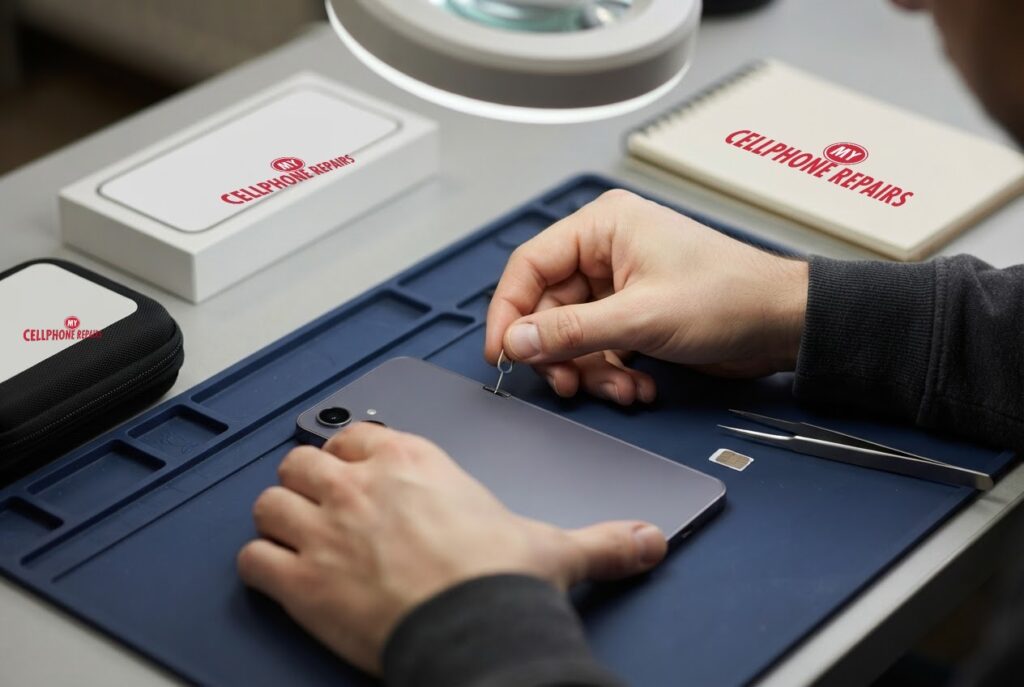
- Reseat or replace the SIM. Eject the tray straight with the SIM pin, place the Nano-SIM with the gold contacts facing up and push the tray fully in. Dry the tray if it is wet. If you have another line with your carrier, you can test that SIM in your phone, and your carrier store can issue a replacement.
- Clean the contacts gently with a soft, dry cloth, and never force the SIM into the tray.
- Run diagnostics in the Samsung Members app: Support > Get started > SIM.
If you use an eSIM, contact your carrier, because it controls activation. Android Authority also says to ask your carrier to confirm your account has not been deactivated or blocked, and to check whether others on the network are reporting an outage.
When is it the phone and not the SIM?
Samsung is direct about this: if your SIM is confirmed working and active but the problem persists, the device needs repair. Android Authority makes a similar point, saying faulty SIM contacts may need a replacement SIM or phone repair.
A simple test makes the call for you. Put your SIM in another phone. If it works there, your Galaxy is the one with the fault. If it fails there too, the SIM or your carrier account is the problem and a repair will not help. Also look at the SIM tray for moisture. Samsung’s SIM page says to dry the tray if it is wet, and a phone that has been splashed may need a proper inspection rather than more resets.
What we offer is a free diagnosis and an honest answer on whether the phone needs a repair. If your SIM works elsewhere and the Galaxy still shows no service after the steps above, bring it in.
Myths vs facts about no service
- Myth: No service always means a broken phone. Fact: Samsung and Android Authority both list weak coverage, SIM and carrier account problems as causes.
- Myth: A factory reset is the first fix. Fact: Resetting mobile network settings is the targeted step, and it does not erase your photos or apps. A full factory reset wipes everything and cannot fix a failed hardware part.
- Myth: With no service you cannot call for help. Fact: Samsung says a Galaxy can still reach 9-1-1 through any nearby network signal.
- Myth: A new SIM always solves it. Fact: If a working SIM still fails in your Galaxy, Samsung says the device needs service.
To avoid a repeat, keep your software updated, treat the SIM tray gently and keep it dry, and make sure your carrier account details are current.
How much does a Galaxy S24 no-service repair cost?
There is no single price for a no-service fault, because it depends on what the diagnosis finds, and we never guess. You get a free diagnosis and an exact quote before we start. Most repairs are done the same day, they carry our 30-day warranty, and walk-ins are welcome. Most of our stores are open on Sundays.
If the phone also has a cracked screen, our listed Galaxy S24 screen prices are from $189.99 for a Certified Screen, or $219.99 for an Original Samsung Screen, and we can quote both jobs together. We also fix tablets and computers: looking for Samsung tablet repair, tablet repair near me or laptop repair near me? Bring them in for a free diagnosis too.
FAQ
Why does my Galaxy S24 say Emergency calls only?
Samsung says it can appear when the eSIM is not activated, no SIM is installed, the SIM has a problem, or coverage is weak or blocked. Check airplane mode, restart, reseat the SIM and reset mobile network settings. If it persists, come in for a free diagnosis.
Does resetting mobile network settings delete my data?
No. Samsung says it removes saved network configurations and reconnects using defaults. Android Authority notes it can also clear Wi-Fi and Bluetooth connections, so have your Wi-Fi password ready.
How do I know if the SIM or the phone is the problem?
Try your SIM in another phone, or another working SIM in yours. If the SIM works elsewhere and your Galaxy still shows no service, it needs repair. Book a repair or walk in and we will quote the exact price before starting.
Sources
- Samsung Support: phone displays Emergency calls only
- Samsung Support: SIM card is not detected on your Galaxy device
- Samsung Support: use your Galaxy in emergency situations
- Samsung Support: different ways to restart your Galaxy
- Android Authority: 7 ways to fix mobile network not available errors
#MyCellphoneRepairs #Samsung #Galaxy #SamsungRepair #GalaxyS24 #NoService #EmergencyCallsOnly #PhoneRepair #AndroidRepair #SameDayRepair #Waldorf #Bowie
Get it fixed at My Cellphone Repairs: most repairs are done the same day. Walk in or book online.
Book NowPhone frozen or acting up? See our step-by-step restart & reset guides →
Our locations
- Towson Mall825 Dulaney Valley Rd, Second Level, Towson, MD 21204
(410) 828-4404 - Grand Rapids3077 28th St SE, Grand Rapids, MI 49512
(616) 799-6996 - PG Plaza Mall (Hyattsville)3500 East-West Hwy, Mall at Prince George's, Target Entrance, Hyattsville, MD 20782
(301) 559-1105 - Bowie Town Center15630 Emerald Way, Bowie, MD 20716
(240) 614-3600 - Capital City Mall (Camp Hill / Harrisburg area)3604 Capital City Mall Dr, Camp Hill, PA 17011
(717) 919-7868 - Cumberland Mall (Vineland)3849 S Delsea Dr, next to Boost Mobile, Dick's Sporting Goods entrance, Vineland, NJ 08360
(856) 765-5049 - Mondawmin Mall2401 Liberty Heights Ave, Lower Level, Baltimore, MD 21215
(443) 826-7711 - Baltimore Inner Harbor100 East Pratt St, Suite 101, Baltimore, MD 21202
(443) 838-8989 - St Charles Mall (Waldorf)11110 Mall Cir, Waldorf, MD 20603
(301) 645-7755 - Alexandria7650 Richmond Hwy, Alexandria, VA 22306
(703) 341-6789