
You lift your Moto G Power, look right at it, and the lock screen just sits there asking for a PIN. If face unlock stops recognising you, the cause is usually lighting, a stale face scan, a lock timer or a software hiccup, and only sometimes the camera itself. We offer free diagnosis and same day phone repair for most jobs. Below you will learn how Motorola’s face unlock works, the fixes Motorola itself recommends, how to tell a settings problem from a camera problem, and when to come in.
Key takeaways
- Motorola’s main fix is to redo the face scan, in good lighting, away from strong backlight.
- After the phone has been locked for more than 4 hours, Motorola says you must unlock with a PIN, pattern or password first.
- Face unlock uses the selfie camera, which makes it convenient but easier to fool than 3D systems, and it cannot approve payments.
- If the selfie camera itself is black or blurry, the problem is the camera, not face unlock.
- Our quick facts: free diagnosis and exact quote, same day for most repairs, 30-day warranty on this repair.
In this article: how face unlock works, Motorola’s fixes, settings vs camera, security limits, fingerprint backup, myths vs facts, cost, FAQ.
How does face unlock work on a Moto G Power?
Standard Android face unlock uses the front-facing camera and a 2D algorithm, according to Android Authority’s explainer on facial recognition. That makes it cheap and widely available. Motorola’s help page describes the setup: go to Settings, Security & privacy, Device unlock, Face & Fingerprint Unlock, then Face Unlock. You need a backup screen lock (pattern, PIN or password) first, and you fit your whole face inside the outline. Your face data is stored on the phone.
The simple picture is that your phone takes a small picture of you each time and compares it with the saved scan. If the picture is dark, glary or blocked, the match fails, and the phone falls back to your PIN, pattern or password, or to the fingerprint sensor.
What fixes does Motorola recommend?
Motorola’s pages for the moto g range give a short list:
- Redo the face scan. Unlock the phone, open Face Unlock settings and tap Redo face scan.
- Scan in good lighting. Motorola advises avoiding low light, strong light and backlit settings, which can make the face image unclear.
- Check the 4 hour rule. After the phone has been locked for more than 4 hours, you have to unlock it with another method first.
- Delete and re-add if needed. Delete face data in the Face Unlock settings, then set it up again.
Menu names may be slightly different on your model, so check the support page for your exact phone. If none of that helps, go on to the update and Safe mode checks below.
Is it a settings problem or a camera problem?
Here is a quick test. Open the Camera app and switch to the selfie camera. If the picture is clear and bright, the camera is working, and the problem is face unlock settings, the saved scan or the lighting. If the selfie view is black, blurry, or has a smudge you cannot wipe away, face unlock is only the symptom and the camera or its cover is the problem.
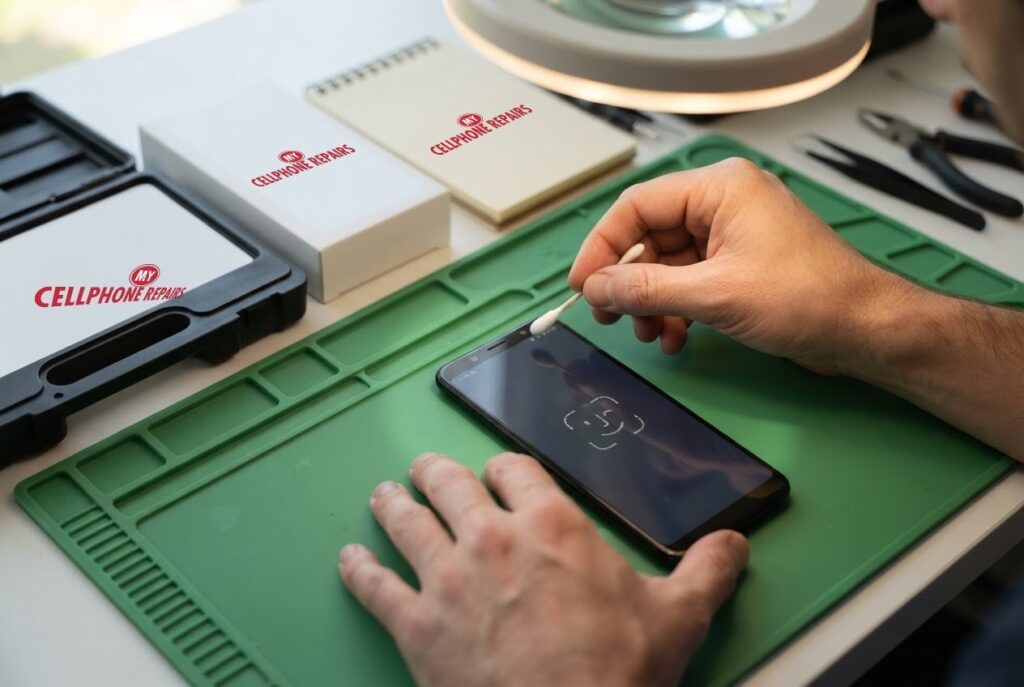
Wipe the front camera area gently with a clean, soft cloth, and remove any film or case that covers the top of the screen. That costs nothing and is what our technician is doing in the picture above with a small swab.
Motorola’s fingerprint page offers a useful set of checks that also apply to other unlock problems: restart the phone, install any available software update, update your apps in the Play Store, and boot into Safe mode to see whether a third-party app is the cause. Lock screen apps, app lockers and RAM cleaners are common culprits, according to that page. A reset is described there as a last resort.
Try this first: restart, force restart and Safe mode (Motorola)
These steps delete nothing. They help you rule out software before you visit us.
- Restart: press and hold the Power button, then tap Restart.
- Force restart if frozen: press and hold the Power button for 10 to 20 seconds until the phone restarts (some older models use Power and Volume Up). Charge to at least 5% first.
- Safe mode: open the power menu, then touch and hold Power off and tap OK. Test face unlock. If it works, a downloaded app is the cause.
When to stop and come in: the selfie camera stays black or blurry, face and fingerprint unlock both fail, the phone restarts over and over, it gets hot, or the screen or back is lifting. Do not factory reset for a hardware fault: back up first and know your Google account password. Maker’s own steps: Motorola support: force reboot or restart.
Full step-by-step guide: How to restart and reset your Motorola → | All restart & reset guides →
Is Android face unlock secure enough?
It is convenient, and it has limits. Android Authority says standard Android face unlock is easier to fool than Face ID because it does not map thousands of points in 3D. It also cannot authorize Google Pay or other secure transactions, so you need a fingerprint or PIN for those. A photo of the owner can defeat basic camera-based face unlock, and someone else can unlock the phone by holding it up to your face.
Motorola’s own page says similar things: someone who closely resembles you may be able to unlock the phone, looking at the phone can unlock it unintentionally, and someone can unlock the phone by holding it to your face while your eyes are open. A long PIN or password is stronger than either, Android Authority adds. So if you share a phone or keep sensitive apps on it, use a PIN or fingerprint for the important ones.
What about the fingerprint sensor?
Many Moto G phones have a side fingerprint sensor, and it is a handy backup. Motorola’s page says to confirm Touch to unlock is on, use a clean, dry finger, and remove and re-add a print if it stops working. It also says you must enter your PIN, pattern or password after powering on the phone, after 72 hours without unlocking, and when changing fingerprint settings. If face unlock fails and the fingerprint sensor fails too, that is a good reason for a free diagnosis, because a shared fault is more likely.
Myths vs facts about face unlock
- Myth: Face unlock is as secure as Face ID. Fact: Camera-only face unlock is easier to fool than 3D mapping, according to Android Authority.
- Myth: If it fails once, the camera is broken. Fact: Lighting, a stale scan and the 4 hour lock timer are far more common.
- Myth: A factory reset is the first fix. Fact: Motorola lists it as a last resort, and it erases everything. A reset also will not fix a damaged camera.
- Myth: Face unlock can approve my payments. Fact: It cannot authorize Google Pay or other secure transactions, so you will still need a fingerprint or PIN.
What does a Moto G Power front camera repair cost?
Prices depend on the exact model and on what the diagnosis finds, so you get a free diagnosis and an exact quote before we start. If the cause turns out to be a setting or a dirty lens, we will show you and you will not pay for a part you do not need. Most repairs are done the same day, and repairs come with our 30-day warranty.
Walk-ins are welcome and most stores are open on Sundays.
Prevention tips: keep the top of the screen and camera clean, redo your face scan if your appearance changes, avoid thick screen protectors that cover the camera, and use a PIN or fingerprint as your main unlock for sensitive apps.
We also fix tablets and computers. Looking for tablet repair near me, an iPad screen repair cost, or laptop repair near me? Bring them in too, and we will give you a free diagnosis.
FAQ
Why is face unlock not working on my Moto?
The usual causes are lighting, an old face scan, the 4 hour lock timer, a software hiccup or a dirty camera. Redo the face scan first, and bring it in for a free diagnosis if it still fails.
Why is my front camera not working?
It can be a setting, an app, a blocked lens or a faulty camera. Test the selfie view in the Camera app. If it is black or blurry, book a repair for a free diagnosis.
Will a factory reset fix it?
Only if the cause is software, and it erases everything. Try the other steps first, back up, and never reset for a hardware fault.
Sources
- Motorola Help: Unlock with your face (moto g 2026)
- Motorola Help: Use fingerprint security (moto g power 2026)
- Android Authority: Facial recognition technology explained
- Android Authority: I prefer Android face unlock to Face ID
- Android Authority: Biometrics are not the best way to secure your phone
#MyCellphoneRepairs #Motorola #MotoG #MotorolaRepair #MotoGPower #FaceUnlock #FrontCamera #PhoneRepair #SameDayRepair #CampHillPA #HarrisburgPA
Get it fixed at My Cellphone Repairs: most repairs are done the same day. Walk in or book online.
Book NowPhone frozen or acting up? See our step-by-step restart & reset guides →
Our locations
- Towson Mall825 Dulaney Valley Rd, Second Level, Towson, MD 21204
(410) 828-4404 - Grand Rapids3077 28th St SE, Grand Rapids, MI 49512
(616) 799-6996 - PG Plaza Mall (Hyattsville)3500 East-West Hwy, Mall at Prince George's, Target Entrance, Hyattsville, MD 20782
(301) 559-1105 - Bowie Town Center15630 Emerald Way, Bowie, MD 20716
(240) 614-3600 - Capital City Mall (Camp Hill / Harrisburg area)3604 Capital City Mall Dr, Camp Hill, PA 17011
(717) 919-7868 - Cumberland Mall (Vineland)3849 S Delsea Dr, next to Boost Mobile, Dick's Sporting Goods entrance, Vineland, NJ 08360
(856) 765-5049 - Mondawmin Mall2401 Liberty Heights Ave, Lower Level, Baltimore, MD 21215
(443) 826-7711 - Baltimore Inner Harbor100 East Pratt St, Suite 101, Baltimore, MD 21202
(443) 838-8989 - St Charles Mall (Waldorf)11110 Mall Cir, Waldorf, MD 20603
(301) 645-7755 - Alexandria7650 Richmond Hwy, Alexandria, VA 22306
(703) 341-6789