
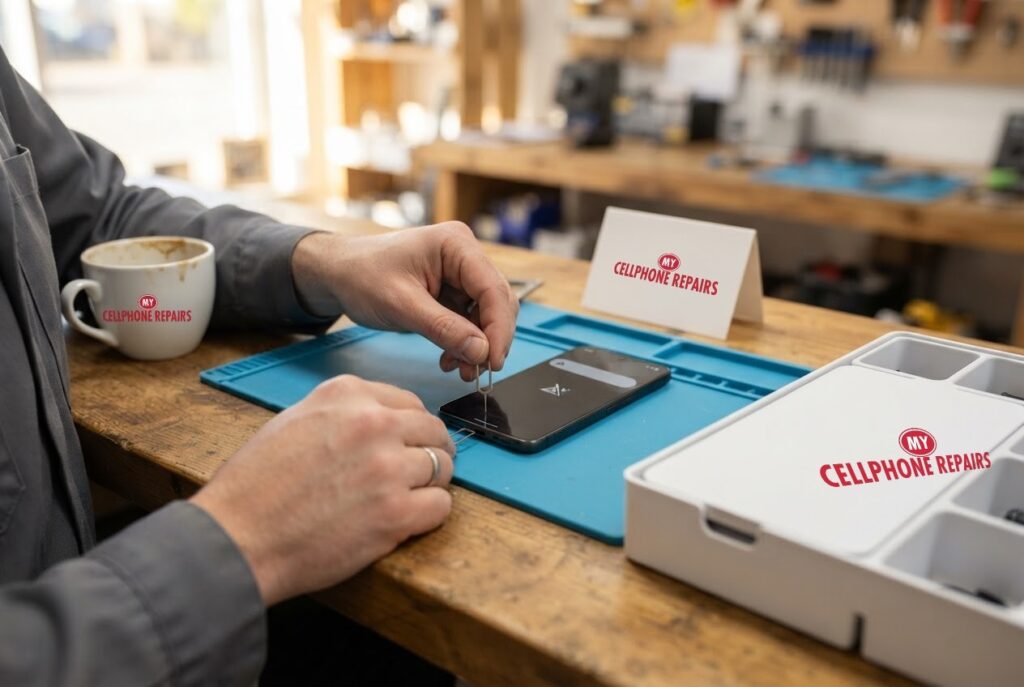
You glance at your Pixel 8 and the bars are gone. It says “No service” or “SOS only”, calls will not connect, and nothing you tap seems to help. The good news is that most of these cases come down to a setting, a SIM or a carrier issue, and Google publishes a clear order of checks. The less common cause is a fault in the phone itself. We offer free diagnosis and same day phone repair for most jobs. Below you will learn what the messages mean, the checks to run in order, what the Android 17 reports say, and when to come in.
Key takeaways
- “No service” or “SOS only” usually means the phone cannot find a usable network. Weak coverage and carrier outages are the most common causes.
- Check airplane mode, mobile data, the SIM and your coverage first, then restart, update and reset mobile network settings.
- Some Pixel owners report 5G or eSIM problems after the Android 17 update. Google has not published an explanation.
- The Pixel 8 does not have Satellite SOS. That feature starts with the Pixel 9.
- Our quick facts: free diagnosis and exact quote, same day for most repairs, 30-day warranty on this repair.
In this article: what the messages mean, the checks in order, the Android 17 reports, SIM and hardware clues, emergency calling, myths vs facts, cost, FAQ.
What does “No service” or “SOS only” mean on a Pixel?
Android Authority explains that zero signal bars, or text like “no service” or “SOS only”, usually means there is no usable network nearby. Its list of causes is short: weak or no signal in your area (the most common cause), carrier outages or congestion, software or hardware bugs, roaming settings, and device settings or a problem with the SIM card.
Think of your phone as a radio that needs three things at the same time: a working radio inside the phone, a SIM or eSIM that your carrier recognises, and a tower with signal. If any one is missing, you get no service. That is why the fix is an order of checks rather than a single button.
What should I check first, in order?
Google’s Pixel Help page on mobile connectivity and Android Authority’s guide agree on the basics. Work through them in this order:
- Airplane mode off. Settings, Network & internet, and make sure airplane mode is off.
- Mobile data and SIM on. Settings, Network & internet, SIMs. Make sure Mobile data is on and Use SIM is on for your carrier.
- Check signal where you are. Turn off Wi-Fi, look at the signal icon, and move away from walls. Remove your case, as Google suggests.
- Check the network type. Under your carrier in the SIMs menu, pick the recommended network type. Battery Saver also turns off 5G.
- Reseat the SIM. Eject the tray, check the SIM for damage or dirt, and wipe it with a microfiber cloth. Google also suggests trying a different SIM, or your SIM in another phone, to see where the problem lives.
- Power cycle. Power off completely, wait 30 seconds, turn on. Toggling airplane mode also works.
- Reset mobile network settings. Settings, System, Reset options, Reset mobile network settings.
- Update Android, then contact your carrier to check for outages and make sure your plan has not changed.
Back up first before resetting anything. Network resets are a last resort, and the Bluetooth and Wi-Fi reset deletes your saved Wi-Fi networks.
Is the Android 17 update causing no service on some Pixels?
Some owners report problems after the Android 17 stable update, but the evidence is anecdotal. Android Authority, citing a growing r/GooglePixel thread, reported that 5G disappeared for some Pixel owners, and some users also reported missing eSIMs and Wi-Fi networks that no longer reconnected automatically after a reboot. Affected models in those reports include the Pixel 9 Pro, Pixel 9 Pro XL, Pixel 8 Pro, Pixel 8a and Pixel 6a.
Google has not published a technical explanation. The official Pixel Community support account recommends resetting mobile network settings (Settings, System, Reset options, Reset mobile network settings). Android Authority speculates that Google will fix it in a future monthly patch, but that is the site’s prediction, not a Google commitment. If your problems started right after an update, try the reset first, and check for the next update.
What if the problem is the SIM or the phone itself?
The SIM test in Google’s steps is the most useful way to split the problem in two. If your SIM works in another phone, the SIM and your account are probably fine. If another SIM also fails in your Pixel, the phone is the suspect. If a bent or damaged SIM tray is the problem, a technician can see that right away.
If you have run the checks, reset the mobile network settings, updated Android, confirmed there is no carrier outage, and the phone still shows no service, that points away from simple settings. At that point a free diagnosis is the sensible next step, because we can check the SIM tray, the phone’s connections and the signal behaviour in person. We will tell you honestly whether it is repairable or a carrier problem.
Try this first: restart, force restart and Safe mode (Google Pixel)
These steps delete nothing. They help you rule out software before you visit us.
- Restart: press and hold the Power button (on some models Power and Volume Up), then tap Restart.
- Force restart if frozen: press and hold the Power button for up to 60 seconds, and let go when the “G” logo appears.
- Safe mode: open the power menu, touch and hold Restart until Reboot to safe mode appears, then tap OK. Check whether the signal comes back.
When to stop and come in: no service remains after the checks above, the phone restarts over and over, it gets hot, or the screen or back is lifting (stop charging it). Do not factory reset for a signal problem unless a carrier or Google support asks you to: back up first and know your Google account password. Maker’s own steps: Google Pixel Help: fix a Pixel that freezes.
Full step-by-step guide: How to restart and reset your Google Pixel → | All restart & reset guides →
Can I still call for help with SOS only?
Google’s Emergency SOS feature starts when you press the power button five or more times, and Google notes it does not work in airplane mode or with Battery Saver on. The page does not describe a general calling option for areas with no service.
Satellite SOS is different. Google says it works on Pixel 9 and later, except the Pixel 9a, needs Google Messages as your default messaging app, and needs a clear view of the sky. So a Pixel 8 does not have it. If you are somewhere with no coverage, move to higher or more open ground, and treat “SOS only” as a sign to find a better signal.
Myths vs facts about no service
- Myth: A new SIM always fixes it. Fact: Google suggests testing with another SIM, and the SIM in another phone, before you assume.
- Myth: It is always the phone. Fact: Weak coverage and carrier outages are the most common causes, according to Android Authority.
- Myth: A factory reset is the answer. Fact: Google’s steps end with a mobile network reset and an update, not a wipe. A factory reset will not fix a hardware fault.
- Myth: Every Pixel can call by satellite. Fact: Satellite SOS starts with the Pixel 9.
What does a Pixel no-service repair cost?
There is no single price, because the cause decides the fix. That is why we start with a free diagnosis and an exact quote before we start. If it is a SIM tray, a connection or another phone-side fault, we will explain it plainly. If it is your carrier, we will tell you that too, and you will not pay for a repair you do not need. Most repairs are done the same day, with our 30-day warranty on the repair.
Walk-ins are welcome and most stores are open on Sundays.
Prevention tips: keep Android updated, avoid bending the phone in a tight pocket, keep the SIM tray closed and clean, and check your carrier’s outage page before assuming the phone is broken.
We also fix tablets and computers. Looking for tablet repair near me, an iPad screen repair cost, or laptop repair near me? Bring them in too, and we will give you a free diagnosis.
FAQ
Why is my phone on SOS?
Your phone cannot find a network it can use. Check airplane mode, the SIM and your coverage, then restart, update and reset mobile network settings. If it persists, bring it in for a free diagnosis.
Why is my phone stuck on emergency calls only?
It usually means there is no usable network for your SIM right now, from weak signal, an outage or a SIM or settings problem. Try Google’s steps, then book a repair if it will not clear.
How long does a diagnosis take?
Often a short visit. Walk in and we will check the SIM tray and the phone, then give you an exact quote before any repair.
Sources
- Google Pixel Help: Fix mobile connectivity issues
- Android Authority: 7 ways to fix ’mobile network not available’ errors
- Android Authority: Android 17 appears to have broken 5G for some Pixel owners
- Google Pixel Help: Get help in an emergency using your Pixel phone
- Google Pixel Help: Get emergency help through satellite
#MyCellphoneRepairs #GooglePixel #Pixel #PixelRepair #Pixel8 #NoService #SOSMode #PhoneRepair #SameDayRepair #BowieMD #WaldorfMD
Get it fixed at My Cellphone Repairs: most repairs are done the same day. Walk in or book online.
Book NowPhone frozen or acting up? See our step-by-step restart & reset guides →
Our locations
- Towson Mall825 Dulaney Valley Rd, Second Level, Towson, MD 21204
(410) 828-4404 - Grand Rapids3077 28th St SE, Grand Rapids, MI 49512
(616) 799-6996 - PG Plaza Mall (Hyattsville)3500 East-West Hwy, Mall at Prince George's, Target Entrance, Hyattsville, MD 20782
(301) 559-1105 - Bowie Town Center15630 Emerald Way, Bowie, MD 20716
(240) 614-3600 - Capital City Mall (Camp Hill / Harrisburg area)3604 Capital City Mall Dr, Camp Hill, PA 17011
(717) 919-7868 - Cumberland Mall (Vineland)3849 S Delsea Dr, next to Boost Mobile, Dick's Sporting Goods entrance, Vineland, NJ 08360
(856) 765-5049 - Mondawmin Mall2401 Liberty Heights Ave, Lower Level, Baltimore, MD 21215
(443) 826-7711 - Baltimore Inner Harbor100 East Pratt St, Suite 101, Baltimore, MD 21202
(443) 838-8989 - St Charles Mall (Waldorf)11110 Mall Cir, Waldorf, MD 20603
(301) 645-7755 - Alexandria7650 Richmond Hwy, Alexandria, VA 22306
(703) 341-6789