
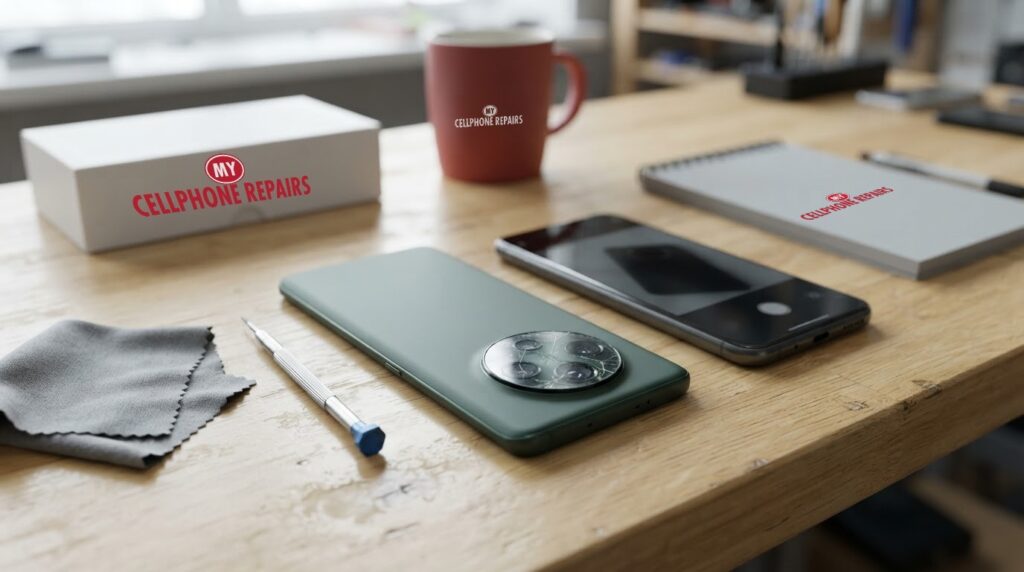
You lift your phone to catch your kid blowing out the candles, tap the camera icon and get a black rectangle. Or the app opens, but every shot looks like it was taken through a steamy window. OnePlus 12 camera blurry, black or refusing to open: is it a quick software hiccup, a smudge, or a part that has quietly failed?
This guide goes through the order that makes sense, from a ten-second lens wipe to Safe mode, so you can tell which problem you have before you spend a cent. We also explain what is actually inside the camera setup and when it is time to look for phone repair near you. Our diagnosis is always free, and most repairs are done the same day.
Key takeaways
- Start with the free, safe checks: take the case off, wipe all the lenses, restart, and update the software. None of them delete anything.
- Safe mode helps you work out whether a downloaded app is getting in the way of the camera. Google’s Android Help says that if the problem goes away in Safe mode, an app is likely the cause.
- Some owners on OnePlus’s community forum report that clearing the Camera app’s cache and the Camera Service app’s cache, then restarting, fixed black screens for them. Results vary.
- If the camera is still black or blurry after all that, or the phone has had a drop or a splash, the part itself probably needs a look. A factory reset will not repair a lens or sensor.
- Our quick facts: free diagnosis, same day for most repairs, 30-day warranty on repairs, exact quote before we start.
In this article: what the OnePlus 12 camera setup is, what to try first, Safe mode, blurry vs black vs won’t open, damage, myths vs facts, cost, FAQ.
What is inside the OnePlus 12 camera, and why does it matter?
The OnePlus 12 has three cameras on the back and one on the front. According to Android Authority’s review, the rear setup is a 50MP main camera with optical stabilization, a 48MP ultrawide with autofocus, and a 64MP periscope telephoto that gives 3x optical zoom. The selfie camera is 32MP. Notebookcheck’s spec list adds that the main and telephoto cameras use optical image stabilization (OIS), while the ultrawide relies on electronic stabilization only.
Hasselblad is part of the story too. Reviews describe it as a partnership that shows up in the camera app and in how pictures are processed: Android Authority says portrait mode is tuned against Hasselblad prime lenses, and Notebookcheck notes the Pro mode is called “Hasselblad Master” and there is an XPan mode. In plain English, that is software and colour tuning, not a different kind of lens.
OnePlus 12 camera blurry or black: what can I try first?
Work through these in order. Each one is quick, and none of them erases your photos.
- Take off the case and any lens accessory. A thick case, a stick-on lens ring or a magnet near the camera can get in the way.
- Wipe every lens. Use a soft, dry microfiber cloth on all three rear lenses and the selfie camera. A greasy fingerprint on one lens is a very common reason for hazy shots.
- Switch lenses inside the Camera app. Tap the zoom options and see whether the problem follows one lens, such as only the ultrawide or only the 3x, or whether every view is affected. That clue is useful when you book a diagnosis.
- Restart the phone (steps in the box below). A camera app that has frozen often recovers after a restart.
- Update the software. Go to Settings, then About device or System, then look for a software update. Menu names may differ slightly on your version.
- Check permissions. In Settings, open Apps, then Camera, and make sure the camera permission is on.
- Clear the Camera app’s cache. Some owners on OnePlus’s community forum report that clearing the cache of the Camera app and of the OnePlus Camera Service app, then restarting, helped with black screens and crashes. These are owner reports, not an official fix, and they do not delete your photos when you clear the cache only.
Try this first: restart, force restart and Safe mode (OnePlus)
These steps delete nothing. Menu names and button combinations can differ slightly by model and software version.
- Restart: press and hold the Power button together with Volume Up (on older models just the Power button), then tap Restart.
- Force restart (frozen or black screen): on OnePlus 6T and later, hold Volume Up and Power together for about 10 seconds. Some models use Volume Down and Power instead. If the phone vibrates but the screen stays black, the screen itself may be damaged, so come in for a free diagnosis.
- Safe mode: open the power menu, touch and hold Power off, then tap Safe mode. Test the camera. To leave Safe mode, restart normally.
- Then open the Camera app again and test each lens.
When to stop and come in: the camera is still black or blurry after a restart and an update, the phone gets hot, restarts by itself, has been dropped or got wet. A factory reset will not fix a damaged camera, so back up and skip it. Maker’s own help: OnePlus support: phone won’t turn on or screen frozen.
Full step-by-step guide: How to restart and reset your OnePlus → | All restart & reset guides →
Can Safe mode tell me if an app is blocking the camera?
Yes, it is a handy test. Safe mode starts the phone without your downloaded apps getting in the way, so you can see whether the camera behaves. Google’s Android Help explains the logic: use the phone normally, and if the problem goes away, an app is likely the cause. If it does not go away, an app is probably not the cause, and you should look at other options.
If the camera works in Safe mode, restart normally and then remove recently downloaded apps one at a time, checking the camera after each one. Google suggests exactly that approach. One note from Google: Safe mode can remove some home-screen widgets, so take a screenshot of your layout first.
Why is my OnePlus 12 camera blurry, black or won’t open?
Blurry or hazy photos
Start with the simple stuff. Oil on the lens is the usual culprit, so wipe it and retake the shot. Next, think about the lens you are using. Notebookcheck says the wide and telephoto cameras support automatic macro, which means the phone can switch lenses when you get close, so a close-up that looks soft may simply be the phone choosing a different camera.
Dim light is another trap. Reviewers do not fully agree about the OnePlus 12 here: Android Authority found low-light shots often soft and overexposed, while Notebookcheck found low-light performance strong, but noted that at 1 lux the main camera defaults to a 1.5-second exposure with colour deviations. So a soft night photo is not automatically a broken camera. Test in good daylight before you decide.
A black screen or a camera that won’t open
A black preview or an app that closes right away can be a frozen app, an app clash or a failed module. The checks above are in the right order: restart, cache, Safe mode, update. These are individual owner reports, and there is no official OnePlus word that a particular update fixes them. If every lens stays black, a software reset will not repair hardware, so come in for a free diagnosis.
What if the phone was dropped or splashed?
A fall can crack the lens glass, loosen the connection to the module or disturb the stabilization parts. Android Authority and Notebookcheck both note the OnePlus 12 is rated IP65, not IP68, and Notebookcheck says it handles occasional splashes but advises against swimming with it. If it got wet, switch it off and bring it in; do not keep testing or charging it. Android Authority lists a Gorilla Glass 5 back, so a hard corner drop can cause damage that is not obvious at first. If a drop also cracked the glass on the front, our listed OnePlus 12 screen price is from $209.99, and we can quote both jobs together.
Myths vs facts about OnePlus camera problems
- Myth: A black camera always means a dead sensor. Fact: It can be an app clash or a frozen app, which is why a restart and Safe mode come first.
- Myth: A factory reset repairs a blurry lens. Fact: A reset changes software only, it erases your data and it cannot fix a damaged lens or module.
- Myth: Dark photos mean the camera is broken. Fact: Even reviewers disagree about low-light results, so test in daylight.
- Myth: Water resistance means you can ignore a splash. Fact: IP65 suits splashes, not swimming.
How much does OnePlus 12 camera repair cost?
We do not list a set camera price for the OnePlus 12 online, and we never guess. You get a free diagnosis and an exact quote before we start. Most repairs are done the same day, they carry our 30-day warranty and we use high-quality replacement parts. Walk-ins are welcome, and most of our stores are open on Sundays.
We also fix tablets and computers: looking for tablet repair near me, an iPad screen repair cost or laptop repair near me? Bring them in for a free diagnosis too.
FAQ
Why is my OnePlus 12 camera black when I open the app?
Restart the phone, check the camera permission, clear the Camera app’s cache and test in Safe mode. If the screen is still black on every lens, come in for a free diagnosis and an exact quote.
Can a cracked camera lens glass be fixed on the OnePlus 12?
Yes, damaged lens glass or a faulty camera module can be repaired. We check which part is affected and quote the exact price before we start. Walk in any day for a free diagnosis.
How long does a OnePlus camera repair take?
Most are done the same day. Walk in or book a repair and we will quote the exact price before starting.
Sources
- Android Authority: OnePlus 12 review
- Notebookcheck: OnePlus 12 5G review
- Google Android Help: find problem apps by rebooting to safe mode
- OnePlus support: phone won’t turn on or screen frozen
#MyCellphoneRepairs #OnePlus #OnePlusRepair #OnePlus12 #CameraRepair #BlurryCamera #PhoneRepair #SameDayRepair #FreeDiagnosis #TowsonMD #Baltimore
Get it fixed at My Cellphone Repairs: most repairs are done the same day. Walk in or book online.
Book NowPhone frozen or acting up? See our step-by-step restart & reset guides →
Our locations
- Towson Mall825 Dulaney Valley Rd, Second Level, Towson, MD 21204
(410) 828-4404 - Grand Rapids3077 28th St SE, Grand Rapids, MI 49512
(616) 799-6996 - PG Plaza Mall (Hyattsville)3500 East-West Hwy, Mall at Prince George's, Target Entrance, Hyattsville, MD 20782
(301) 559-1105 - Bowie Town Center15630 Emerald Way, Bowie, MD 20716
(240) 614-3600 - Capital City Mall (Camp Hill / Harrisburg area)3604 Capital City Mall Dr, Camp Hill, PA 17011
(717) 919-7868 - Cumberland Mall (Vineland)3849 S Delsea Dr, next to Boost Mobile, Dick's Sporting Goods entrance, Vineland, NJ 08360
(856) 765-5049 - Mondawmin Mall2401 Liberty Heights Ave, Lower Level, Baltimore, MD 21215
(443) 826-7711 - Baltimore Inner Harbor100 East Pratt St, Suite 101, Baltimore, MD 21202
(443) 838-8989 - St Charles Mall (Waldorf)11110 Mall Cir, Waldorf, MD 20603
(301) 645-7755 - Alexandria7650 Richmond Hwy, Alexandria, VA 22306
(703) 341-6789