
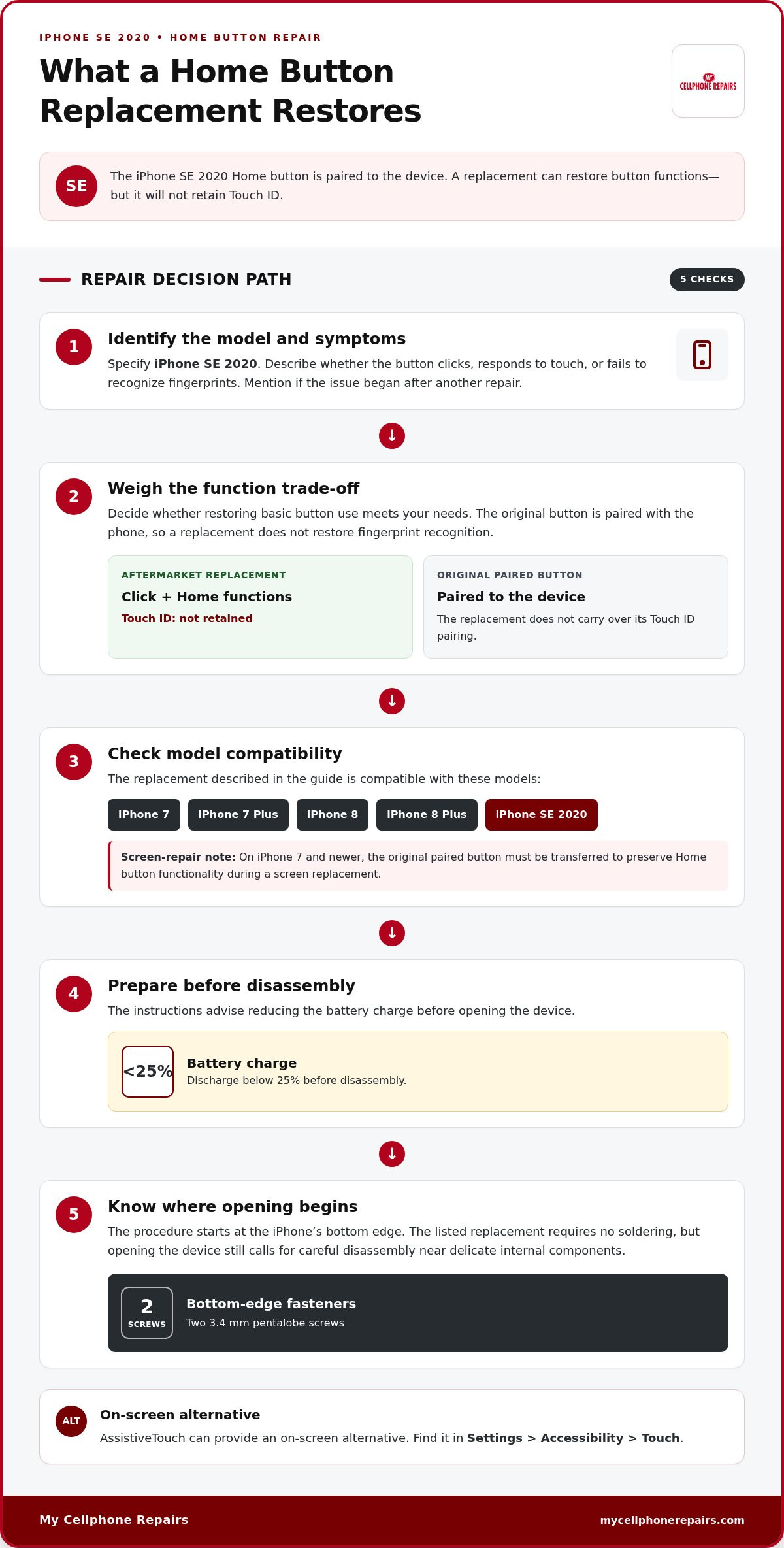
Picture the familiar Home button on your iPhone SE 2020: if it stops responding, a replacement can restore its click and Home functions. But it won’t retain Touch ID because the original button is paired to the device. That’s the key detail to understand before arranging iPhone home button repair.
If your iPhone Home button has stopped working, you’ll want a clear understanding of the repair questions to consider. This guide covers what to explain about the problem, how to prepare your iPhone, and what to discuss when arranging service, so you can decide on your next step.
Key Takeaways
- Before arranging a replacement, identify your phone as the iPhone SE 2020 and describe what the Home button can and can’t do.
- Prepare for disassembly by reducing the battery charge below 25%; the opening step uses two 3.4 mm pentalobe screws.
- Learn which Home button functions an aftermarket replacement can restore, and how to use AssistiveTouch as an on-screen alternative.
- For other iPhone hardware issues, My Cellphone Repairs offers iPhone Screen Repair, a separate service from Home button replacement.
1. Replacing a broken iPhone SE 2020 Home button
The iPhone SE 2020 Home button is paired to its device, so a replacement button won’t preserve Touch ID. An aftermarket button can restore the click and Home functions, but fingerprint recognition won’t work with it. That trade-off is central to arranging an iPhone home button repair: decide whether restoring basic button functions meets your needs.
iPhone 6s and earlier models use a mechanical Home button. iPhone 7 and newer models use a touch-sensitive button; the iPhone SE 2020 also has a Touch ID Home button paired to the phone. If a screen replacement is involved on iPhone 7 or newer, the original paired button must be transferred to preserve Home button functionality.
Replacement buttons are described as compatible with iPhone 7, 7 Plus, 8, 8 Plus, and SE 2020. They can provide click and Home functions without fingerprint recognition. The listed replacement requires no soldering, but opening the device still involves careful disassembly near delicate internal components.
Before disassembly, the instructions advise discharging the battery below 25%. The procedure starts by removing two 3.4 mm pentalobe screws from the iPhone’s bottom edge. If you’re arranging service, identify the model as iPhone SE 2020 and explain whether the button clicks, responds to touch, or fails to recognize fingerprints. Those details help clarify the fault and the functionality you want restored.
My Cellphone Repairs: iPhone Screen Repair
My Cellphone Repairs offers iPhone Screen Repair if a damaged screen is also affecting your device. For a Home button issue alone, use the replacement details above to understand the function changes involved and describe the problem clearly when arranging your next step.
If your iPhone also needs screen repair, contact My Cellphone Repairs to discuss the service.
Plan Your Next Repair Step
Start with a clear description of how you use your phone and what outcome you need. Before arranging iPhone home button repair, note the symptoms and the functions affected. This gives you a practical basis for discussing your needs and deciding what questions to ask about the repair.
My Cellphone Repairs also handles other device needs through Samsung Phone Repair, iPhone Screen Repair, and MacBook Repair. Describe each issue separately so it’s clear which device or component needs attention.
To discuss a repair need, contact My Cellphone Repairs. Share the relevant details and your preferred outcome, then use that conversation to plan your next step. A clear priority can make a frustrating device problem easier to address. Choose the path that fits your needs and move forward with confidence.
Frequently Asked Questions
How Do I Schedule My Home Button Repair?
Contact My Cellphone Repairs to discuss iPhone home button repair and describe the issue you’re experiencing. Include your iPhone model and whether the button stopped working suddenly or after another repair. For example, mention whether the screen was recently replaced or the button no longer responds to a press. These details help clarify the problem and focus the conversation.
How Much Does It Cost to Have My Home Button Replaced?
The cost of iPhone home button repair is a common question, but it depends on the specific case. When contacting My Cellphone Repairs, describe the symptoms, your iPhone model, and any known damage. This gives the team useful context for discussing the repair and its cost.
Where Can I Get My iPhone Home Button Fixed?
Contact My Cellphone Repairs to discuss a repair. The business serves customers in Towson, Baltimore County, Hyattsville, College Park, Cumberland, Vineland, Harrisburg, Kentwood, and Bowie. Share your iPhone model and explain what happens when you press the Home button. If another issue affects the same device, describe it separately so the repair discussion can address your needs clearly.
How do I troubleshoot an iPhone Home button that is not working?
Try enabling AssistiveTouch in Settings > Accessibility > Touch. You can also clean around the button with 99% rubbing alcohol and wait about 15 minutes before testing, or slightly loosen the mounting bracket screws by a quarter turn.