
You lift your Galaxy to check a message and it just sits there on the lock screen, refusing to recognize you. After a few tries you are typing the PIN again. A Galaxy that stops recognizing your face is annoying, and the cause is usually a setting, a smudge or the lighting, though sometimes it is the camera.
This guide covers the checks Samsung itself lists, how to re-register your face, what can quietly switch face unlock off, and the signs that the front camera needs a look. If you want a Samsung screen repair or camera check done the same day, our free diagnosis is the place to start.
Quick facts
- Free diagnosis, always. We tell you the cause before any repair starts.
- Same day for most repairs. Walk-ins welcome.
- 30-day warranty on premium screens and other repairs (budget screens have no warranty).
- Exact quote before we start. Camera and sensor work varies, so we diagnose first.
Key takeaways
- Samsung says biometric unlock can be disabled by a turned-off setting, Lockdown mode, or company-managed restrictions. Check these first.
- Re-registering your face fixes many recognition problems: remove the face data, then register again.
- Glasses, hats, masks, makeup, bangs and beards can interfere. Adding an alternative appearance can help.
- Keep the front camera lens clean, use good lighting and avoid blurry conditions.
- Face recognition is less secure than a PIN, pattern, password or fingerprint, according to Samsung.
In this article
- Why would my Galaxy stop recognizing my face?
- What should I check first? A step-by-step list
- How do I re-register my face?
- When is the front camera to blame?
- Myths and facts about Galaxy face unlock
- What happens if I wait?
Why would my Galaxy stop recognizing my face?
Face recognition lets you unlock the phone and confirm your identity in some apps. It relies on the front camera seeing your face clearly and matching it to the data you registered. Anything that changes what the camera sees can cause a miss: a new hairstyle, glasses, a mask, dim light, a dirty lens or a screen protector that covers the camera area.
Samsung also notes that the feature needs a screen lock set up first (PIN, pattern or password), and that the phone may ask for that lock at least once every 24 hours, after 4 hours without use, or after a restart. So a request for your PIN is not always a fault. It can simply be the normal safety rule.
What should I check first? A step-by-step list
Try these in order and test after each one:
- Clean the front camera lens with a soft, dry cloth and remove any film or case edge that covers it.
- Improve the conditions. Use good lighting and hold the phone steady so the image is sharp. Samsung says blurry images reduce accuracy.
- Check that Face unlock is on. Go to Settings, Security and privacy, Screen lock and biometrics, enter your PIN, tap Face recognition and make sure Face unlock is switched on.
- Look for Lockdown mode. It turns off biometric unlocking until you enter your PIN, password or pattern. Biometrics resume the next time you lock the phone without Lockdown mode active.
- Check for company restrictions. On a work-managed phone, ask your IT administrator.
- Restart the phone. The Try this first box below shows how.
Samsung notes that menus can vary by model and software version, so your screens may be named slightly differently.
How do I re-register my face?
If recognition keeps failing, Samsung’s fix is to remove the stored face data and register again. Go to Settings, Security and privacy, Screen lock and biometrics, enter your credentials, tap Face recognition, then tap Remove face data and confirm. Then tap Register face and follow the prompts. Hold the phone 8 to 20 inches away and center your face in the circle until the progress bar reaches 100%. You may need to take off your glasses.
Two warnings. Removing the data is permanent, so you must register again afterward. And if you often change how you look, use the Add alternative appearance option under Face recognition. Samsung also lists options such as Require open eyes and Brighten screen, which can make recognition work better in the dark.
When is the front camera to blame?
Software and settings come first, but hardware can be the cause. Open the Camera app and switch to the selfie camera. If the picture is black, blurry, has lines, or the lens is cracked, face recognition cannot work well because it depends on that camera. That is the point where a technician should look, not another round of resets.
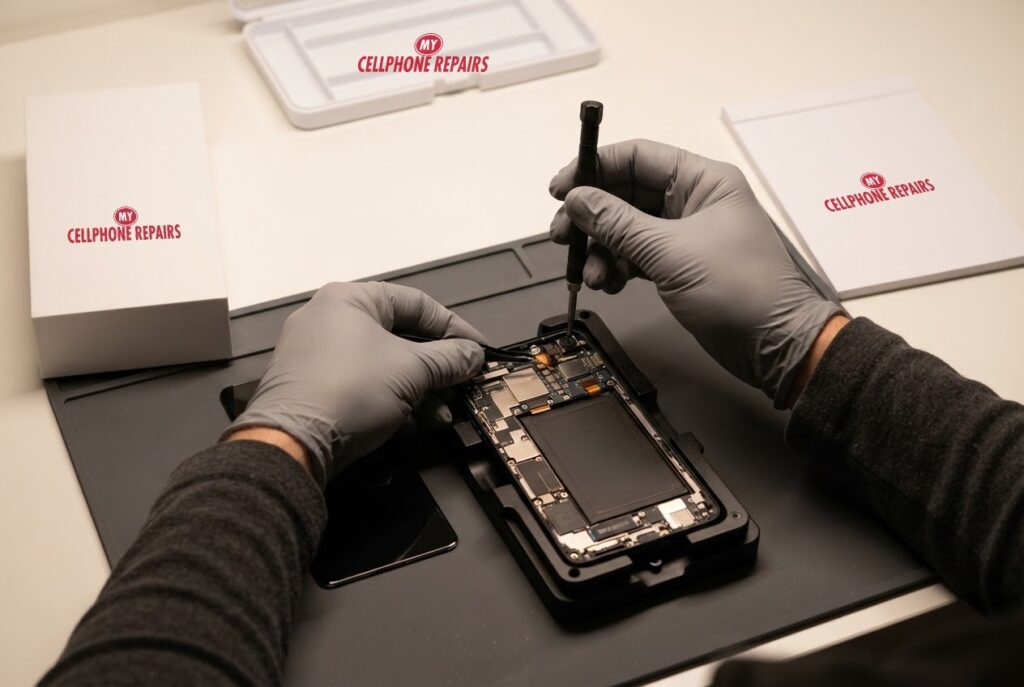
A repair like this means opening the phone and fitting a new front camera module, which is the job shown in our picture above. We do not list a fixed price for it online, so we give you a free diagnosis and an exact quote before we start. Samsung support also suggests, as a last resort, updating the software and backing up before any factory reset, but a reset will not fix a damaged camera.
Myths and facts about Galaxy face unlock
- Myth: Face unlock is as secure as a PIN. Fact: Samsung says face recognition is less secure than Pattern, PIN, Iris or Fingerprint, and someone who looks similar to you, such as a twin, may be able to unlock the phone.
- Myth: If it fails once, the camera is broken. Fact: Light, a dirty lens or a changed look are common causes.
- Myth: A new screen protector never matters. Fact: Anything covering the front camera area can interfere.
- Myth: Removing face data is harmless to try over and over. Fact: It deletes the registration each time, so you must register again.
What happens if I wait?
Waiting is harmless if the cause is a setting or lighting, because your PIN still works. If the cause is a failing front camera, the problem can affect video calls and selfies too, and waiting will not improve it. If you also see a cracked screen near the camera, bring it in sooner.
When in doubt, a short visit tells you whether you need a setting change or a repair.
Try this first: restart and force restart your Galaxy
These steps delete nothing and take under a minute. They help when software is behind a camera or recognition glitch.
- Restart: swipe down twice from the top, tap the Power icon, then tap Restart. Or press and hold the Side key and Volume Down, then tap Restart.
- Force restart (frozen phone): press and hold Volume Down and the Side key for about 7 to 10 seconds, until the screen goes black and the Samsung logo appears.
- Safe mode: open the power menu, then touch and hold Power off until Safe mode appears, and tap it. Restart normally to leave Safe mode.
A factory reset will not fix a damaged camera, so we do not suggest it here. Samsung’s own page: Different ways to restart your Galaxy. Menu names may differ slightly on your model.
When to stop and come in: the phone will not turn on after a force restart and 30 minutes on the charger, it vibrates but the screen stays black, it restarts by itself over and over, it gets hot, or it has been wet. Free diagnosis at any of our stores, and most repairs are done the same day.
Full step-by-step guide: How to restart and reset your Samsung Galaxy →
Repair prices
We do not list a fixed price for face unlock or front camera repairs, because the work ranges from a settings check to a camera module replacement. That is why we offer a free diagnosis and an exact quote before we start.
Searching for “Samsung screen repair” or “phone repair near you” will show our stores, and most are open on Sundays too.
We also fix tablets and computers
Camera and unlock problems also show up on tablets. We handle tablet repair near me searches, including Samsung tablet repair, plus laptop repair and MacBook repair. Bring your device in for a free diagnosis and the same quote-first approach.
Frequently asked questions
Why is face unlock not working on my Galaxy?
Common causes are a switched-off setting, Lockdown mode, a dirty camera, poor lighting or a changed appearance. Re-register your face, and if it still fails, book a free diagnosis.
Is face unlock available after a screen or camera repair?
Samsung says to register your face under Settings, Security and privacy, Biometrics. After a repair, we can check the front camera works, and you can register again. Ask us at your free diagnosis.
How long does a front camera repair take?
Most repairs at My Cellphone Repairs are done the same day, and walk-ins are welcome. We give you an exact quote after the free diagnosis. Book a repair online or stop by a store.
Sources
- Samsung Support: Biometric unlocking disabled on your Galaxy phone
- Samsung Support: Use Facial recognition security on a Galaxy phone or tablet
- Samsung Support: Different ways to restart your Galaxy
#MyCellphoneRepairs #Samsung #GalaxyS24Ultra #SamsungRepair #FaceUnlock #FrontCamera #SamsungGalaxy #PhoneRepair #SameDayRepair #HyattsvilleMD #Bowie
Get it fixed at My Cellphone Repairs: most repairs are done the same day. Walk in or book online.
Book NowPhone frozen or acting up? See our step-by-step restart & reset guides →
Our locations
- Towson Mall825 Dulaney Valley Rd, Second Level, Towson, MD 21204
(410) 828-4404 - Grand Rapids3077 28th St SE, Grand Rapids, MI 49512
(616) 799-6996 - PG Plaza Mall (Hyattsville)3500 East-West Hwy, Mall at Prince George's, Target Entrance, Hyattsville, MD 20782
(301) 559-1105 - Bowie Town Center15630 Emerald Way, Bowie, MD 20716
(240) 614-3600 - Capital City Mall (Camp Hill / Harrisburg area)3604 Capital City Mall Dr, Camp Hill, PA 17011
(717) 919-7868 - Cumberland Mall (Vineland)3849 S Delsea Dr, next to Boost Mobile, Dick's Sporting Goods entrance, Vineland, NJ 08360
(856) 765-5049 - Mondawmin Mall2401 Liberty Heights Ave, Lower Level, Baltimore, MD 21215
(443) 826-7711 - Baltimore Inner Harbor100 East Pratt St, Suite 101, Baltimore, MD 21202
(443) 838-8989 - St Charles Mall (Waldorf)11110 Mall Cir, Waldorf, MD 20603
(301) 645-7755 - Alexandria7650 Richmond Hwy, Alexandria, VA 22306
(703) 341-6789