
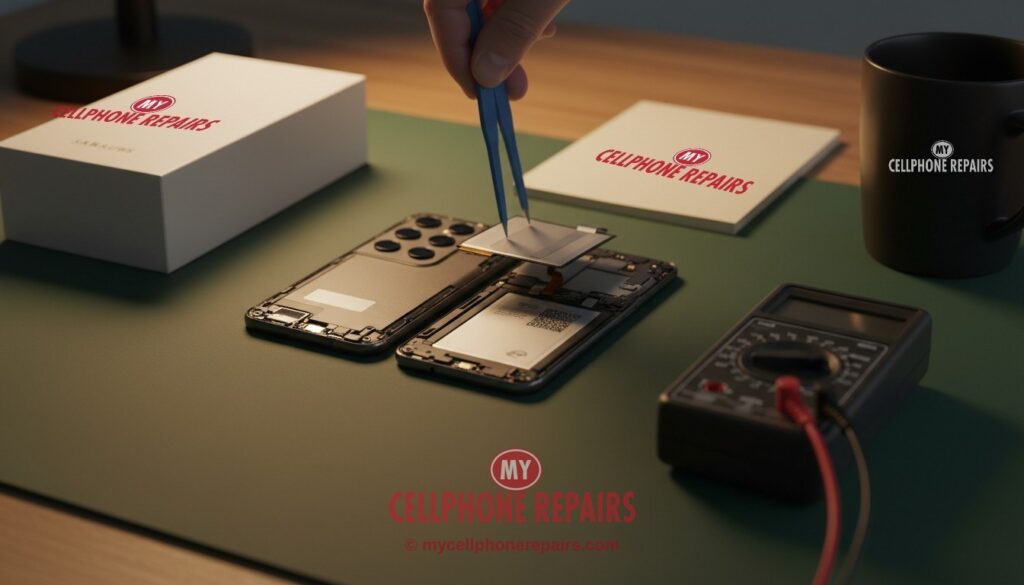
You plug in your Galaxy S24 at 10 pm with a healthy charge. You do not touch it all night. Then you wake up, and the battery has lost a big chunk. It feels unfair: the phone was doing nothing.
If you have a Galaxy S24 battery draining overnight, the cause is usually one of three things: an app or setting keeping the phone awake, a weak signal, or a battery that is simply getting old. This guide helps you work out which one it is, step by step, and tells you when a new battery is the sensible fix.
Key takeaways
- Most overnight drain comes from background apps, weak signal or a recent update, and these are free to check.
- Settings > Battery and device care > Battery shows which apps used power, so look there first.
- Samsung Members has a Battery status test. Samsung says a faster-than-usual drain can point to a worn battery.
- Some S24 owners report worse battery life after One UI 9. Samsung has not confirmed a cause in the reports we read.
- A battery replacement for the Galaxy S24 starts from $89. Diagnosis is free.
In this article: Why a sleeping phone still uses power · Find the cause · Myths vs facts · Protect your battery · When to replace it · FAQ
Why does a sleeping phone still lose battery?
A phone is never fully off when the screen is dark. It keeps the mobile connection alive so calls and messages can reach you. It checks Wi-Fi, syncs email, runs alarms and lets apps do small jobs in the background.
Each job uses a tiny bit of power. Trouble starts when something keeps the phone awake: an app stuck in a loop, a bad signal that makes the phone work harder, or app updates running at night.
Samsung says battery life also depends on your network, your apps and your charging habits, and a new phone often drains faster for the first few days.
Why is my Galaxy S24 battery draining overnight? How to find out
Work through these in order. Each one is free and takes a minute or two. The steps follow Samsung’s own battery guidance (Samsung Support), and menu names can differ a little by software version.
- Look at the battery graph. Open Settings > Battery and device care > Battery, then tap the graph. You will see which apps used power. If one app is far ahead of the rest, you have your suspect.
- Run Optimize now. In Battery and device care, tap Optimize now. Samsung says it lists apps with high background battery use.
- Put unused apps to sleep. Tap the app in the battery graph, choose Limit usage, then Put to sleep or Put in deep sleep. You can also manage the lists under Background usage limits. Do not add apps to the Never sleeping list unless you need them, because Samsung notes that can raise background use.
- Check your signal. Samsung suggests switching off 5G where coverage is weak, since 5G can use more power and LTE may help in those areas (Samsung Support). If you sleep in a spot with poor reception, this can matter.
- Trim the small stuff. Turn off auto-sync for apps that do not need it, switch off Bluetooth when unused, and try Power saving mode at night. Samsung says it limits background data and turns off the Always On Display.
- Check for updates. Look in Settings > Software update, and update your apps in the Play Store too.
- Test in Safe mode. If the drain is still strange, Safe mode turns off downloaded apps. Use the box below. If the phone behaves well in Safe mode, an app you installed is the likely culprit. Remove recent apps one at a time.
Try this first: restart your Samsung Galaxy
Normal restart: swipe down twice from the top of the screen, tap the Power icon, then tap Restart.
Phone frozen? Force restart: press and hold Volume Down + Side key together for about 7–10 seconds, until the screen goes black and the Samsung logo appears. This deletes nothing.
Safe mode: open the power menu, touch and hold Power off until Safe mode appears, then tap it. Restart normally to leave Safe mode.
Factory reset is a last resort here. If a software fault is behind the drain, a reset may help, but it erases everything. Back up first and know your Google account password. Go to Settings > General management > Reset > Factory data reset. A reset will not fix a worn or swollen battery.
Stop and come in if: the phone gets hot, the back or screen looks lifted or bulging, the phone shuts off at 30% or more, or the drain stays the same after Safe mode and a restart. Diagnosis is free. (Steps from Samsung Support; menu names can differ slightly by model.)
📘 Full step-by-step guide: How to restart and reset your Samsung Galaxy →
All restart & reset guides (iPhone, iPad, Pixel, Motorola, OnePlus) →
Did it start after an update?
Some Galaxy S24 and S25 owners report worse battery life since the One UI 9 update, which began rolling out more widely around October 12, 2026 (9to5Google). The same report says these complaints do not look widespread, and it includes no statement from Samsung. No cause has been confirmed.
Restart the phone, force-stop any app the battery graph blames, and give it a few days. If the drain does not improve and the phone is still under warranty, check with Samsung first.
Myths vs facts
| Myth | Fact |
|---|---|
| “Closing every app all day saves battery.” | Samsung’s tools work on sleeping and limiting apps that use a lot of background power. Swiping apps away is not the fix. Find the heavy ones in the battery graph instead. |
| “Charging overnight ruins the battery.” | Samsung says the key is not letting the phone sit at 100% for long periods. Battery protection can handle that for you (see below). |
| “A factory reset always fixes drain.” | It may help a software problem. It cannot restore a worn-out battery. |
Can I protect the battery so it lasts longer?
Yes. The Galaxy S24 series ships with One UI 6.1 or later, which has a Battery protection setting with three modes (Samsung Support). Go to Settings > Battery > Battery protection, turn it on and pick one:
- Basic: charging stops at 100% and resumes when the battery drops to 95%.
- Adaptive: the phone uses Maximum while you sleep, then charges to 100% about an hour before you wake. Samsung warns it may not work well if your sleep times are irregular.
- Maximum: charging stops at 80%.
You may have heard of an “85% limit”. On older software, Samsung says a cap at 85% was the only option. On One UI 6.1 or later, Maximum stops at 80%, and Samsung’s Canada page lets you pick your own level with a slider. Samsung says 80%, 85% or 90% can all help reduce wear (Samsung Support). Features can vary by model and region.
How do I know if the battery itself is worn out?
Run Samsung’s own test. Open the Samsung Members app, tap Support, tap Get Started, then choose Battery status and read the result (Samsung Support).
Samsung lists these signs of an aging battery:
- The battery drains quickly soon after charging.
- The phone shuts down unexpectedly, especially in cold weather.
- A pop-up says the battery needs a check-up or shows a performance alert.
Batteries are consumables, so this is normal wear and not a defect in your habits. If you see these signs and the settings above did not help, a new battery is the fix that works. Samsung says replacement may be covered by warranty or may be a paid service, depending on your terms, so check your warranty first.
Safety warning: if the back panel is lifting, the screen looks raised, or the case no longer sits flat, the battery may be swollen. Samsung’s support guidance, as we read it, says to stop using and charging the phone and have it inspected by a repair center. Do not press on it, pierce it or charge it. Do not mail it. Bring it to a shop that handles swollen batteries and recycle the old one properly.
What a Galaxy S24 battery replacement costs at My Cellphone Repairs
A Galaxy S24 battery replacement starts from $89. The Galaxy S24 FE, S24+ and S24 Ultra battery replacement is also from $89. Most repairs are done the same day, diagnosis is free, and our work comes with a 30-day warranty. Check the price for your model.
We also fix tablets and computers
A Galaxy Tab that dies too fast, or a laptop that will not hold a charge? We also do Samsung tablet repair and laptop repair near me style fixes at the same stores, with the same free diagnosis.
Questions people ask
Why does my battery drain overnight?
Usually a background app, weak signal or a recent update is keeping the phone busy. An aging battery can also be the cause. Check the battery graph, then run the Samsung Members Battery status test. If it still drains, book a free check and we will test it for you.
Is it normal to lose battery on a Galaxy S24 while I sleep?
A small loss is normal because the phone stays connected. A big drop is not, especially if it is new compared with a few weeks ago. Try the steps above, then come in for a free diagnosis if nothing changes.
Should I replace the battery or buy a new phone?
If the Battery status test and the signs above point to a worn battery, a replacement from $89 is often much cheaper than a new phone. Bring your Galaxy in and we will confirm it, free, before you decide.
Sources
- Samsung Support: Galaxy Battery, Optimization
- Samsung Support: Galaxy Battery, About Battery
- Samsung Support: Determine when your Galaxy phone battery needs replacing
- Samsung Support: Galaxy battery protection in One UI 6.1
- 9to5Google: Some Galaxy S24, S25 owners report battery drain after One UI 9
#MyCellphoneRepairs #Samsung #Galaxy #SamsungRepair #GalaxyS24 #BatteryReplacement #BatteryHealth #PhoneRepair #FreeDiagnosis #BowieMD #Baltimore
Get it fixed at My Cellphone Repairs: most repairs are done the same day. Walk in or book online.
Book NowPhone frozen or acting up? See our step-by-step restart & reset guides →
Our locations
- Towson Mall825 Dulaney Valley Rd, Second Level, Towson, MD 21204
(410) 828-4404 - Grand Rapids3077 28th St SE, Grand Rapids, MI 49512
(616) 799-6996 - PG Plaza Mall (Hyattsville)3500 East-West Hwy, Mall at Prince George's, Target Entrance, Hyattsville, MD 20782
(301) 559-1105 - Bowie Town Center15630 Emerald Way, Bowie, MD 20716
(240) 614-3600 - Capital City Mall (Camp Hill / Harrisburg area)3604 Capital City Mall Dr, Camp Hill, PA 17011
(717) 919-7868 - Cumberland Mall (Vineland)3849 S Delsea Dr, next to Boost Mobile, Dick's Sporting Goods entrance, Vineland, NJ 08360
(856) 765-5049 - Mondawmin Mall2401 Liberty Heights Ave, Lower Level, Baltimore, MD 21215
(443) 826-7711 - Baltimore Inner Harbor100 East Pratt St, Suite 101, Baltimore, MD 21202
(443) 838-8989 - St Charles Mall (Waldorf)11110 Mall Cir, Waldorf, MD 20603
(301) 645-7755 - Alexandria7650 Richmond Hwy, Alexandria, VA 22306
(703) 341-6789