
You open your Pixel 9 for a video call and your own picture is a black box. Or the Pixel 9 front camera opens, freezes, and says something went wrong. Before you assume the camera is broken, there is a short list of checks that fix many of these problems, and Google’s own support page lays them out. This guide walks you through them, explains when it is a software glitch and when it is hardware, and shows what a repair looks like. If you need a Google Pixel repair near you, we offer a free diagnosis.
Quick facts
- Price: we give you free diagnosis and an exact quote before we start, because front camera repairs depend on the fault.
- Time: same day for most repairs, walk-ins welcome.
- Warranty: 30-day warranty on repairs, with high-quality replacement parts.
- Diagnosis: always free.
Key takeaways
- Start with a restart, a Camera app cache clear and updates. They cost nothing and delete no photos.
- Safe mode tells you whether a downloaded app is getting in the way of the camera.
- If other apps also fail to use the camera, Google says it is probably a hardware problem and you should start a repair.
- Some Pixel owners report black camera screens after a recent software update. A full shutdown for about five minutes helped some of them.
- A cracked lens, a dirty lens or a loose camera connector all need a technician.
In this guide: why the selfie camera fails · the fixes to try in order · when it is hardware · what a repair involves · myths · FAQ.
Why would a Pixel 9 front camera stop working?
Short answer: it is either software, an app getting in the way, a blocked lens, or a hardware fault. The front camera is a very small module near the top of the screen, joined to the main board by a thin flexible cable. Anything that stops it starting properly can give you a black preview, a blurry picture, or an error message.
- Software glitch: the Camera app or Android freezes the camera until it is restarted.
- A conflicting app: another app can get in the way of the camera.
- A blocked or dirty lens: a case, a screen protector or a smudge can make pictures look dull or blurry.
- Hardware: a drop, a loose connector or a damaged camera module.
There is also a recent pattern. Notebookcheck reported Pixel owners describing black screens or cameras that fail to start, on front and rear cameras, after Google’s November update. The article names a Pixel 11 Pro XL owner, says the cause is unclear and mentions no statement from Google, so treat it as an owner report and not a confirmed bug. If your problem began right after an update, that is worth knowing.
What should I try first, step by step?
Work through these in order, and test the camera after each one. This follows Google’s Pixel Camera Help page.
- Restart the phone. Power it off, wait a moment, then turn it on.
- Clear the Camera app’s cache. Touch and hold the Camera icon, tap App info, tap Storage & cache, then tap Clear cache.
- Update. Check the Play Store for a Pixel Camera update, then check Settings > System > Software updates.
- Test the selfie camera directly. Touch and hold the Camera icon and choose Take a selfie. Google says that if you get an error, or the selfie camera works but you cannot switch to it in the app, you should start a repair or contact support.
- Clean the lens and remove the case. Google suggests removing any case that might block the lens and cleaning the lens gently.
- Try Safe mode. Power off, turn the phone on, and hold Volume down when the G logo appears until “Safe mode” shows. If the camera works there, an app you installed is likely the cause. Restart to leave Safe mode, then remove your most recent app and test again.
Try this first: restart, force restart and Safe mode
- Restart: press and hold the Power button (on some models Power and Volume Up) and tap Restart.
- Force restart (frozen phone): press and hold the Power button for up to 60 seconds, and let go when the “G” logo appears.
- Safe mode: open the power menu, touch and hold Restart until “Reboot to safe mode” appears, then tap OK.
A factory reset (Settings > System > Reset options > Erase all data) is a last resort for software problems. Back up first, charge the phone, and know your Google account password. It will not fix a damaged camera or any other hardware problem.
When to stop and come in: the phone will not turn on even after a force restart and 30 minutes on the charger, it vibrates or rings but the screen stays black, it restarts again and again, it gets hot, the back or screen is lifting, or it got wet. Free diagnosis at any of our stores, and most repairs are done the same day.
Full step-by-step guide: How to restart and reset your Google Pixel →
Maker’s own steps: Google: Fix a Pixel phone that freezes
What if the camera stays black after a software update?
Some owners in the Notebookcheck report said they got the camera back by switching the phone fully off and leaving it off for about five minutes before turning it on again. One owner reportedly restored the camera with a factory reset. Neither fix is guaranteed. If you try a reset, back up your photos first, because it erases everything.
When is it a hardware problem?
Google’s page says that if other apps also crash or fail when they use the camera, it is probably a hardware problem and you should get a repair. Here are other signs it is hardware:
- The camera still fails in Safe mode.
- You dropped the phone, or the screen is cracked near the top edge.
- The picture shows lines, a dark corner, or a lens that looks cracked.
- The phone got wet, or there is fog or moisture behind the lens.
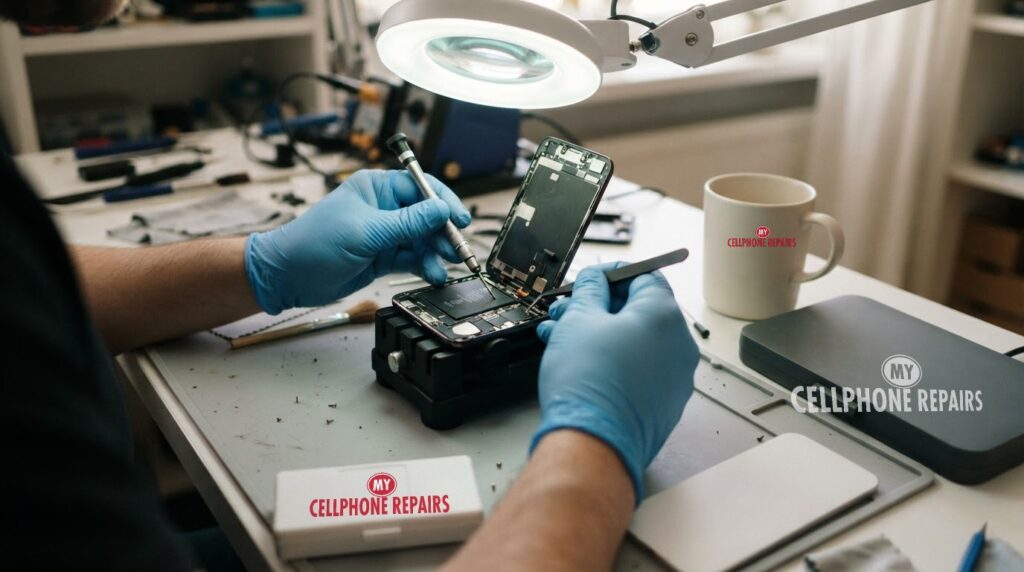
In these cases a technician needs to open the phone, check the camera module and its connector, and replace the part if it is damaged. We always diagnose first, for free.
Myths and facts about phone camera problems
| Myth | Fact |
|---|---|
| A black camera always means a broken camera. | Google’s steps start with restarts, cache and updates, because software can cause it too. |
| Clearing the cache deletes my photos. | Clearing the Camera app cache does not delete your photo library. |
| A factory reset is the first fix. | It is a last resort and it erases your phone. Try the safe steps first. |
| A small crack near the camera is just cosmetic. | A crack near the top edge can let dust and moisture in, so get it checked. |
Prevention tips: use a case that leaves the lens clear, wipe the lens with a soft cloth, keep your phone and apps updated, and do not let the phone get wet.
We also fix tablets and computers. Need tablet repair near me for a cracked iPad or Samsung tablet, or laptop screen repair for a MacBook or Windows laptop? Bring it in with your phone. Diagnosis is always free.
Frequently asked questions
Why is my Pixel front camera black?
Often it is a software glitch, a blocked lens or a conflicting app. Restart, clear the Camera cache, update, and try Safe mode. If other apps also fail with the camera, it is likely hardware, so book a free diagnosis.
How much does a Pixel 9 front camera repair cost?
The price depends on the fault, so we give you a free diagnosis and an exact quote before we start. Most repairs are done the same day with a 30-day warranty.
Can a software update break my Pixel camera?
Some owners report camera failures after updates, though Google has not confirmed a cause in the report we read. A full power-off for about five minutes helped some people. If it does not, come in for a free check.
Sources
- Google Pixel Camera Help: Fix your Camera app
- Google Pixel Help: Fix a Pixel phone that freezes
- Notebookcheck: Pixel owners report camera failures after the November update
#MyCellphoneRepairs #GooglePixel #Pixel #PixelRepair #Pixel9 #FrontCamera #CameraRepair #PhoneRepair #SameDayRepair #FreeDiagnosis #CampHillPA #HarrisburgPA
Get it fixed at My Cellphone Repairs: most repairs are done the same day. Walk in or book online.
Book NowPhone frozen or acting up? See our step-by-step restart & reset guides →
Our locations
- Towson Mall825 Dulaney Valley Rd, Second Level, Towson, MD 21204
(410) 828-4404 - Grand Rapids3077 28th St SE, Grand Rapids, MI 49512
(616) 799-6996 - PG Plaza Mall (Hyattsville)3500 East-West Hwy, Mall at Prince George's, Target Entrance, Hyattsville, MD 20782
(301) 559-1105 - Bowie Town Center15630 Emerald Way, Bowie, MD 20716
(240) 614-3600 - Capital City Mall (Camp Hill / Harrisburg area)3604 Capital City Mall Dr, Camp Hill, PA 17011
(717) 919-7868 - Cumberland Mall (Vineland)3849 S Delsea Dr, next to Boost Mobile, Dick's Sporting Goods entrance, Vineland, NJ 08360
(856) 765-5049 - Mondawmin Mall2401 Liberty Heights Ave, Lower Level, Baltimore, MD 21215
(443) 826-7711 - Baltimore Inner Harbor100 East Pratt St, Suite 101, Baltimore, MD 21202
(443) 838-8989 - St Charles Mall (Waldorf)11110 Mall Cir, Waldorf, MD 20603
(301) 645-7755 - Alexandria7650 Richmond Hwy, Alexandria, VA 22306
(703) 341-6789