
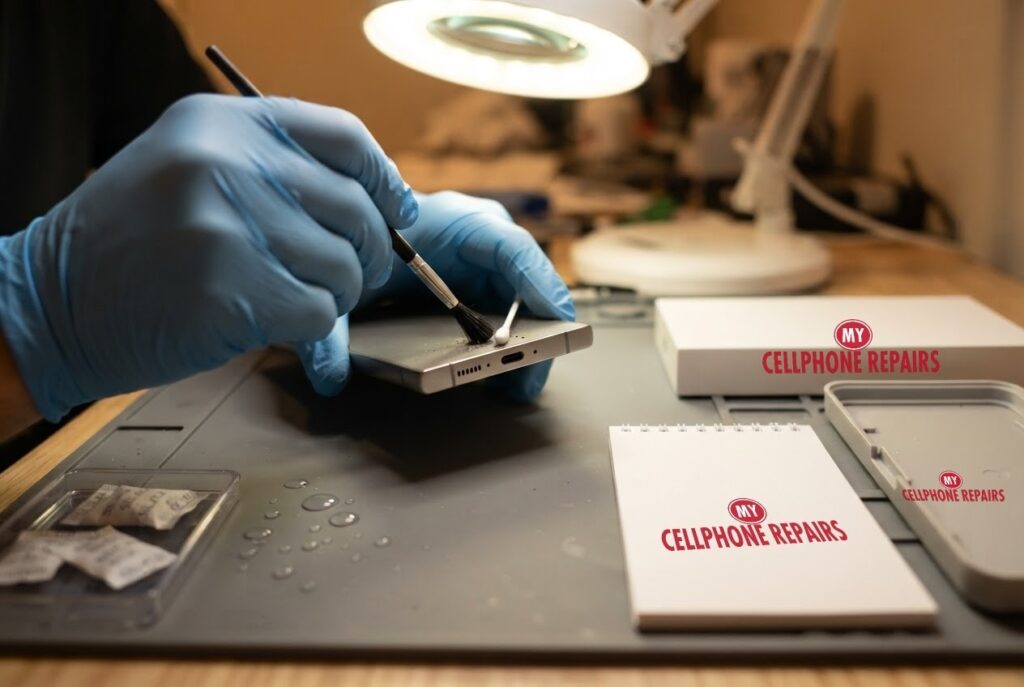
Your Galaxy slips into the sink, or a rainy walk ends with a wet pocket, and a few minutes later the charger beeps and a water-drop icon appears. A Galaxy S24 Ultra dropped in water can look fine and still refuse to charge. The good news is that the first hour matters most, and the right steps are simple.
This guide follows Samsung’s own support pages: what the moisture warning means, what to do in the first minutes, and when it is time to stop and get a professional look. If you want samsung screen repair or water-damage help from a phone repair shop near me, we offer a free diagnosis and an exact quote before we start, and walk-ins are welcome.
Quick facts
- Price: free diagnosis and an exact quote before we start for water damage. Other Galaxy S24 Ultra repairs: Certified Screen from $199.99 (Original Samsung Screen $299.99), battery from $89
- Turnaround: same day for most repairs
- Warranty: 30-day warranty on premium screens and other repairs; budget screens have no warranty and no refunds
- Diagnosis: always free, walk-ins welcome
Key takeaways
- Unplug the charger the moment you see the water-drop or moisture warning. Never charge a wet phone.
- Samsung says water usually evaporates from the port in about 1 to 2 hours. Gentle shaking and a dry cloth help; force does not.
- Never push anything into the charging port, and do not handle the phone or charger with wet hands.
- Wireless charging is not affected by moisture in the port, so it works while you wait (on supported devices).
- If the warning stays after the port is dry, try the steps below, then book a free diagnosis.
In this article:
- What does the moisture warning mean?
- Galaxy S24 Ultra dropped in water: what should I do in the first hour?
- What if the water-drop icon stays?
- What should I avoid?
- Try this first: restart and Safe mode
- When is it time to get it checked?
- Myths vs facts
What does the moisture warning mean on a Galaxy?
Samsung says devices rated IP68 or higher, which covers most of the Galaxy series, include a moisture sensor in the USB port. If it detects moisture, charging stops and an error appears. This is a protection feature. It is there so power is not pushed through a wet port, which is what damages phones.
The warning is not always about a dunk. Samsung notes that high humidity can trigger the error even without contact with water, and condensation in places like kitchens or bathrooms can leave latent moisture that sets it off.
Galaxy S24 Ultra dropped in water: what should I do in the first hour?
Samsung’s steps are short, and the order matters:
- Unplug the charger. If a charger is connected to a wet port, an alarm sounds and keeps sounding until you unplug it.
- Wipe the phone with a dry cloth. Then gently shake it 5 to 10 times with the port facing down. Samsung warns that excessive force or shaking may cause damage, so be gentle.
- Let it dry in the open. Place the phone on a cloth in a well-ventilated area, or dry it with a fan. Samsung says water typically evaporates from the port within about 1 to 2 hours.
- Restart once the port is completely dry. Then try charging again.
- Use wireless charging meanwhile. On supported devices it is not affected by moisture or debris in the port. Dry the phone thoroughly before placing it on the pad.
If the liquid was not fresh water, Samsung says to rinse the port with fresh water and dry it thoroughly with a dry, soft cloth. If the liquid was anything sticky, salty or sugary, that is a good reason to come in rather than wait.
What if the water-drop icon stays after it is dry?
Samsung suggests working through these, in order:
- Update the software: Settings, Software update, Download and install.
- Try a different charging cable, because moisture in the cable can cause the icon.
- Charge somewhere drier, away from kitchens and bathrooms.
- Clear the USB cache: Settings, Apps, tap the Filter and sort icon, turn on Show system apps, scroll to USB Settings, tap Storage, then Clear cache. Menus may vary by model and software version.
If none of that works, Samsung says to contact Samsung Support or a service centre. That is where we come in: a technician can open the phone, look for moisture and corrosion, and tell you honestly what is wrong. We do not post a fixed price for water-damage repairs because every case is different, so you get a free diagnosis and an exact quote before we start.
What should I avoid after a dunk?
- Do not charge it while wet, or in a place where it could get wet. Samsung warns this risks electric shock and damage.
- Do not push anything into the port. Samsung says inserting objects can damage it.
- Do not handle the phone, charger or cable with wet hands while charging.
- Do not shake it hard. A few gentle shakes with the port down is enough.
Try this first: restart, force restart and Safe mode on your Galaxy
- Restart: swipe down twice from the top, tap the Power icon, then tap Restart. Or press and hold the Side key and Volume Down, then tap Restart. Only restart after the port is completely dry.
- Force restart (frozen): press and hold Volume Down and the Side key for about 7 to 10 seconds until the screen goes black and the Samsung logo appears. Deletes nothing.
- Safe mode: open the power menu, then touch and hold Power off until “Safe mode” appears and tap it. Restart normally to leave it.
- A factory reset will not fix a wet port or corrosion. Only erase the phone for software problems, after a backup and with your Samsung or Google account password ready.
When to stop and come in: the phone won’t turn on even after a force restart and 30 minutes on the charger, it vibrates but the screen stays black, it restarts over and over, it gets hot or the screen or back is lifting (stop charging it), or it keeps showing the moisture warning after drying. Free diagnosis at any of our stores, and most repairs are done the same day. Menu names may be slightly different on your model. Maker’s own steps: Samsung Support: different ways to restart your Galaxy
Full step-by-step guide: How to restart and reset your Samsung Galaxy → | All restart & reset guides →
When is it time to get it checked?
Book a visit if the warning returns after drying, the phone charges only on the wireless pad, the screen shows lines or odd colours, the speaker sounds muffled, or the liquid was anything other than fresh water. Moisture left inside a phone can cause trouble later, so a quick check beats waiting. Other Galaxy S24 Ultra work we price: Certified Screen from $199.99, Original Samsung Screen $299.99, and battery from $89.
Myths vs facts about wet Galaxy phones
| Myth | Fact |
|---|---|
| “If it dries, it is fixed.” | The warning can stay or return if residue or moisture remains. Follow the steps above, then book a check. |
| “Shake it hard to clear the port.” | Samsung warns excessive force or shaking may cause damage. Gentle shakes, port down. |
| “Charge it to see if it works.” | Samsung says do not charge a wet device. Wait until the port is dry. |
| “No water means no warning.” | High humidity or condensation can trigger the error without contact with water. |
Frequently asked questions
Why does my Samsung say moisture detected?
The moisture sensor in the USB port has sensed water or humidity and stopped charging to protect the phone. Unplug, dry the port and give it 1 to 2 hours. If it persists, book a free diagnosis.
Can a water damaged phone be fixed?
Often yes, especially when you act quickly. We open the phone, check for moisture and corrosion and give an exact quote before any work. Walk-ins are welcome.
Phone dropped in water, what to do?
Unplug any charger, wipe it dry, gently shake it port down, let it air-dry in a ventilated spot and do not charge it until the port is dry. Then come in for a free diagnosis if anything still looks wrong.
We also fix tablets and computers. Need Samsung tablet repair or computer repair near me, even after a spill? Our technicians handle those too.
Phone still showing the water-drop icon? Book a free diagnosis today.
Sources
- Samsung Support: what to do if your water-resistant phone detects moisture
- Samsung Support: water drop icon and will not charge
#MyCellphoneRepairs #Samsung #Galaxy #SamsungRepair #GalaxyS24Ultra #WaterDamage #WaterDamageRepair #MoistureDetected #SameDayRepair #HyattsvilleMD #WaldorfMD
Get it fixed at My Cellphone Repairs: most repairs are done the same day. Walk in or book online.
Book NowPhone frozen or acting up? See our step-by-step restart & reset guides →
Our locations
- Towson Mall825 Dulaney Valley Rd, Second Level, Towson, MD 21204
(410) 828-4404 - Grand Rapids3077 28th St SE, Grand Rapids, MI 49512
(616) 799-6996 - PG Plaza Mall (Hyattsville)3500 East-West Hwy, Mall at Prince George's, Target Entrance, Hyattsville, MD 20782
(301) 559-1105 - Bowie Town Center15630 Emerald Way, Bowie, MD 20716
(240) 614-3600 - Capital City Mall (Camp Hill / Harrisburg area)3604 Capital City Mall Dr, Camp Hill, PA 17011
(717) 919-7868 - Cumberland Mall (Vineland)3849 S Delsea Dr, next to Boost Mobile, Dick's Sporting Goods entrance, Vineland, NJ 08360
(856) 765-5049 - Mondawmin Mall2401 Liberty Heights Ave, Lower Level, Baltimore, MD 21215
(443) 826-7711 - Baltimore Inner Harbor100 East Pratt St, Suite 101, Baltimore, MD 21202
(443) 838-8989 - St Charles Mall (Waldorf)11110 Mall Cir, Waldorf, MD 20603
(301) 645-7755 - Alexandria7650 Richmond Hwy, Alexandria, VA 22306
(703) 341-6789