
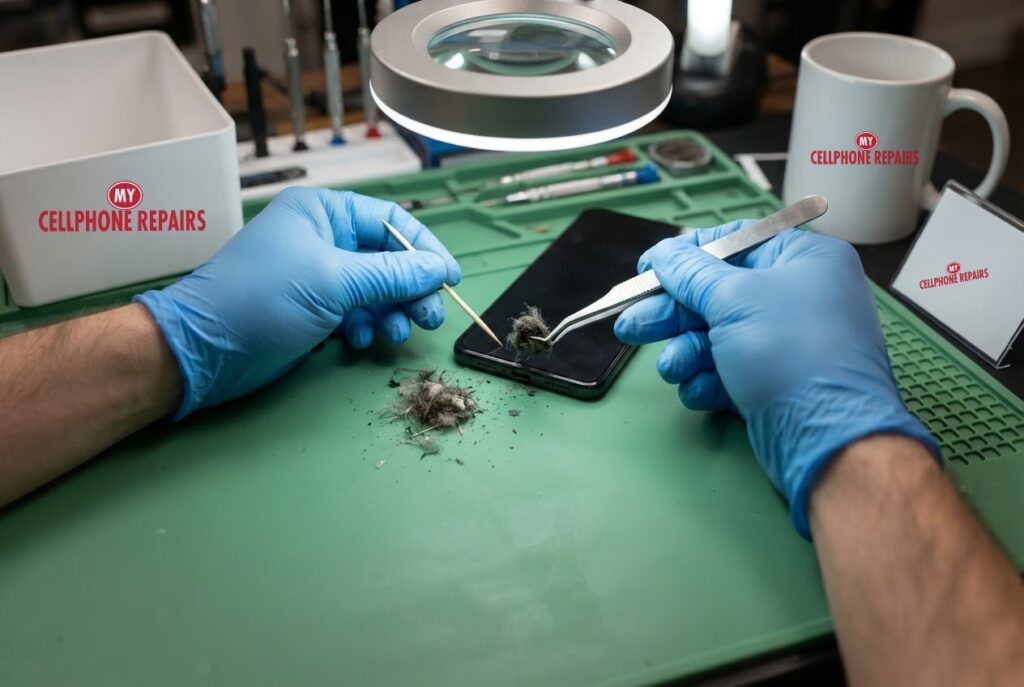
You plug in your Pixel overnight and wake up to 12%. Or the cable only charges if you hold it at an angle. A Pixel 8 not charging is one of the most frustrating small problems, and the cause is often something you can fix in a few minutes: a tired cable, the wrong adapter, or pocket lint packed into the USB-C port.
This guide follows Google’s own Pixel help pages and Android Authority’s port-cleaning advice. We start with free checks, then explain when the port itself is the problem. If you need charging port repair from a phone repair shop near me, we offer a free diagnosis and an exact quote before we start, and walk-ins are welcome.
Quick facts
- Price: free diagnosis and an exact quote before we start for charging-port work. Other Pixel 8 repairs: battery from $89, screen from $209.99
- Turnaround: same day for most repairs
- Warranty: 30-day warranty on premium screens and other repairs; budget screens have no warranty and no refunds
- Diagnosis: always free, walk-ins welcome
Key takeaways
- Test the cable, adapter and outlet first. Google says to try a different cable or adapter and make sure the cable is firmly connected at both ends.
- Google recommends a 30 W Google adapter or a PPS adapter rated 30 W or more for best charging; other USB Power Delivery adapters should be 15 W or more.
- Pocket lint can pack into the USB-C port over time and stop the cable seating. Power the phone off before you clean it.
- Never use liquids, and avoid metal tools while the phone is on. Do not scrape the pin face.
- If the cable still will not sit snugly after a careful clean, the port may be physically damaged.
In this article:
- Pixel 8 not charging: is it the cable or adapter?
- Why does lint stop a Pixel charging?
- How do I clean the USB-C port safely?
- What if I see a liquid or debris warning?
- Try this first: restart and Safe mode
- When is it the port or battery?
- Myths vs facts
Pixel 8 not charging: is it the cable or adapter?
Start with the cheapest explanation. Google’s Pixel help page says to charge another device with the same adapter and cable, make sure the cable is firmly connected at both ends, then try a different cable or adapter. Plug into a wall outlet and test the outlet with something else, such as a lamp. Remove the phone case too, so it does not interfere with a wireless charger.
Adapter power matters. Google says to use its 30 W USB-C adapter or a PPS adapter rated 30 W or more, and that other USB Power Delivery adapters should be rated 15 W or more. If you see a “Check charging accessory” message, the cable or adapter may be damaged or unsupported, so switch to a compatible one.
Why does lint stop a Pixel charging?
Android Authority explains the mechanism well. Pocket lint and dust collect in the USB-C port, and each time you plug in, the debris gets compacted a little more. Eventually it blocks the cable’s pins from lining up. The cable then sits at an odd angle, falls out, or charges slowly because fast charging fails. A port that works only when you wiggle the cable is the classic sign.
Google’s own help page tells you to check the port for debris, and if there is any, to face the port downward and gently tap the phone against your hand.
How do I clean the USB-C port safely?
- Unplug everything and power the phone off. Android Authority recommends powering off before cleaning.
- Look first. Shine a light into the port and look for lint or debris.
- Tap it out. Face the port downward and tap the phone gently against your hand, as Google suggests. Do not insert anything into the port as part of this step.
- Remove stubborn lint gently. Android Authority suggests a fine brush for loose lint, and says a plastic or wooden toothpick is a safer alternative to metal tweezers when used gently. It warns that too much force can snap a toothpick inside the port.
- Test with your cable. If it fits snugly and charges, the clean worked.
Avoid liquids and chemicals. Avoid metal tools while the phone is on, because they can short the pins. Do not scrape across the face of the pin connector, because that can damage it permanently. Silicone dust plugs can help prevent buildup afterwards. If you are not comfortable doing this, that is exactly what our free diagnosis is for.
What if I see a liquid or debris warning?
If your Pixel shows a “liquid or debris” message, Google says to unplug the charger and any USB-C headphones, let a wet phone dry on a flat surface at room temperature, and wait a few minutes until you see “OK to use USB port” once the port is clean and dry. Google adds that if the port looks burned, melted or corroded, you should file a warranty claim or find an authorized repair partner, and that if the message shows for two hours or more, you should contact support.
Try this first: restart, force restart and Safe mode on your Pixel
- Restart: press and hold the Power button (on some models Power and Volume Up), then tap Restart.
- Force restart (frozen): press and hold the Power button for up to 60 seconds and let go when the “G” logo appears. Google’s charging help page says about 35 seconds, then wait about 2 minutes. Deletes nothing.
- Safe mode: open the power menu, touch and hold Restart until “Reboot to safe mode” appears, then tap OK.
- A factory reset will not fix a damaged port. Only erase the phone for software problems, after a backup and with your Google account password ready.
When to stop and come in: the phone won’t turn on even after a force restart and 30 minutes on the charger, it vibrates or rings but the screen stays black, it restarts over and over, it gets hot or the screen or back is lifting (stop charging it), or it got wet. Free diagnosis at any of our stores, and most repairs are done the same day. Menu names may be slightly different on your model. Maker’s own steps: Google Pixel Help: fix a Pixel phone that freezes
Full step-by-step guide: How to restart and reset your Google Pixel → | All restart & reset guides →
When is it the port or the battery?
Google’s help page adds a few more checks: wait one minute after plugging in and look for a battery icon, and if you see none, keep charging for at least 10 more minutes. If the phone rings when you call it but the screen stays blank, Google says to contact an authorized repair center.
If the cable still will not sit snugly after a thorough clean, Android Authority says the port may be physically damaged, especially if the phone has been dropped or bent. A loose or corroded port usually means repair or replacement, and a worn battery can also cause charging trouble. We cannot tell which from outside, so you get a free diagnosis and an exact quote before we start. For reference, a Pixel 8 battery is from $89 and a Pixel 8 screen is from $209.99.
Myths vs facts about phones that will not charge
| Myth | Fact |
|---|---|
| “Any charger is fine.” | Google recommends a 30 W Google or PPS adapter, or at least 15 W for other USB Power Delivery adapters. |
| “Poke the port with a pin.” | Android Authority warns against metal tools while the phone is on, and against scraping the pin face. |
| “Blow into the port.” | Google’s advice is to tap the phone gently port-down. Never insert anything or use liquids. |
| “Not charging always means a dead battery.” | Cable, adapter, outlet and lint are checked first, and often the cause. |
Frequently asked questions
Why is my phone not charging?
Check the cable, adapter and outlet first, then look for lint in the USB-C port. If those are fine, the port or battery may need service, and we diagnose both for free.
Why does my phone charge so slowly?
A weak adapter or a partly blocked port are common causes. Google recommends a 30 W adapter for best charging. If a new adapter and a clean port do not help, book a free diagnosis.
Why won’t my phone charge when plugged in?
Try another cable and outlet, clean the port gently with the phone powered off, then restart. Still nothing? Walk in or book online and we will check the port and battery.
We also fix tablets and computers. Need tablet charging port repair or laptop repair near me? Our technicians handle those too.
Pixel still not charging? Book a free diagnosis today.
Sources
- Google Pixel Help: fix an “Unplug charger” or “Liquid or debris” message
- Google Pixel Help: fix a Pixel phone that won’t charge or turn on
- Android Authority: how to clean your USB-C port
#MyCellphoneRepairs #GooglePixel #Pixel #PixelRepair #Pixel8 #ChargingPort #PhoneNotCharging #ChargingPortRepair #SameDayRepair #CampHillPA #HarrisburgPA
Get it fixed at My Cellphone Repairs: most repairs are done the same day. Walk in or book online.
Book NowPhone frozen or acting up? See our step-by-step restart & reset guides →
Our locations
- Towson Mall825 Dulaney Valley Rd, Second Level, Towson, MD 21204
(410) 828-4404 - Grand Rapids3077 28th St SE, Grand Rapids, MI 49512
(616) 799-6996 - PG Plaza Mall (Hyattsville)3500 East-West Hwy, Mall at Prince George's, Target Entrance, Hyattsville, MD 20782
(301) 559-1105 - Bowie Town Center15630 Emerald Way, Bowie, MD 20716
(240) 614-3600 - Capital City Mall (Camp Hill / Harrisburg area)3604 Capital City Mall Dr, Camp Hill, PA 17011
(717) 919-7868 - Cumberland Mall (Vineland)3849 S Delsea Dr, next to Boost Mobile, Dick's Sporting Goods entrance, Vineland, NJ 08360
(856) 765-5049 - Mondawmin Mall2401 Liberty Heights Ave, Lower Level, Baltimore, MD 21215
(443) 826-7711 - Baltimore Inner Harbor100 East Pratt St, Suite 101, Baltimore, MD 21202
(443) 838-8989 - St Charles Mall (Waldorf)11110 Mall Cir, Waldorf, MD 20603
(301) 645-7755 - Alexandria7650 Richmond Hwy, Alexandria, VA 22306
(703) 341-6789