
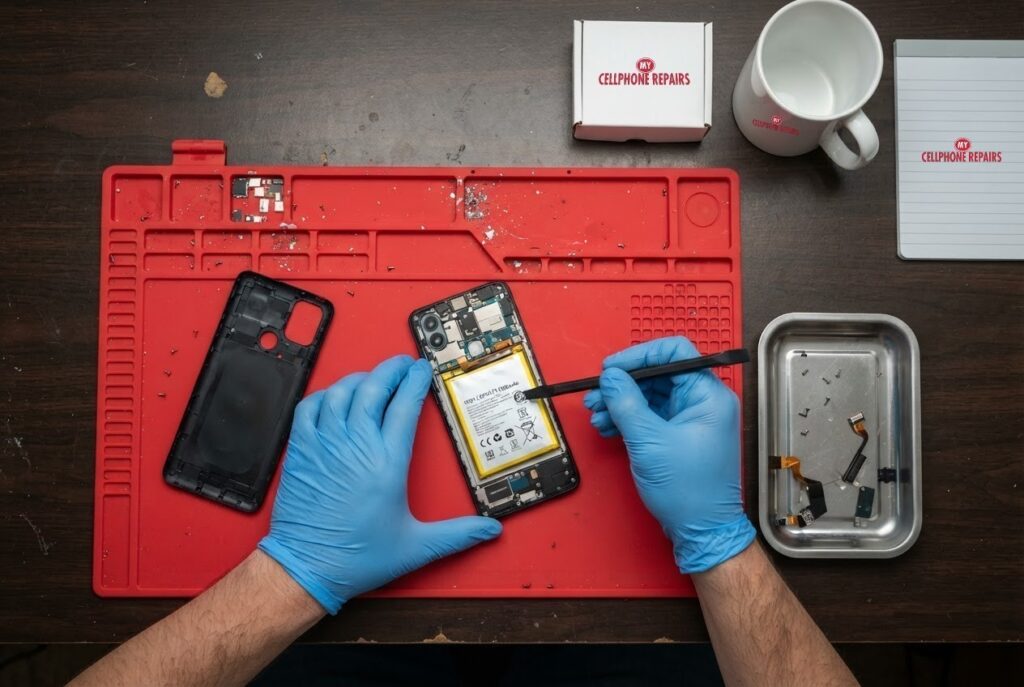
Your Moto G Power wobbles on the table when you tap the screen. The back cover looks slightly lifted along one edge, and the phone has been charging slower than usual. A swollen battery in a Moto G Power is easy to miss at first, and it is one of the few phone problems where waiting can be risky.
This guide explains why batteries swell, the signs to look for, what to do in the first ten minutes, what not to do, and how to dispose of a damaged battery safely. If you suspect swelling, stop charging and bring the phone in for a free diagnosis. Same day repair is available for most phones.
Quick facts
- Moto G Power 5G battery replacement from $89.
- Free diagnosis, always. Same day for most repairs.
- 30-day warranty on premium screens and other repairs (budget screens have no warranty).
- Walk-ins welcome. Open Sundays at 9 of our 10 listed stores.
Key takeaways
- Swelling is caused by gas building up inside the battery. Heat, damage, age and manufacturing defects are common triggers.
- Signs: bumps, a wobble when the phone lies flat, a back cover that pops off or a screen that lifts, slower charging and shorter battery life.
- Turn the phone off, stop charging and keep it away from anything flammable.
- Do not puncture, press on or try to fix the battery yourself. Motorola advises against user removal or replacement.
- Never put a swollen battery in the bin. Use an authorized recycling site.
In this article
- Why does a phone battery swell?
- How can I tell if my Moto G Power battery is swollen?
- What should I do right now?
- What happens if I wait?
- How do I dispose of a swollen phone battery?
- How can I help prevent a swollen battery?
Why does a phone battery swell?
Android Authority explains that a swollen battery happens when gas builds up inside it and makes it expand. Common triggers include manufacturing defects, heat (including leaving the phone in the sun), physical damage and age, especially when a battery sits unused for long periods.
Heat matters for another reason. Android Authority also notes that excess heat can break down a battery’s internal cells, and that overcharging can make a battery overheat. Fast charging adds heat through the battery and the surrounding power circuitry. A well-made battery has safety features, but swelling is a sign that something inside has gone wrong.
Motorola says swollen batteries are uncommon on its devices, but it still describes visible bulging as abnormal, and it advises contacting its support or an authorized service representative if you see it. Warranty terms apply to swollen batteries, so check your warranty first if the phone is still covered.
How can I tell if my Moto G Power battery is swollen?
Look for these signs, using a safe, flat table:
- The phone rocks or wobbles when it lies flat on its back.
- A bump or warped shape, especially in the middle of the back.
- The back cover is coming apart, or the screen seems to be lifting at the edges.
- A visible gap between the screen and the frame.
- A metallic or sweet smell.
- Charging that has become noticeably slower, or battery life that suddenly drops.
Android Authority lists the first four as classic signs, and the smell and the slower charging as further clues. None of these on its own proves swelling, but together they should make you stop and get the phone checked.
Motorola’s guidance for visible bulging is to act promptly. Do not wait to see whether it settles down.
What should I do right now?
- Turn the phone off and keep it off. Do not charge it.
- Move it somewhere safe. Put it on a hard, non-flammable surface away from anything that can burn. Some safety guides suggest a metal tray or a fire-resistant container.
- Do not squeeze, puncture or press on the bulge. Android Authority warns the gas inside is flammable and the battery can burst or catch fire.
- Do not try to remove the battery yourself. Motorola says the industry-standard precaution is to avoid user repair, removal or replacement, and to submit the device for repair.
- Contact the maker or us. If the phone is under warranty, the warranty terms apply. Otherwise, bring it in for a free diagnosis.
If you hear hissing, see smoke or fumes, or the phone is too hot to touch, move away and call emergency services. That is advice from the safety guides we read, and it is not something to test.
What happens if I wait?
Android Authority says a swollen phone battery is dangerous and can burst, catch fire or explode, so you should stop using the phone right away. Even without a dramatic outcome, the swelling can push on the screen and the back, bend the frame and damage other parts, which turns a battery job into a bigger repair.
In short, a swollen battery is a “today” problem rather than a “next month” problem. The repair itself is quick for us, and most are done the same day.
How do I dispose of a swollen phone battery?
Do not throw it in the trash. Android Authority says to take it to an authorized collection or recycling site, and it points to call2recycle.org for finding one. It also advises against shipping a damaged battery. Some retailers accept devices for recycling, but call first and tell them the battery is swollen.
If we replace your battery, we take care of the old one so you do not have to. Ask us when you come in.
How can I help prevent a swollen battery?
- Do not leave the phone in direct sun or a hot car.
- Use the charger and cable that came with the phone, or a certified match.
- Do not charge under a pillow or in bed, and do not cover the phone while it charges.
- Stop charging if it gets too hot, and let it cool before you try again.
- Replace a battery that has become very weak, rather than running it for years.
The first four come from Android Authority’s charging advice. The last one is our own practical suggestion, because ageing is a common trigger.
Try this first: restart and force restart your Motorola
Use these only if the phone shows no bulging. If you suspect swelling, do not charge it or keep restarting it. Switch it off and bring it in.
- Restart: press and hold the Power button, then tap Restart.
- Force restart (frozen phone): hold the Power button for 10 to 20 seconds until the phone restarts (on some older models, Power and Volume Up). Charge to at least 5% first.
- Safe mode: open the power menu, then touch and hold Power off and tap OK.
A factory reset will not fix a swollen battery. Motorola’s page: Force reboot or restart.
When to stop and come in: the phone will not turn on after a force restart and 30 minutes on the charger, it restarts by itself over and over, it gets hot, or the back or screen is lifting (possible swollen battery: stop charging it). Free diagnosis at any of our stores.
Full step-by-step guide: How to restart and reset your Motorola →
Repair prices
A Moto G Power 5G battery replacement starts from $89 at My Cellphone Repairs, using the price listed on our appointment page. Other Moto G Power years may differ, so you get a free diagnosis and an exact quote before we start.
If you are searching for “battery replacement near me” or “Motorola screen repair”, search your model on our appointment page, or walk in. Our parts are high-quality replacement parts, covered by our warranty.
We also fix tablets and computers
Swollen batteries also happen in tablets, laptops and MacBooks. We handle tablet repair near me and laptop repair near me requests, including swollen battery laptop and MacBook cases, so bring any bulging device in for a free diagnosis.
Frequently asked questions
Is a swollen battery in my phone dangerous?
Yes. Android Authority says a swollen battery can burst, catch fire or explode, so stop using it. Switch it off, do not charge it, and bring it in for a free diagnosis.
Where can I dispose of a swollen battery near me?
Use an authorized collection or recycling site, such as those listed at call2recycle.org, and never the household bin. Or ask us when we replace the battery.
Can I replace the battery myself?
Motorola advises against user removal or replacement and recommends submitting the phone for repair. Book a repair and we will do it safely.
Sources
- Motorola Support: Swollen battery
- Android Authority: What to do if your phone battery is swollen
- Android Authority: Why phones explode and what you can do to protect yourself
- Motorola Support: Force reboot or restart
#MyCellphoneRepairs #Motorola #MotoG #MotorolaRepair #MotoGPower #SwollenBattery #BatteryReplacement #PhoneRepair #SameDayRepair #WaldorfMD #VinelandNJ
Get it fixed at My Cellphone Repairs: most repairs are done the same day. Walk in or book online.
Book NowPhone frozen or acting up? See our step-by-step restart & reset guides →
Our locations
- Towson Mall825 Dulaney Valley Rd, Second Level, Towson, MD 21204
(410) 828-4404 - Grand Rapids3077 28th St SE, Grand Rapids, MI 49512
(616) 799-6996 - PG Plaza Mall (Hyattsville)3500 East-West Hwy, Mall at Prince George's, Target Entrance, Hyattsville, MD 20782
(301) 559-1105 - Bowie Town Center15630 Emerald Way, Bowie, MD 20716
(240) 614-3600 - Capital City Mall (Camp Hill / Harrisburg area)3604 Capital City Mall Dr, Camp Hill, PA 17011
(717) 919-7868 - Cumberland Mall (Vineland)3849 S Delsea Dr, next to Boost Mobile, Dick's Sporting Goods entrance, Vineland, NJ 08360
(856) 765-5049 - Mondawmin Mall2401 Liberty Heights Ave, Lower Level, Baltimore, MD 21215
(443) 826-7711 - Baltimore Inner Harbor100 East Pratt St, Suite 101, Baltimore, MD 21202
(443) 838-8989 - St Charles Mall (Waldorf)11110 Mall Cir, Waldorf, MD 20603
(301) 645-7755 - Alexandria7650 Richmond Hwy, Alexandria, VA 22306
(703) 341-6789