
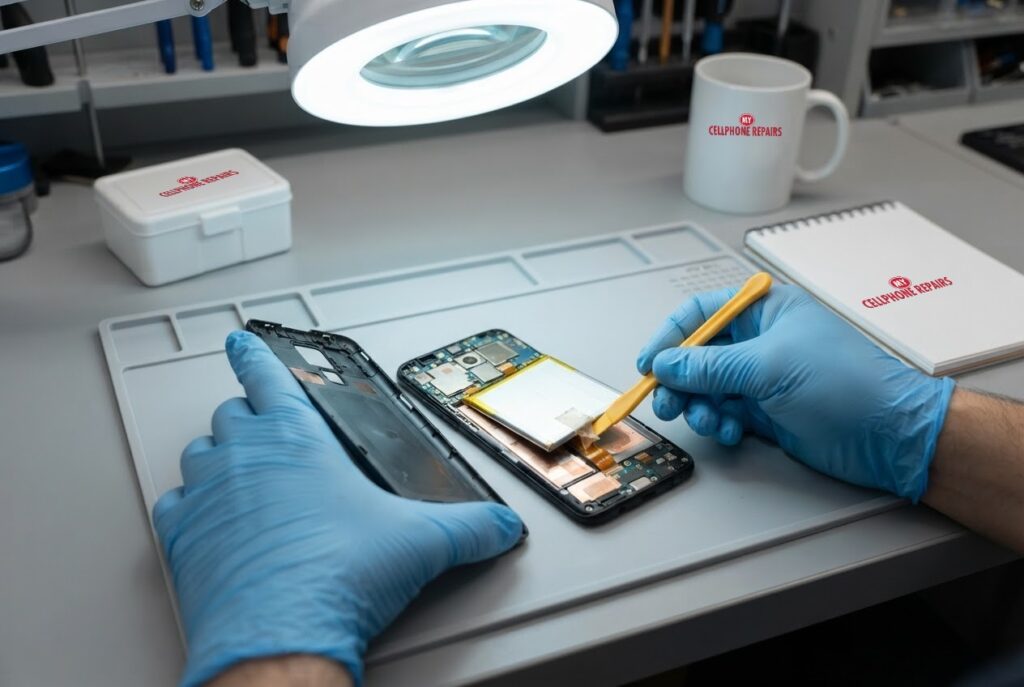
Your Moto G Power used to last a day and a half. Now it is gasping by mid-afternoon, and last week it shut off at 40% while you were checking a map. Is it time for a Moto G Power battery replacement, or can a few settings buy you more time?
This guide covers the signs that a battery is really worn out, how lithium-ion batteries age, what Motorola says about restarting a stuck phone, and the one warning sign you should never ignore: swelling. If you decide to book a battery replacement near me, our diagnosis is free and most repairs are done the same day.
Key takeaways
- Batteries wear out with use. Android Authority says makers typically rate them for 500 to 1,000 charge cycles, and the loss of capacity cannot be reversed.
- Sudden shutdowns, even at 30% to 50% charge, and much shorter battery life are the classic signs it is time to replace the battery.
- A bump, a wobble when the phone lies flat, a loose back cover or a lifting screen can mean a swollen battery. Turn the phone off and stop charging it.
- Heat is a battery’s enemy. Keep the phone cool, especially while charging.
- Our quick facts: free diagnosis, same day for most repairs, 30-day warranty on repairs, exact quote before we start.
In this article: how batteries age, signs it is time, the swelling warning, what to try first, myths vs facts, cost, FAQ.
How does a Moto G Power battery wear out?
Every time you charge and use the phone, the lithium-ion battery loses a tiny amount of capacity. Android Authority explains that this slow loss comes from repeated charging and draining, and that one cycle is counted each time you use up a full battery’s worth of charge. Makers typically rate batteries for 500 to 1,000 of those cycles, and the loss cannot be undone.
In real life, most people start to notice it after about two or three years of daily charging. That does not mean the phone is broken. It means the battery, like the tires on a car, is a part that wears out and can be changed.
Heat speeds the process up. Android Authority calls heat the biggest threat to long-term battery health, especially when the phone charges while warm. A phone left on a car dashboard, under a pillow or in a thick case on the charger works harder to stay cool, and the battery pays for it.
What are the signs it is time to replace the battery?
Look for a pattern, not one bad day. These are the signs repair guides point to most often:
- Random shutdowns. Android Authority lists random reboots or sudden shutdowns, even at 30% to 50% charge, as a sign the battery is tired.
- Much shorter battery life. If the phone now runs out of charge far earlier in the day than when it was new, the battery has lost capacity.
- Age. A phone near three years of regular use is a likely candidate. Makers typically aim to keep 80% to 85% of the original capacity after two years.
- Slow charging. Android Authority also lists slow charging among the warning signs of a failing or swollen battery.
- The phone gets hot for no reason while charging or doing light tasks.
One honest note: a software problem or a power-hungry app can look just like a worn battery. That is why we suggest the quick checks in the box below before you book. If the symptoms stay after a restart, a free diagnosis tells you which one you have.
What if the Moto G Power battery is swollen?
A swollen battery is the sign that needs action today. Android Authority explains that gas can build up inside the battery and create pressure. Heat from charging, sun or hot surfaces, physical damage and simple aging can all contribute. It usually builds slowly, so a small bump is easy to miss.
The warning signs Android Authority lists are:
- a bump, or a wobble when the phone lies flat
- a warped shape, or a back cover that is separating
- a metallic or sweet smell
- slow charging or noticeably shorter battery life
- buttons that are harder to press
If you see any of these, turn the phone off and keep it off. Do not charge it, and store it somewhere safe away from anything flammable. Hissing or popping sounds are a stronger warning, and Android Authority lists hissing, popping and swelling as signs of a dangerous battery. Never put a swollen battery in the trash. Take it to a professional, and ask about proper recycling.
Also, do not try to pry it out yourself. Android Authority notes that puncturing a lithium-ion battery can cause a fire, and Motorola warns against removing or replacing the battery on its own, saying it may damage the battery and could cause burning and injury.
Try this first: restart, force restart and Safe mode (Motorola)
These steps delete nothing. Menu names can differ slightly by model and Android version.
- Restart: press and hold the Power button, then tap Restart.
- Force restart (frozen phone): press and hold the Power button for 10 to 20 seconds until the phone restarts. Motorola says to charge to at least 5% first, because below that the phone may not power on. A fully drained phone should charge for at least 15 minutes with the provided charger.
- Safe mode: open the power menu, then touch and hold Power off and tap OK. Safe mode turns off apps you installed. If the battery drains normally there, an app is the likely cause. Restart normally to leave Safe mode.
When to stop and come in: the phone shuts off at 30% to 50%, gets hot, restarts again and again, or the back or screen is lifting. If you suspect swelling, stop charging it. A factory reset will not fix a worn or swollen battery, so skip it. Maker’s own help: Motorola Support: force reboot or restart.
Full step-by-step guide: How to restart and reset your Motorola → | All restart & reset guides →
Myths vs facts about phone batteries
- Myth: I can restore my battery to new with the right trick. Fact: Android Authority says battery health cannot be restored or increased. You can only slow further wear or replace it.
- Myth: Charging overnight ruins a battery instantly. Fact: Modern phones manage overcharging, but staying full and warm adds wear. Android Authority suggests a slower charger overnight and a charge limit of 80% to 85% if your phone offers one.
- Myth: Fast charging is always bad. Fact: Short top-ups are fine, but fast charging makes heat, so avoid it for full charges when you can.
- Myth: A reset fixes a bad battery. Fact: A reset changes software, not parts, and it erases your data.
How can I make the next battery last longer?
A few habits help any lithium-ion phone, including a new battery:
- Keep the phone cool. Do not cover it while it charges, and avoid hot spots like a car dashboard or a pillow.
- Use the charger and cable that came with the phone, as Android Authority recommends.
- Try to keep the charge roughly between 30% and 80% when you can, and top up often instead of running to zero.
- Do not game or stream video while the phone charges.
How much does a Moto G Power battery replacement cost?
For the Moto G Power 5G, Moto G Power (2022) and Moto G Power (2021), our battery replacement is from $89. For newer Moto G Power models (2024, 2025 and 2026), we do not list a battery price online, and we never guess. You get a free diagnosis and an exact quote before we start.
Most repairs are done the same day, they carry our 30-day warranty, and walk-ins are welcome. Most of our stores are open on Sundays. We also fix tablets and computers: looking for tablet repair near me or laptop repair near me? Bring them in for a free diagnosis too.
FAQ
Why does my Moto G Power shut off at 40%?
A worn battery can no longer deliver power steadily, so the phone may turn off even when the screen says there is charge left. Android Authority lists random shutdowns at 30% to 50% as a sign of replacement time. Come in for a free diagnosis and exact quote.
Is a swollen Moto G Power battery dangerous?
Treat it as serious. Turn the phone off, stop charging it and keep it away from anything flammable. Do not poke or pry at it. Bring it in so a professional can replace the battery safely.
How long does a Moto G Power battery replacement take?
Most are done the same day. Walk in or book a repair and we will quote the exact price before starting.
Sources
- Android Authority: what to do if your phone battery is swollen
- Android Authority: what is battery degradation?
- Android Authority: how to replace your smartphone’s battery
- Android Authority: smartphone charging tips to maximize battery life
- Motorola Support: force reboot or restart
#MyCellphoneRepairs #Motorola #MotoG #MotorolaRepair #MotoGPower #BatteryReplacement #BatteryHealth #SwollenBattery #PhoneRepair #SameDayRepair #BowieMD #Baltimore
Get it fixed at My Cellphone Repairs: most repairs are done the same day. Walk in or book online.
Book NowPhone frozen or acting up? See our step-by-step restart & reset guides →
Our locations
- Towson Mall825 Dulaney Valley Rd, Second Level, Towson, MD 21204
(410) 828-4404 - Grand Rapids3077 28th St SE, Grand Rapids, MI 49512
(616) 799-6996 - PG Plaza Mall (Hyattsville)3500 East-West Hwy, Mall at Prince George's, Target Entrance, Hyattsville, MD 20782
(301) 559-1105 - Bowie Town Center15630 Emerald Way, Bowie, MD 20716
(240) 614-3600 - Capital City Mall (Camp Hill / Harrisburg area)3604 Capital City Mall Dr, Camp Hill, PA 17011
(717) 919-7868 - Cumberland Mall (Vineland)3849 S Delsea Dr, next to Boost Mobile, Dick's Sporting Goods entrance, Vineland, NJ 08360
(856) 765-5049 - Mondawmin Mall2401 Liberty Heights Ave, Lower Level, Baltimore, MD 21215
(443) 826-7711 - Baltimore Inner Harbor100 East Pratt St, Suite 101, Baltimore, MD 21202
(443) 838-8989 - St Charles Mall (Waldorf)11110 Mall Cir, Waldorf, MD 20603
(301) 645-7755 - Alexandria7650 Richmond Hwy, Alexandria, VA 22306
(703) 341-6789