
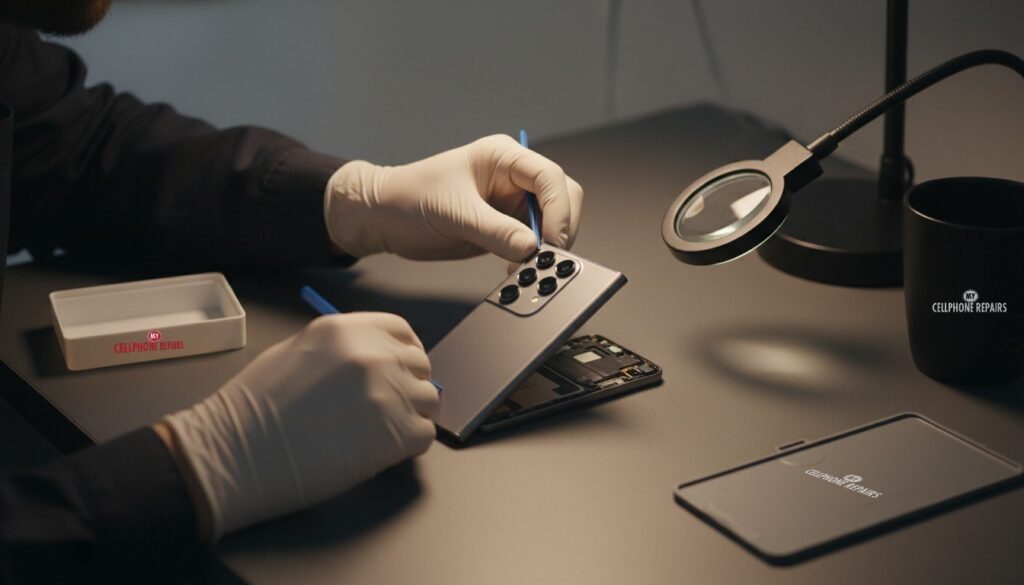
You pick up your Galaxy S24 Ultra, give it a small shake, and hear a faint tick from near the camera. Or you take a photo of your dog and it comes out soft, when it should have been sharp. Is the camera broken? Usually not yet. This guide explains what is normal, what you can check in five minutes, and when a Galaxy S24 Ultra camera problem needs a technician. If you want an answer today, we offer a free diagnosis and same-day repair for most Samsung jobs, so a quick visit settles it.
Quick facts
- Free diagnosis on your Galaxy camera, with an exact quote before we start
- Same day for most repairs, walk-ins welcome (phone repair open Sunday at 9 of our 10 stores)
- 30-day warranty on premium screens and other repairs
- Galaxy S24 Ultra screen repair from $199.99 (Certified Screen)
Key takeaways
- A faint rattle when you shake a Galaxy phone is usually the camera’s stabilizer (OIS) moving, and Samsung says that sound is normal.
- Most blurry photos come from a dirty lens, a lens cover, or shooting too close, not a broken camera.
- A “Camera failed” message is mostly a software problem, so update and reset the Camera app first.
- Shaky video, a loud or growing rattle, or a cracked lens glass are the signs to book a free diagnosis.
- Never keep prying at a stuck lens cover. Let a technician remove it.
What’s inside your Galaxy S24 Ultra camera?
The main camera on a Galaxy S24 Ultra is more than a lens. It includes a small stabilizer called OIS, short for optical image stabilization. Android Authority explains that a tiny gyroscope senses your hand movement and the camera module shifts to cancel it out. If your hand drifts left, the system moves the other way.
That is why OIS helps so much in low light and with zoom: it works against the small shakes that blur a photo. The catch, according to the same explainer, is that OIS has moving parts, and moving parts can occasionally fail. Digital stabilization (EIS) is the software alternative. It aligns video frames and crops the edges to do it.
Is a rattle near the camera normal?
Often, yes. Samsung’s own support page says a rattling sound when you shake a Galaxy phone usually comes from the OIS mechanism, and states that “this sound is normal and does not indicate a defect or malfunction.” It is most noticeable when the camera app is not in use.
Samsung also gives a line for when to worry. If the noise seems unusually loud or persistent, update the software, look for physical damage or loose parts, and test that the camera still works properly. If the noise continues, contact Samsung Support or a service center.
Some Galaxy S24 Ultra owners on Samsung’s community forums report a louder rattle or shaking in recorded video. We found no recall or confirmed defect, and the reports are individual experiences. One owner said a service visit found a physical issue with the stabilizer. So treat a faint tick as normal, and a rattle plus shaky video as worth checking.
Why are my Galaxy S24 Ultra photos blurry?
Blur has many causes, and most cost nothing to fix. Samsung’s blur guide lists these:
- Too close to the subject. The standard lens needs about 12 inches and the telephoto about 20 inches. Hybrid 10x zoom works best near 32 inches. The ultra-wide can focus at about 4 inches.
- A dirty lens. Wipe every lens with a soft, dry microfiber cloth.
- A lens protector or cover. Samsung suggests removing it and shooting again. It can cause focus trouble or light distortion.
- Focus enhancer is off. In Camera, tap the flower icon on the preview and switch on Focus enhancer for close-ups.
- Movement or poor light. Hold steady and avoid bright light shining straight into the lens.
- 200 MP mode. Samsung says some blur across the frame is normal optical behavior in this mode.
- Condensation. A hazy look after moving between hot and cold places clears by itself.
If you see dark bands or flicker indoors, that is usually lighting, not damage. Samsung suggests opening Camera, tapping More, choosing Pro, and setting the shutter speed to 1/120s or lower.
Seeing “Camera failed”? Try this first
A “Camera failed” message sounds scary, but Samsung’s guidance treats it as mainly a software issue. Work through these steps in order:
- Open Settings > Software update > Download and install.
- Open Camera > Settings > Reset settings.
- Force restart the phone (steps in the box below).
- Start in Safe mode and open Camera. If the error is gone, a recently downloaded app is the cause.
- If the error remains in Safe mode, a factory reset is the last software step. Back up first.
If it still fails after all that, Samsung’s advice is to visit a service center. That is where we come in: bring it to us and we will tell you whether it is the camera module or something else.
Try this first: restart, force restart and Safe mode (Samsung Galaxy)
- Restart: swipe down twice from the top, tap the Power icon, then Restart. Or hold the Side key and Volume Down, then tap Restart.
- Force restart (frozen phone): hold Volume Down and the Side key together for about 7 to 10 seconds, until the screen goes black and the Samsung logo appears. Nothing is deleted.
- Safe mode: open the power menu, touch and hold Power off, then tap Safe mode. Restart normally to leave it. Nothing is deleted.
- Factory reset: only as a last resort for software faults. Back up first, know your Google or Samsung account password, and charge the phone. A reset will not fix a cracked lens, a failing stabilizer or any other hardware problem.
When to stop and come in: the camera is black after a force restart, the lens glass is cracked, the rattle is loud, or the phone has been wet. Don’t keep trying. Come in and let us look.
Samsung: different ways to restart your Galaxy
Full step-by-step guide: How to restart and reset your Samsung Galaxy →
All restart & reset guides →
Myths vs facts about phone cameras
- Myth: Any rattle means the camera is broken. Fact: Samsung says the OIS movement sound is normal.
- Myth: A factory reset fixes a blurry camera. Fact: It only helps software faults. A dirty lens or a damaged module stays the same.
- Myth: A stick-on lens protector is free protection. Fact: Samsung says protectors can cause focus trouble and light distortion. For S23-series phones, it has also warned that non-certified protectors can scratch the camera rings, often when they are removed.
- Myth: Magnetic cases are proven to wreck stabilizers. Fact: We found no Samsung statement saying so. Only owner opinions.
When does a Galaxy camera need a repair?
Book a visit if you notice any of these:
- The lens glass is cracked or has a chip that shows up in photos.
- Photos stay soft or out of focus after cleaning and removing any cover.
- Videos look shaky even when you hold the phone steady.
- The rattle is loud, getting worse, or started after a drop.
- The Camera app shows an error that survives an update, a reset and Safe mode.
- Fog or water drops appear inside the lens after a splash.
Prevention is simple: use a case, keep the lens clean, avoid pressing on the camera ring, and don’t leave the phone in a hot car or a freezer-cold porch. If you do use a lens protector, remove it gently and don’t pry at it with a knife or pin.
What does Galaxy camera repair cost?
Our price list for the Galaxy S24 Ultra shows Screen from $199.99 (Certified Screen) or $299.99 (Original Samsung Screen), Back Glass from $89 and Battery from $89. A camera repair isn’t listed as a fixed price for this model, so the honest answer is an exact quote before we start, once we have looked at it. Same day for most repairs, and a 30-day warranty on premium screens and other repairs.
We also fix tablets and computers. If you need tablet repair near me, an iPad screen repair, Samsung tablet repair or laptop repair near me, ask at the same counter.
Frequently asked questions
Why does my Galaxy S24 Ultra make a rattle when I shake it? Most often it is the OIS stabilizer, and Samsung calls the sound normal. If it is loud or new after a drop, bring it in for a check.
Why is my phone camera blurry? Clean the lens, remove any cover, step back a little and try Focus enhancer. If it is still soft, bring it in and we will check the module at no charge.
Can a Samsung camera be repaired the same day? Most repairs are same day. Walk in or book online and we will confirm the exact quote after we look at it.
Sources
- Samsung: fix blurry or poor photo and video quality
- Samsung: how to fix the “Camera failed” error
- Samsung: noise when shaking your Galaxy phone
- Android Authority: OIS, EIS and more explained
#MyCellphoneRepairs #Samsung #SamsungRepair #GalaxyS24Ultra #CameraRepair #BlurryCamera #OIS #CameraFailed #PhoneRepair #SmartphoneRepair #Baltimore #Towson
Get it fixed at My Cellphone Repairs: most repairs are done the same day. Walk in or book online.
Book NowPhone frozen or acting up? See our step-by-step restart & reset guides →
Our locations
- Towson Mall825 Dulaney Valley Rd, Second Level, Towson, MD 21204
(410) 828-4404 - Grand Rapids3077 28th St SE, Grand Rapids, MI 49512
(616) 799-6996 - PG Plaza Mall (Hyattsville)3500 East-West Hwy, Mall at Prince George's, Target Entrance, Hyattsville, MD 20782
(301) 559-1105 - Bowie Town Center15630 Emerald Way, Bowie, MD 20716
(240) 614-3600 - Capital City Mall (Camp Hill / Harrisburg area)3604 Capital City Mall Dr, Camp Hill, PA 17011
(717) 919-7868 - Cumberland Mall (Vineland)3849 S Delsea Dr, next to Boost Mobile, Dick's Sporting Goods entrance, Vineland, NJ 08360
(856) 765-5049 - Mondawmin Mall2401 Liberty Heights Ave, Lower Level, Baltimore, MD 21215
(443) 826-7711 - Baltimore Inner Harbor100 East Pratt St, Suite 101, Baltimore, MD 21202
(443) 838-8989 - St Charles Mall (Waldorf)11110 Mall Cir, Waldorf, MD 20603
(301) 645-7755 - Alexandria7650 Richmond Hwy, Alexandria, VA 22306
(703) 341-6789