
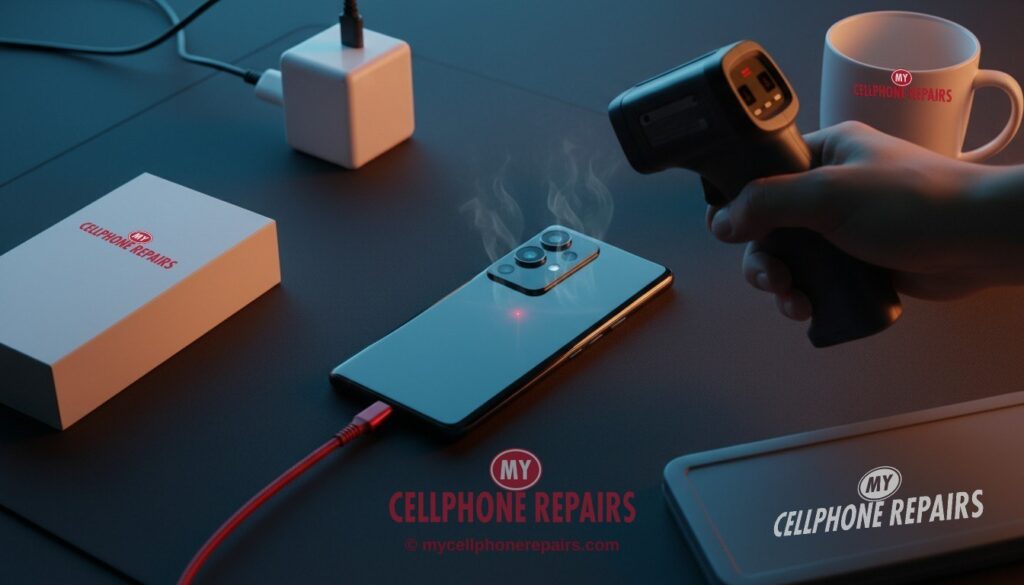
You plug in your OnePlus 13 before bed, or while a game is still running, and a few minutes later the back feels like a warm mug. Is that normal? Is the phone in trouble? If your OnePlus 13 gets hot while charging, you are not alone, and the answer is usually “warm is expected, very hot is worth checking.”
In this guide you will learn why fast charging and a powerful chip make heat, what thermal throttling is, which simple habits cool things down, and the signs that point to a failing battery. A quick test takes about two minutes, and our phone repair near you can check the rest for free.
Key takeaways
- Some warmth is normal: pushing a big battery full of power, plus running a fast chip, always makes heat.
- Heat from gaming while plugged in stacks two heat sources at once. Pause one of them.
- A thick case, a damaged cable or a dusty port can make a phone run hotter than it should.
- A swollen battery, a lifting screen or back, or heat when the phone is idle means: stop charging and get it checked.
- If your OnePlus 13 stays hot after the basic steps, diagnosis at our stores is free and no battery price is quoted until we look.
In this article: Where the heat comes from · What throttling means · Your cool-down checklist · Myths vs facts · When heat means a battery problem · Model notes · FAQ
Why does my OnePlus 13 get hot while charging?
Charging a phone moves a lot of energy into a small space, and some of it always turns into heat. The OnePlus 13 has a 6,000 mAh battery and, according to Notebookcheck, comes with a 100 W SuperVOOC adapter in many regions and supports up to 50 W wireless charging. Notebookcheck measured a full charge in just under 40 minutes with the included adapter. Reviews of the US version, such as 9to5Google, list 80 W wired charging, so the exact speed depends on where you bought it.
That is fast, and speed costs warmth. The phone’s chip is a second source of heat. The OnePlus 13 uses a Snapdragon 8 Elite, and Notebookcheck says its full performance is “only available when well cooled.” The phone is fanless, and Notebookcheck says its second-generation Tiangong cooling system effectively spreads the chip’s waste heat.
Put both together, charging fast while gaming, filming or tethering, and you have two heaters running in the same body. That is the most common reason owners notice a hot phone.
What is thermal throttling, and is it a problem?
Thermal throttling is the phone protecting itself. When temperatures climb, the software slows the chip down so things cool off. It is a safety feature, not a fault.
Reviewers do not fully agree on how much you will notice it. In a heavy synthetic stress test, Notebookcheck saw heat-related throttling of around 50%, and measured about 46 °C at the bottom of the phone under maximum load. In a separate gaming test, Notebookcheck’s report on a Genshin Impact run said the phone did not throttle. 9to5Google’s reviewer said even heat was not really an issue, although early tests had worried him.
So what does this mean for you? A phone that feels hot during a long game and drops frames is behaving as designed. A phone that feels hot just sitting on a charger with the screen off deserves a closer look.
One more note: in a battery drain test reported by Notebookcheck, the OnePlus 13 reached 63.5 °C, the highest of the phones in that test. That was a single heavy-workload test, not a charging test, and we have found no OnePlus statement confirming a heat fault.
Try this first: restart your OnePlus
Normal restart: press and hold Power + Volume Up (or the Power button), then tap Restart.
Phone frozen? Force restart: hold Volume Up + Power for about 10 seconds. Some models use Volume Down + Power. This deletes nothing.
Safe mode: open the power menu, then touch and hold Power off and tap Safe mode. Safe mode switches off downloaded apps. If the heat stops there, an app is the cause. Restart normally to leave it.
Skip the factory reset for now. It erases everything and will not fix a hot battery. If you ever need one, back up first and know your Google account password.
Stop and come in if: the phone is hot with the screen off, the back or screen is lifting, or it restarts by itself. Diagnosis is free. (Steps from OnePlus Support; menu names can differ slightly by model.)
📘 Full step-by-step guide: How to restart and reset your OnePlus →
All restart & reset guides (iPhone, iPad, Samsung, Pixel, Motorola) →
Your cool-down checklist: 7 steps in order
- Unplug and let it rest. Put the phone on a hard, cool surface, not a bed or sofa. Google’s battery guidance suggests charging in a cool place, around 25 °C (78 °F), because heat wears batteries out faster.
- Take the case off. A thick case traps heat. Charge without it and see if the phone stays cooler.
- Stop using it while it charges. Gaming, video calls, navigation and hotspot use all add heat during a fast charge.
- Check the charger and cable. Use the charger and cable that came with the phone, or a good one made for it. A frayed or bent cable, or a cheap charger, can run warm and charge badly.
- Look into the USB-C port. Lint can pack in and cause a poor connection. Turn the phone off and gently check with a torch. Do not poke metal in there.
- Find the busy app. Open Settings, then Battery, and see which app uses the most power. After a software update, some owners report that the phone works harder in the background for a day or two.
- Try Safe mode while charging. If it stays cool in Safe mode, a downloaded app is likely the cause. Update or remove the newest apps one by one.
Also check that your software is current. An update may help, but we cannot promise it will.
Myths vs facts
| Myth | Fact |
|---|---|
| “A hot phone always means a broken battery.” | Fast charging and a powerful chip make real heat. Warmth under load is normal. Heat when idle is the warning sign. |
| “A factory reset cures overheating.” | It only helps if software is the cause, and Safe mode tells you that without erasing anything. |
| “Throttling means my phone is damaged.” | Throttling is the phone protecting itself. Reviewers saw it in heavy tests on healthy phones. |
When heat means a battery problem
Most heat is harmless. These signs are not:
- The phone is hot while idle, or hot with the screen off and nothing running.
- The battery drains fast.
- The back cover or screen is lifting, or the phone rocks on a flat table.
If you see any of these, stop charging and stop using the phone. A swollen battery pushes against the screen and back. Google’s own battery guidance says not to press on the screen or back, not to pry the phone open, and not to throw it in household waste. It also warns that a lifting screen can let liquid and dust in. Bring it to us.
Our technicians test the battery, port and charging circuit before suggesting anything. We use high-quality replacement parts, and other repairs carry a 30-day warranty. Free diagnosis comes before any quote, so you know the real cause.
Prevention: keep your OnePlus 13 cooler
- Charge overnight in a cool room, not under a pillow.
- Keep it out of direct sun while it charges.
- Use a slim case, or take it off for long gaming sessions.
- Keep the port clean and replace cables that look worn.
Model notes: OnePlus 13 and nearby phones
The OnePlus 13 pairs a 6,000 mAh battery with a very fast chip. The OnePlus 13 has no Qi2 magnets built in, according to 9to5Google, so magnetic wireless chargers need a first-party Mag case. 9to5Google also notes the 50 W wireless charger sold separately includes a cooling fan.
What a repair costs at My Cellphone Repairs
Battery and heat problems start with a free diagnosis and an exact quote before we start. We do not guess a price before we see the phone. Most repairs are done the same day, and walk-ins are welcome.
We also fix tablets and computers
A tablet that gets hot or a laptop that will not charge? We also do tablet repair near me style jobs and laptop repair near me visits, including swollen battery checks, at the same stores with the same free diagnosis.
Questions people ask
Why does my phone overheat when charging?
Fast charging and any heavy use make heat together, and a case, cable or dusty port can add more. Charge uncased and idle, and if it is still hot, book a free diagnosis.
Why is my phone so hot even when I am not using it?
An app running in the background is one cause, and a failing battery is another. Try Safe mode, and if it is still hot, bring it in for a free check the same day.
Is it safe to keep charging a hot OnePlus 13?
If it is only warm after gaming, unplug and let it cool. If it is very hot or swollen, stop charging at once and call or walk in to one of our stores.
Sources
- Notebookcheck: OnePlus 13 review, battery, charging and temperatures
- Notebookcheck: Snapdragon 8 Elite performance and throttling on the OnePlus 13
- 9to5Google: OnePlus 13 review
- OnePlus Support: Phone frozen or will not turn on
#MyCellphoneRepairs #OnePlus #OnePlusRepair #OnePlus13 #PhoneOverheating #BatteryReplacement #PhoneRepair #SameDayRepair #TabletRepair #BowieMD #Baltimore
Get it fixed at My Cellphone Repairs: most repairs are done the same day. Walk in or book online.
Book NowPhone frozen or acting up? See our step-by-step restart & reset guides →
Our locations
- Towson Mall825 Dulaney Valley Rd, Second Level, Towson, MD 21204
(410) 828-4404 - Grand Rapids3077 28th St SE, Grand Rapids, MI 49512
(616) 799-6996 - PG Plaza Mall (Hyattsville)3500 East-West Hwy, Mall at Prince George's, Target Entrance, Hyattsville, MD 20782
(301) 559-1105 - Bowie Town Center15630 Emerald Way, Bowie, MD 20716
(240) 614-3600 - Capital City Mall (Camp Hill / Harrisburg area)3604 Capital City Mall Dr, Camp Hill, PA 17011
(717) 919-7868 - Cumberland Mall (Vineland)3849 S Delsea Dr, next to Boost Mobile, Dick's Sporting Goods entrance, Vineland, NJ 08360
(856) 765-5049 - Mondawmin Mall2401 Liberty Heights Ave, Lower Level, Baltimore, MD 21215
(443) 826-7711 - Baltimore Inner Harbor100 East Pratt St, Suite 101, Baltimore, MD 21202
(443) 838-8989 - St Charles Mall (Waldorf)11110 Mall Cir, Waldorf, MD 20603
(301) 645-7755 - Alexandria7650 Richmond Hwy, Alexandria, VA 22306
(703) 341-6789