
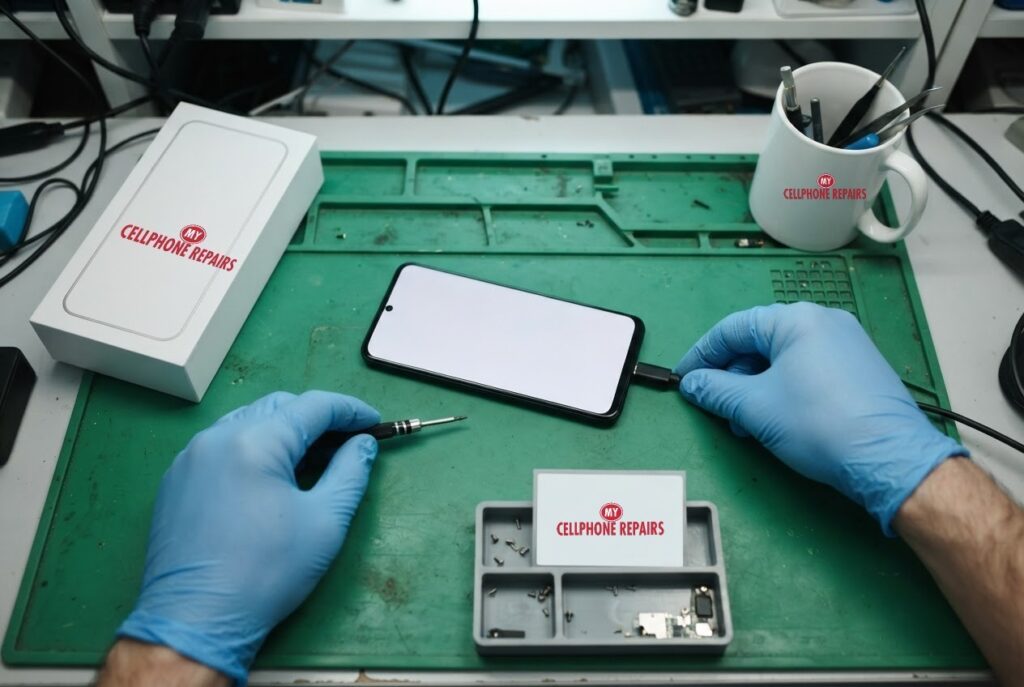
A Pixel boot loop is stressful: your phone restarts on its own, or sits on the Google “G” logo and never gets to the home screen. But the cause is often software: a bad app, a full storage drive or a recent update. This guide walks through Google’s own order of checks, from the gentlest to the last resort. If the phone still will not behave, we offer a free diagnosis and same day phone repair for most issues, so you are not left guessing. You will learn what a boot loop is, what to try in safe mode, what Google says about 2026 update problems, and when it is a hardware job.
Key takeaways
- Safe mode turns off downloaded apps. If the problem stops there, an app is the likely cause.
- Google says low storage (under 10% free) can cause freezing and restarts.
- Some 2026 Pixel updates were linked to boot loops, and Google asks affected owners to contact Pixel support.
- A factory reset erases everything, so back up first and treat it as the last resort.
- Restarts in a pocket or bag can mean heat, touch or battery trouble, so a free diagnosis helps.
In this article: what a boot loop is, safe mode step by step, other checks, the 2026 update problem, when it is hardware, myths vs facts, cost, FAQ.
What is a Pixel boot loop, and why does it happen?
A boot loop is a phone that keeps restarting before it reaches the home screen. Reports we read describe phones that stall on the Google logo, reboot into recovery mode, or boot and then restart as soon as the PIN is entered. Typical causes in Google’s own troubleshooting pages are a problem app, low storage and outdated software. Heat, touch problems and an unhealthy battery can also make a phone restart.
Because several different faults look the same from the outside, the best approach is to test one thing at a time instead of changing everything at once.
How do I use safe mode on a Pixel to find a bad app?
Google explains that safe mode temporarily turns off all downloaded apps. If the problem stops, an installed app is likely the cause. The steps differ by model:
- Pixel 6 and later, including Fold: hold Power and Volume Up, then touch and hold Power off or Restart and tap OK.
- Pixel 5a and earlier: turn the phone off, then hold Power and tap Power off.
- Phone already off: press the power button, then hold Volume Down until the boot animation ends.
Look for “Safe mode” at the bottom of the screen. Safe mode also turns on Airplane mode and removes some widgets from the home screen, so turn Airplane mode off if you need calls or Wi-Fi.
If the phone behaves, remove your most recently downloaded apps one at a time and restart normally after each one. Once you find the culprit, you can reinstall the others. If the trouble continues in safe mode, Google says the cause probably is not an app.
What else does Google say to check?
- Update Android: Settings > System > Software update.
- Free up storage: Google warns that a phone can have issues when less than 10% of storage is free.
- Update and force-stop apps: update apps in the Play Store and force-stop ones you are not using. Keep a note of which ones you stopped.
- Remove accessories: take off cases or battery packs and make sure nothing covers the sensors or buttons.
If the Pixel restarts in a bag or pocket, Google suggests checking battery diagnostics for a “Phone is very warm” result on Pixel 6a and later, running touch diagnostics, and doing an overnight battery test: charge fully, close apps, unplug and leave it idle. If it loses more than 10% overnight, the battery may be draining abnormally.
What about the 2026 update boot loops?
Some owners did hit a bigger problem. Android Authority reported in April 2026 that several Pixel owners, across models from the Pixel 6 to the Pixel 10 series, said their phones were stuck in boot loops after the March 2026 Pixel Drop. At that time the cause was unknown, and Google had said it shared the issue with its engineering teams. In June, 9to5Google reported that Google acknowledged the problem and linked it to the March, April and May updates. Affected phones may freeze on the G logo or reboot right after the PIN is entered.
Google’s advice there is to contact Pixel Customer Support, because the right fix depends on the phone’s state. Owners reported different answers, including a factory reset through Fastboot, which erases data. Android Authority also noted a user-reported stopgap: some owners booted into safe mode while the phone was charging to back up data, although the loop often returned soon after. These are reports, not guarantees, so treat them as options to discuss with Google or a technician.
If your phone is still under Google’s warranty, check that first.
When is a restarting Pixel a hardware problem?
If the phone still restarts in safe mode, gets hot, loses charge fast, or the screen and back look lifted, software is no longer the best suspect. Those are the cases where our technicians test the battery, charging port and board connections. We cannot promise a fix before looking, which is why the diagnosis is free and we give you an exact quote before we start.
One more caution: a factory reset will not repair a failing battery or a damaged part. Google also recommends its Pixel Repair tool on a computer, connected by USB, for a factory reset when nothing else works.
Myths vs facts about Pixel boot loops
- Myth: A boot loop always means the phone is dead. Fact: Many are caused by software or a single app, and safe mode can reveal that.
- Myth: A factory reset is the first fix. Fact: It is the last resort, because it erases the phone.
- Myth: Any boot loop is your fault. Fact: Google acknowledged 2026 update problems for some owners.
- Myth: Only old Pixels loop. Fact: Reports covered Pixel 6 through Pixel 10 models.
Try this first: restart, force restart and safe mode (Google Pixel)
These steps delete nothing. Menu names may be slightly different on your model.
- Restart: press and hold the Power button (on some models Power and Volume Up), then tap Restart.
- Force restart (frozen): press and hold the Power button for up to 60 seconds, and let go when the “G” logo appears. On the Pixel 5a and earlier it is about 30 seconds.
- Safe mode: open the power menu, touch and hold Restart until “Reboot to safe mode” appears, and tap OK.
When to stop and come in: the phone stays on the G logo, restarts over and over, gets hot, or the screen or back is lifting. Factory reset steps are in our full guide. Before any reset: back up first, know your Google account password, charge the phone, and remember a reset will not fix hardware problems. Maker’s own steps: Google: fix a Pixel that freezes.
Full step-by-step guide: How to restart and reset your Google Pixel → | All restart & reset guides →
How much does Pixel software or boot loop repair cost?
The cost depends on what we find, so we do not quote a number blind. You get a free diagnosis and an exact quote before we start. Most repairs are done the same day, with our 30-day warranty on repairs, and walk-ins are welcome. Most of our stores are open on Sundays.
We also fix tablets and computers. Looking for tablet repair near me, an iPad screen repair cost or laptop repair near me? Bring them in for a free diagnosis too.
FAQ
Why does my Pixel keep restarting?
Google lists problem apps, low storage, old software, heat, touch problems and battery issues. Try safe mode first, then stop by for a free diagnosis if it continues.
Will safe mode delete my data?
No. Safe mode only switches off downloaded apps until you restart normally. A factory reset is what erases data.
Can a local shop fix a Pixel stuck on the G logo?
We can diagnose it and tell you whether it looks like hardware or software. If it is an update-related loop, Google asks owners to contact Pixel support. Book a repair or walk in for a free diagnosis.
Sources
- Google Pixel Help: Fix a Pixel phone that is restarting or crashing
- Google Pixel Help: Find problem apps by rebooting to safe mode
- Google Pixel Help: Fix a Pixel phone that freezes
- Android Authority: Pixel March update boot loops
- 9to5Google: Pixel updates left phones bootlooping for some
#MyCellphoneRepairs #GooglePixel #Pixel9 #PixelRepair #BootLoop #SafeMode #Android #PhoneRepair #SameDayRepair #BowieMD #GrandRapids
Get it fixed at My Cellphone Repairs: most repairs are done the same day. Walk in or book online.
Book NowPhone frozen or acting up? See our step-by-step restart & reset guides →
Our locations
- Towson Mall825 Dulaney Valley Rd, Second Level, Towson, MD 21204
(410) 828-4404 - Grand Rapids3077 28th St SE, Grand Rapids, MI 49512
(616) 799-6996 - PG Plaza Mall (Hyattsville)3500 East-West Hwy, Mall at Prince George's, Target Entrance, Hyattsville, MD 20782
(301) 559-1105 - Bowie Town Center15630 Emerald Way, Bowie, MD 20716
(240) 614-3600 - Capital City Mall (Camp Hill / Harrisburg area)3604 Capital City Mall Dr, Camp Hill, PA 17011
(717) 919-7868 - Cumberland Mall (Vineland)3849 S Delsea Dr, next to Boost Mobile, Dick's Sporting Goods entrance, Vineland, NJ 08360
(856) 765-5049 - Mondawmin Mall2401 Liberty Heights Ave, Lower Level, Baltimore, MD 21215
(443) 826-7711 - Baltimore Inner Harbor100 East Pratt St, Suite 101, Baltimore, MD 21202
(443) 838-8989 - St Charles Mall (Waldorf)11110 Mall Cir, Waldorf, MD 20603
(301) 645-7755 - Alexandria7650 Richmond Hwy, Alexandria, VA 22306
(703) 341-6789