
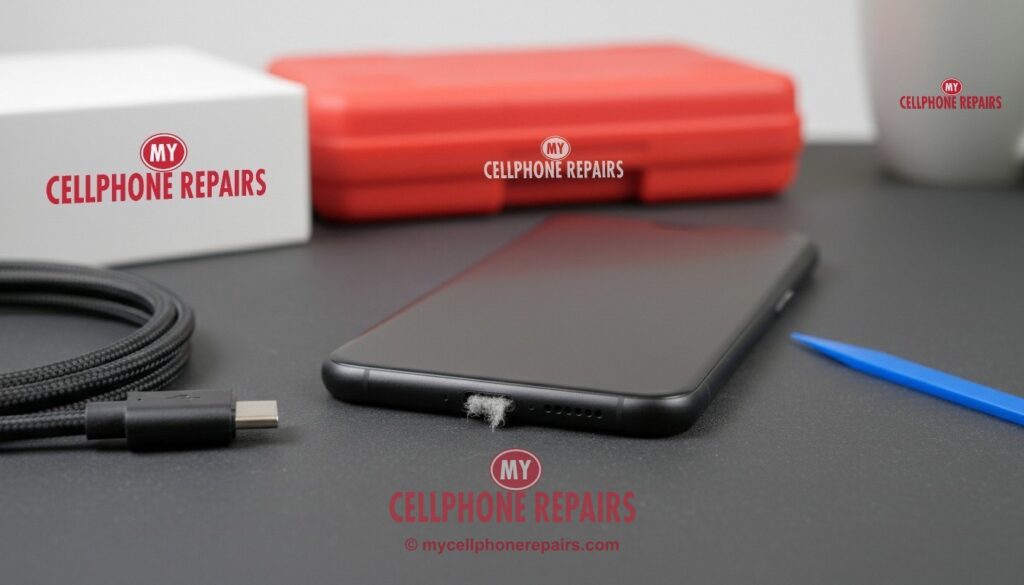
You plug in your phone at night and wake up at 12%. Or the cable only works if you hold it at just the right angle. Or your phone pops up a “Liquid detected” or “Accessory not supported” message even though nothing happened. Charging problems are frustrating, but they’re often easier (and cheaper) to fix than people expect.
This guide walks you through the real causes, the quick checks you can do at home in five minutes, the risks of digging around in the port yourself, and how a professional cleaning or port replacement works.
Key takeaways
- The most common cause isn’t a broken port. It’s pocket lint packed into the bottom of the port, or a worn-out cable.
- Test first: a different cable, a different adapter, a wall outlet, and a restart.
- If wireless charging works but the cable doesn’t, the port is the likely problem.
- Google says not to put anything into the port. Metal pins and needles can bend contacts and short the port.
- At My Cellphone Repairs, a port cleaning or most port replacements take about 15–30 minutes.
In this article: Why phones stop charging · Signs it’s the port · 5-minute checks · “Liquid” or “moisture” warnings · DIY vs professional repair · When it’s not worth fixing · FAQ
Why phones stop charging
- Lint and debris. Every time you put your phone in a pocket or bag, a little lint gets pushed into the port. Each time you plug in, the cable packs it tighter. After months, there’s a hard layer at the bottom and the plug can’t go all the way in.
- A worn cable or adapter. Cables fray and break inside, especially near the ends. Some cheap adapters can’t deliver enough power.
- Bent or worn pins. Yanking the cable out at an angle or charging while using the phone in bed wears the contacts over time.
- Moisture and corrosion. Water, sweat or humidity in the port can block charging, and repeated exposure can corrode the pins.
- A worn battery. Sometimes the port is fine and the battery simply can’t hold a charge anymore. See our battery guide.
- Software. Less often, a glitch stops charging until a restart or update.
Signs it’s the charging port
- The cable feels loose, or falls out easily.
- It only charges when you hold or bend the cable a certain way.
- Charging starts and stops over and over.
- Different cables and chargers all have the same problem.
- Wireless charging works, but wired charging doesn’t.
- Your computer doesn’t recognize the phone when connected.
5-minute checks before you book a repair
- Try another cable and adapter. Ideally a known-good one from the phone maker. Apple and Google both list this as the first step (Apple Support, Pixel Phone Help).
- Use a wall outlet, not a laptop, car charger or power strip, and make sure the outlet works.
- Restart the phone. Apple also suggests a force restart if the phone won’t respond.
- Look inside the port with a flashlight. If you see gray fuzz or packed lint at the bottom, that’s likely your problem.
- Try wireless charging if your phone supports it. If wireless works and wired doesn’t, it points to the port.
- Charged to 80% and stopped? That may be on purpose. iPhones and many Android phones have optimized charging or a charge limit to protect the battery, which you can change in settings.
Try this first: restart your phone
A restart clears charging glitches more often than you’d think. If the phone is frozen or black, use a force restart.
Step-by-step for your phone: our restart & reset guides (iPhone, Samsung Galaxy, Google Pixel).
“Liquid detected” or “Moisture detected” warnings
Many phones check the port for moisture before charging, to stop the pins from corroding:
- iPhone: unplug, let the port dry, and try again after at least 30 minutes. Don’t charge while the warning shows unless it’s an emergency.
- Samsung Galaxy: Samsung says wired charging is blocked on purpose while moisture is in the port, and that wireless charging may still work. Dry the port and cable, then reconnect (Samsung Support).
- Google Pixel: let the phone dry at room temperature. Google says to contact support if the “liquid or debris” warning lasts two hours or more (Pixel Phone Help).
If the warning keeps coming back when the phone has not been near water, the port may be dirty, corroded or damaged. That’s something we can check for free.
DIY vs professional repair
Cleaning: it’s tempting to dig the lint out with a paper clip, needle or SIM tool. Please don’t. Google’s guidance is not to put anything into the port, because metal can bend or short the tiny contacts and scratch the port. Toothpicks can snap off inside. A technician cleans the port with non-conductive tools, with the phone powered down, and checks the pins under magnification. It usually takes just a few minutes.
Replacement: if the pins are bent, worn or corroded, the port needs replacing. On many Android phones, the port sits on a small separate board. On iPhones, it’s part of a cable assembly deep inside the phone, and on most models the screen and other parts have to come out first. DIY risks include tearing screen cables, puncturing the battery and breaking the water seal.
How long a charging port repair takes
At My Cellphone Repairs, a port cleaning takes a few minutes, and most charging port replacements take 15–30 minutes. Some models take longer because more of the phone has to come apart. We’ll tell you before we start, and most repairs are done the same day.
When it’s not worth fixing
- The charging problem is on the main board (for example, a failed charging chip) on an older phone, and the repair costs close to a replacement phone.
- The phone also has other big problems, like a cracked screen and a worn battery, and it no longer gets updates.
Good news: most charging problems we see are lint, a cable or the port itself, and those are among the quickest and most affordable repairs we do.
Get your charging port fixed at My Cellphone Repairs
Walk in or book online at one of our stores in Maryland, Michigan, Pennsylvania, New Jersey and Virginia. Diagnosis is free, and most port cleanings and replacements are done in 15–30 minutes. Check the price for your model.
We also fix tablets and computers
iPad or Galaxy Tab not charging? Laptop charger port loose? We also do iPad charging port repair, Samsung tablet repair and laptop and MacBook charging repair at the same stores, with the same free diagnosis.
Questions people ask
Why does my phone only charge at a certain angle?
Usually lint is packed in the port so the plug can’t seat fully, or the port’s contacts are worn. A professional cleaning often fixes it in minutes.
Can I clean my charging port with a pin or needle?
It’s not recommended. Metal can bend or short the contacts. Google advises not putting anything into the port. We clean ports safely, and diagnosis is free.
Is it the port or the battery?
If the phone charges fine wirelessly or with the cable held a certain way, it’s likely the port. If it charges but drains fast or dies early, it’s likely the battery. We can test both for free.
How long does a charging port repair take?
Most take 15–30 minutes at My Cellphone Repairs. Book a time.
Sources
- Apple Support: If your iPhone won’t charge
- Pixel Phone Help: Fix a Pixel phone that won’t charge
- Pixel Phone Help: “Liquid or debris” message
- Samsung Support: Moisture in the charging port
#MyCellphoneRepairs #ChargingPort #PhoneNotCharging #ChargingPortRepair #iPhoneRepair #SamsungRepair #PixelRepair #PhoneRepair #SameDayRepair #TowsonMD #BaltimoreMD #CampHillPA
Get it fixed at My Cellphone Repairs: most repairs are done the same day. Walk in or book online.
Book NowPhone frozen or acting up? See our step-by-step restart & reset guides →
Our locations
- Towson Mall825 Dulaney Valley Rd, Second Level, Towson, MD 21204
(410) 828-4404 - Grand Rapids3077 28th St SE, Grand Rapids, MI 49512
(616) 799-6996 - PG Plaza Mall (Hyattsville)3500 East-West Hwy, Mall at Prince George's, Target Entrance, Hyattsville, MD 20782
(301) 559-1105 - Bowie Town Center15630 Emerald Way, Bowie, MD 20716
(240) 614-3600 - Capital City Mall (Camp Hill / Harrisburg area)3604 Capital City Mall Dr, Camp Hill, PA 17011
(717) 919-7868 - Cumberland Mall (Vineland)3849 S Delsea Dr, next to Boost Mobile, Dick's Sporting Goods entrance, Vineland, NJ 08360
(856) 765-5049 - Mondawmin Mall2401 Liberty Heights Ave, Lower Level, Baltimore, MD 21215
(443) 826-7711 - Baltimore Inner Harbor100 East Pratt St, Suite 101, Baltimore, MD 21202
(443) 838-8989 - St Charles Mall (Waldorf)11110 Mall Cir, Waldorf, MD 20603
(301) 645-7755 - Alexandria7650 Richmond Hwy, Alexandria, VA 22306
(703) 341-6789