
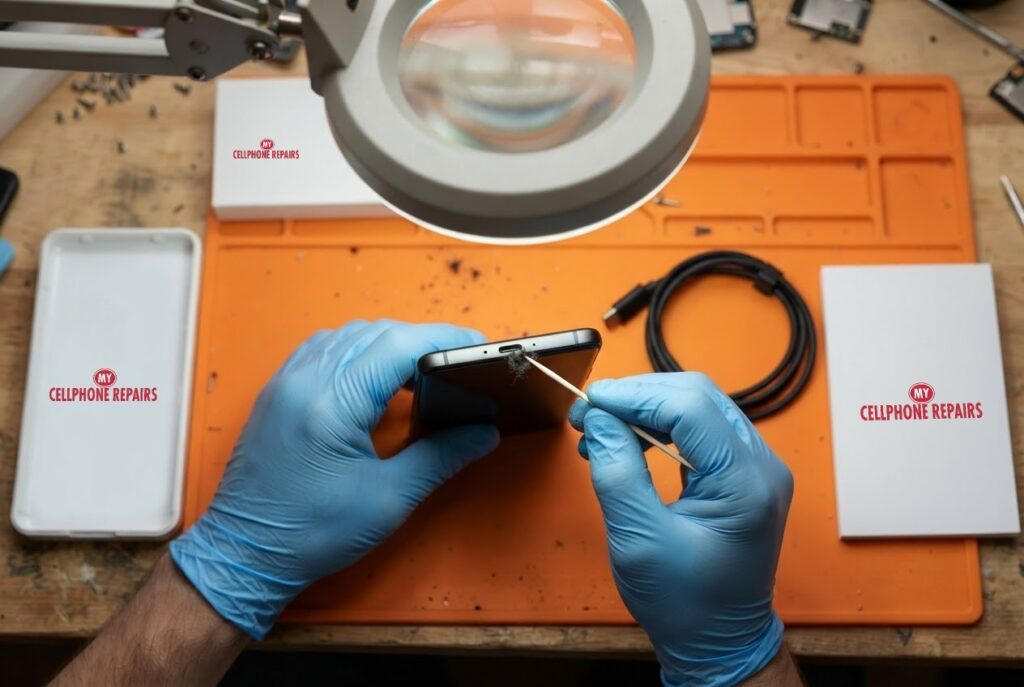
You plug in before bed, and in the morning the battery is still nearly empty. Or the charger only works if you hold the cable at an angle. A Moto G Power that will not charge usually has a simple cause, and Motorola lists several checks you can do in minutes.
This guide walks through those checks in order, explains charging behavior that looks like a fault but is not, and shows when a worn charging port is the real culprit. If you need charging port repair or a Motorola screen repair and charging check on the same visit, our free diagnosis is where to start.
Quick facts
- Free diagnosis, always. We tell you the cause before any repair starts.
- Same day for most repairs. Walk-ins welcome.
- 30-day warranty on premium screens and other repairs (budget screens have no warranty).
- Exact quote before we start. A port clean-out and a port replacement are very different jobs, so we diagnose first.
Key takeaways
- Start with the basics: the plug fully seated, the case removed, the charger and outlet checked.
- If the battery is fully drained, connect the charger and wait about 10 minutes before pressing Power, as Motorola advises.
- Slower charging or a stop at 80% can be normal. Motorola says TurboPower slows when the battery reaches 111°F, and overcharge protection may hold charging at 80% after three days plugged in.
- Hold the Power button for 7 to 10 seconds to reboot if the phone seems stuck.
- If every check fails, the cable, charger or port may be faulty, and a technician should look at the port.
In this article
- What should I check first? A step-by-step list
- Why does my Moto charge slowly or stop at 80%?
- What if the charging port is dirty or loose?
- Could water be the cause?
- Myths and facts about phone charging
- What happens if I wait?
What should I check first? A step-by-step list
Motorola’s own troubleshooting for the moto g power starts with the easy things. Work through them one by one:
- Check the connection. Make sure the USB plug is firmly seated in the phone.
- Remove the case. A case can stop the plug from reaching the port.
- Check the charger and cable. Use the included charger or a compatible one, and look for damage to the wire or plug. If it is damaged, try charging from a computer instead.
- Check the outlet. Make sure any switch controlling it is on, and look for damage or loose parts. Try another outlet if needed.
- If the battery is flat, connect the charger, wait about 10 minutes, then press Power.
- Reboot. Hold the Power button for 7 to 10 seconds.
If the phone charges from a computer but not the wall charger, that points to the charger or outlet. If nothing charges it, the port or battery needs a look.
Why does my Moto charge slowly or stop at 80%?
Not every charging oddity is a defect. Motorola says its TurboPower charger can warm the battery, which is normal, and charging slows if the battery reaches 111°F, then resumes once it cools. Fast charging applies below 78%, so if the battery is under 78% and not charging quickly, unplug and reconnect the charger.
Motorola also says overcharge protection may hold charging at 80% after three days plugged in. To charge fully, unplug and reconnect. It is a feature, not a fault.
What if the charging port is dirty or loose?
Motorola’s charging page does not cover port cleaning, so we lean on general guidance here. Google’s Pixel help, for example, says that for debris in a USB-C port you should hold the port facing down and gently tap the phone against your hand, and not insert anything. That is a sensible rule for any phone, because metal tools and pins can damage the contacts.
Pocket lint is a common reason a cable stops seating firmly. If a plug will not click in all the way, or only charges at one angle, bring it in. We can inspect the port under magnification, clean it safely, and tell you if the port itself has worn out.
Could water be the cause?
Yes. Motorola’s guide for the 2026 moto g power says not to charge the phone while it is wet, and to avoid moisture in openings such as the charging port when cleaning. The same guide lists IP68 and IP69 ratings, but says the phone is not designed to work while submerged and should not be exposed to liquids other than fresh water.
If your phone got wet, do not keep plugging it in. Let it dry, and bring it in if it still will not charge. For more on wet phones, see our water damage guides.
Myths and facts about phone charging
- Myth: A phone that stops at 80% is broken. Fact: Motorola says overcharge protection may hold it at 80% after three days plugged in.
- Myth: Warm during fast charging means failure. Fact: Motorola says some warmth from TurboPower is normal, and charging slows if it reaches 111°F.
- Myth: A flat battery should charge instantly. Fact: Motorola says to wait about 10 minutes after connecting a fully drained phone.
- Myth: Any cable is fine. Fact: Motorola recommends the included charger or a compatible one, and says to check for damage.
What happens if I wait?
If the cause is the cable or outlet, waiting costs nothing. If the port is loose or damaged, forcing the cable in or wiggling it can make things worse. A phone that cannot charge eventually cannot be used, and you could lose access to photos and messages.
If the phone is still not charging after the checks above, bring it in the same day if you can.
Try this first: restart and force restart your Motorola
These steps delete nothing and take under a minute. Charge to at least 5% first for a force restart, if you can.
- Restart: press and hold the Power button, then tap Restart.
- Force restart (frozen phone): press and hold the Power button for 10 to 20 seconds until the phone restarts. Some older models use Power and Volume Up.
- Safe mode: open the power menu, touch and hold Power off, then tap OK.
A factory reset will not fix a worn charging port, so we do not suggest it here. Motorola’s own page: Force reboot or restart. Menu names may differ slightly on your model.
When to stop and come in: the phone will not turn on after a force restart and 30 minutes on the charger, it vibrates but the screen stays black, it restarts by itself over and over, it gets hot, or it has been wet. Free diagnosis at any of our stores, and most repairs are done the same day.
Full step-by-step guide: How to restart and reset your Motorola →
Repair prices
We do not list a fixed price for charging port repairs on this model online, because the work ranges from a safe clean-out to a port replacement. That is why we offer a free diagnosis and an exact quote before we start. You can say no before any work begins.
Searching for “Motorola screen repair”, “cheap phone repair near me” or “phone repair open Sunday” will show our stores.
We also fix tablets and computers
Charging trouble affects more than phones. We also handle tablet charging port repair, tablet repair near me searches, plus laptop repair and MacBook repair. Bring your device in for a free diagnosis and the same quote-first approach.
Frequently asked questions
Why is my phone not charging?
Check the plug is seated, remove the case, test another charger and outlet, and reboot by holding Power for 7 to 10 seconds. If none of that works, book a free diagnosis for the port.
Why does my phone charge so slowly?
Motorola says charging slows when the battery reaches 111°F, and fast charging applies below 78%. Unplug and reconnect, and bring it in if it stays slow.
Why won’t my phone charge when plugged in?
The cause can be the cable, charger, outlet, a dirty or worn port, or a flat battery that needs about 10 minutes. We test each one during a free diagnosis.
Sources
- Motorola Support: Charging issues, moto g power 2026
- Motorola: moto g power 2026 user guide
- Motorola Support: Force reboot or restart
#MyCellphoneRepairs #Motorola #MotoGPower #MotorolaRepair #ChargingPort #ChargingPortRepair #NotCharging #PhoneRepair #SameDayRepair #BaltimoreMD #CampHillPA
Get it fixed at My Cellphone Repairs: most repairs are done the same day. Walk in or book online.
Book NowPhone frozen or acting up? See our step-by-step restart & reset guides →
Our locations
- Towson Mall825 Dulaney Valley Rd, Second Level, Towson, MD 21204
(410) 828-4404 - Grand Rapids3077 28th St SE, Grand Rapids, MI 49512
(616) 799-6996 - PG Plaza Mall (Hyattsville)3500 East-West Hwy, Mall at Prince George's, Target Entrance, Hyattsville, MD 20782
(301) 559-1105 - Bowie Town Center15630 Emerald Way, Bowie, MD 20716
(240) 614-3600 - Capital City Mall (Camp Hill / Harrisburg area)3604 Capital City Mall Dr, Camp Hill, PA 17011
(717) 919-7868 - Cumberland Mall (Vineland)3849 S Delsea Dr, next to Boost Mobile, Dick's Sporting Goods entrance, Vineland, NJ 08360
(856) 765-5049 - Mondawmin Mall2401 Liberty Heights Ave, Lower Level, Baltimore, MD 21215
(443) 826-7711 - Baltimore Inner Harbor100 East Pratt St, Suite 101, Baltimore, MD 21202
(443) 838-8989 - St Charles Mall (Waldorf)11110 Mall Cir, Waldorf, MD 20603
(301) 645-7755 - Alexandria7650 Richmond Hwy, Alexandria, VA 22306
(703) 341-6789