
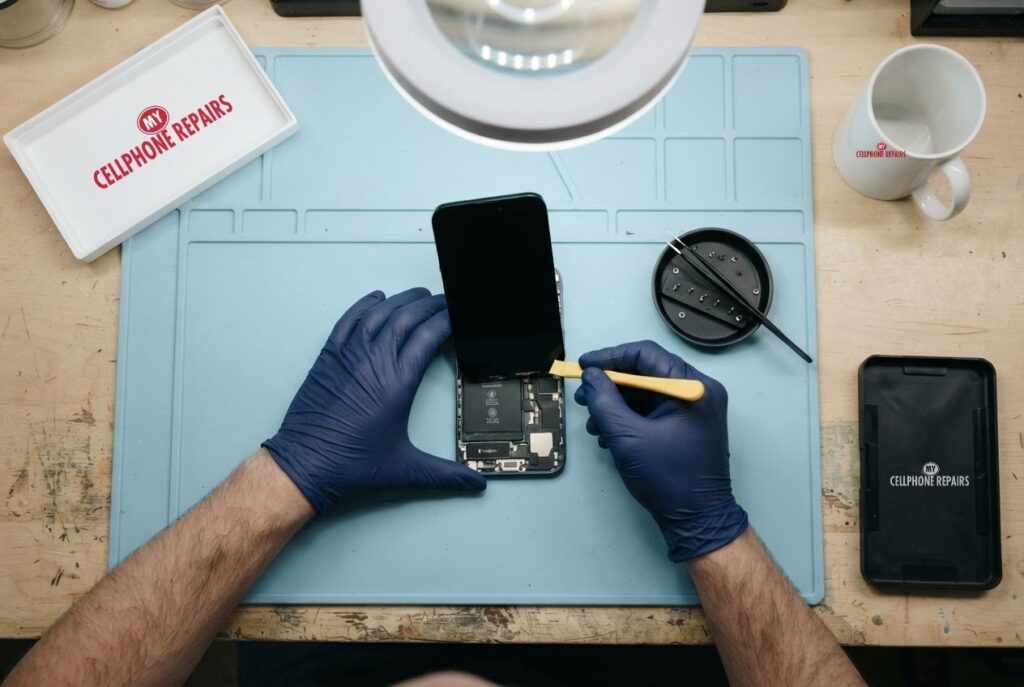
Your iPhone screen cracked on the pavement, and now you are comparing quotes. Apple’s counter is one option, a local shop is another, and a friend swears a video tutorial makes it easy. The big question is whether third-party iPhone repairs are actually safe, or just cheaper.
The honest answer is that it depends on who does the work and which parts go in. This guide uses Apple’s own support pages to explain what changes after a repair, what your iPhone will tell you, and how to judge a shop. If you want a phone repair shop near me that explains its options plainly, we offer a free diagnosis and an exact quote before we start, and walk-ins are welcome.
Quick facts
- Price: iPhone 16 screen from $159 and iPhone 16 battery from $109 (live prices from our booking system)
- Turnaround: same day for most repairs
- Warranty: 30-day warranty on premium (Soft OLED) screens and other repairs; budget (Incell LCD) screens have no warranty and no refunds
- Diagnosis: always free, walk-ins welcome
Key takeaways
- Apple says repairs by untrained people, or with non-genuine parts, can affect function, safety, security and privacy.
- Apple’s Independent Repair Providers can get genuine parts, but Apple’s warranty and AppleCare do not cover their work. The shop’s own warranty does.
- After a repair, check Settings, General, About for “Parts and Service History”. An “Unknown” label can lower trade-in value but does not stop the phone working.
- A budget screen and a premium screen are different products, so ask which one you are being quoted.
- If your iPhone is still under Apple’s warranty or AppleCare, check that first.
In this article:
- What do third-party iPhone repairs actually mean?
- What does Apple say about it?
- How do I check what was fitted to my iPhone?
- Budget vs premium screens: what is the difference?
- How do I judge a repair shop?
- Try this first: restart and force restart
- Myths vs facts
What do third-party iPhone repairs actually mean?
“Third-party” simply means any repair that is not done by Apple or an Apple Authorized Service Provider. That covers everything from a trained technician at a local shop to a kit someone bought online. The label tells you nothing about quality on its own. What matters is the skill of the person doing the work and the quality of the part going in.
Apple draws one more line. Independent Repair Providers, which are shops that join Apple’s program, can access genuine Apple parts. Apple also runs a Self Service Repair program that sells genuine parts, tools and manuals, and describes it as intended for individuals with the knowledge and experience to repair electronic devices.
What does Apple say about third-party repairs?
Apple says that for most customers, a professional provider with certified technicians using genuine parts is the safest and most reliable choice. It warns that repairs by untrained individuals, or with non-genuine parts, might affect a device’s functionality, safety, security and privacy.
On warranty, Apple says repairs by Independent Repair Providers are not covered by Apple’s warranty or AppleCare plans, although they might be covered by the provider’s own repair warranty. That is why the shop’s warranty terms matter. Ours are simple: a 30-day warranty on premium screens and other repairs, and no warranty on budget screens.
On displays specifically, Apple lists problems that can appear with non-genuine display parts. Some owners may notice unresponsive areas, missed or misplaced touches, True Tone not working, uneven brightness, off colours, or higher battery drain. Apple also says these problems can show up after iOS updates that include display changes. Quality varies between parts, which is the reason to ask exactly what is being fitted.
How do I check what was fitted to my iPhone?
On iOS 15.2 or later, open Settings, General, About. If your iPhone has been repaired, a “Parts and Service History” section appears. For the display on iPhone 11 and later (excluding iPhone SE 2nd and 3rd generation), Apple lists these labels:
- Genuine: the repair used genuine Apple parts and processes.
- Unknown: the part may be non-genuine, may not be working as expected, or could not be verified. An Unknown part might lower the phone’s trade-in value.
- Used: the part was already installed in another iPhone (iPhone 15 and later with iOS 18 or later).
- Finish Repair: a new Apple display was installed but the repair has not been completed in Apple’s Repair Assistant.
Apple states that these messages do not affect your ability to use the iPhone. In practice, after any non-Apple screen on an iPhone 11 or newer you may see a notice like this in Settings while the phone works normally. If you plan to trade the phone in, tell us and we will talk through the options before you decide.
Budget vs premium screens: what is the difference?
Most of the “is it safe” worry is really about display quality, so here is how our two screen types compare:
| Budget (Incell LCD) | Premium (Soft OLED) | |
|---|---|---|
| Look | Darker, lower brightness and resolution | Bright, same resolution as the original |
| Touch | Slightly slower | Smooth |
| Fit | Thicker | Slim |
| True Tone and auto-brightness | Off | Supported |
| Warmth | Can run slightly warm | Normal |
| Warranty | None, no refunds | 30-day (excludes physical or accidental damage and internal discoloration) |
| Best for | Trade-ins, a temporary fix, data recovery | Long-term daily use |
iPhone XR and iPhone 11 came with LCD screens, so for those models ask us about your options. For our current iPhone 16 prices, the screen is from $159 and the battery is from $109. We do not post a fixed price for every model, so the honest answer for anything else is free diagnosis and an exact quote before we start.
How do I judge a repair shop?
- Ask which part is going in. A good shop will tell you whether it is a budget or premium screen.
- Ask about warranty in writing. Apple’s warranty will not cover an independent repair, so the shop’s own terms are what protect you.
- Ask what is not covered. Physical or accidental damage is normally excluded everywhere.
- Check the turnaround. Same-day repairs are common for screens and batteries.
- Look for a free diagnosis. You should never pay just to be told what is wrong.
If you want to repair the phone yourself, Apple’s Self Service Repair exists, but Apple is clear it is for experienced people, and the repairs are described as complex. A mistake with a screen or battery can cost more than the original repair.
Try this first: restart and force restart your iPhone
- Restart: on iPhone X or later, press and hold a volume button and the side button until the power-off slider appears, drag it, then hold the side button to turn it back on. Or go to Settings, General, Shut Down.
- Force restart (frozen screen): on iPhone 8 and later, quickly press and release Volume Up, quickly press and release Volume Down, then hold the side button until the Apple logo appears (it can take more than 10 seconds). Deletes nothing.
- If the screen or touch acts oddly after a repair, a restart is the safe first step. A factory reset will not fix a hardware or part problem.
When to stop and come in: the phone won’t turn on even after a force restart and 30 minutes on the charger, it vibrates but the screen stays black, it restarts over and over, it gets hot or the screen or back is lifting (stop charging it), or it got wet. Free diagnosis at any of our stores, and most repairs are done the same day. Menu names may be slightly different on your model. Maker’s own steps: Apple Support: force restart iPhone
Full step-by-step guide: How to restart and reset your iPhone → | All restart & reset guides →
Myths vs facts about third-party iPhone repairs
| Myth | Fact |
|---|---|
| “A third-party repair always breaks the phone.” | Apple says non-genuine parts or untrained repairs might affect function, so the part and the technician matter. It is not automatic. |
| “The Unknown label means the phone is locked.” | Apple says these messages do not affect your ability to use the iPhone. It may lower trade-in value. |
| “Apple’s warranty covers any shop I choose.” | Apple says Independent Repair Provider work is not covered by Apple’s warranty or AppleCare, but may be covered by the provider’s own warranty. |
| “Cheapest is the same as best.” | A budget screen is darker and has no warranty here. Ask which one you are paying for. |
Frequently asked questions
Is it safe to get my iPhone repaired at a local shop?
It can be, if the shop is upfront about parts and warranty. Apple recommends certified technicians using genuine parts as the safest route, so ask questions and get the terms in writing. We offer a free diagnosis before any work.
Will a third-party screen void my Apple warranty?
Apple says independent repairs are not covered by Apple’s warranty or AppleCare. If your iPhone is still covered, check with Apple first, then book a free diagnosis with us if you want other options.
Can I still trade in my iPhone after a third-party repair?
Yes, but Apple notes an Unknown part might lower trade-in value. Ask us about the right screen option before you repair.
We also fix tablets and computers. Need iPad screen repair cost details or laptop repair near me? Our technicians handle those too.
Want an honest answer on your iPhone? Book a free diagnosis today.
Sources
- Apple Support: iPhone Parts and Service History
- Apple Support: about genuine iPhone displays
- Apple Support: Self Service Repair
#MyCellphoneRepairs #iPhone #Apple #iPhoneRepair #iPhone16 #ScreenRepair #ThirdPartyRepair #SameDayRepair #FreeDiagnosis #TowsonMD #BowieMD
Get it fixed at My Cellphone Repairs: most repairs are done the same day. Walk in or book online.
Book NowPhone frozen or acting up? See our step-by-step restart & reset guides →
Our locations
- Towson Mall825 Dulaney Valley Rd, Second Level, Towson, MD 21204
(410) 828-4404 - Grand Rapids3077 28th St SE, Grand Rapids, MI 49512
(616) 799-6996 - PG Plaza Mall (Hyattsville)3500 East-West Hwy, Mall at Prince George's, Target Entrance, Hyattsville, MD 20782
(301) 559-1105 - Bowie Town Center15630 Emerald Way, Bowie, MD 20716
(240) 614-3600 - Capital City Mall (Camp Hill / Harrisburg area)3604 Capital City Mall Dr, Camp Hill, PA 17011
(717) 919-7868 - Cumberland Mall (Vineland)3849 S Delsea Dr, next to Boost Mobile, Dick's Sporting Goods entrance, Vineland, NJ 08360
(856) 765-5049 - Mondawmin Mall2401 Liberty Heights Ave, Lower Level, Baltimore, MD 21215
(443) 826-7711 - Baltimore Inner Harbor100 East Pratt St, Suite 101, Baltimore, MD 21202
(443) 838-8989 - St Charles Mall (Waldorf)11110 Mall Cir, Waldorf, MD 20603
(301) 645-7755 - Alexandria7650 Richmond Hwy, Alexandria, VA 22306
(703) 341-6789