
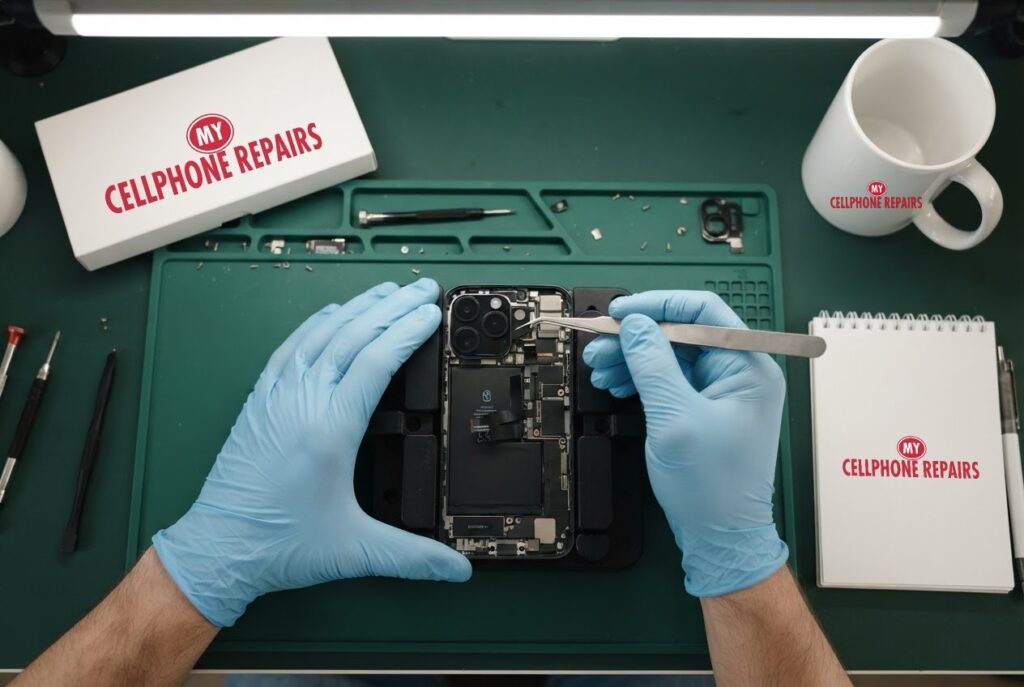
You lift your iPhone 16 Pro to catch your kid blowing out the birthday candles, and the photo comes out soft and hazy, like it was taken through a steamy window. Before you decide the camera is broken, it helps to know that most blur has a simple cause, and a few signs point to a real fault. If it does need a fix, we offer iPhone camera repair near you with a free diagnosis and same day phone repair for most jobs. Below you will learn what to check yourself, how to tell normal lens flare from damage, the myths worth ignoring, and when to bring the phone in.
Key takeaways
- Apple’s own first steps for blurry photos are cleaning both lenses with a microfiber cloth, removing any case or accessory that blocks the camera, restarting, and updating iOS.
- Lens flare and ghost reflections in bright light are a long-standing trait of phone camera lenses, not always a fault, according to 9to5Mac.
- A black camera screen or a camera that fails in both front and rear modes is worth testing with Apple’s built-in diagnostics.
- If a clean lens and a restart do not help, or the glass is cracked, the camera module may need replacing.
- Our quick facts: free diagnosis, same day for most repairs, 30-day warranty on this repair, exact quote before we start.
In this article: the simple checks first, smudges and the cleaning hint, flare versus a real fault, black or frozen camera, myths vs facts, when to repair, cost, FAQ.
Why is my iPhone 16 Pro camera blurry?
Start with the boring answers, because they are the most common. Apple’s support page for camera problems puts them at the top of the list for blurry photos: clean the front and back camera lenses with a microfiber cloth, take off any case, film or accessory that might be blocking the camera or flash, restart the phone, and update to the latest version of iOS.
That order makes sense. Your pocket, your fingers and your case all leave oils on a tiny lens, and a thin film of grease is enough to turn a sharp photo into a hazy one. Software hiccups can also leave the camera app behaving oddly until the next restart.
Apple adds one more tip that people miss: if you only see motion blur in low light and you use a lens converter, a metallic case or a magnetic lens mount, take that accessory off and test again. Anything that sits near the lenses can change how the camera behaves.
Could it just be a smudged lens?
Very often, yes. Apple’s iPhone guide says the camera can detect a smudged lens and suggest that you clean it for the clearest possible picture. The setting is called Lens Cleaning Hints and you can find it under Settings > Camera, where you can also turn it off if you find the reminders annoying.
Tom’s Guide describes how it behaves on iOS 26: once the toggle is on, opening the Camera app triggers a quick check of the incoming light, and if it spots dust, grease or a fingerprint that could affect your photo, a notice appears near the top of the screen that you can tap to dismiss. If you keep seeing that hint after you have wiped the lens, the problem may be something wiping cannot reach.
Here is a simple routine. Use a clean, dry microfiber cloth, the kind you would use on glasses. Wipe each lens with gentle circles, then take a test photo of a sharp object like printed text. Avoid sprays, rough tissues and your shirt hem, which can leave lint or fine scratches.
Is it lens flare, or something wrong inside?
Not every ugly photo is a defect. 9to5Mac points out that internal reflections and lens flare have shown up on iPhone Pro models for years, from the iPhone 11 Pro to the iPhone 15 Pro Max, and are most noticeable in video when you point toward bright lights. Both come from light bouncing and scattering off the surfaces of the several lens elements inside the camera.
So think about when the problem appears. If you only get glowing rings, ghost shapes or washed-out corners when a street light or the sun is in or near the frame, that behaviour is typical of phone lenses and is not a sign that the camera has failed. Try changing your angle slightly and see whether the artefact moves or disappears.
Now compare that with a real fault. Warning signs include photos that are soft everywhere in good light even after cleaning, a camera that will not focus, a visible crack or chip in the lens glass, dust or moisture visible under the glass, or blur that began after a drop. Those are hardware symptoms, and a cleaning cloth will not fix them.
- Likely a simple cause: haze that clears after wiping, glare only near bright lights, blur only when a case or lens attachment is on.
- Likely a repair: blur that stays after cleaning and a restart, a cracked lens, moisture under the glass, or a camera that fails after a drop or water exposure.
What if the camera screen is black or the camera will not open?
Apple’s page has a separate path for a black camera screen. First test whether it happens in both the front and the rear camera by tapping the rotate button in the Camera app. If only one camera fails, that points to that camera rather than the whole phone.
Apple also describes a built-in test. Turn the iPhone off, then press and hold the side button while it starts up to open Recovery Assistant. Tap Diagnostics Mode, choose Mobile Resource Inspector, and start the diagnostic. If it finds an issue, Apple says to get service.
If your problem is the flash rather than the picture, Apple suggests testing it with the flashlight in Control Center, and checking whether the camera is set to Flash Auto, because that setting makes the flash fire only when the camera decides it is needed.
Try this first: restart and force restart (iPhone)
These steps delete nothing. They can clear a camera app that is stuck or acting strangely.
- Restart: on an iPhone with Face ID, press and hold a volume button and the side button until the power-off slider appears, drag it, wait about 30 seconds, then hold the side button until the Apple logo appears.
- Force restart (frozen screen): iPhone 8 and later: quickly press and release Volume Up, quickly press and release Volume Down, then press and hold the side button until the Apple logo appears. This can take more than 10 seconds.
- Then test: wipe both lenses with a microfiber cloth, open the Camera app and take a photo of printed text.
When to stop and come in: the camera stays black or blurry after a restart, the lens glass is cracked, or the phone got wet. A factory reset will not fix a damaged camera and it erases everything, so back up first and only reset if a technician advises it. Maker’s own help: Apple Support: restart your iPhone.
Full step-by-step guide: How to restart and reset your iPhone → | All restart & reset guides →
Myths vs facts about blurry phone photos
- Myth: A blurry photo always means a broken camera. Fact: Apple lists smudges, cases, accessories and out-of-date software as the first things to check.
- Myth: Glowing rings around lights mean the lens is damaged. Fact: 9to5Mac notes that reflections and flare have been seen on iPhone Pro cameras for several generations.
- Myth: A factory reset fixes camera hardware. Fact: A reset cannot repair a cracked or misaligned lens, and it erases everything. Skip it unless a technician advises it.
- Myth: Rubbing harder cleans better. Fact: Gentle wiping with microfiber is enough, and rough materials risk scratches.
When is it time to repair the camera?
Bring the phone in if the photo is still soft after you have cleaned the lenses, taken off the case, restarted and updated; if the glass over the camera is cracked or chipped; if there is moisture or dust visible inside the lens; if the black screen or the diagnostic points to a fault; or if the problem started after a drop or after the phone got wet. If the phone is still under Apple’s warranty or a protection plan, check that first.
A technician can look at the camera module, confirm whether the lens, the module or something else is at fault, and tell you the exact price before any work starts. If the glass is cracked, it is better to have it checked sooner than to keep using the camera.
How much does iPhone 16 Pro camera repair cost?
We do not list a set price for iPhone 16 Pro camera repair online, and we never guess. You get a free diagnosis and an exact quote before we start. Most camera repairs are done the same day, they carry our 30-day warranty, and walk-ins are welcome. Most of our stores are open on Sundays.
For reference, our listed prices for this model are from $179 for a screen and from $109 for a battery, so if your phone needs more than one job, we can quote them together.
We also fix tablets and computers. Looking for tablet repair near me, an iPad screen repair cost or laptop repair near me? Bring them in for a free diagnosis too.
FAQ
Why are my iPhone 16 Pro photos blurry all of a sudden?
The usual causes are a smudged lens, a case or accessory in the way, or a software glitch. Clean both lenses, restart and update iOS. If it is still blurry, bring it in for a free diagnosis.
Is lens flare a sign my camera is broken?
Not usually. Flare and reflections near bright lights have been seen on iPhone Pro cameras for years. Blur in normal light after cleaning is a different matter and is worth checking.
How long does an iPhone camera repair take?
Most are done the same day. Walk in or book a repair and we will quote the exact price before starting.
Sources
- Apple Support: if the camera or flash on your iPhone or iPad is not working
- Apple Support: change advanced camera settings on iPhone
- Apple Support: restart your iPhone
- 9to5Mac: iPhone camera lens flare
- Tom’s Guide: iOS 26 lens cleaning hint
#MyCellphoneRepairs #iPhone #Apple #iPhoneRepair #iPhone16Pro #CameraRepair #BlurryCamera #PhoneRepair #SameDayRepair #Bowie #Towson
Get it fixed at My Cellphone Repairs: most repairs are done the same day. Walk in or book online.
Book NowPhone frozen or acting up? See our step-by-step restart & reset guides →
Our locations
- Towson Mall825 Dulaney Valley Rd, Second Level, Towson, MD 21204
(410) 828-4404 - Grand Rapids3077 28th St SE, Grand Rapids, MI 49512
(616) 799-6996 - PG Plaza Mall (Hyattsville)3500 East-West Hwy, Mall at Prince George's, Target Entrance, Hyattsville, MD 20782
(301) 559-1105 - Bowie Town Center15630 Emerald Way, Bowie, MD 20716
(240) 614-3600 - Capital City Mall (Camp Hill / Harrisburg area)3604 Capital City Mall Dr, Camp Hill, PA 17011
(717) 919-7868 - Cumberland Mall (Vineland)3849 S Delsea Dr, next to Boost Mobile, Dick's Sporting Goods entrance, Vineland, NJ 08360
(856) 765-5049 - Mondawmin Mall2401 Liberty Heights Ave, Lower Level, Baltimore, MD 21215
(443) 826-7711 - Baltimore Inner Harbor100 East Pratt St, Suite 101, Baltimore, MD 21202
(443) 838-8989 - St Charles Mall (Waldorf)11110 Mall Cir, Waldorf, MD 20603
(301) 645-7755 - Alexandria7650 Richmond Hwy, Alexandria, VA 22306
(703) 341-6789