
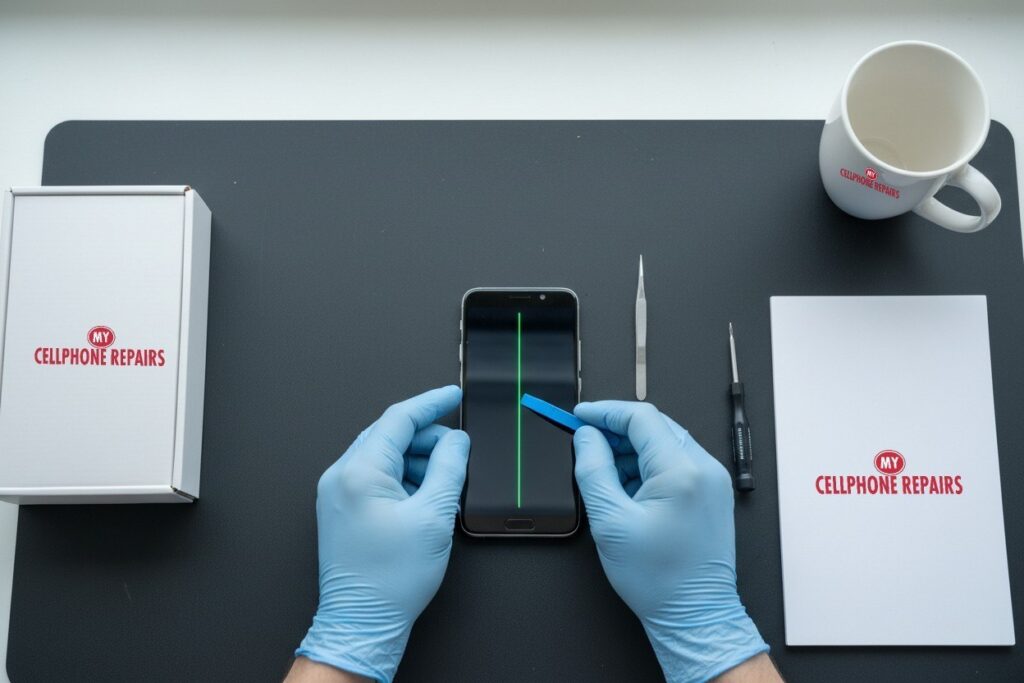
You pick up your OnePlus, light the screen, and there it is: a thin, bright green line running from top to bottom. It was not there yesterday. If this is you, the short answer is that a OnePlus green line is almost always a hardware fault in the display, and a restart will not make it go away. We offer free diagnosis and same day phone repair for most screen jobs, with OnePlus screen repair from $229.99 on the OnePlus 13 and $209.99 on the OnePlus 12. Below, you will learn what is really happening inside the screen, what to check yourself, and what your options are.
Key takeaways
- A green line that stays on the screen, the lock screen and the always-on display points to the display itself, not an app.
- There is no software fix. Replacing the display is the repair.
- Lines can multiply or turn pink or white over time, so do not wait too long.
- Check your warranty first. OnePlus’s lifetime green line warranty has been reported as covering India only.
- Our quick facts: from $209.99 (OnePlus 12) or $229.99 (OnePlus 13), same day for most repairs, free diagnosis, 30-day warranty on premium screens.
In this article: what the green line is, likely causes, what to try first, what happens if you wait, myths, screen options and cost, and FAQ.
What is the green line on a OnePlus screen?
It is a thin vertical band of green light that shows on every screen, including the home screen, lock screen and always-on display. According to Android Authority, it often starts as a single line and can increase over time, sometimes with pink or white discoloration. It mostly affects AMOLED phones, which includes OnePlus models, and it has been reported across many brands, so it is not just a OnePlus problem.
Here is the plain-English version of how it works. An AMOLED screen makes its own light, pixel by pixel. Tiny electrical traces inside the panel carry signals across the screen. Android Authority reports that when those internal traces break, the display shows visible lines. Think of it like a damaged wire in a string of lights: the signal for that column no longer arrives properly, so you see a stuck stripe instead of a picture.
What causes a green line on a OnePlus phone?
Nobody outside the factory can say for certain, and the sources we read are honest about that. These are the causes that come up most often:
- A loose or damaged display connector or flex cable. Android Authority names this as the most likely suspect, since it is the link between the screen and the main board.
- Physical damage. Drops, sustained pressure on the panel, punctures and water exposure can all trigger a line, even when the glass looks fine.
- Wear and heat. Some outlets theorize that heat from heavy use or charging can loosen the layers inside a display. This is a theory, not a confirmed cause.
- Panel ageing. The problem is commonly reported on phones about one to two years old. OnePlus has said it now uses an “Enhanced Edge Bonding Layer” with PVX edge-sealing material to slow moisture and oxygen getting into its AMOLED panels, according to Notebookcheck, which suggests the edges of the panel matter.
Software updates are an unlikely cause. The problem appears across manufacturers and operating systems, and Android Authority notes that a software update alone does not explain it.
Try this first: restart and Safe mode (OnePlus)
These steps delete nothing. They only help you rule out software before you visit us.
- Restart: press and hold Power + Volume Up (or just the Power button on older models), then tap Restart.
- Force restart if frozen: on the OnePlus 6T and later, hold Volume Up + Power for about 10 seconds. Some models use Volume Down + Power. If the phone vibrates but the screen stays black, the screen may be damaged.
- Safe mode: open the power menu, then touch and hold Power off and tap Safe mode. If the green line is still there in Safe mode, an app is not the cause. Restart normally to leave Safe mode.
- Screenshot test: take a screenshot and open it. If the line is not in the screenshot, the fault is in the display hardware, not in the software.
When to stop and come in: the line stays in Safe mode, more lines appear, the phone is hot or the screen or back is lifting (stop charging it). Do not try a factory reset for a green line: it will not fix a hardware problem, and it erases everything. Maker’s own steps: OnePlus support: phone won’t turn on or frozen screen.
Full step-by-step guide: How to restart and reset your OnePlus → | All restart & reset guides →
Can a green line be fixed without replacing the screen?
Usually not. Android Authority’s guidance is blunt: there is no software fix, and replacing the display is the only reliable repair. You may see tips online. One popular one is turning on “Disable HW overlays” in developer options. Owners say it can hide the line, but it only changes how the GPU draws the screen, so treat it as a workaround at best. And please never apply heat or a flame to the phone, as some viral “fixes” suggest. That risks the battery.
There is also a laser method that rebuilds broken traces inside an OLED panel. Android Authority reported it in a demo, but the machine is aimed at repair professionals and is not widely available. For most owners, a new display is the realistic route. A technician will confirm this with a quick free diagnosis, because sometimes the problem is the connector rather than the panel.
What happens if you wait?
Some owners report that one line becomes two, or that the colour spreads from green to pink or white. The line is usually permanent, though it can occasionally flicker. Waiting does not make the phone unsafe by itself, but it can make the phone annoying to use and harder to trade in. If a drop or water caused the fault, waiting can also let other damage build up. Back up your photos now, in case the screen gets worse.
Is it covered by OnePlus’s green line warranty?
Check this before you pay for anything. OnePlus announced a “Green Line Worry-Free Solution” that includes a lifetime display warranty for green line issues. But Android Authority reported that the lifetime warranty applies to customers in India, and its coverage of the OnePlus 13 notes that US customers get the standard one-year manufacturer warranty, a 15-day refund window and no extra display warranty, with paid protection plans sold separately. Some owners also report that free repairs can depend on the phone having no visible damage. So if your phone is under one year old, contact OnePlus first through OnePlus support. If it is older, or you need it fixed today, we can help.
Myths vs facts
- Myth: A factory reset will clear the line. Fact: It will not, because the fault is in the screen, and a reset erases your data.
- Myth: It is always your fault for dropping the phone. Fact: Many owners report lines with no visible damage.
- Myth: Every green line in a photo means a bad screen. Fact: If the line shows on the screen but not in a screenshot, that points to the display. Lines that show only in photos or videos can be a camera or software issue.
- Myth: Heating the screen is a quick cure. Fact: It risks the battery and the panel.
How much does OnePlus screen repair cost?
| Model | Screen repair, from |
|---|---|
| OnePlus 13 | $229.99 |
| OnePlus 12 | $209.99 |
| OnePlus 12R | $259.99 |
These are our “from” prices. For other OnePlus models, you get a free diagnosis and an exact quote before we start. Ask which screen options we have in stock for your model. A budget (Incell LCD) screen is darker, has lower brightness and slower touch, and comes with no warranty and no refunds. A premium (Soft OLED) screen is bright, smooth and slim, and comes with our 30-day warranty. For a phone you plan to keep, premium is usually the better pick.
Prevention tips: use a case with raised edges, avoid pressing or squeezing the phone in a tight back pocket, keep it out of hot cars, and use a reputable charger so the phone does not run hot.
We also fix tablets and computers. Looking for tablet repair near me, an iPad screen repair cost, or laptop repair near me? Bring them in too, and we will give you a free diagnosis.
FAQ
Why is there a green line on my phone screen?
Most often it is a display fault, such as a damaged internal trace or a loose display cable. Drops, pressure or water can start it. Bring it in for a free diagnosis and we will tell you whether it is the screen or the connector.
Is the line on my phone screen going to spread?
It can. Some owners report a second line or pink and white patches appearing later. If yours is growing, book a repair or walk in for a free diagnosis.
How long does a screen repair take?
Most screen repairs are done the same day. Walk-ins are welcome, and many stores are open on Sundays. Call or book a time and we will get you started.
Sources
- Android Authority: Green line issue on phone screen
- Android Authority: OnePlus lifetime screen warranty for green line
- Android Authority: OnePlus 13 replacement guarantee and US terms
- Notebookcheck: OnePlus worry-free fix for green line issues
- OnePlus Support (US)
#MyCellphoneRepairs #OnePlus #OnePlusRepair #OnePlus13 #OnePlus12 #GreenLine #ScreenBleeding #DisplayRepair #PhoneRepair #SameDayRepair #TowsonMD #Baltimore
Get it fixed at My Cellphone Repairs: most repairs are done the same day. Walk in or book online.
Book NowPhone frozen or acting up? See our step-by-step restart & reset guides →
Our locations
- Towson Mall825 Dulaney Valley Rd, Second Level, Towson, MD 21204
(410) 828-4404 - Grand Rapids3077 28th St SE, Grand Rapids, MI 49512
(616) 799-6996 - PG Plaza Mall (Hyattsville)3500 East-West Hwy, Mall at Prince George's, Target Entrance, Hyattsville, MD 20782
(301) 559-1105 - Bowie Town Center15630 Emerald Way, Bowie, MD 20716
(240) 614-3600 - Capital City Mall (Camp Hill / Harrisburg area)3604 Capital City Mall Dr, Camp Hill, PA 17011
(717) 919-7868 - Cumberland Mall (Vineland)3849 S Delsea Dr, next to Boost Mobile, Dick's Sporting Goods entrance, Vineland, NJ 08360
(856) 765-5049 - Mondawmin Mall2401 Liberty Heights Ave, Lower Level, Baltimore, MD 21215
(443) 826-7711 - Baltimore Inner Harbor100 East Pratt St, Suite 101, Baltimore, MD 21202
(443) 838-8989 - St Charles Mall (Waldorf)11110 Mall Cir, Waldorf, MD 20603
(301) 645-7755 - Alexandria7650 Richmond Hwy, Alexandria, VA 22306
(703) 341-6789