
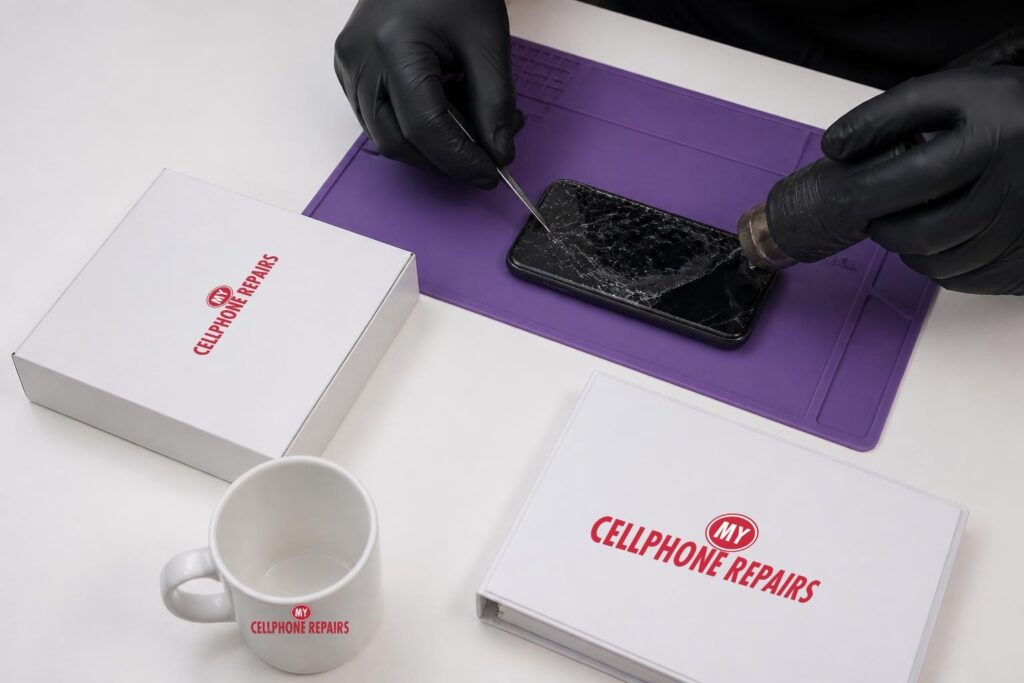
You dropped your phone, the glass spiderwebbed, and it still works. So is a OnePlus 13 cracked screen really a problem if the picture is fine? Short answer: it is usually safe for a day or two if you cover it and take it easy, but it is not safe to ignore. Cracks let in dust and moisture, can cut your fingers, and can slowly kill the display underneath. We offer OnePlus screen repair with a free diagnosis, and most repairs are same day phone repair. Here is what happens if you wait, and what to do right now.
Key takeaways
- A cracked OnePlus 13 can work for a short time, but cracks tend to grow and can reach the OLED panel beneath the glass.
- Once the glass is broken, the phone’s IP68/IP69 water and dust protection should no longer be trusted.
- Cover the glass with clear tape or a screen protector as a short-term fix. It is not a repair.
- Stop using the phone if the screen lifts, the phone swells or gets hot, or touch goes wrong.
- OnePlus 13 screen repair starts from $229.99, with a free diagnosis first.
In this article
- Is it safe to keep using a OnePlus 13 with a cracked screen?
- Why do OLED cracks spread and bleed “ink”?
- Can water and dust get in through a crack?
- How do I protect a cracked screen until the repair?
- What does a OnePlus 13 screen repair involve?
- Incell LCD vs Soft OLED, and price
- Try this first, and when to come in
- Frequently asked questions
Is it safe to keep using a OnePlus 13 with a cracked screen?
For a short time, with care, usually yes. For weeks, no. A tiny corner chip is a lot less worrying than a web of cracks across the middle, but both are broken glass, and broken glass does not heal.
Here is what tends to happen if you wait:
- Day one: the phone works, but sharp edges can snag your thumb or your pocket lining.
- Days to weeks: everyday pressure, heat and pocket flex can lengthen the cracks. Some owners notice a dead touch strip or flickering near the crack.
- Longer: black patches, coloured lines or “ink” can appear and grow as the panel under the glass fails.
The OnePlus 13 has a flat 6.82-inch AMOLED screen under tough glass (reviewers name it Ceramic Guard or Crystal Shield). It handles a lot. But glass that strong still has limits, and once the surface is broken, the screen is no longer sealed the way it was designed to be.
Apple’s safety guidance for broken glass says not to handle chipped or cracked glass without protection, and technicians use cut-resistant gloves and safety glasses. That advice makes sense for any phone, including yours. If you can feel loose slivers, stop touching the screen with bare fingers.
Why do OLED cracks spread and bleed “ink”?
Because the OLED layer is extremely thin and easily harmed once the glass over it breaks. In an OLED screen, every pixel makes its own light. The glass is only the top of a sandwich that includes the touch layer and the light-making layer, which is sealed against air and moisture.
Repair technicians and display makers explain that a tiny crack in that sealing layer can let moisture or air reach the light-making material. The affected pixels switch off, and a dead OLED pixel looks truly black. That is the “ink spot” many people describe. It often starts small and, when moisture keeps getting in, it can creep outward.
Pressure does similar damage. A hit that leaves the outer glass looking fine can still bruise the panel and leave black patches or coloured lines. Once the panel itself is damaged, the screen has to be replaced rather than patched. Not every spot spreads, but you cannot tell in advance which ones will.
Can water and dust get in through a crack?
Yes, you should assume so. The OnePlus 13 is rated IP68 and certified IP69, which is excellent for a phone, but those ratings describe an undamaged phone. A cracked front is a damaged seal, so keep it away from sinks, rain, steamy bathrooms and the beach.
Dust is the quiet problem. Fine dust that gets inside the layers of the screen cannot be cleaned out later. That is one more reason a long wait costs more than a quick fix. Moisture is the bigger worry, because liquid under a cracked display can reach the parts under it. If your phone already got wet, stop using it and bring it in.
How do I protect a cracked screen until the repair?
Cover it, back it up and go easy on it. Temporary protection buys you time, but it does not make a cracked phone safe to use for weeks.
- Back up now. Screens can fail before the repair date, and a dead display makes it hard to get to your photos.
- Cover the glass. Clear packing tape or a screen protector over the whole screen helps hold loose shards in place and protects your fingers.
- Skip the cover if the glass is lifting. If the screen is rising, the phone feels swollen, or it is hot, do not tape it. Stop charging and come in.
- Use a case and keep pressure off. No back pocket, nothing heavy on top of it.
- Keep it dry. Treat the water resistance as gone until it is repaired.
Sources disagree about tape, and some say it leaves sticky residue. A clean protector is gentler. Either way it is a short-term fix. Note that your OnePlus 13 may have a protective film from the factory. Android Authority notes that it does not reach the rounded edges, so edges and corners are where cracks often begin.
What does a OnePlus 13 screen repair involve?
A careful technician follows these steps, and it is a job for a bench, not a kitchen table. Our technicians do it every day.
- Free diagnosis. We check the glass, the picture and touch, so you know if it is only glass or the panel too.
- Cover and clean. We contain loose glass and clear the work area.
- Warm and lift. Heat softens the adhesive holding the screen, and a thin pick separates it without forcing anything.
- Disconnect safely. The battery and screen connectors are disconnected first.
- Fit the new screen and reseal. The new screen goes on with fresh adhesive.
- Test everything. Touch, colour, brightness and the in-display fingerprint reader. The OnePlus 13 uses an ultrasonic sensor under the screen, so we check the unlock before you leave.
One honest note: opening any phone breaks the factory seal, so do not take a repaired phone swimming. Most repairs are done the same day.
Incell LCD vs Soft OLED, and what does it cost?
A OnePlus 13 screen repair starts from $229.99. The OnePlus 13R screen starts from $179.99. Your exact quote depends on the screen option you choose, and the diagnosis is always free. We offer two kinds of replacement screens:
| Incell LCD (budget) | Soft OLED (premium) | |
|---|---|---|
| Best for | Lowest price | Closest to the original OLED screen type |
| Warranty | None | 30-day warranty |
| Refunds | No refunds | Covered by our warranty |
Your phone came with an AMOLED screen, so Soft OLED is the like-for-like choice. Ask us about both options, and we will give you the exact price before we start.
Quick facts
- OnePlus 13 screen repair from $229.99 (OnePlus 13R from $179.99)
- Same day for most repairs
- 30-day warranty on premium screens and other repairs
- Free diagnosis, walk-ins welcome
Myths vs facts about cracked screens
- Myth: “It works, so it’s fine.” Fact: a working picture says nothing about moisture, dust or sharp edges.
- Myth: “Tape fixes it.” Fact: tape holds shards in place. The crack stays.
- Myth: “My phone is waterproof.” Fact: the rating is for an undamaged phone.
- Myth: “Spots always spread.” Fact: not always, but you cannot predict which ones will.
How do I avoid the next crack?
Use a good case with a raised lip, keep the phone out of tight back pockets, and add a screen protector that fits the OnePlus 13. No glass is crack-proof. OnePlus also sells a Screen Protection Plan with a new OnePlus 13 bought from oneplus.com. Its page has mixed notes on which models it covers, so check eligibility with OnePlus first, and if your phone is still under the maker’s warranty, check that before paying for a repair.
Try this first
If your screen glitches, freezes or acts odd, rule out software before blaming the crack.
- Restart: press and hold Power + Volume Up, then tap Restart.
- Force restart (frozen): hold Volume Up + Power for about 10 seconds. If it vibrates but the screen stays black, the screen may be damaged.
- Safe mode: open the power menu, touch and hold Power off, then choose Safe mode. If the problem stays in Safe mode, an app is not the cause.
A factory reset will not fix broken glass or a damaged panel, so skip it for a crack. Steps vary a little by model, so see OnePlus support.
When to stop and come in: the screen stays black, touch misbehaves, the glass or back is lifting (possible swollen battery, stop charging), it gets hot, or it got wet. Any of our stores can check it.
Full step-by-step guide: How to restart and reset your OnePlus →
All restart & reset guides →
We also fix tablets and computers. Cracked tablet or laptop? Ask about tablet repair near me or laptop screen repair, and we will quote it free.
Frequently asked questions
How much does it cost to fix a cracked phone screen?
A OnePlus 13 screen starts from $229.99 and a OnePlus 13R screen from $179.99, depending on the screen option. Book a free diagnosis and we will confirm the exact price before we start.
How long does a screen repair take?
Most repairs are done the same day. Walk in or book a time so a technician is ready for you.
Should I fix my phone before trading it in?
It depends on the trade-in offer, so get a quote for the phone as it is and compare it with the repair price. Come in and we will tell you honestly what the repair costs.
Sources
- Apple Support: iPhone broken glass safety
- Android Authority: OnePlus 13 review
- Notebookcheck: OnePlus 13 review
- OnePlus: Protection Service
- Samsung Support: Safe mode steps
#MyCellphoneRepairs #OnePlus #OnePlusRepair #OnePlus13 #CrackedScreen #ScreenRepair #ScreenReplacement #Smartphone #Android #TowsonMD #Baltimore
Get it fixed at My Cellphone Repairs: most repairs are done the same day. Walk in or book online.
Book NowPhone frozen or acting up? See our step-by-step restart & reset guides →
Our locations
- Towson Mall825 Dulaney Valley Rd, Second Level, Towson, MD 21204
(410) 828-4404 - Grand Rapids3077 28th St SE, Grand Rapids, MI 49512
(616) 799-6996 - PG Plaza Mall (Hyattsville)3500 East-West Hwy, Mall at Prince George's, Target Entrance, Hyattsville, MD 20782
(301) 559-1105 - Bowie Town Center15630 Emerald Way, Bowie, MD 20716
(240) 614-3600 - Capital City Mall (Camp Hill / Harrisburg area)3604 Capital City Mall Dr, Camp Hill, PA 17011
(717) 919-7868 - Cumberland Mall (Vineland)3849 S Delsea Dr, next to Boost Mobile, Dick's Sporting Goods entrance, Vineland, NJ 08360
(856) 765-5049 - Mondawmin Mall2401 Liberty Heights Ave, Lower Level, Baltimore, MD 21215
(443) 826-7711 - Baltimore Inner Harbor100 East Pratt St, Suite 101, Baltimore, MD 21202
(443) 838-8989 - St Charles Mall (Waldorf)11110 Mall Cir, Waldorf, MD 20603
(301) 645-7755 - Alexandria7650 Richmond Hwy, Alexandria, VA 22306
(703) 341-6789