
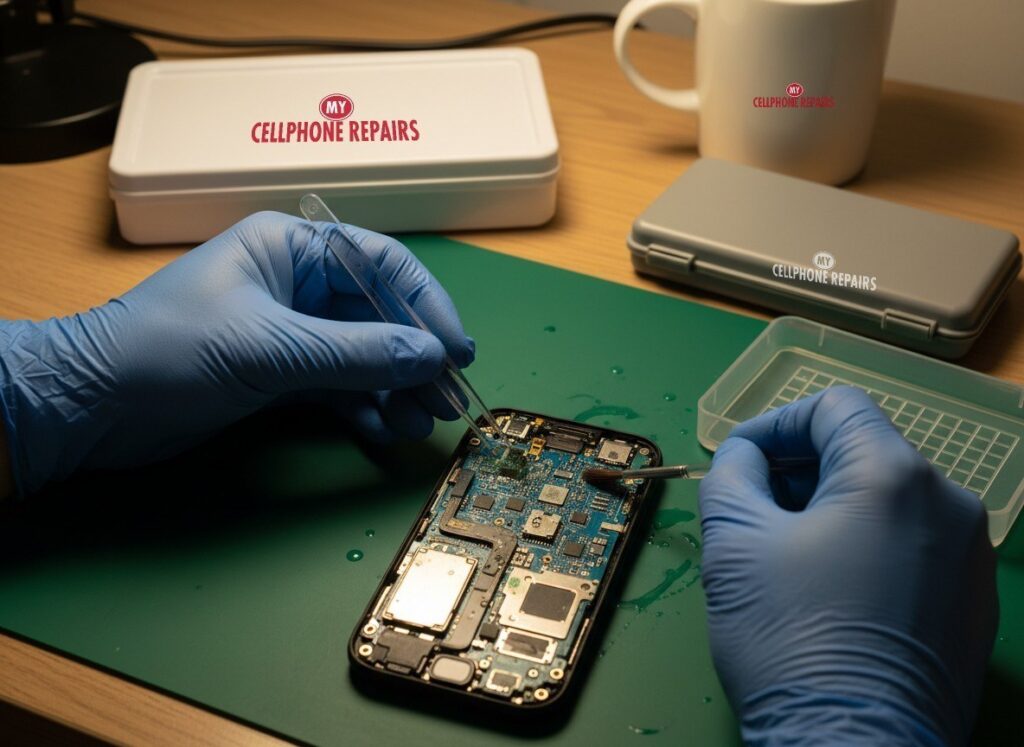
You dropped your phone in the sink, wiped it off, and it works fine. Then, three days later, the speaker crackles, the battery drops fast or the screen flickers. That is how iPhone water damage often behaves: the splash is over in seconds, but the trouble can show up later. This guide explains why, what to do in the first hour, and which popular tricks to skip.
Key takeaways
- A phone that works right after getting wet can still be damaged inside.
- Water that dries leaves minerals and salts behind, and corrosion can keep working on the board.
- Apple says do not put a wet iPhone in rice, and do not charge it until it is completely dry.
- The IP68 rating on iPhone 15 and 16 models is not permanent, and Apple does not cover liquid damage under warranty.
- A free diagnosis is the safest way to know what is going on inside.
In this guide
- Why does water damage show up days later?
- Is my iPhone 16 really waterproof?
- What should I do in the first hour?
- Rice and other myths
- What are liquid detection indicators?
- Frequently asked questions
Why does iPhone water damage show up days later?
Because the water is only part of the problem. What it leaves behind, and the electricity running through the phone, can keep causing harm after the surface looks dry.
Here is how it works in plain English. The circuit board inside your iPhone is packed with tiny metal contacts. Water that gets in carries dissolved minerals and salts. When the water evaporates, those residues stay on the contacts. Repair professionals describe this residue as the real cause of corrosion, and salt water is generally worse than fresh water.
Power makes it worse. A phone that is switched on, or plugged in, sends current across wet contacts, and that speeds up corrosion. Apple warns that charging a wet connector can corrode the pins and cause permanent damage.
So what does the timeline look like? Many repair shops say symptoms can appear over days or even weeks, and that a phone can work at first because the corrosion has not yet linked enough contacts. Be aware that there is no official figure for this. The timing depends on the liquid, how much got in, and whether the phone was on. Some owners report crackling speakers, sudden battery drops, a charging port that stops working, or a screen that flickers, but none of these proves water damage on its own.
Is my iPhone 16 really waterproof?
No. It is water resistant, and Apple says that resistance is not permanent. According to Apple, the iPhone 15 and iPhone 16 lineups are rated IP68 under IEC standard 60529, which means a maximum depth of 6 meters for up to 30 minutes in lab conditions.
That lab test uses still fresh water in a tank. Android Authority points out it does not reflect moving water, sudden temperature changes or real-world wear. Apple itself says resistance “might decrease as a result of normal wear.”
Things that can weaken the seals include:
- Drops and impacts, even ones that leave no visible mark.
- Opening the phone. Apple lists disassembly among the things to avoid, and a reassembled phone may not be fully sealed.
- Heat, chemicals, chlorine and salt water, which can dry out or erode seals over time.
- Showers, saunas and steam rooms, which Apple says to avoid.
Remember too that Apple’s warranty does not cover liquid damage, even on a water-resistant model.
What should I do in the first hour after my iPhone gets wet?
Power it down, unplug everything and dry the outside gently. Speed matters more than perfection.
- Get it out of the liquid and turn it off. Tech guides, including TechRadar, advise powering off right away and not pressing buttons to test it.
- Unplug all cables. Apple says not to charge until the iPhone is completely dry.
- Wipe it with a soft, lint-free cloth. Remove the case.
- Tap it gently against your hand with the connector facing down to shake out excess liquid.
- Leave it in a dry, airy spot. Apple says a fan blowing cool air toward the connector may help.
- Wait. Apple says to wait at least 5 hours before charging with a cable or connecting an accessory. If you see a liquid alert, wait at least 30 minutes and try again; drying can take up to 24 hours.
- Salt water or pool water? Tech guides suggest a quick rinse with plain fresh water, without soap, because salt and chlorine residue can harm the board. Then dry as above.
- Book a check even if it seems fine. A free diagnosis can show whether moisture is still inside.
Rice and other myths: what not to do
Skip the rice. Apple’s support page says not to put a wet iPhone in rice because small particles can damage it. Repair blogs add that rice does not pull water out of a sealed phone.
| Myth | Fact |
|---|---|
| A bag of rice will dry it. | Apple says do not use rice; particles can get in the connector. |
| A hair dryer or heater is quicker. | Apple says to avoid external heat sources and compressed air. |
| A cotton swab will clean the port. | Apple says not to insert cotton swabs or paper towels into the connector. |
| If it still works, it is fine. | Corrosion can build after the phone first seems normal. |
| IP68 means I can swim with it. | Apple lists swimming, showering and intentional submersion as things to avoid. |
Should you power it off or leave it on? Off. If it is already off, leave it off and do not “just check” it. If it keeps restarting or acting strangely, switch it off and bring it in.
What are liquid detection indicators, and what do they mean for me?
They are two different safety features. One is a small sticker-like indicator inside the phone, and the other is an alert on the screen.
The Liquid Contact Indicator (LCI) is normally white or silver and turns fully red after contact with water or a water-based liquid. Apple says humidity and normal temperature changes should not trigger it. It matters because Apple’s warranty does not cover liquid damage. Some models, such as certain eSIM-only iPhones, do not have an externally visible one.
The on-screen alert appears on iPhone XS and later when the iPhone detects liquid in the Lightning or USB-C connector. Charging is blocked until things are dry. Apple offers an emergency override but advises against charging while wet. If the alert returns every time with an Apple cable and the phone is dry, it may need service.
Quick facts
- Price: free diagnosis and an exact quote before we start
- Turnaround: same day phone repair for most repairs
- Warranty: 30-day warranty on our premium screens and other repairs
- Walk-ins welcome at our stores
What happens when you bring it to us?
We start with a free diagnosis and give you an exact quote before we start any work. We look for signs of moisture or corrosion, check what still works, and tell you honestly whether a repair makes sense. Not every wet phone can be saved, and the earlier it is checked, the better the odds. If you are searching for phone repair near you after a spill, walk in any time.
Try this first (and when to stop)
If your iPhone is dry but acting odd, a restart can clear software glitches. It deletes nothing. Menu names may differ slightly by model and iOS version.
- Restart: hold a volume button and the side button until the power-off slider appears, drag it, then hold the side button to turn it back on. Or go to Settings, General, Shut Down.
- Force restart (frozen screen): quickly press and release Volume Up, quickly press and release Volume Down, then hold the side button until the Apple logo appears (it can take more than 10 seconds).
Apple’s steps are on its restart your iPhone page. A factory reset will not fix water damage, so do not erase your phone hoping it will.
Stop and come in if the phone will not turn on, shows a liquid alert again and again, restarts by itself, or got wet. Do not keep trying to turn it on. A free diagnosis is waiting, and most repairs are done the same day.
Full step-by-step guide: How to restart and reset your iPhone →
We also fix tablets and computers
Spilled something on an iPad or laptop? Looking for tablet repair near me or laptop repair near me? We take those too. See our iPad restart guide for a first step, then bring it in for a free diagnosis.
Frequently asked questions
Can a water damaged phone be fixed?
Sometimes, and the sooner it is checked the better. Whether a repair makes sense depends on how far corrosion has spread. Bring it in for a free diagnosis and an exact quote before we start.
Phone dropped in water, what to do?
Take it out, turn it off, unplug everything, wipe it and let it dry in an airy place without rice, heat or charging. Then walk in to any of our stores for a free diagnosis.
Why does my phone keep turning on and off after getting wet?
Some owners report this after a spill, and it can point to moisture or corrosion inside, though other problems can look similar. Switch it off, do not charge it, and book a repair so we can check it.
Sources
- Apple Support: About splash, water, and dust resistance of iPhone 7 and later
- Apple Support: If you see a liquid-detection alert on your iPhone
- Apple Support: Water and other liquid damage isn’t covered by warranty
- Android Authority: Your phone’s water resistance rating doesn’t mean much
#MyCellphoneRepairs #iPhone #Apple #iPhoneRepair #iPhone16 #WaterDamage #WaterDamageRepair #PhoneRepair #FreeDiagnosis #Baltimore #WaldorfMD
Get it fixed at My Cellphone Repairs: most repairs are done the same day. Walk in or book online.
Book NowPhone frozen or acting up? See our step-by-step restart & reset guides →
Our locations
- Towson Mall825 Dulaney Valley Rd, Second Level, Towson, MD 21204
(410) 828-4404 - Grand Rapids3077 28th St SE, Grand Rapids, MI 49512
(616) 799-6996 - PG Plaza Mall (Hyattsville)3500 East-West Hwy, Mall at Prince George's, Target Entrance, Hyattsville, MD 20782
(301) 559-1105 - Bowie Town Center15630 Emerald Way, Bowie, MD 20716
(240) 614-3600 - Capital City Mall (Camp Hill / Harrisburg area)3604 Capital City Mall Dr, Camp Hill, PA 17011
(717) 919-7868 - Cumberland Mall (Vineland)3849 S Delsea Dr, next to Boost Mobile, Dick's Sporting Goods entrance, Vineland, NJ 08360
(856) 765-5049 - Mondawmin Mall2401 Liberty Heights Ave, Lower Level, Baltimore, MD 21215
(443) 826-7711 - Baltimore Inner Harbor100 East Pratt St, Suite 101, Baltimore, MD 21202
(443) 838-8989 - St Charles Mall (Waldorf)11110 Mall Cir, Waldorf, MD 20603
(301) 645-7755 - Alexandria7650 Richmond Hwy, Alexandria, VA 22306
(703) 341-6789