
Replacing your Samsung isn’t automatically the smarter choice. If the repair costs less than half the price of a new phone and your device still meets your needs, fixing it may make more sense; when a repair would cost more than 50% of a new phone’s price, consider replacing it. That’s the clearest starting point when deciding whether you should fix your Samsung or buy a new one.
A cracked screen or battery that won’t hold a charge can make a familiar phone seem ready for retirement. But should I fix my Samsung or buy a new one? The answer depends on the specific fault, the phone’s overall condition, and whether it still meets your needs.
This guide compares repair options, battery life, software support, familiarity, resale value, and trade-ins. You’ll get a practical way to weigh the trade-offs and choose the option that best fits your Samsung and your next step.
Key Takeaways
- Compare the repair estimate with the cost of a new phone. Consider replacing your Samsung when a repair would cost more than 50% of a new phone’s price.
- Match the repair method to the fault: screen damage, charging problems, and other hardware issues can call for different fixes.
- A battery replacement may extend your phone’s useful life, especially if the rest of the device still meets your needs.
- Factor in software support, familiarity, and sentimental value alongside the cost. The cheapest option isn’t always the one that suits you best.
- Think about resale and trade-in value before deciding. A repaired screen may make your phone more appealing to potential buyers or trade-in programs.
1. Repair or Replace Your Samsung Device – What Makes More Sense?
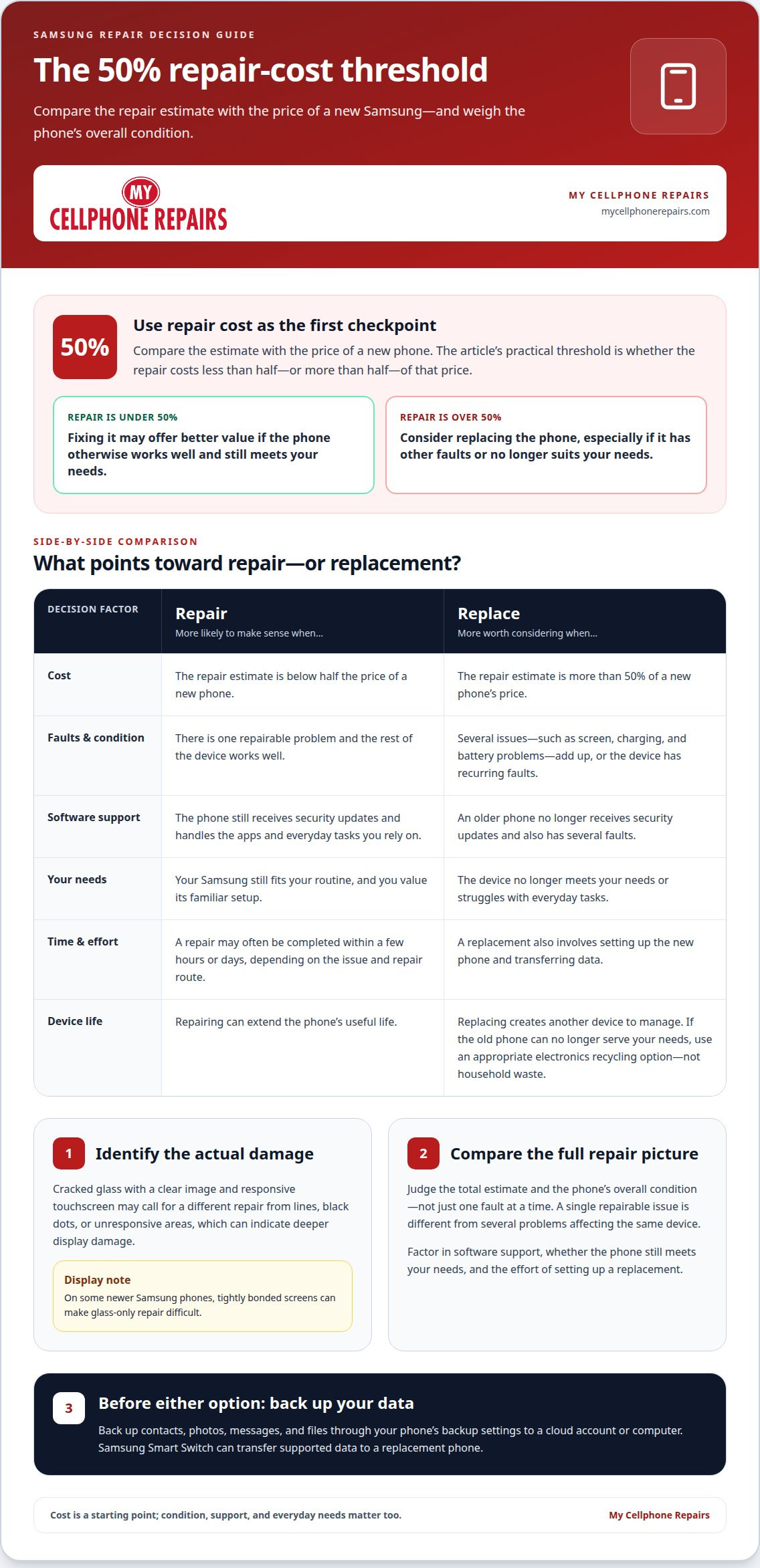
Start with the repair estimate and compare it with the price of a new Samsung phone. Consider replacing the phone when its repair costs more than 50% of a new phone’s price. If the repair falls below that point and the device otherwise works well, fixing it may offer better value. If you’re asking, “should I fix my Samsung or buy a new one?” this comparison is a practical first step.
Age matters, but so does software support. Samsung phones receive software updates for several years, though support varies by model. An older phone that no longer receives security updates and has several faults may be a stronger replacement candidate than a phone with one isolated problem.
Start by identifying the specific damage. Cracked glass with a clear image and responsive touchscreen may call for a different repair from lines, black dots, or unresponsive areas, which can indicate deeper display damage. On some newer Samsung phones, tightly bonded screens can make glass-only repair difficult.
Repair time can also affect the choice. Phone repairs can often be completed within a few hours or days, while replacing a phone also involves setup and data transfer. Before either option, back up contacts, photos, messages, and files through your phone’s backup settings to a cloud account or computer. Samsung Smart Switch can transfer supported data to a replacement phone.
Compare the total repair estimate with the cost of replacing the phone, rather than judging each fault separately. A Samsung with one repairable issue is different from a device with screen, charging, and battery problems. If you’re weighing whether to fix your Samsung or buy a new one, consider the phone’s overall condition and the combined repairs needed.
Familiarity is another factor. Your current phone may still suit your daily routine, while a new device requires setup and adjustment. Consider whether your Samsung runs the apps you rely on, receives security updates, and handles everyday tasks without recurring faults. These checks help clarify whether to repair or replace it.
There’s an environmental consideration, too. Repairing a phone can extend its useful life, while replacing it creates another device to manage. If the phone can no longer serve your needs, look for an appropriate electronics recycling option instead of putting it in household waste.
Weigh the repair estimate, device condition, software support, and effort of setting up a replacement. A single repair may suit a phone that still meets your needs. Several faults or an aging device without security updates may make replacement a better fit.
2. Samsung Repair: In-store, Mobile, Mail, and Self-Repair
Samsung phone repairs may be available through in-store, mobile, mail-in, partner, or self-repair options. Choose a repair path based on the fault and the assessment needed. For Samsung hardware issues, My Cellphone Repairs offers Samsung Phone Repair, including screen, battery, charging-port, and water-damage repairs.
Match the repair assessment to the symptoms. A technician can inspect a cracked screen, test touch response, and determine whether glass or the full display assembly needs replacement. If the phone charges only at certain angles, the charging port may be damaged. Water exposure can affect parts beyond the visible area, so a phone that still turns on may need diagnostic testing.
A weak battery can make a Samsung phone unreliable, but replacing it may address the main problem without replacing the device. A swollen, hot, or damaged battery is a safety concern. The U.S. Consumer Product Safety Commission warns that lithium-ion batteries can overheat and burst, with potentially serious results. Stop using a phone with signs of battery damage and arrange a professional assessment.
Before approving work, ask what the diagnostic process covers, which part needs repair, and what testing follows. A screen repair should include checks for image quality and touchscreen response. A charging-port repair should include a charging test. Samsung mobile repairs are backed by a 90-day warranty or the remainder of the device warranty, whichever applies.
Samsung Mobile certified repair technicians complete 28 hours of training certification. Self-repair can suit people with the right experience and tools, but opening a phone without proper training can cause further damage and increase the final repair cost. That risk matters with tightly bonded screens, delicate display connectors, or a water-damaged device.
Compare the repair estimate with the total cost of replacing the phone, including setup and data transfer. A cracked screen on an otherwise reliable device presents a different decision from a phone with screen, charging, and battery faults. Warranty or insurance coverage may also affect the cost of a screen replacement.
Appointment availability and turnaround depend on the repair route and the issue. In-store service may suit someone who can bring in the phone; mail-in repair requires sending the device and waiting for its return. A mobile technician may provide another option where available. For a damaged screen or charging problem, Samsung repair options can help you consider a repair before replacing the phone.
3. When battery replacement can extend a device’s lifespan
Battery replacement may help keep a Samsung phone in use when battery trouble is the main reason you’re considering a new device. If the screen, charging port, and other essential functions still work, addressing the battery may resolve the main limitation. The decision depends on the phone’s overall condition, not battery performance alone.
Battery problems can become clear in everyday routines. For example, a phone that once lasted through your workday may now need frequent charging. If it otherwise handles the calls, messages, and apps you rely on, battery replacement could address the practical issue while keeping your familiar setup.
Separate battery trouble from other performance issues. A battery replacement won’t fix a cracked screen, damaged charging port, or software conflict. Samsung phones can lag or freeze because of software bugs, outdated firmware, or app conflicts. Identify the main fault before deciding which repair would make the phone useful again.
Use a straightforward decision process. First, note the problem that interrupts your day, such as short battery life or unexpected shutdowns. Next, consider whether the screen, charging, and essential apps still meet your needs. Then compare the repair estimate with the cost of replacing the device and the value you place on keeping it.
A battery repair won’t resolve display damage, so consider the screen separately. Cracked glass with a clear image and responsive touchscreen may need a different repair from lines, black dots, or areas that don’t respond. Those symptoms can indicate deeper damage. A complete screen replacement replaces the glass, scanner, and display panel.
For someone planning to keep a Samsung phone, a complete screen replacement can offer more lasting results than a limited repair. Consider the battery and screen together if both affect daily use. One repair may be a sensible way to extend the device’s life; multiple faults can change the comparison with a new phone.
Think about what you need from the phone after repair. If your Samsung still runs the apps you need and receives security updates, addressing a battery problem may let you keep using a device that suits you. If it no longer meets those needs, replacing the battery alone won’t resolve the larger mismatch.
Battery replacement is easiest to consider when the phone remains usable and battery life is its main limitation. A damaged screen, charging fault, or software problem adds a separate issue. Weigh each fault against the device’s overall condition, then choose the repair or replacement that addresses the problem you actually have.
Familiarity and sentimental value
A reliable phone can be valuable for reasons beyond its resale price. Your Samsung may hold a familiar home-screen layout, saved settings, and years of photos or messages. Those details can make keeping it appealing, especially if the current fault is limited and the device still handles daily tasks. Weigh that comfort against practical needs, not against a vague fear of change.
Before deciding, list what you rely on. Note whether you use the same keyboard, accessibility settings, camera shortcuts, or work apps every day. A replacement may require setting up those preferences again. If your Samsung still supports your essential apps and receives security updates, keeping it can preserve a familiar workflow.
Give sentimental value a place in the decision, while separating memories from the phone itself. The device may contain family photos, saved voice messages, or conversations that matter to you. Backing up those files lets you keep the memories if you replace the phone, making the hardware decision less emotional without dismissing the value of the data.
Try this practical test: name the problem making you consider replacing your Samsung. If it’s a cracked screen, weak battery, or charging fault, ask whether fixing that specific issue would restore the phone you’re comfortable using. If several problems disrupt the same routine, familiarity alone may not be enough to make continued use practical.
Consider how much adjustment a new phone would bring. A different layout or control scheme can feel inconvenient at first, while a familiar device may remain easier for everyday tasks. Think about whether you’re willing to move your settings and learn a new interface. If you depend on your Samsung for work, accessibility, or a regular routine, that adjustment is part of the decision.
Make a simple comparison before choosing. Write down the repair needed, the phone’s current condition, and the tasks it still handles reliably. Then list the settings, files, and routines you’d miss if you replaced it. This makes the value of familiarity concrete without obscuring recurring faults or security-support concerns.
Keeping a familiar Samsung can make sense when its core functions still meet your needs and a focused repair addresses the main problem. Replacement may fit better when several faults disrupt daily use or the device no longer meets essential requirements. Either way, back up meaningful photos and messages separately so they remain accessible regardless of your hardware decision.
5. Resale value and trade-in considerations
Your Samsung’s resale or trade-in value depends on its model and condition. A phone that powers on and functions normally differs from one with a cracked screen or charging fault. Before choosing to repair or replace it, consider what you plan to do with the device afterward. Include potential resale or trade-in value in your decision about whether to fix your Samsung or buy a new one.
First, decide whether you’re likely to sell the phone privately, trade it in, or keep using it. Buyers may consider visible damage and everyday function, while trade-in programs have their own eligibility criteria. Compare the value offered for your Samsung as it is with its possible value after repair. That comparison can help you judge whether a repair supports your plans.
A complete screen replacement may affect how buyers or trade-in programs view a phone, but a repair isn’t automatically the right choice just because the screen is damaged. Consider what else needs attention and whether the repaired phone would meet a buyer’s expectations. Ask whether a repaired screen changes the practical value enough to influence your decision.
Assess the whole device before preparing it for resale. A repaired screen won’t resolve separate water damage, inconsistent charging, or a battery that no longer meets your needs. List each known fault and compare the repair estimate with the likely resale or trade-in outcome. The model, condition, and repair needed all shape this comparison.
Prepare your phone before handing it over. Back up important files, sign out of accounts, and remove personal information using the device’s reset settings. Keep the model name and storage capacity available when reviewing trade-in options. Describe the condition accurately, including cracked glass or charging issues, so the assessment reflects the phone you’re handing in.
Use a clear sequence: get a repair estimate, consider the phone’s current trade-in or resale appeal, then assess whether repair changes that outcome. If you’re still deciding whether to fix your Samsung or buy a new one, compare the repaired phone’s usefulness and potential sale value with replacing it. Don’t base the decision on the original purchase price alone.
Repair pricing depends on the model, damaged part, and work required; the amount is provided after a quote request. If screen damage is affecting your plans to sell or trade in your phone, arrange Samsung screen repair before deciding what to do next.
My Cellphone Repairs: Samsung Phone Repair
My Cellphone Repairs provides Samsung Phone Repair for hardware problems that affect whether you keep or replace your phone. We repair damaged screens and charging issues, and handle water damage. Battery Replacement may also help when battery life is the main reason you’re considering a new device.
Focus on the specific fault. If your Samsung still meets your needs but one repairable problem is disrupting daily use, repair may be a practical next step. If several issues affect how you use it, weigh the combined repairs against replacing the phone.
Contact My Cellphone Repairs to discuss your Samsung repair.
Make your next move with confidence
If you’re still deciding whether to fix your Samsung or buy a new one, focus on what you need your phone to do next. A repair should address the fault disrupting your routine. A replacement should meet needs your current device can no longer handle. Keeping that distinction in view turns the choice into a practical decision.
Before you act, write down the phone’s main issue and the outcome you want. That gives you a clear starting point for discussing a repair and deciding whether keeping your Samsung makes sense. My Cellphone Repairs offers Samsung Phone Repair, alongside iPhone Screen Repair and MacBook Repair.
Discuss your Samsung repair options with My Cellphone Repairs and take the next step with a clearer plan. You can make a choice that fits your phone and your priorities.
Frequently Asked Questions
Repair or Replace Your Samsung Device – What Makes More Sense?
Repair may suit a phone when one fix can address the disruption and the rest of the device remains useful. Replacement may fit better when the device no longer meets your needs. Consider how you use your Samsung each day, whether essential apps work, and whether another fault is likely to disrupt you. A phone used mainly for calls has different needs from one relied on for work apps, navigation, and photography.
When should I repair my phone?
Repair your phone when a specific fault is disrupting use and the rest of the device remains useful. A charging problem, for example, may be the main issue even if the screen and apps work normally. Identify the fault and consider whether fixing it addresses your actual problem. If several separate issues keep interrupting daily tasks, replacing the phone may better meet your needs.
Why is professional help important?
Professional diagnostics can help distinguish between symptoms that look alike. A phone that won’t turn on could have a battery, charging, or other hardware problem, and replacing the wrong part won’t solve the cause. Screen repairs also involve delicate components that can be damaged during disassembly. A technician can assess the device, identify the repair needed, and test the affected function after the work.
What is the current price of a comparable new Samsung phone in the US?
There isn’t one price for a comparable new Samsung phone because the model changes the comparison. A Galaxy Z Fold7 and Galaxy Z Flip7, for example, are different models with different designs. Compare the specific model you’re considering with your current phone’s capabilities, then weigh its purchase cost against the repair estimate. Include any setup or data-transfer effort in your decision, too.
How old is my Samsung phone, and how long will it receive software and security updates?
Find your model name in your Samsung phone’s Settings under About phone, then use the model to identify its age and support information. Samsung phones receive software updates for several years, but support varies by model. A phone more than four or five years old may no longer receive security updates. That matters if you use it for email, banking, or other sensitive accounts.
Does Samsung repair use genuine parts, and what warranty covers the repair?
Part type and warranty coverage are separate details, so a warranty alone doesn’t establish whether a repair uses genuine Samsung parts. My Cellphone Repairs states that its repairs are backed by a warranty, but coverage depends on the applicable terms. Review the repair documentation for the part used, what the warranty covers, and any exclusions. Keep that information with your repair record for future reference.