
You hit play on a video and have to hold the phone against your ear. Your Moto G Power sound is quiet, even with the volume turned all the way up. Before you assume the speaker is broken, it is worth knowing that several quick settings and everyday habits can make a perfectly healthy phone sound weak.
This guide follows Motorola’s own help pages for the moto g power, starting with free checks and ending with when to bring the phone in. If you need phone repair near you for a speaker that really has failed, we offer a free diagnosis and an exact quote before we start, and most repairs are done the same day.
Quick facts
- Price: free diagnosis and an exact quote before we start for speaker work. For reference, a Moto G Power (2026) screen is from $119.99
- Turnaround: same day for most repairs
- Warranty: 30-day warranty on premium screens and other repairs; budget screens have no warranty and no refunds
- Diagnosis: always free, walk-ins welcome
Key takeaways
- When you are not on a call, the volume buttons control media volume. During a call, they control the other person’s volume.
- Motorola’s phones can set a separate volume for each app (Settings → Sound & vibration → Multi-volume), and can learn which apps you usually mute and mute them automatically.
- Motorola says to remove any case, cover, screen protector or film that could be blocking the phone while you test.
- A restart, then Safe mode, helps you tell a software or app problem from a hardware problem.
- If sound is still weak or silent after those checks, the speaker may need service, and we diagnose it for free.
In this article:
- Which volume is actually turned down?
- Could one app be the problem?
- Is something blocking the speaker?
- Try this first: restart and Safe mode
- What if only calls sound bad?
- When is it a speaker repair?
- FAQ
Which volume is actually turned down?
Motorola’s volume help page says that when you are not on a call, the volume buttons adjust media volume. During a call they adjust the other person’s volume instead. Ringtone, notification and alarm volumes are separate. Press a volume button and use the on-screen shortcut to see the sliders for media and call volume, and to switch between Ring, Silent and Vibrate only.
A phone that is loud for ringtones but quiet for videos is often just a low media slider. Check it first, because it takes ten seconds and costs nothing.
Could one app be the problem?
On the moto g power, Motorola says you can go to Settings → Sound & vibration and turn on Multi-volume, which sets a separate volume for each app. The phone can also learn which apps you usually mute and mute them automatically. You can review that list or turn the feature off in the same Multi-volume settings.
That is a handy feature, but it can also explain why one app is silent while others sound fine. If only one app is quiet, open Multi-volume and check that app’s slider and the auto-mute list before you suspect hardware.
Is something blocking the speaker?
Motorola’s call-audio help tells you to make sure nothing covers the microphone and to remove any case, cover, screen protector or protective film that might be in the way. Do the same test for your speaker: take the case off and play a video again. A thick case, a pocket, or a fingertip over the speaker opening can all make sound muffled.
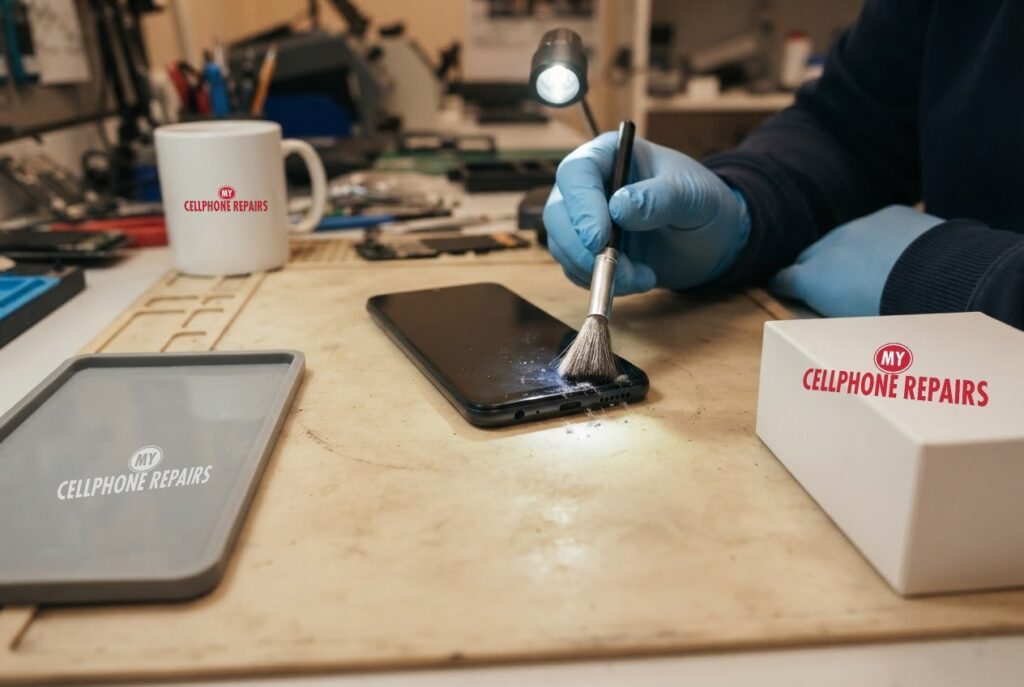
Then look at the speaker opening in good light. If you can see lint, a soft dry brush can lift it. Never push a pin or needle into the opening, and never use liquids. If you are not comfortable, our free diagnosis covers this too.
Try this first: restart, force restart and Safe mode on your Motorola
- Restart: press and hold the Power button, then tap Restart.
- Force restart (frozen): press and hold the Power button for 10 to 20 seconds until the phone restarts. Deletes nothing. Charge to at least 5% first, and never try to remove the battery.
- Safe mode: open the power menu, touch and hold Power off, then tap OK. Restart normally to leave Safe mode.
- A factory reset will not fix a damaged speaker. Only erase the phone for software problems, after a backup and with your Google account password ready.
When to stop and come in: the phone won’t turn on even after a force restart and 30 minutes on the charger, it vibrates or rings but the screen stays black, it restarts over and over, it gets hot or the screen or back is lifting (stop charging it), or it got wet. Free diagnosis at any of our stores, and most repairs are done the same day. Menu names may be slightly different on your model. Maker’s own steps: Motorola Support: force reboot or restart
Full step-by-step guide: How to restart and reset your Motorola → | All restart & reset guides →
What if only calls sound bad?
Motorola suggests a few tests for call audio. Check the call volume in Settings → Sound & vibration → Call volume. During a call, try speakerphone or a wired headset. If the sound improves, Motorola says the problem is likely a weak network signal rather than your phone’s hardware. If you use a wired headset, try a different one to see whether the first headset is the faulty part.
Motorola’s page also says that if the problem continues, you should check for a software update and then reset the phone. Because a reset erases everything, back up first and treat it as a last step.
When is it a speaker repair?
If the sound is still weak or crackly after you have checked the media and call volume, the per-app sliders, the case and Safe mode, the speaker itself may be the problem. Sound that is bad in every app and in Safe mode, or a speaker that is silent when you are certain the volume is up, are signs worth a professional look.
Speaker repair is not on our listed price table for this model, so you get a free diagnosis and an exact quote before we start. For reference, a Moto G Power (2026) screen is from $119.99.
Frequently asked questions
Why is my phone speaker not working?
Check media volume, per-app volume and the case first, then restart and test in Safe mode. If it is still silent, book a free diagnosis and we will check the speaker.
Why does my phone speaker sound muffled or crackle?
A blocked opening, a case, or a software problem can all do it. Remove the case, restart and test again. If it still crackles, come in for a free diagnosis.
How long does a speaker repair take?
Most repairs are done the same day. Walk in or book online and we will confirm the time after we look at your phone.
We also fix tablets and computers. Need tablet repair near me or laptop repair near me? Our technicians handle those too.
Moto G Power still too quiet? Book a free diagnosis today.
Sources
- Motorola Help: adjust volumes on the moto g power
- Motorola Help: issues during calls
- Motorola Support: force reboot or restart
#MyCellphoneRepairs #Motorola #MotoG #MotorolaRepair #MotoGPower #SpeakerRepair #LoudspeakerRepair #PhoneRepair #SameDayRepair #HyattsvilleMD #WaldorfMD
Get it fixed at My Cellphone Repairs: most repairs are done the same day. Walk in or book online.
Book NowPhone frozen or acting up? See our step-by-step restart & reset guides →
Our locations
- Towson Mall825 Dulaney Valley Rd, Second Level, Towson, MD 21204
(410) 828-4404 - Grand Rapids3077 28th St SE, Grand Rapids, MI 49512
(616) 799-6996 - PG Plaza Mall (Hyattsville)3500 East-West Hwy, Mall at Prince George's, Target Entrance, Hyattsville, MD 20782
(301) 559-1105 - Bowie Town Center15630 Emerald Way, Bowie, MD 20716
(240) 614-3600 - Capital City Mall (Camp Hill / Harrisburg area)3604 Capital City Mall Dr, Camp Hill, PA 17011
(717) 919-7868 - Cumberland Mall (Vineland)3849 S Delsea Dr, next to Boost Mobile, Dick's Sporting Goods entrance, Vineland, NJ 08360
(856) 765-5049 - Mondawmin Mall2401 Liberty Heights Ave, Lower Level, Baltimore, MD 21215
(443) 826-7711 - Baltimore Inner Harbor100 East Pratt St, Suite 101, Baltimore, MD 21202
(443) 838-8989 - St Charles Mall (Waldorf)11110 Mall Cir, Waldorf, MD 20603
(301) 645-7755 - Alexandria7650 Richmond Hwy, Alexandria, VA 22306
(703) 341-6789