
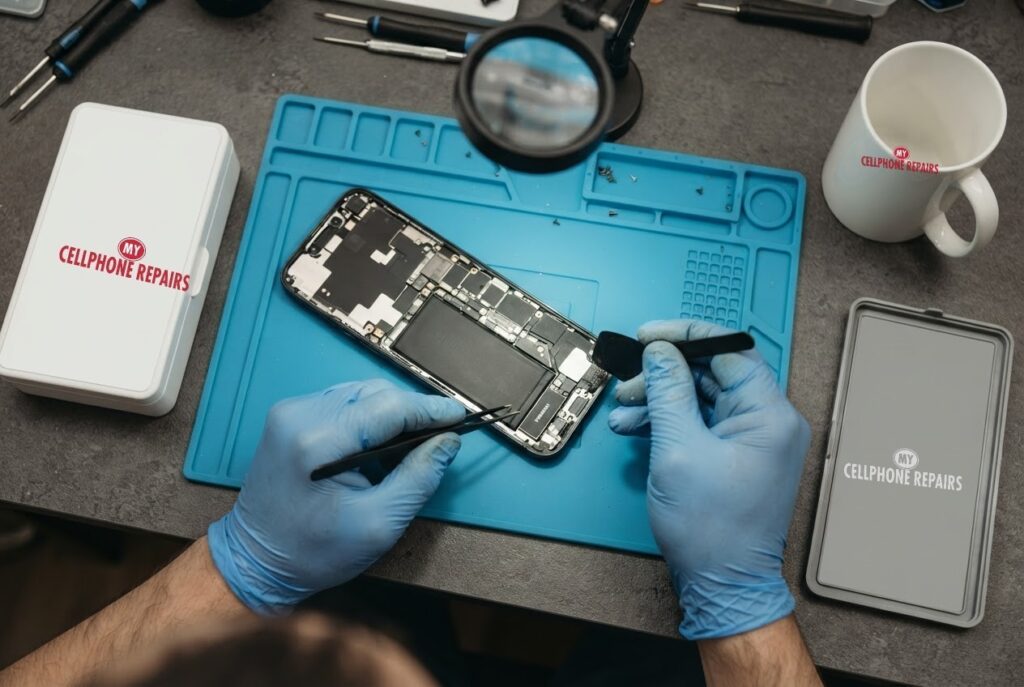
You pick up a call and the other person sounds like they are talking from inside a pillow. Or your alarm goes off and you hear nothing at all. An iPhone speaker that sounds muffled or silent is one of the most common complaints we hear, and the good news is that many cases come down to a switch, a setting, a case or a bit of dirt.
In this guide you will learn the quick checks Apple itself recommends, how to tell a blocked speaker from a failed one, why water can quietly make things worse, and when it is time to let a technician look. If you need same day phone repair, our free diagnosis is the fastest way to find out what is going on.
Quick facts
- Free diagnosis, always. We tell you the cause before any repair starts.
- Same day for most repairs. Walk-ins welcome.
- 30-day warranty on premium screens and other repairs (budget screens have no warranty).
- Exact quote before we start, because speaker problems vary from a clean-out to a part replacement.
Key takeaways
- Check the Ring/Silent switch, Focus and Do Not Disturb first. They cause more “dead speaker” cases than hardware does.
- Remove the case and screen protector, then look at the speaker opening for dirt or lint.
- Clean only with a small, clean, dry, soft-bristled brush, as Apple advises. Never poke with pins.
- Water in the speaker can muffle sound until it fully dries, and Apple says liquid damage is not covered by warranty.
- If the Settings sound test is silent or the speaker button is dimmed, the speaker may need service.
In this article
- Why does my iPhone speaker sound muffled?
- What should I check first? A step-by-step list
- Can water make an iPhone speaker muffled?
- Myths and facts about iPhone speaker problems
- Does it matter which iPhone I have?
- What happens if I wait?
Why does my iPhone speaker sound muffled?
In plain English, sound has to travel from the speaker inside the phone, through a small opening, to your ears. Anything that blocks that path, such as a thick case, a screen protector that overlaps the grille, lint, dust or moisture, makes the sound quieter or dull. Apple’s support page lists “no sound, distorted sound, unclear voice, crackling or static” as the symptoms it covers, and its first suggestions are all about checking what is in the way.
Sometimes the speaker itself is fine and the problem is somewhere else. Silent mode, a Focus that suppresses alerts, or a weak network connection during a call can all sound like a speaker fault. That is why we always start with the simple checks before talking about parts.
Some owners also notice the problem only on calls, only on music or only on alarms. That pattern is a clue. If calls sound distorted but music is fine, reception may be to blame. If everything is quiet, it points more toward the speaker or its opening.
What should I check first? A step-by-step list
Apple’s own troubleshooting steps are a good order to follow. Work through them one by one and test after each step:
- Turn off Silent mode. Move the Ring/Silent switch so no orange shows. If your iPhone has an Action button set to Silent, press it to switch Silent mode off.
- Turn off Do Not Disturb. Go to Settings, then Focus, then Do Not Disturb.
- Remove the case, film or screen protector. Then test again.
- Look at the speaker opening and the receiver. If you see dirt or lint, clean it gently with a small, soft-bristled brush that is clean and dry.
- Run the slider test. Open Settings, tap Sounds (or Sounds & Haptics) and drag the Ringtone and Alerts slider back and forth. Hearing nothing, or seeing the speaker button dimmed, suggests the speaker may need service.
- Test a call on speakerphone. If you still hear static or crackling, the network or reception may be the cause. Try again later or from another location.
Menu names can be slightly different on your iOS version, but the idea is the same. If you get through the list and the sound is still dull or missing, stop there. Pushing harder with tools tends to make a small problem bigger.
Can water make an iPhone speaker muffled?
Yes. Apple says water in the speaker or microphone can reduce audio quality until the liquid evaporates. If your phone got wet recently, the muffled sound may improve on its own as it dries, but how you dry it matters.
Apple’s advice for a wet iPhone is to wipe it with a soft, lint-free cloth, then gently tap it with the connector facing down to remove excess liquid and leave it in a dry, airy spot. A fan blowing cool air near the port can help. Do not use a heat source, and do not push cotton swabs or other objects into the port. Wait at least five hours before charging with a cable.
You can also place the phone speaker-side down on a lint-free cloth to see whether water drips out. Remember that water resistance is not permanent. Apple notes that normal wear can reduce it over time, and that liquid damage is not covered under warranty. Our article on why water damage shows up days later covers what to watch for after a splash.
Myths and facts about iPhone speaker problems
- Myth: Blow into the speaker to clear it. Fact: Breath adds moisture. Apple recommends a soft, dry brush instead.
- Myth: A pin or SIM tool is fine for cleaning the grille. Fact: Metal can push debris deeper or damage the mesh. Apple only mentions a small, soft-bristled brush.
- Myth: Rice fixes a wet iPhone. Fact: Apple’s guidance is a lint-free cloth, tapping out liquid and air drying, with no heat and nothing in the port.
- Myth: If the speaker is quiet, the phone is broken. Fact: Silent mode, Focus settings and cases cause many cases that look like hardware faults.
Does it matter which iPhone I have?
The checks above apply to iPhone, iPad and iPod touch alike, according to Apple. What changes between models is how well the phone resists water. Apple lists most recent models from iPhone 12 onward as IP68, with depth limits that vary from 2 to 6 metres depending on the model, and older models such as iPhone 7 and 8 as IP67 with a 1 metre limit. Every rating assumes 30 minutes of exposure in lab conditions, so it does not promise protection from everything you meet in daily life.
What happens if I wait?
A dull speaker that is caused by lint is harmless to leave for a day or two while you try the steps above. A speaker that went quiet after water exposure is different. Moisture can stay trapped, so the longer a wet phone is switched on and charged, the greater the chance of further trouble. Apple says to wait at least five hours before charging.
If you missed calls, alarms or emergency alerts because the speaker is not working, do not wait. A quick diagnosis tells you whether you need a clean-out or a repair, and you can leave the same day in most cases.
Try this first: restart and force restart your iPhone
These steps delete nothing and take under a minute. They help when software, not hardware, is behind a strange sound problem.
- Restart: iPhone X or later: hold a volume button and the side button until the power-off slider appears, drag it, then hold the side button to turn it back on. Or go to Settings, then General, then Shut Down.
- Force restart (iPhone 8 and later): quickly press and release Volume Up, quickly press and release Volume Down, then press and hold the side button until the Apple logo appears. This can take more than 10 seconds.
A factory reset will not fix a hardware speaker problem, so we do not suggest it here. Apple’s own pages are linked below: Restart your iPhone.
When to stop and come in: the phone will not turn on after a force restart and 30 minutes on the charger, it vibrates but the screen stays black, it restarts by itself over and over, it gets hot, or it has been wet. Free diagnosis at any of our stores, and most repairs are done the same day.
Full step-by-step guide: How to restart and reset your iPhone →
Repair prices
We do not list a fixed speaker price for the iPhone 16 Pro online, because the work ranges from cleaning the opening to replacing a part. That is why we offer a free diagnosis and an exact quote before we start. You will know the cost, and you can say no, before any work begins.
If you want to compare, you can search your model on our appointment page to see current repair prices. Searching for “phone repair near you” or “cell phone repair near me” will also show our stores, and most are open on Sundays too.
We also fix tablets and computers
Speaker and sound problems are not only a phone issue. We also handle tablet repair near me searches, such as iPad speaker, charging port and screen problems, as well as laptop repair and MacBook repair. Bring your device in for a free diagnosis and the same quote-first approach.
Frequently asked questions
Why is my iPhone speaker muffled only during calls?
Calls can sound distorted because of network or reception problems rather than the speaker. Apple suggests testing a speakerphone call and trying again later or from another location. If other sounds are also dull, bring it in for a free diagnosis.
Can I clean my iPhone speaker myself?
Apple only recommends a small, soft-bristled brush that is clean and dry, applied to the speaker opening. Do not use liquids, pins or compressed objects. If the sound does not improve, book a free diagnosis so we can check safely.
How long does an iPhone speaker repair take?
Most repairs at My Cellphone Repairs are done the same day, and walk-ins are welcome. We give you an exact quote after the free diagnosis. Book a repair online or stop by a store.
Sources
- Apple Support: If you hear no sound or distorted sound from your speaker
- Apple Support: About splash, water and dust resistance of iPhone 7 and later
- Apple Support: Restart your iPhone
#MyCellphoneRepairs #iPhone #Apple #iPhoneRepair #iPhone16Pro #SpeakerRepair #PhoneSpeaker #PhoneRepair #SameDayRepair #TowsonMD #Baltimore
Get it fixed at My Cellphone Repairs: most repairs are done the same day. Walk in or book online.
Book NowPhone frozen or acting up? See our step-by-step restart & reset guides →
Our locations
- Towson Mall825 Dulaney Valley Rd, Second Level, Towson, MD 21204
(410) 828-4404 - Grand Rapids3077 28th St SE, Grand Rapids, MI 49512
(616) 799-6996 - PG Plaza Mall (Hyattsville)3500 East-West Hwy, Mall at Prince George's, Target Entrance, Hyattsville, MD 20782
(301) 559-1105 - Bowie Town Center15630 Emerald Way, Bowie, MD 20716
(240) 614-3600 - Capital City Mall (Camp Hill / Harrisburg area)3604 Capital City Mall Dr, Camp Hill, PA 17011
(717) 919-7868 - Cumberland Mall (Vineland)3849 S Delsea Dr, next to Boost Mobile, Dick's Sporting Goods entrance, Vineland, NJ 08360
(856) 765-5049 - Mondawmin Mall2401 Liberty Heights Ave, Lower Level, Baltimore, MD 21215
(443) 826-7711 - Baltimore Inner Harbor100 East Pratt St, Suite 101, Baltimore, MD 21202
(443) 838-8989 - St Charles Mall (Waldorf)11110 Mall Cir, Waldorf, MD 20603
(301) 645-7755 - Alexandria7650 Richmond Hwy, Alexandria, VA 22306
(703) 341-6789