
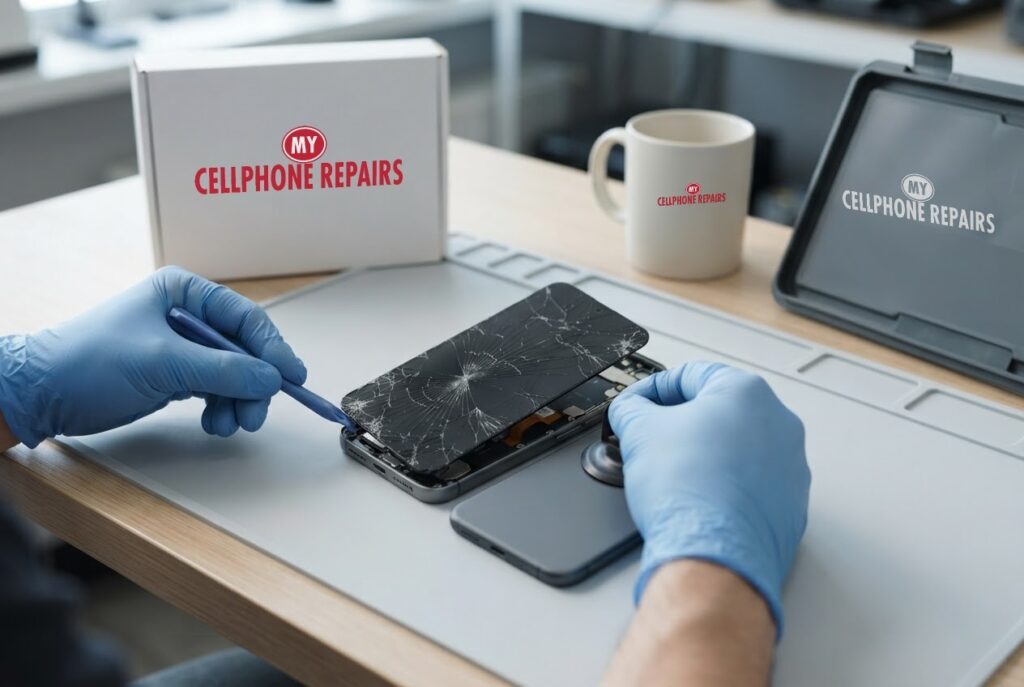
It happens in a second. Your Pixel 9 slips off the car seat, lands corner first, and a thin line shoots across the glass. It still lights up and it still works, so you tell yourself it can wait until payday. A Pixel 9 cracked screen looks like a small problem, but what happens if you wait is the part most people never hear about.
This guide uses Google’s own Pixel guidance to explain what a crack does to water resistance, touch and safety, what you can check yourself, and how to decide between waiting and fixing it. If you want a phone screen replacement from a team that does same day phone repair, our diagnosis is always free and we give an exact quote before we start.
Key takeaways
- Google’s safety guide says not to use a phone with a cracked screen, because a damaged phone may cause overheating or injury.
- Google says the Pixel 9’s IP68 rating applies when the phone leaves the factory, and that a drop may cause a loss of water or dust resistance.
- Google’s warranty commonly excludes cracked screens, so check your coverage before you book anything.
- Google’s touch troubleshooting does not offer a fix for cracks. It says a cracked screen may need professional repair.
- Our quick facts: free diagnosis, same day for most repairs, 30-day warranty on premium screens, walk-ins welcome.
What happens if you wait to fix a cracked Pixel 9?
Waiting does not make a cracked Pixel 9 safer or cheaper to live with. The screen is still a damaged piece of glass over a live display, and Google is direct about it. Its safety guide for the Pixel 9 family says: do not use a phone with a damaged enclosure, a cracked screen or some other form of physical damage. It adds that using a damaged phone may cause overheating or injury.
In plain English, three things are on the table while you wait. First, your hands: the crack can leave sharp edges. Second, the seal that keeps water and dust out. Third, the touch layer, which can start to misbehave. Every day of use is another chance for a bump or a splash to make things worse.
Is a cracked Pixel 9 still water resistant?
Do not count on it. Google says the Pixel 9 is designed to comply with the IP68 dust and water rating when it leaves the factory, and also says it is not dust proof or water proof. It states that dust and water resistance are not permanent conditions and are diminished or lost over time. It also says dropping the phone may result in a loss of dust or water resistance.
A crack is the kind of damage that follows a drop, so it is sensible to treat the phone as no longer sealed. We did not find any source that says exactly how much a crack alone reduces the rating, so we will not guess a number. The safe approach is to keep a cracked phone away from rain, sinks, pools and sweaty pockets.
Can a crack cause touch and display problems over time?
It can, and Google lists the symptoms. Its screen appearance page says flickering, a green tint, lines, dead pixels or a screen that will not turn on may be hardware issues. It recommends repair for cracks and physical damage, and for those symptoms if updates and troubleshooting do not clear them.
For touch, Google’s page for the Pixel 9 series suggests these steps. They are worth doing, because they separate a software or accessory problem from a damaged screen:
- Remove the case or screen protector to see if touch improves. Google notes you may not be able to reuse the protector.
- Take off any gloves and peel off stickers over the screen or sensors.
- Clean the screen.
- Open Settings, tap Display & touch, then Touch diagnostics and run the test.
- Check Settings > System > Software updates for an update.
- Try turning Adaptive touch on or off under Touch sensitivity.
Google’s own page says it does not offer touch fixes for cracks and that a cracked screen may need professional repair. If dead zones, ghost touches or lines appear after those checks, that is your answer. If you are searching for cell phone repair near me, that is the moment to come in.
How do I handle a cracked Pixel 9 safely until it is fixed?
If you cannot get in today, a few habits reduce the risk. These come from Google’s safety guidance plus common sense:
- Back up now. Google asks you to back up your data before any repair, so do it while the touch still works.
- Keep it dry. Treat the phone as no longer water resistant, per Google’s note that a drop may cause a loss of resistance.
- Mind the glass. Google’s guide warns that glass and sharp edges may cause injury. Keep a cracked phone away from small children and do not press hard on the cracked area.
- Avoid heat. Google says to keep the phone away from temperatures above 113°F (45°C), such as a car dashboard.
- Do not take it apart. Google warns you may damage the device or battery if you disassemble it.
Try this first: restart and force restart (Google Pixel)
These steps delete nothing. Menu names can differ slightly by model and Android version. They are worth trying if the screen is frozen or acting odd, but they will not repair cracked glass.
- Restart (Pixel 6 and later, including Pixel 9): press and hold Power and Volume Up for a few seconds, then tap Restart.
- Force restart (frozen screen): press and hold the Power button for up to 60 seconds and let go when the “G” logo appears. This works even if the touch layer is not responding.
- Safe mode (to rule out an app): open the power menu, touch and hold Restart until “Reboot to safe mode” appears, then tap OK. If the touch problem disappears in safe mode, a downloaded app is likely the cause.
When to stop and come in: the screen is cracked, flickers, shows lines or a tint, ignores your touch, stays black while the phone vibrates, or the phone has been wet or is getting hot. A factory reset will not fix a cracked screen, so back up and skip it. Maker’s own help: Google Pixel Help: fix a Pixel that freezes.
Full step-by-step guide: How to restart and reset your Google Pixel → | All restart & reset guides →
Budget or premium: which replacement screen is right for you?
Most Pixel screen repairs come down to two kinds of replacement. Here is how they compare in plain English.
Budget (Incell LCD) vs premium (Soft OLED)
| Feature | Budget (Incell LCD) | Premium (Soft OLED) |
|---|---|---|
| Brightness and resolution | Darker, lower brightness and resolution | Bright, same resolution as the original |
| Touch feel | Slightly slower touch | Smooth touch |
| Fit | Thicker fit | Slim fit |
| Auto-brightness | Auto-brightness may be off | Auto-brightness works |
| Heat | Can run slightly warm | Normal |
| Warranty | No warranty and no refunds | 30-day warranty (excludes physical or accidental damage and internal discoloration) |
| Best for | Trade-ins, a temporary fix, data recovery | Long-term use |
Ask us which options are available for your Pixel 9. We will show you the choices and quote the exact price before we start.
Does Google’s warranty cover a cracked Pixel 9 screen?
Often not. Google’s repair charges page says the manufacturer’s warranty does not cover certain damage types, and it names cracked screens, cosmetic damage and liquid damage among the commonly excluded ones. Before any repair, Google asks you to back up your data. A local shop can often quote and fix the same day, so ask for the price first.
Myths vs facts about cracked phone screens
- Myth: If it still works, it is fine. Fact: Google says not to use a phone with a cracked screen, and a working display can still hide a weakened seal.
- Myth: IP68 means my Pixel 9 is waterproof forever. Fact: Google says the rating applies when it leaves the factory and that resistance is diminished or lost over time, including after a drop.
- Myth: A factory reset or restart will fix a cracked screen. Fact: Those change software, not glass. A cracked screen may need professional repair, according to Google.
- Myth: The warranty will cover it. Fact: Google lists cracked screens among commonly excluded damage, so check before you assume.
How much does Pixel 9 screen repair cost?
Our listed Pixel 9 screen price is from $229.99. For the rest of the family, the listed screen prices are from $199.99 for the Pixel 9 Pro, from $259.99 for the Pixel 9 Pro XL and from $199.99 for the Pixel 9a. For anything not listed, you get a free diagnosis and an exact quote before we start.
Most repairs are done the same day, premium screens and other repairs carry our 30-day warranty, and walk-ins are welcome. Most of our stores are open on Sundays. We also fix tablets and computers: looking for tablet repair near me or laptop repair near me? Bring them in for a free diagnosis too.
FAQ
Is it safe to keep using a cracked Pixel 9?
Google’s safety guide says not to use a phone with a cracked screen, as a damaged phone may cause overheating or injury. If you must use it for a day, keep it dry, mind the sharp glass and back it up. Come in for a free diagnosis and exact quote.
Will a cracked screen ruin my Pixel 9’s water resistance?
Google says IP68 applies to the phone as it left the factory and that a drop may cause a loss of water or dust resistance. Treat a cracked Pixel as not water resistant until it has been checked and repaired.
How long does a Pixel 9 screen replacement take?
Most are done the same day. Walk in or book a repair and we will quote the exact price before starting.
Sources
- Google Pixel Help: safety and regulatory guide for Pixel 9, 9 Pro and 9 Pro XL
- Google Pixel Help: fix touch and response issues on your Pixel screen
- Google Pixel Help: understand repair charges and payments
- Google Pixel Help: fix a Pixel phone that freezes
- Android Authority: Pixel 9 durability
#MyCellphoneRepairs #GooglePixel #Pixel #PixelRepair #Pixel9 #CrackedScreen #ScreenReplacement #PhoneRepair #SameDayRepair #FreeDiagnosis #TowsonMD #Baltimore
Get it fixed at My Cellphone Repairs: most repairs are done the same day. Walk in or book online.
Book NowPhone frozen or acting up? See our step-by-step restart & reset guides →
Our locations
- Towson Mall825 Dulaney Valley Rd, Second Level, Towson, MD 21204
(410) 828-4404 - Grand Rapids3077 28th St SE, Grand Rapids, MI 49512
(616) 799-6996 - PG Plaza Mall (Hyattsville)3500 East-West Hwy, Mall at Prince George's, Target Entrance, Hyattsville, MD 20782
(301) 559-1105 - Bowie Town Center15630 Emerald Way, Bowie, MD 20716
(240) 614-3600 - Capital City Mall (Camp Hill / Harrisburg area)3604 Capital City Mall Dr, Camp Hill, PA 17011
(717) 919-7868 - Cumberland Mall (Vineland)3849 S Delsea Dr, next to Boost Mobile, Dick's Sporting Goods entrance, Vineland, NJ 08360
(856) 765-5049 - Mondawmin Mall2401 Liberty Heights Ave, Lower Level, Baltimore, MD 21215
(443) 826-7711 - Baltimore Inner Harbor100 East Pratt St, Suite 101, Baltimore, MD 21202
(443) 838-8989 - St Charles Mall (Waldorf)11110 Mall Cir, Waldorf, MD 20603
(301) 645-7755 - Alexandria7650 Richmond Hwy, Alexandria, VA 22306
(703) 341-6789