
You press play on a podcast in the kitchen and hear a thin, tinny whisper. Or a call comes in and you realise you have missed three rings because your Pixel 9 made no sound at all. A quiet or muffled speaker is one of the most annoying phone problems, and the good news is that many cases start with something simple. This guide shows how to tell a software hiccup from a blocked grille from real hardware damage, so you know what to try first and when to get a Pixel speaker repair. If you would rather skip the guessing, our free diagnosis is a quick way to find out.
Key takeaways
- Start with the free checks: remove the case and screen protector, clean the openings gently, restart and update.
- Google’s own help page says that if every sound is distorted, you should contact Pixel support.
- Pops and clicks have been reported by owners across several Pixel generations, and no official cause has been confirmed.
- Silence after a drop or after getting wet is usually hardware, so stop poking at it and come in.
- Quick facts: same-day repair for most jobs, free diagnosis, 30-day warranty on premium screens and other repairs, walk-ins welcome.
Quick facts
- Price: speaker work is quoted after a free diagnosis. We give you an exact quote before we start, and we never charge for the check.
- Time: same day for most repairs.
- Warranty: 30 days on premium screens and other repairs.
- Walk-ins: welcome, and most stores are open Sundays.
What does a phone speaker actually do, and why does it go quiet?
A phone speaker is a tiny moving membrane that pushes air through a narrow opening in the frame. Sound only gets out if that opening is clear and the membrane can move freely. That is why a quiet Pixel 9 usually falls into one of three groups: something is blocking the sound, something in the software is sending it to the wrong place or distorting it, or the speaker itself has been damaged.
Blocked openings are the easiest to fix. A case that sits slightly over the grille, a screen protector covering the earpiece slot, or pocket lint packed into the speaker mesh can all make a healthy speaker sound weak. Software causes are next: a bad app, a glitchy update or a stuck audio setting. Hardware is the last group, and it is where drops, liquid and plain wear show up.
How can you tell which problem you have?
Match the symptom to the likely cause before you change anything:
- Muffled or quiet everywhere: often a blocked opening, a case, or dust. Try cleaning first.
- Distorted only in some apps or files: Google says that if only some sounds are distorted, those files may be damaged. Test two or three songs or videos from different apps.
- Distorted on every sound: this points toward the phone itself. Google’s help page tells you to contact Pixel support in this case.
- Pops or clicks when apps open or switch: some owners report this and it looks more like a software quirk than a broken speaker (more on this below).
- Calls are silent but music works, or the other way around: the earpiece and the loudspeaker are different parts, so one can fail while the other works. Switching speakerphone on and then off during a call is a quick test Google lists.
- Nothing at all after a drop or a splash: likely hardware or moisture damage.
Try this first: restart, force restart and Safe mode
- Restart: on a Pixel 6 or later, including the Pixel 9, hold the Power and Volume up buttons for a few seconds, then tap Restart. Nothing is deleted.
- Force restart if it is frozen: hold the Power button for up to 60 seconds and let go when the “G” logo appears. Nothing is deleted.
- Safe mode: open the power menu, touch and hold Restart until “Reboot to safe mode” appears, then tap OK. Safe mode switches downloaded apps off. If the sound returns to normal there, an app is the likely cause. Restart normally to leave Safe mode.
- Update: go to Settings, System, then Software update, and install anything waiting. Google also suggests keeping at least 10% of storage free.
Factory reset is a last resort. It erases everything, so back up first and make sure you know your Google account password, because the phone may ask for it afterwards. A reset will not repair a damaged speaker, a cracked screen or water damage. Use the Settings reset (Settings, System, Reset options, Erase all data) if you are selling or trading in. Google’s help page for Pixel phones that freeze lists these same steps.
When to stop and come in: the phone will not turn on after a force restart and 30 minutes on the charger, it vibrates but stays silent, it restarts again and again, it gets hot, or it got wet. Do not keep trying to power it on if it got wet.
Full step-by-step guide: How to restart and reset your Google Pixel →
All restart & reset guides →
What are the safe hardware checks you can do at home?
Google’s help page for intermittent or distorted sounds lists simple hardware checks, and they cost nothing. First, take off any screen protector and case, because either can cover an opening. Second, gently clean the speakers and microphones with a soft, lint-free cloth. Third, do the same for the USB-C port. Fourth, unplug your headphones and test again, then try a different pair if you use them.
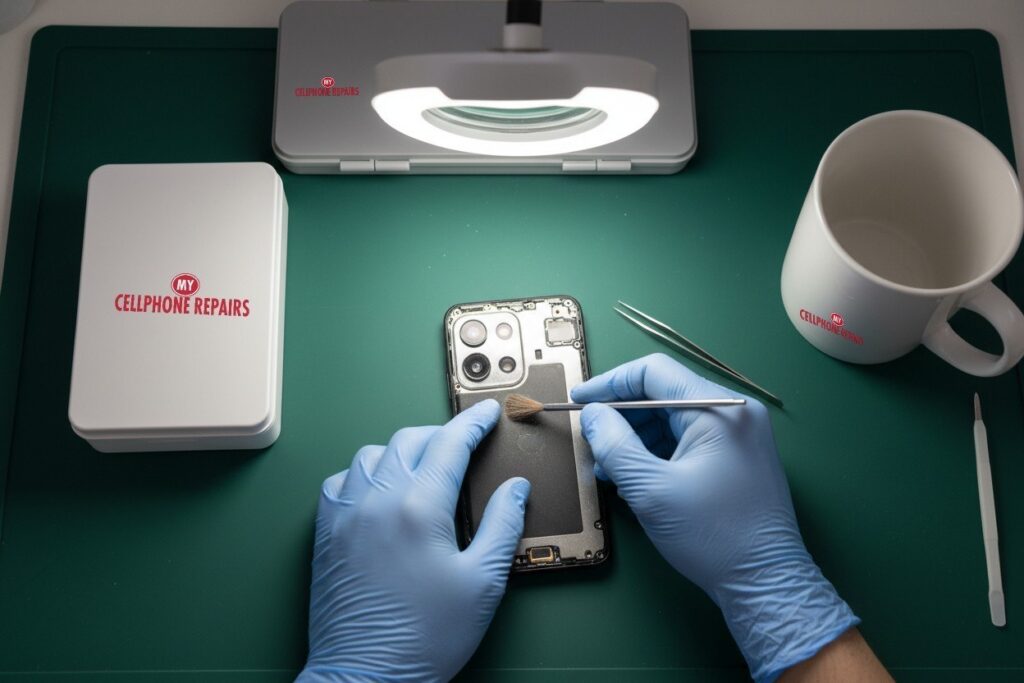
Keep it gentle. Do not poke a pin, needle or paper clip into the grille. The mesh and membrane behind it are delicate, and pushing debris deeper makes the problem worse. If a soft cloth does not help, a technician can clean the opening properly under magnification, which is what the picture at the top shows.
Pixel popping and crackling: is it a bug?
Some owners report a loud pop or click that has nothing to do with a dirty grille. Android Authority reported in February 2026 that Pixel 10 owners described popping from the speakers, often when apps open or close. In June 2026 the same site reported similar popping on several models, including the Pixel 8 Pro, Pixel 9a, Pixel 9 Pro and Pixel 9 Pro XL. Some owners say it began after updating to Android 17, while others say it has gone on for months.
The cause has not been confirmed, and Google had not given an official answer in those reports. One workaround that helped a number of owners was turning off Adaptive Sound. Because the pops often follow software actions, this looks more like a software issue than a broken speaker. If your Pixel is still under Google’s warranty, check with Google first. If the pops appear together with muffled or crackling sound, or after a drop, get it checked.
Myths vs facts about phone speakers
- Myth: a factory reset fixes every sound problem. Fact: it only helps software faults. Google lists it as an advanced step after the simpler ones, and it cannot fix a damaged speaker.
- Myth: turning the volume up to the maximum will fix it. Fact: loud music can sound distorted by itself, and Google suggests adjusting the volume when sound is unclear.
- Myth: a quiet speaker always means a new phone. Fact: many cases are a case, a protector or lint, and a real repair is often far cheaper than a replacement.
What happens if you wait?
If dust is the problem, waiting costs you little, but you may miss calls in the meantime. If liquid or damage is involved, waiting is riskier: moisture can keep affecting parts inside the phone after the outside looks dry. Booking a free diagnosis early lets a technician see whether the speaker, the earpiece or something else is at fault before the problem grows.
How much does Pixel speaker repair cost?
The cost depends on which part has failed, so we do not guess online. Come in for a free diagnosis and an exact quote before we start. Most repairs are done the same day, and repairs carry our 30-day warranty. This is a good moment to ask about a cracked screen or a tired battery too, since a technician already has the phone open.
We also fix tablets and computers. If your iPad screen is cracked or you need laptop repair near me or MacBook repair near me, bring the device in and we will take a look for free.
FAQ
Why is my phone speaker not working?
It is usually a blocked opening, a software glitch or hardware damage. Remove the case, clean gently, restart and update first. If it is still silent, book a free diagnosis and we will find out which part is at fault.
Why does my phone speaker sound muffled or crackle?
Lint, a case or a protector can muffle it, and a damaged speaker can crackle. Test several apps. If all sound is distorted, Google says to contact Pixel support, or you can walk in for a free diagnosis.
Can a water damaged phone be fixed?
Often, yes, if you act quickly. Turn it off, do not keep trying to power it on, and bring it in for a free diagnosis so we can check for liquid damage before it spreads. Call or book a visit today.
#MyCellphoneRepairs #GooglePixel #Pixel #PixelRepair #Pixel9 #SpeakerRepair #PhoneSpeaker #PhoneRepair #CellPhoneRepair #TowsonMD #BowieMD #AlexandriaVA
Sources
- Google Pixel Help: intermittent or distorted sounds
- Google Pixel Help: turn your Pixel on and off, restart
- Google Pixel Help: fix a Pixel phone that freezes
- Android Authority: Pixel audio popping bug (Feb 2026)
- Android Authority: Pixel popping issue (Jun 2026)
Get it fixed at My Cellphone Repairs: most repairs are done the same day. Walk in or book online.
Book NowPhone frozen or acting up? See our step-by-step restart & reset guides →
Our locations
- Towson Mall825 Dulaney Valley Rd, Second Level, Towson, MD 21204
(410) 828-4404 - Grand Rapids3077 28th St SE, Grand Rapids, MI 49512
(616) 799-6996 - PG Plaza Mall (Hyattsville)3500 East-West Hwy, Mall at Prince George's, Target Entrance, Hyattsville, MD 20782
(301) 559-1105 - Bowie Town Center15630 Emerald Way, Bowie, MD 20716
(240) 614-3600 - Capital City Mall (Camp Hill / Harrisburg area)3604 Capital City Mall Dr, Camp Hill, PA 17011
(717) 919-7868 - Cumberland Mall (Vineland)3849 S Delsea Dr, next to Boost Mobile, Dick's Sporting Goods entrance, Vineland, NJ 08360
(856) 765-5049 - Mondawmin Mall2401 Liberty Heights Ave, Lower Level, Baltimore, MD 21215
(443) 826-7711 - Baltimore Inner Harbor100 East Pratt St, Suite 101, Baltimore, MD 21202
(443) 838-8989 - St Charles Mall (Waldorf)11110 Mall Cir, Waldorf, MD 20603
(301) 645-7755 - Alexandria7650 Richmond Hwy, Alexandria, VA 22306
(703) 341-6789