
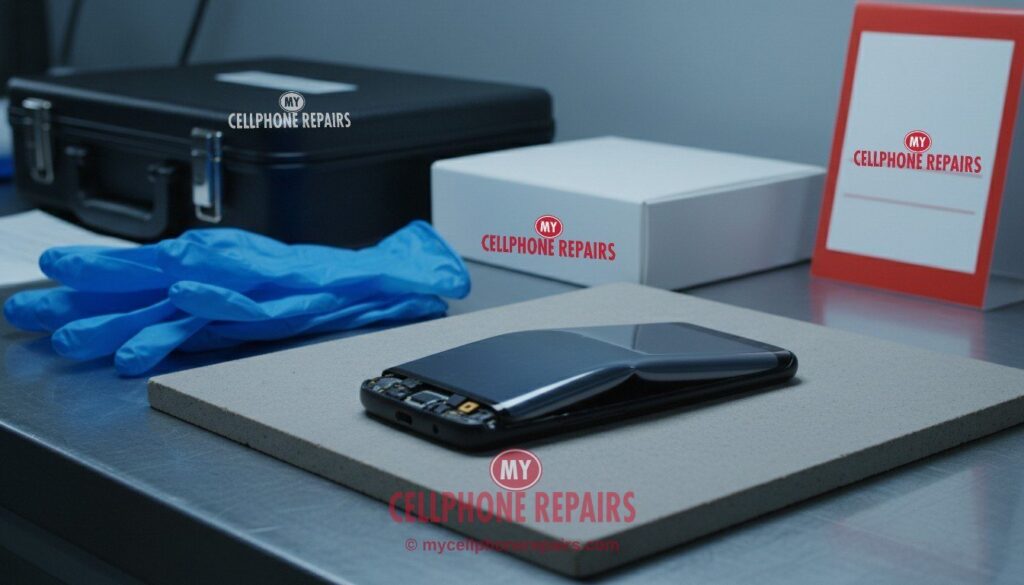
You pick up your Galaxy S23 Ultra and it rocks on the table like a wobbly chair. Or the back glass has a thin gap along one edge, or the screen looks like it is lifting out of the frame. Nothing was dropped. That is the moment many people first meet a Galaxy S23 Ultra swollen battery.
A swollen battery is a safety issue, not a cosmetic one. This guide explains what is happening inside the phone, the signs to look for, what to do right now, what not to do, and how a battery replacement works. If your phone is showing these signs, read the safety box first.
Quick facts
- Price: Galaxy S23 Ultra battery from $89. Free diagnosis, and an exact quote before we start.
- Same day for most repairs. Walk-ins welcome.
- Free diagnosis before any work starts.
- 30-day warranty on premium screens and other repairs (budget screens have none).
Key takeaways
- Signs include a back or screen that lifts, a gap along the frame, a phone that rocks on a flat table, or a battery that is suddenly much worse.
- Samsung’s support FAQ says to stop charging the device and contact or visit a repair center for inspection.
- Power the phone off, keep it away from anything flammable, and do not charge or press on it.
- Never try to pry out or puncture a swollen battery yourself.
- A Galaxy S23 Ultra battery replacement starts from $89 here, and diagnosis is free.
In this article: Why batteries swell · Signs to look for · What to do right now · What not to do · How the repair works · Myths vs facts · FAQ
Safety first: if you see swelling
- Stop using the phone and unplug it. Do not charge it.
- Power it off if it is safe to do so.
- Put it on a hard, non-flammable surface, away from beds, sofas and paper.
- Do not press, bend or puncture it.
- Bring it to us or another repair center. Do not post it in the mail.
Why does a phone battery swell?
A phone battery is a sealed lithium-ion pouch. As technicians explain it, the cell can produce gas inside that pouch when it is stressed or worn out. The pouch puffs up like a pillow. Phones have almost no spare room inside, so the swelling pushes on whatever is above it: the back glass or the screen. Common triggers that repair technicians mention are age and wear, heat, and damage to the battery or its charging circuit.
Android Authority explains the danger plainly. The pressure inside can burst the battery, and a swollen battery can catch fire (Android Authority). That is why we do not treat it as something to wait on.
Some Galaxy owners have also posted about swelling after a software update. One Samsung Community thread raises swelling after the One UI 8.5 update (Samsung Community). A moderator in the thread advised the owner to stop using the phone and not to charge it. We found no Samsung statement linking updates to swelling, so treat that as an owner report, not a confirmed cause.
Galaxy S23 Ultra swollen battery: what are the signs?
- The back glass lifts or a small gap opens along the edge of the frame.
- The screen bulges or looks like it is separating from the frame. Some people notice a raised edge or a bubble under the display.
- The phone rocks when lying on a flat table.
- The case no longer fits or feels tight.
- The touchscreen acts strangely, because pressure can push on the display from underneath.
- Heat, or fast battery drain, sometimes seen at the same time as swelling.
Samsung community moderators have said that physical signs, such as a raised back, are a strong indicator that the battery needs to be replaced, even when the Samsung app reports the battery as good. The battery diagnostic is useful for health, but it cannot see a bulge. You can find it in Samsung Members, under Support, Diagnostics, Battery. Menu names may differ slightly on your model and software version.
What should you do right now?
Samsung’s own support FAQ for battery swelling says to stop charging the device and contact or visit a repair center for an inspection (Samsung Support). Here is how we would put that into practice:
- Stop charging. Unplug the cable and do not use a wireless charger.
- Power the phone off if you can. If the screen is unresponsive, see the box below.
- Move it to a safe spot, on a hard surface, away from anything that burns.
- Back up if you still can. If the phone is working normally and is not hot, a quick Samsung Cloud or Google backup is sensible. If it is hot, skip the backup and power it off.
- Check your warranty. Samsung’s guidance notes that cover can depend on warranty status, and some owners report being told that out-of-warranty swelling is at their cost. Check with Samsung or your carrier first if the phone is new.
- Bring it in. Free diagnosis, and we tell you what we find before any work starts.
What should you not do?
- Do not puncture or pry at the battery. Android Authority warns it can burst or catch fire.
- Do not keep charging to see whether it improves.
- Do not squash the phone flat by pressing on it, or sit on it.
- Do not post it in the mail. A Samsung Community moderator warned that mailing a swollen device can be dangerous and may be illegal, and said to follow the repair center’s instructions for transport.
- Do not throw it in the bin. Take old batteries to a recycling or battery collection point, as Android Authority advises.
How does the repair work?
We check the phone first, free of charge. If the battery is the cause, we power the phone down, carefully remove the battery, and fit a new one. On a phone with this much glue and glass, it takes skill to remove a swollen battery without bending the frame or the screen, which is why this is not a good DIY job. Most battery replacements are done the same day. If the pressure has already damaged the back glass or the screen, we tell you that at the diagnosis, before any work.
Try this first (if the phone is safe to handle): restart
Do not use this box if the phone is hot, smoking or visibly bulging. Power it off and keep it away from anything flammable.
Restart: swipe down twice from the top, tap the Power icon, then Restart. Or hold the Side key and Volume Down, then tap Restart.
Force restart (frozen screen): hold Volume Down and the Side key for about 7 to 10 seconds, until the screen goes black and the Samsung logo appears. This deletes nothing.
A factory reset will not fix a swollen battery. It is a hardware problem, and a reset erases your data.
Stop and come in if: the back or screen is lifting, the phone is hot, it restarts by itself over and over, or it will not turn on. Free diagnosis, and most repairs are same day. (Steps from Samsung Support; menu names may differ slightly on your model.)
📘 Full step-by-step guide: How to restart and reset your Samsung Galaxy →
All restart & reset guides →
How much does a Galaxy S23 Ultra battery replacement cost?
A Galaxy S23 Ultra battery replacement at My Cellphone Repairs starts from $89. Diagnosis is free, most repairs are done the same day, and our repairs carry a 30-day warranty. If swelling has also damaged the back glass, the Galaxy S23 Ultra back glass repair starts from $89, and we tell you at the free diagnosis. Check the price for your model.
Myths vs facts
| Myth | Fact |
|---|---|
| “It is only swollen a little, so it is fine.” | Any swelling means the battery has failed. Samsung’s FAQ says to stop charging and get it inspected. |
| “The battery test says Good, so it cannot be swollen.” | Samsung moderators say a raised back is a strong sign to replace the battery, whatever the app reports. |
| “I can press it flat.” | Pressing on a swollen cell can damage it. Leave it alone and bring it in. |
| “I can mail it to be fixed.” | A Samsung moderator warned that mailing a swollen device is dangerous and may be illegal. |
How can you lower the risk of swelling?
- Do not leave the phone in a hot car, or on a bed or sofa while charging.
- Replace a battery that is clearly worn out, rather than running it into the ground.
- Use a good charger and cable, and stop using a cable that is frayed or runs hot.
- Do not keep using a phone that has been crushed or badly dropped without a check.
We also fix tablets and computers
Tablet or laptop with a battery that looks puffy? We also do tablet repair, laptop battery replacement and MacBook repairs at the same stores, with the same free diagnosis.
Questions people ask
Is a swollen Galaxy S23 Ultra battery dangerous?
It can be. Android Authority says the pressure can burst the battery and it can catch fire. Stop charging, power the phone off, and bring it in for a free diagnosis.
Can I keep using the phone until my appointment?
No. Samsung’s FAQ says to stop charging the device and have it inspected. Keep it powered off and away from flammable things until you come in.
Will Samsung replace it for free?
It depends on your warranty status, and owners report mixed experiences when the phone is out of warranty. Check with Samsung or your carrier first if the phone is new. If you are out of cover, we give you an exact quote after the free diagnosis.
Sources
- Android Authority: What to do if your phone battery is swollen
- Samsung Support: If battery swelling occurs, what action is needed?
- Samsung Community: Battery swelling following One UI 8.5
- Samsung Community: Swollen battery and warranty advice
- Samsung Support: Different ways to restart your Galaxy
#MyCellphoneRepairs #Samsung #GalaxyS23Ultra #SamsungRepair #SwollenBattery #BatteryReplacement #BatterySafety #PhoneRepair #TabletRepair #BowieMD #Baltimore
Get it fixed at My Cellphone Repairs: most repairs are done the same day. Walk in or book online.
Book NowPhone frozen or acting up? See our step-by-step restart & reset guides →
Our locations
- Towson Mall825 Dulaney Valley Rd, Second Level, Towson, MD 21204
(410) 828-4404 - Grand Rapids3077 28th St SE, Grand Rapids, MI 49512
(616) 799-6996 - PG Plaza Mall (Hyattsville)3500 East-West Hwy, Mall at Prince George's, Target Entrance, Hyattsville, MD 20782
(301) 559-1105 - Bowie Town Center15630 Emerald Way, Bowie, MD 20716
(240) 614-3600 - Capital City Mall (Camp Hill / Harrisburg area)3604 Capital City Mall Dr, Camp Hill, PA 17011
(717) 919-7868 - Cumberland Mall (Vineland)3849 S Delsea Dr, next to Boost Mobile, Dick's Sporting Goods entrance, Vineland, NJ 08360
(856) 765-5049 - Mondawmin Mall2401 Liberty Heights Ave, Lower Level, Baltimore, MD 21215
(443) 826-7711 - Baltimore Inner Harbor100 East Pratt St, Suite 101, Baltimore, MD 21202
(443) 838-8989 - St Charles Mall (Waldorf)11110 Mall Cir, Waldorf, MD 20603
(301) 645-7755 - Alexandria7650 Richmond Hwy, Alexandria, VA 22306
(703) 341-6789