
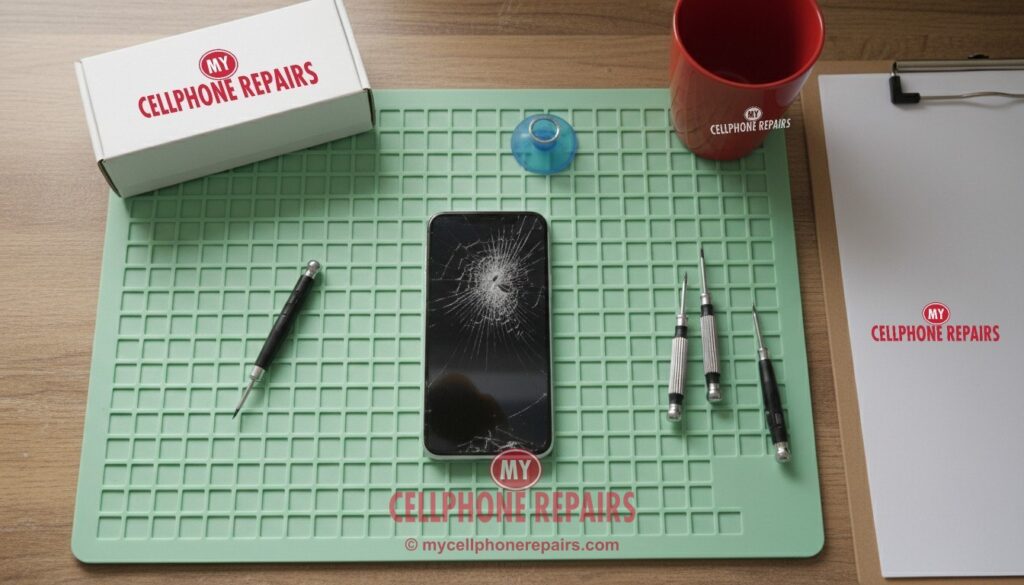
It always happens in a second. The phone slips out of your hand, hits the floor corner-first, and you turn it over hoping for the best. Instead you see a spiderweb of cracks. Maybe the touch still works. Maybe there’s a black blotch spreading in one corner. Either way, you’re wondering how bad it is, whether you can keep using it, and if it’s even worth fixing.
This guide explains what a crack actually damages inside your phone, what to do in the first hour, the real risks of doing the repair yourself, how long a professional repair takes, and the honest cases where a repair isn’t worth your money.
Key takeaways
- A crack can be just the top glass, or the display underneath too. Lines, black spots, flicker or dead touch areas mean the display itself is damaged.
- Cracks tend to spread, and they let dust and moisture in. Water resistance is not permanent even on an undamaged phone, and a cracked one is much more exposed.
- Right away: back up your phone, cover sharp cracks with clear tape or a screen protector, and keep it dry.
- Most modern screens are glued in and connected by thin cables. DIY repairs often end with a torn cable, a damaged battery or warning messages.
- At My Cellphone Repairs, most screen repairs take 15–30 minutes, and diagnosis is free.
In this article: What a crack really damages · Why screens crack · What to do right away · DIY vs professional repair · How long a repair takes · When it’s not worth fixing · FAQ
What a crack really damages
Your phone’s screen isn’t one piece. It’s a stack of layers bonded together: a tough cover glass on top, a thin touch layer that senses your finger, and the display panel underneath that makes the picture. On most phones today, these layers are fused into one part, so a “screen repair” usually means replacing the whole assembly, not just the glass.
That’s why two cracked phones can look alike but behave very differently:
- Glass-only damage: cracks on top, but the picture is perfect and touch works everywhere. This is the best case, but the glass no longer protects the display, so it often gets worse.
- Display damage: colored or white lines, black or purple blotches that spread, flickering, a green tint, or a fully black screen while the phone still rings. The panel underneath is broken.
- Touch damage: parts of the screen don’t respond, or the phone taps and swipes on its own (“ghost touch”). The touch layer is damaged.
Quick check: if you use a screen protector, look closely before you panic. Sometimes only the protector cracked. Peel up a corner: if the glass underneath is smooth, you just need a new protector.
Why screens crack
- Corner drops. A corner hit puts all the force on a tiny spot of glass. That’s why cracks so often start at a corner and spread across.
- Pressure and bending. Sitting on a phone in a back pocket, or a heavy bag pressing on it, can crack the glass or the display without a drop.
- Small chips that grow. A tiny chip on the edge weakens the glass. Changes in temperature and everyday pressure can turn it into a long crack weeks later.
- A swollen battery. Sometimes the screen isn’t the problem at all. An aging battery can swell and push the screen up from inside, lifting or cracking it. If your screen looks like it’s popping out of the frame, stop charging the phone and read our battery guide.
What to do right away
- Back up your phone now. A cracked screen can go black without warning. Use iCloud or Google backup while you can still see and tap.
- Cover sharp cracks. A clear screen protector or a strip of clear packing tape keeps tiny glass pieces from cutting your fingers or face.
- Keep it dry. Apple says water and dust resistance “are not permanent conditions” even on an undamaged iPhone (Apple Support). A crack gives water a direct path inside, so skip the pool, the shower and the rain.
- Don’t press on damaged spots. Pressing on black blotches or lines can spread the damage in the display.
- Check your coverage. If you have AppleCare+ or a carrier insurance plan, check it first. Apple lists a $29 service fee for screen damage under AppleCare+ (Apple).
Try this first: touch acting strange or screen frozen?
A restart can clear a frozen picture or touch glitch caused by software. If the problem stays after a restart, it’s the hardware.
Step-by-step restart and force-restart steps for every brand: our restart & reset guides (iPhone, Samsung Galaxy, Google Pixel).
Myths vs facts
- Myth: “A small crack is fine, it won’t get worse.” Fact: cracks usually spread, and a cracked screen is more likely to shatter on the next drop.
- Myth: “Toothpaste or baking soda fixes cracks.” Fact: these might soften very light scratches on plastic. They don’t repair cracked glass, and they can push grit into the edges and speaker openings.
- Myth: “If the picture looks fine, the screen is fine.” Fact: the touch layer can still be damaged. Test by dragging an app icon slowly across the whole screen and watching for spots where it drops.
DIY vs professional repair
DIY screen kits look simple in videos. In real life, here’s what can go wrong:
- Glued screens. Most phones are sealed with strong adhesive. Opening them takes controlled heat and patience. Too much heat can damage the display or battery; too little and the glass shatters further.
- Thin cables. The screen connects with ribbon cables thinner than a credit card. One tear can kill the touch, the front camera or Face ID.
- The battery is right there. Prying with a metal tool near a lithium-ion battery can puncture it, and a punctured battery can catch fire.
- Warning messages. On iPhone 11 and later, Apple may flag a non-genuine or unverified display as an “Unknown part” in Settings, and says untrained repairs can affect how the display works (Apple Support). Features like True Tone and auto-brightness also depend on how the repair is done.
- Water resistance. After any repair, the original seal is gone. A proper repair replaces the adhesive seal; a rushed one often doesn’t.
A trained technician has the right heat tools, the right adhesive and the experience to move parts over safely. The repair is also tested before you leave.
How long a screen repair takes
At My Cellphone Repairs, most screen replacements on popular iPhone, Samsung Galaxy and Google Pixel models are done in 15–30 minutes while you wait, and most repairs are done the same day. A few models take longer, for example some Samsung Galaxy phones where the screen comes already mounted on a new frame and your parts are moved over. We’ll tell you the time up front.
When a cracked screen isn’t worth fixing
We’d rather tell you the truth than sell you a repair you don’t need. A screen repair may not be worth it if:
- The repair costs more than about half of what the phone is worth used.
- The phone no longer gets security updates from its maker.
- It has other big problems too, like water damage or a failing battery, and the total adds up to the price of a newer phone.
- Only the edge is chipped, the display and touch work perfectly, and you’re planning to upgrade soon. A good screen protector may get you there.
In most other cases, a new screen is far cheaper than a new phone. Our free diagnosis tells you exactly what’s damaged, so you can decide.
Get your screen fixed at My Cellphone Repairs
Walk in or book online at one of our stores in Maryland, Michigan, Pennsylvania, New Jersey and Virginia. Diagnosis is free, most screen repairs take 15–30 minutes, and premium screens include a 30-day warranty. Check the price for your model.
We also fix tablets and computers
Cracked iPad or Galaxy Tab? Broken laptop screen? We also do iPad screen repair, Samsung tablet repair and laptop and MacBook screen repair at the same stores, with the same free diagnosis.
Questions people ask
Can I keep using my phone with a cracked screen?
Usually yes for a short time, if touch works and no glass is loose. Cover the cracks, keep it dry and back it up. Cracks tend to spread, so don’t wait too long.
How do I know if the display is damaged or just the glass?
Lines, black or colored blotches, flicker or dead touch areas mean the display is damaged. If the picture and touch are perfect, it’s likely only the glass. We’ll check it for free.
How long does a screen repair take?
Most screen repairs at My Cellphone Repairs take 15–30 minutes, and most repairs are done the same day. Book a time.
Will I lose my photos and data?
A screen replacement doesn’t erase your data. Still, back up first, because any phone with a damaged screen can fail suddenly.
Sources
- Apple Support: About splash, water, and dust resistance of iPhone
- Apple Support: About genuine iPhone displays
- Apple: AppleCare+ for iPhone
#MyCellphoneRepairs #CrackedScreen #ScreenRepair #PhoneRepair #iPhoneRepair #SamsungRepair #PixelRepair #BrokenScreen #SameDayRepair #TowsonMD #BaltimoreMD #GrandRapidsMI
Get it fixed at My Cellphone Repairs: most repairs are done the same day. Walk in or book online.
Book NowPhone frozen or acting up? See our step-by-step restart & reset guides →
Our locations
- Towson Mall825 Dulaney Valley Rd, Second Level, Towson, MD 21204
(410) 828-4404 - Grand Rapids3077 28th St SE, Grand Rapids, MI 49512
(616) 799-6996 - PG Plaza Mall (Hyattsville)3500 East-West Hwy, Mall at Prince George's, Target Entrance, Hyattsville, MD 20782
(301) 559-1105 - Bowie Town Center15630 Emerald Way, Bowie, MD 20716
(240) 614-3600 - Capital City Mall (Camp Hill / Harrisburg area)3604 Capital City Mall Dr, Camp Hill, PA 17011
(717) 919-7868 - Cumberland Mall (Vineland)3849 S Delsea Dr, next to Boost Mobile, Dick's Sporting Goods entrance, Vineland, NJ 08360
(856) 765-5049 - Mondawmin Mall2401 Liberty Heights Ave, Lower Level, Baltimore, MD 21215
(443) 826-7711 - Baltimore Inner Harbor100 East Pratt St, Suite 101, Baltimore, MD 21202
(443) 838-8989 - St Charles Mall (Waldorf)11110 Mall Cir, Waldorf, MD 20603
(301) 645-7755 - Alexandria7650 Richmond Hwy, Alexandria, VA 22306
(703) 341-6789