
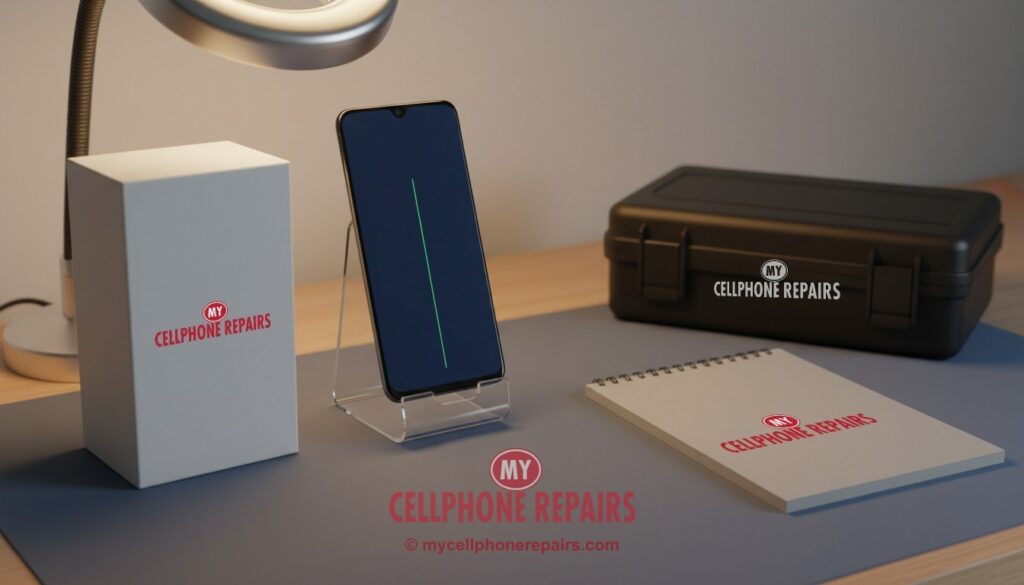
You pick up your Galaxy in the morning and there it is: a thin, bright green line running straight down the screen. It wasn’t there last night. You didn’t drop the phone. Maybe you just installed an update. Now you’re wondering if it will go away on its own, if it will get worse, and whether your phone is finished.
The short answer: a green line is one of the most common display problems on Samsung Galaxy phones. It’s usually a hardware fault inside the screen, and it rarely fixes itself. But there are a few quick checks you can do first, and you may have more options than you think. Here’s what’s actually going on.
Key takeaways
- A green line usually means one column of tiny green lights in the screen is stuck “on” because a connection inside the display has failed.
- Many owners first notice it after a software update, but Samsung has not confirmed that updates cause it. Heat, pressure and earlier drops are common suspects.
- Two-minute test: restart, then try Safe mode. If the line is still there, it’s the screen hardware, not an app.
- Lines often multiply over time, so back up your phone while the screen still works.
- Still under Samsung’s warranty? Check with Samsung first. Otherwise, a screen replacement is the reliable fix, and diagnosis at our stores is free.
In this article: How a Galaxy screen makes a green line · Why it happens · The two-minute test · Myths vs facts · Your options · FAQ
How a Galaxy screen makes a green line
Galaxy S phones use AMOLED screens. Unlike older LCD screens, which shine a backlight through the picture, every single pixel in an AMOLED screen makes its own light. Each pixel is really three tiny lights: red, green and blue.
A small driver chip at the edge of the panel tells every column of pixels what to do, sending signals down extremely thin connections. When one of those column connections fails or shorts, the pixels in that column stop listening. Often the green sub-pixels get stuck at full brightness. The result is one perfectly straight, thin green line from top to bottom.
That’s why the line is so straight and always sits in the same spot. It isn’t a crack you can see; it’s an electrical fault inside the layers of the screen.
Why does it happen?
Samsung hasn’t published an official explanation, but repair technicians and owner reports point to a few common triggers:
- An earlier drop or pressure. A knock can create tiny fractures or loosen the bond between the screen panel and its ribbon cable. The phone may work fine for weeks before the line appears.
- Heat. Heat makes materials expand and contract. A connection that’s already weak can finally give way after the phone gets hot from gaming, charging or a long update.
- Timing with software updates. Waves of reports followed big updates. Galaxy S20 and S21 owners reported it in earlier years, and in June 2026 Galaxy S23 owners reported green and pink lines after the One UI 8.5 update (Android Authority). Samsung has not confirmed that the update is the cause, and some experts believe the update simply coincided with hardware that was already failing.
The two-minute test: software glitch or hardware fault?
Before you assume the worst, try these steps. They come from Samsung’s own troubleshooting advice (Samsung Support):
- Restart the phone. A rare software glitch can clear with a restart.
- Check for a software update in Settings → Software update.
- Try Safe mode. Hold the Power button, then touch and hold “Power off” until “Safe mode” appears, and tap it. Safe mode turns off downloaded apps. If the line is still there, an app isn’t the cause.
- Take a screenshot and look at it on another device. If the line doesn’t show in the screenshot, the problem is in the screen hardware, not the picture your phone is creating.
If the line survives all four steps, you’re looking at a display fault. Samsung’s own guidance for lines that stay after these steps is to have the phone looked at by a technician (Samsung Support).
One important exception: if green lines show up only in photos or videos, not on the screen itself, that’s usually a camera software bug. Samsung fixed one such issue with 4K HDR video in a One UI 8.5 beta (AndroidSage). That’s a different problem from a line that’s always on your display.
Try this first: restart your Samsung Galaxy
Normal restart: swipe down twice from the top of the screen, tap the Power icon, then tap Restart.
Phone frozen? Force restart: press and hold Volume Down + Side key together for about 7–10 seconds, until the screen goes black and the Samsung logo appears. This deletes nothing.
Safe mode: open the power menu, touch and hold Power off until Safe mode appears, then tap it. Restart normally to leave Safe mode.
Skip the factory reset for this problem. A factory reset erases everything on your phone and won’t fix a screen fault. If you ever need one for another reason, back up first and make sure you know your Google account password.
Stop and come in if: the line stays after a force restart and Safe mode, the screen goes black but the phone still vibrates, or the phone gets hot. Diagnosis is free. (Steps from Samsung Support; menu names can differ slightly by model.)
📘 Full step-by-step guide: How to restart and reset your Samsung Galaxy →
All restart & reset guides (iPhone, iPad, Pixel, Motorola, OnePlus) →
Myths vs facts
| Myth | Fact |
|---|---|
| “A factory reset will fix it.” | If the line survives Safe mode, it’s almost always hardware. A reset wipes your data and won’t repair the screen. |
| “It’s just one line, it won’t spread.” | Many owners report a second or third line appearing later. Back up your photos and contacts now. |
| “Pressing on the screen can push it back.” | Pressing on an AMOLED panel can make internal damage worse. Don’t do it. |
| “Only old phones get green lines.” | Reports cover several generations, including Galaxy S20, S21, S22 and S23 models. |
Your options
1. Check Samsung first if you’re covered. If your phone is still under Samsung’s warranty, or covered by a protection plan, start there. Samsung has run special programs before: in 2024, Samsung India offered a one-time free screen replacement for some Galaxy S20, Note 20, S21 and S22 Ultra phones with this fault (9to5Google). That program was limited to India and has ended, but it shows it’s worth asking.
2. Replace the screen. On most Galaxy S models, the screen is glued to the phone’s metal frame, and the best repair uses a new screen already mounted on a new frame, with your phone’s parts moved over (according to professional repair teardowns). Strong adhesive makes this risky to do at home, so it’s a job for a repair shop.
3. Live with it for now, but back up. If the line doesn’t bother you, the phone can keep working. Just back up regularly, because more lines or a black screen can follow.
What a screen repair costs at My Cellphone Repairs
Galaxy S screen repairs start from $139.99 (S23 FE and S24 FE), $189.99 for the S22 Ultra, S23 Ultra and S24, and $199.99 for the S23 and S24 Ultra. Most repairs are done the same day, diagnosis is free, and premium screens include a 30-day warranty. Check the price for your model.
We also fix tablets and computers
Lines on your Galaxy Tab or iPad, or a laptop screen that flickers? We also do Samsung tablet repair, iPad screen repair and laptop and MacBook screen repair at the same stores, with the same free diagnosis.
Questions people ask
Why is there a green line on my Samsung screen?
Most often, a connection inside the AMOLED panel has failed, so one column of green sub-pixels stays lit. Drops, pressure and heat are common triggers. Bring it in for a free diagnosis and we’ll tell you exactly what’s wrong.
Will the green line go away by itself?
Rarely. If it survives a restart and Safe mode, it’s a hardware fault and usually stays or gets worse. Book a free check.
Can I keep using my phone with a green line?
Yes, usually. Back up your data now, because more lines or a black screen can follow. When you’re ready, most screen repairs are done the same day.
Sources
- Samsung Support: Pink lines or dead pixels on Galaxy display
- Samsung Support: Screen flickering or glitching
- Android Authority: Galaxy S23 green line after One UI 8.5
- 9to5Google: Samsung green line screen replacements
- AndroidSage: One UI 8.5 Beta 2 fixes video green lines
#MyCellphoneRepairs #Samsung #Galaxy #SamsungRepair #GalaxyS23 #GalaxyS21 #GreenLine #ScreenBleeding #DisplayRepair #AMOLED #BowieMD #VinelandNJ
Get it fixed at My Cellphone Repairs: most repairs are done the same day. Walk in or book online.
Book NowPhone frozen or acting up? See our step-by-step restart & reset guides →
Our locations
- Towson Mall825 Dulaney Valley Rd, Second Level, Towson, MD 21204
(410) 828-4404 - Grand Rapids3077 28th St SE, Grand Rapids, MI 49512
(616) 799-6996 - PG Plaza Mall (Hyattsville)3500 East-West Hwy, Mall at Prince George's, Target Entrance, Hyattsville, MD 20782
(301) 559-1105 - Bowie Town Center15630 Emerald Way, Bowie, MD 20716
(240) 614-3600 - Capital City Mall (Camp Hill / Harrisburg area)3604 Capital City Mall Dr, Camp Hill, PA 17011
(717) 919-7868 - Cumberland Mall (Vineland)3849 S Delsea Dr, next to Boost Mobile, Dick's Sporting Goods entrance, Vineland, NJ 08360
(856) 765-5049 - Mondawmin Mall2401 Liberty Heights Ave, Lower Level, Baltimore, MD 21215
(443) 826-7711 - Baltimore Inner Harbor100 East Pratt St, Suite 101, Baltimore, MD 21202
(443) 838-8989 - St Charles Mall (Waldorf)11110 Mall Cir, Waldorf, MD 20603
(301) 645-7755 - Alexandria7650 Richmond Hwy, Alexandria, VA 22306
(703) 341-6789